How do I refund an invoice in Rekaz?
To refund an invoice in Rekaz, open the relevant paid order and select Refund Invoice. Choose the services to refund, set the refund method, select a reason, and submit the refund.
You can also select Refund a specific payment.
Steps
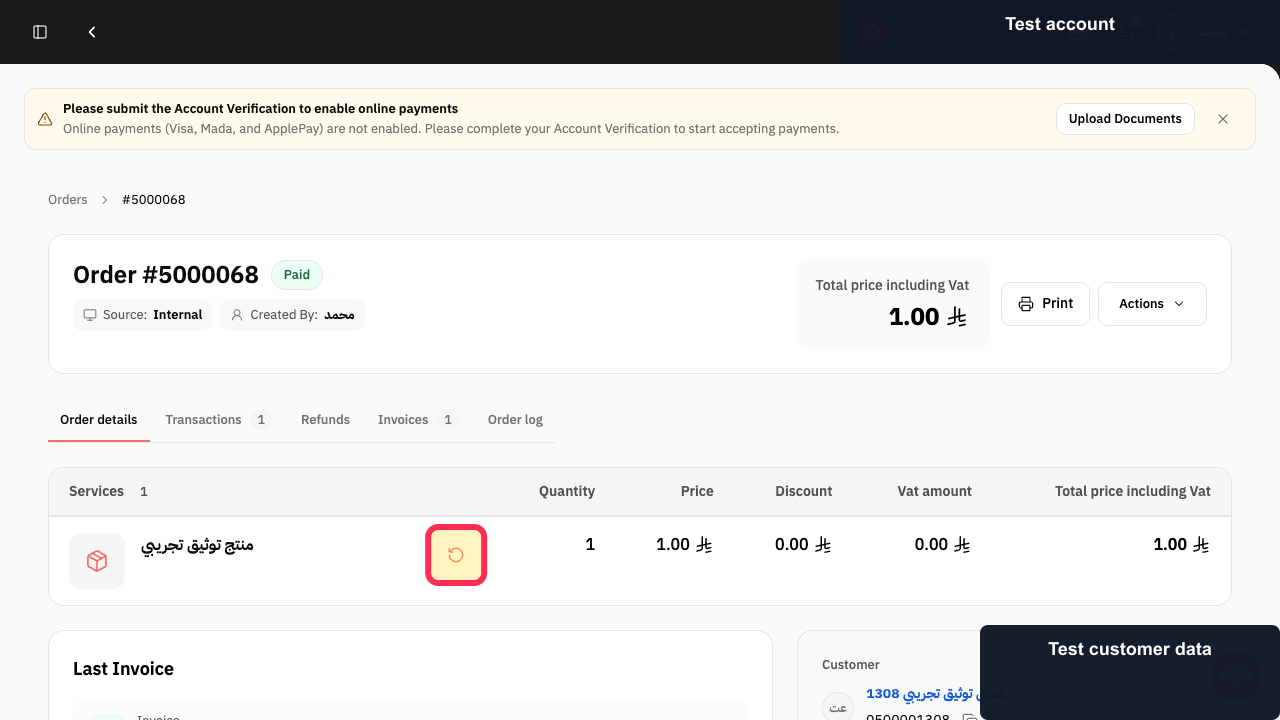
In the relevant paid order, select Refund Invoice.
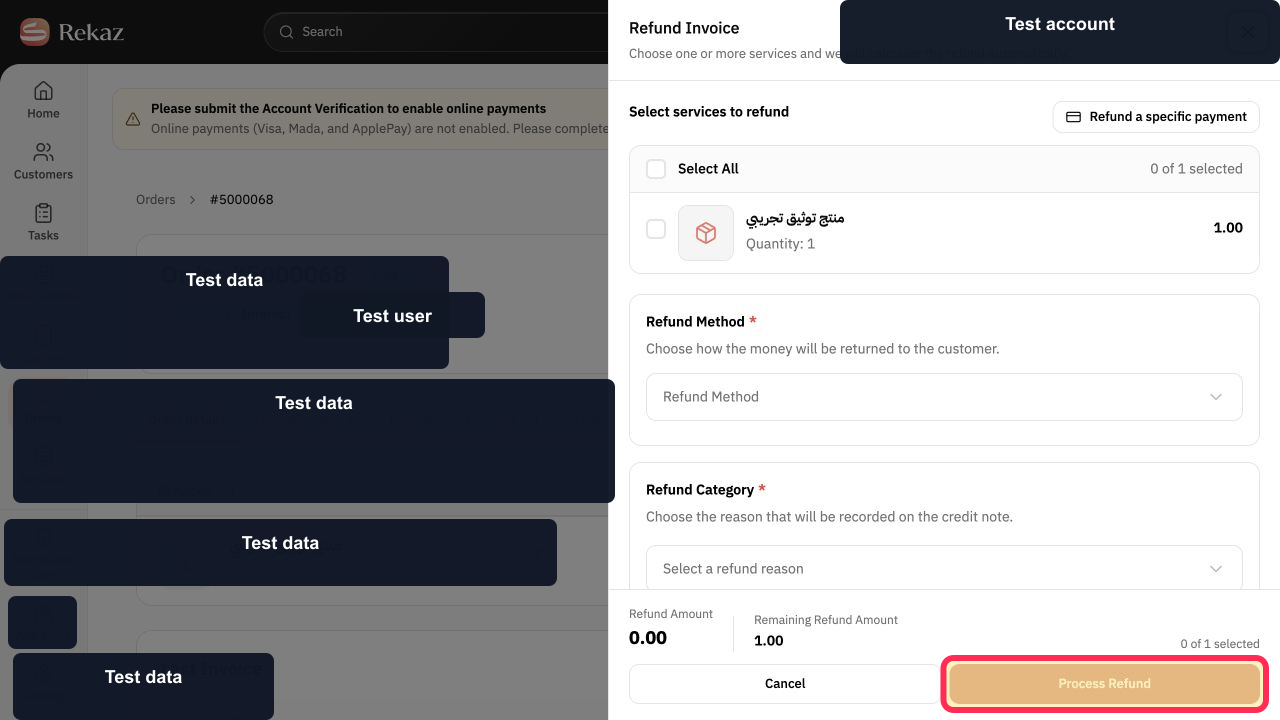
The Refund Invoice form opens.
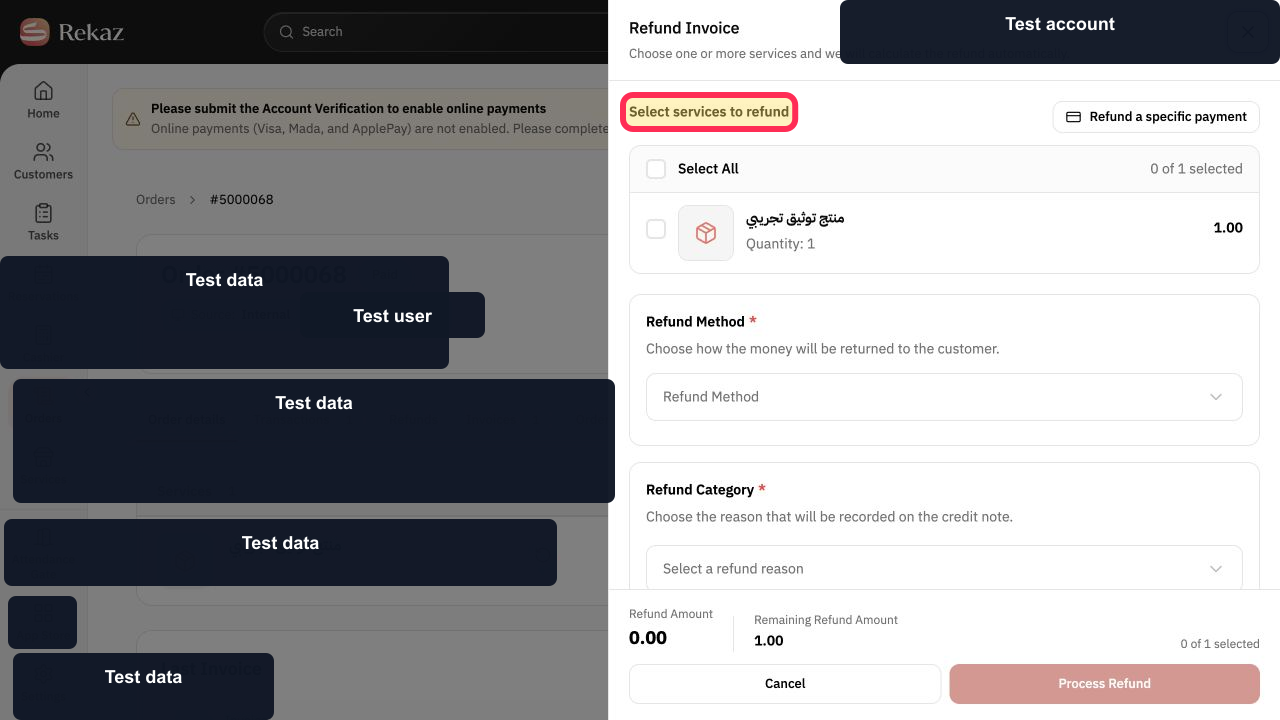
Under Select services to refund, choose the service or services to include in the refund.
The refund form remains open with the service-selection section visible.
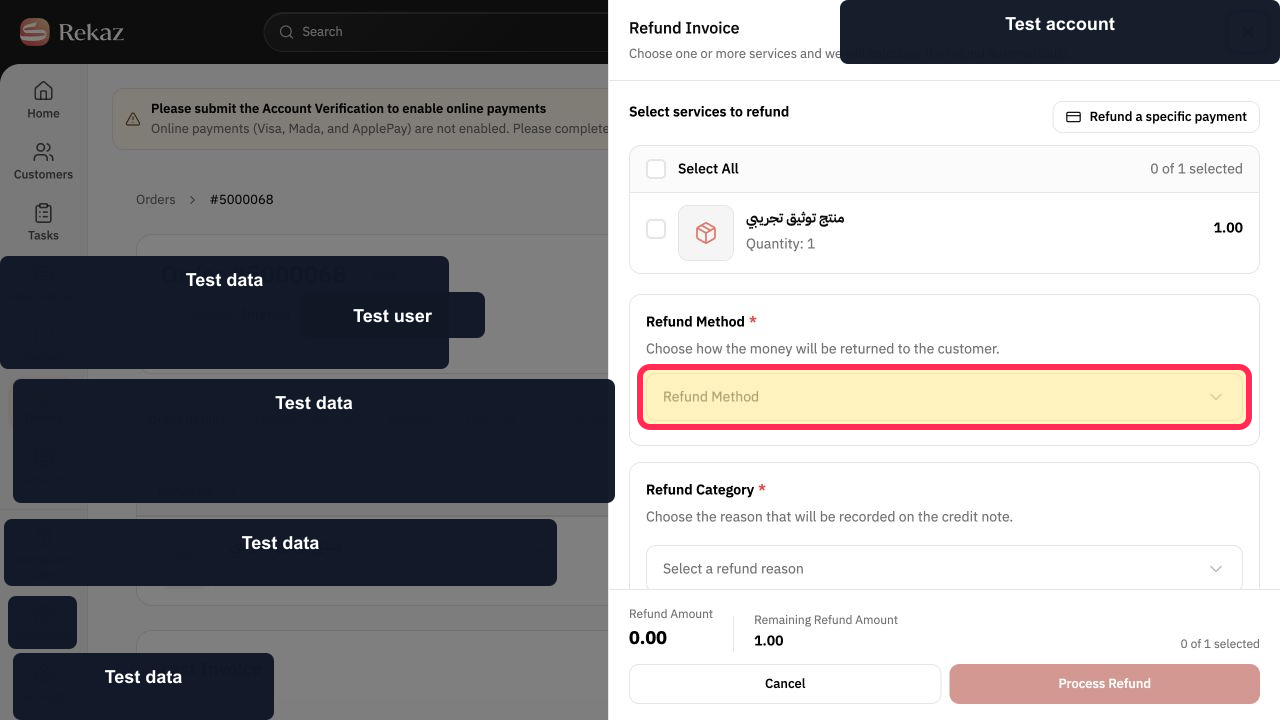
Select Refund Method and choose the method for the refund.
A refund method is set on the refund form.
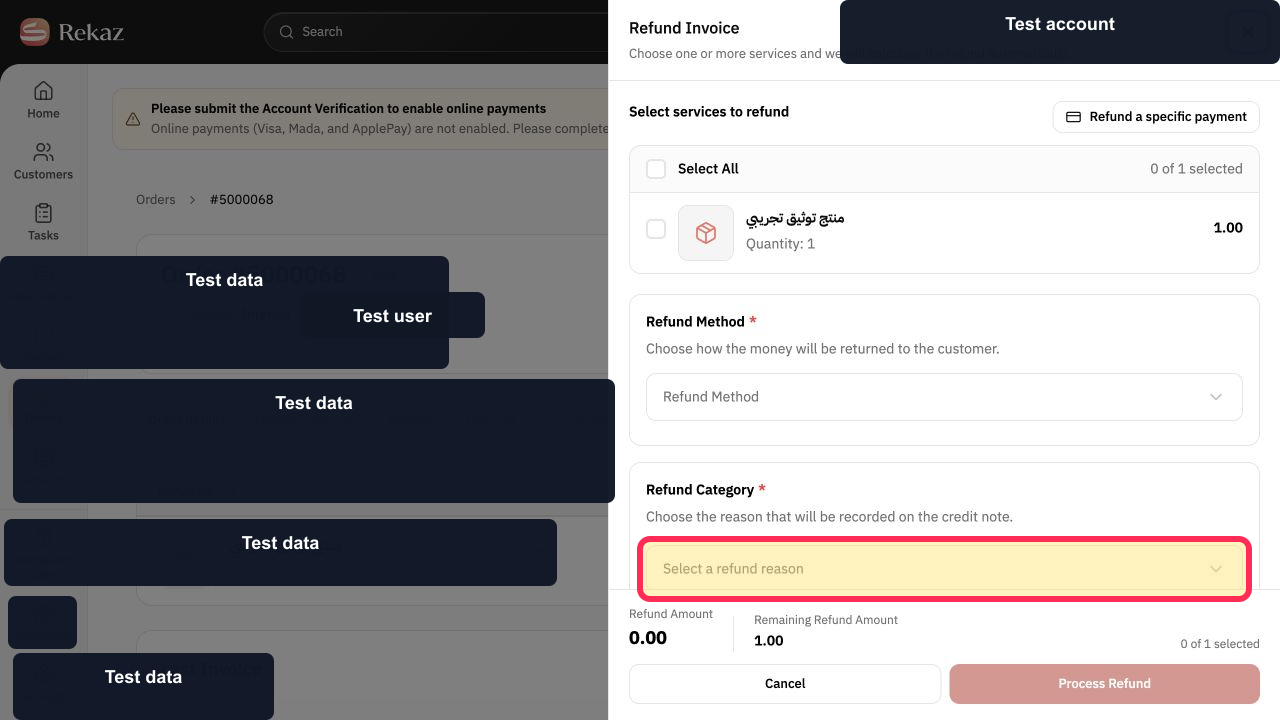
Select Select a refund reason and choose the reason for the refund.
A refund reason is set on the refund form.
Select Process Refund to submit the refund.
The selected refund is submitted.
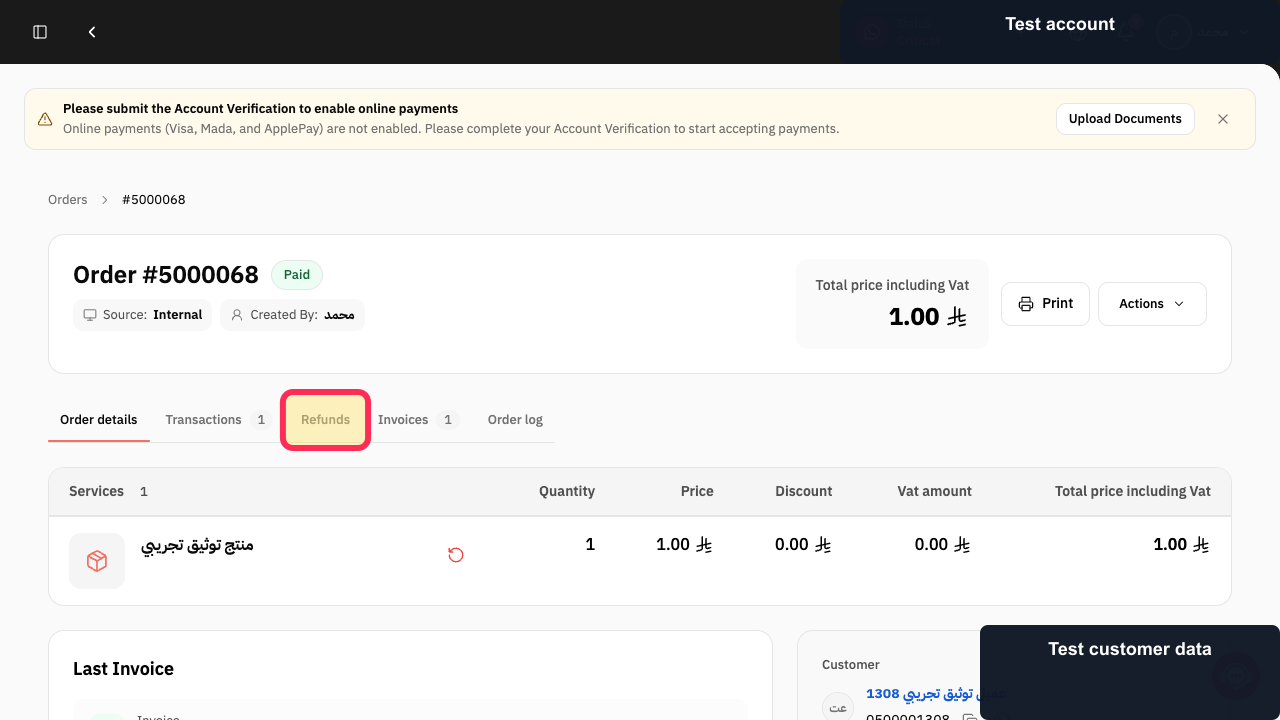
Select Refunds to review the order’s refund records.
The Refunds section for the order opens.
Illustrated guide
Step 1: Select Refund Invoice from the paid order.
Step 2: Choose services in the Select services to refund section.
Step 3: Set the Refund Method for the refund.
Step 4: Choose a reason before processing the refund.
Step 5: Submit the refund with Process Refund.
Step 6: Open the order’s Refunds section to review refund records.
Important refund notes
For Online Payments, the refund is processed through the bank. It can take from 1 to 14 days, depending on the payment provider.
Make sure that your account has sufficient balance before processing an online-payment refund. You can check the balance in Online Payments.
For Bank transfer or Cash payments, the merchant returns the amount directly to the customer.
Related questions
How do I process a partial refund in Rekaz?
How do I refund a specific payment in Rekaz?
How long does an online-payment refund take in Rekaz?
Why do I need sufficient balance to refund an online payment in Rekaz?


