How do I sell a product in Rekaz?
Use the Rekaz order-creation flow to prepare a product sale, then complete payment in the Pay order dialog. The current screen guidance says to add items and order details before saving.
The current interface does not show the earlier Cashier navigation, Create New Order button, Customer control, Merchandise tab, product card, Save control, Confirm Order button, or receipt/success message. Do not rely on those unsupported steps; use the visible order and payment controls available in your account.
Steps
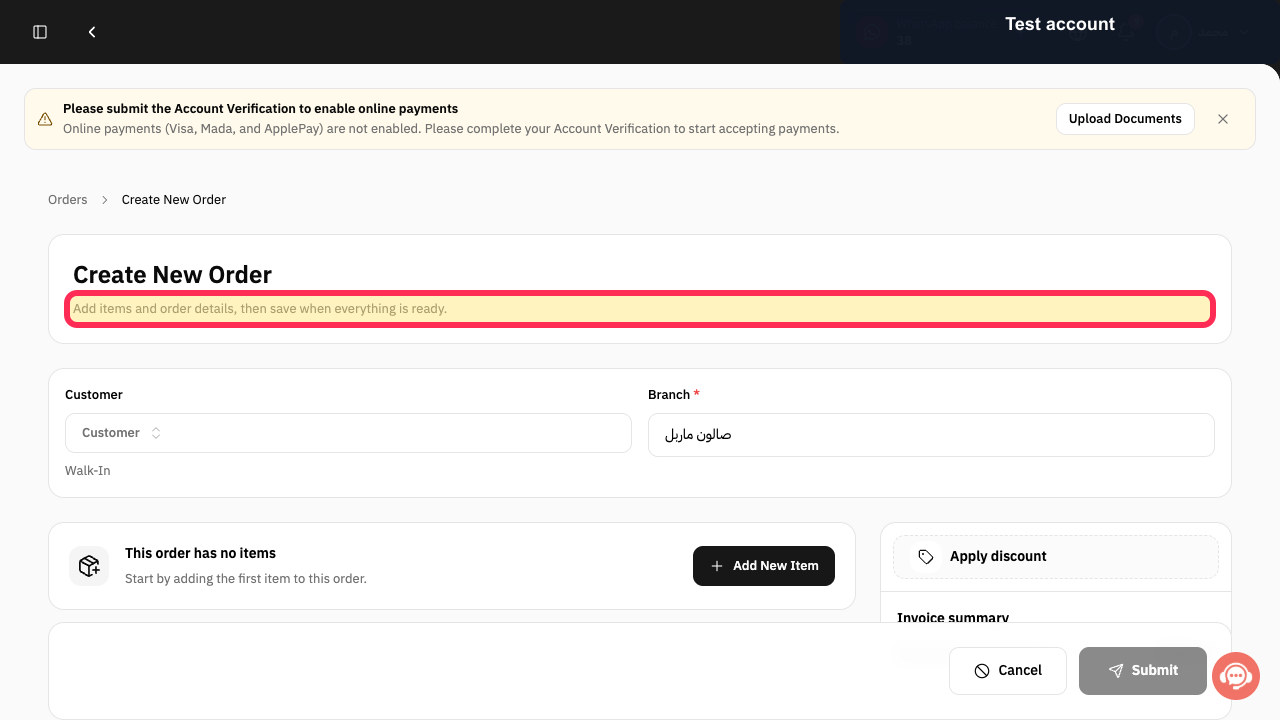
On the order-creation screen, verify the instruction that items and order details must be added before the order is saved.
The message “Add items and order details, then save when everything is ready.” is visible.
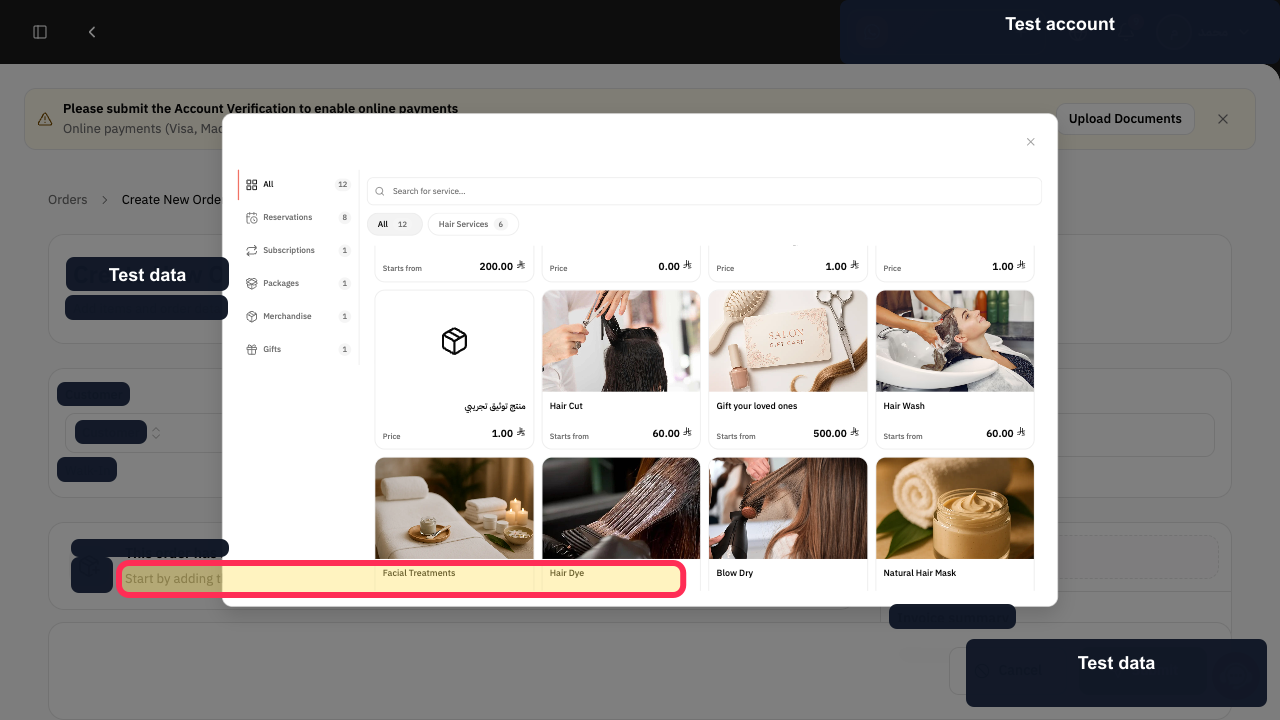
In the product selector, verify that the order needs its first item. The supplied UI does not include a selectable product card or product-selection control.
The message “Start by adding the first item to this order.” is visible.
When the Pay order dialog is open, select Payment Method.
The Pay order dialog shows the Payment Method field.
Enter the payment in Paid Amount *.
The Pay order dialog shows the required Paid Amount * field.
Select Pay order to submit the payment.
The Pay order action is available in the payment dialog.
Illustrated guide
Step 1: Order-creation guidance in Rekaz.
Step 2: Product-selector guidance for an empty order.
Step 3: Choose a payment method in the Pay order dialog.
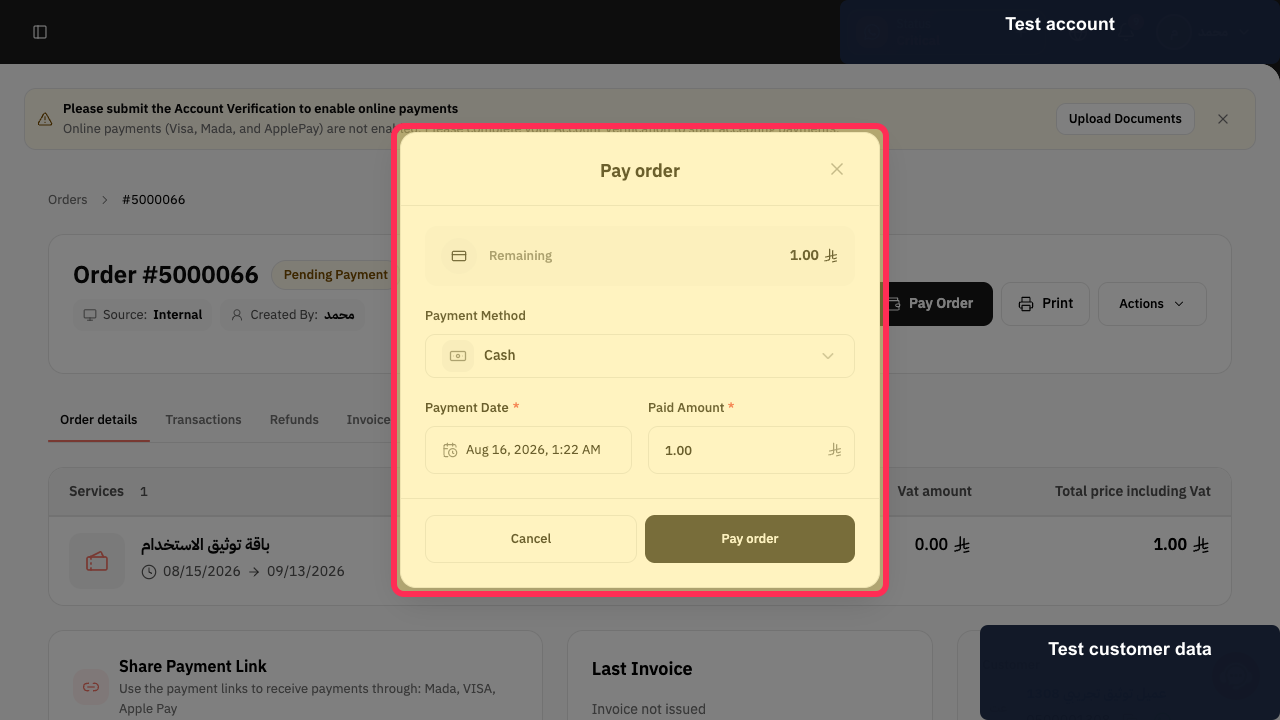
Step 4: Enter the paid amount for the order.
Step 5: Submit payment from the Pay order dialog.
Important notes
The illustrated workflow follows the ORD-017 order flow.
If the Rekaz interface changes, check the visible button label before completing any financial or final action.
Products are listed in the Merchandise tab in Cashier.
Do not look for products in Reservation Passes.
Use test customer and product data when preparing public training material. Do not expose phone numbers or other customer information.
Related questions
How do I create a new product order in Rekaz?
Where can I find products when creating an order in Rekaz?
How do I take payment for a product order in Rekaz?


