How do I allow or prevent same-day bookings in Rekaz?
To allow or prevent same-day bookings in Rekaz, adjust the booking deadline separately for each reservation service. Turn on Allow same-day booking, select Before slot starts, then use a short deadline to allow same-day bookings or a deadline of one day or more to prevent them.
Check both the deadline value and its time unit before you update the service. This setting is managed from the service, not from Website Settings.
Steps
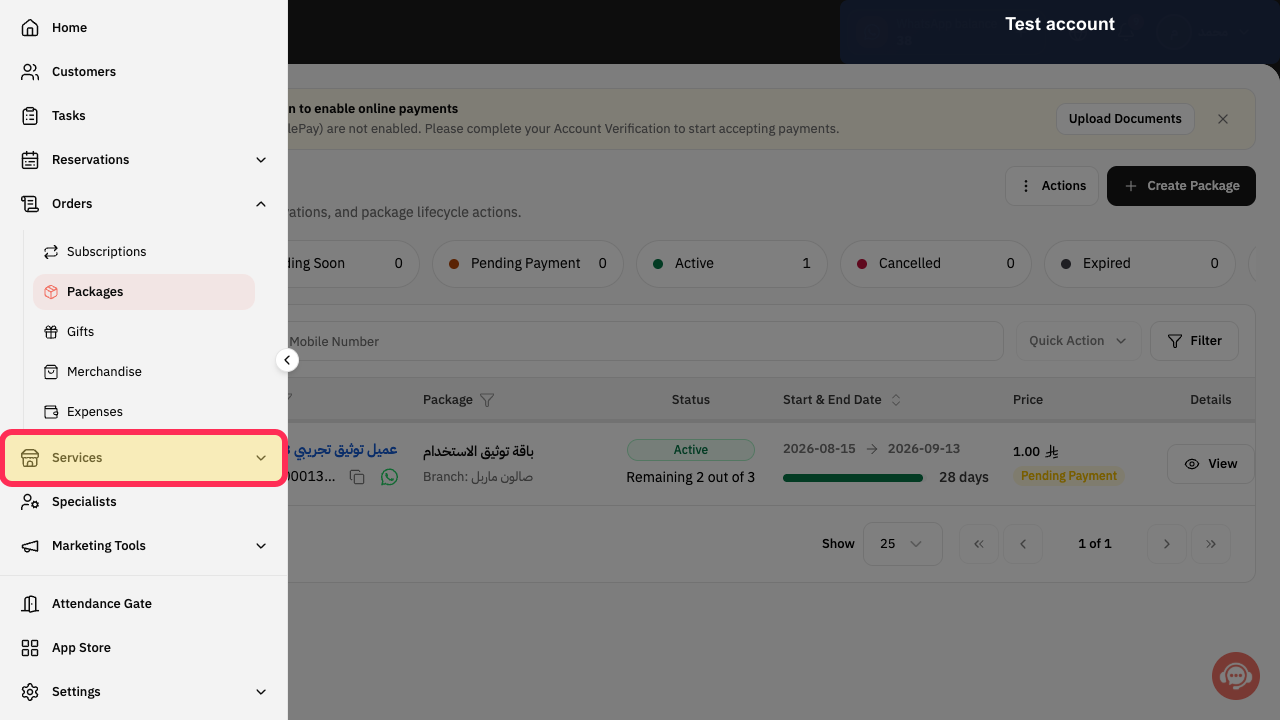
From Home, select Services in the sidebar, then open the reservation service you want to configure.
The selected service is open.
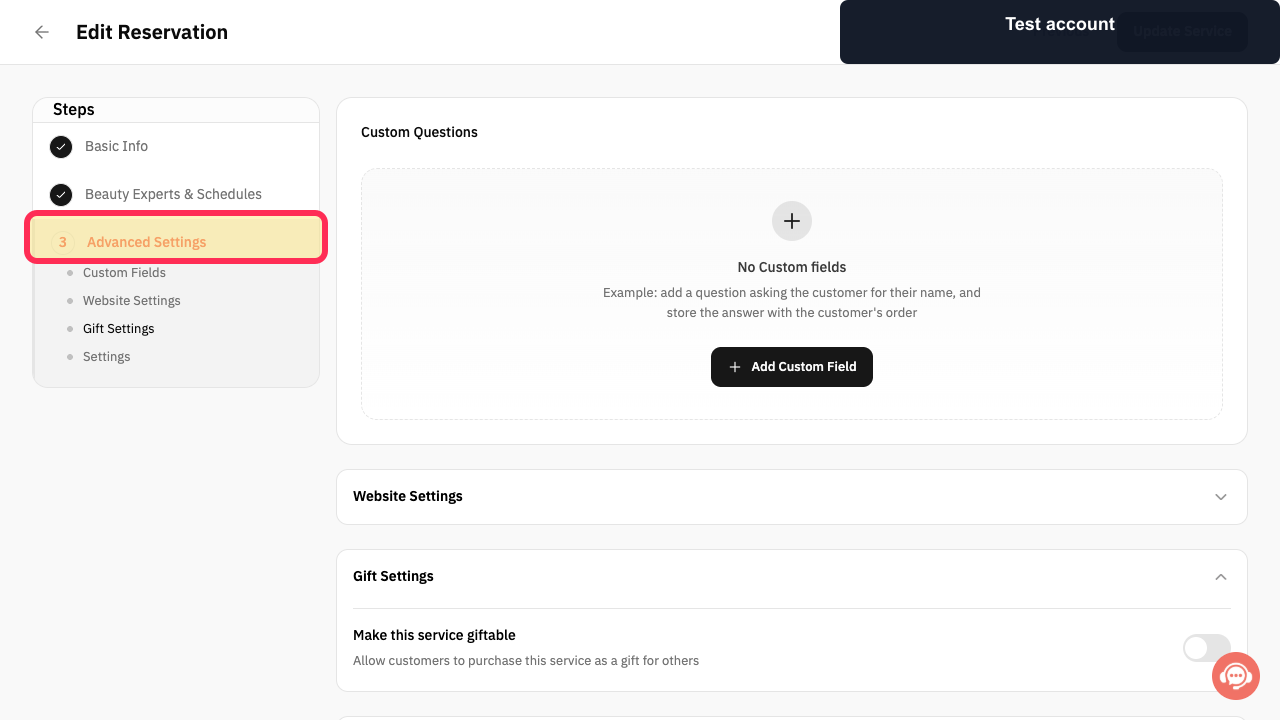
Select Advanced Settings.
The advanced options for the service are displayed.
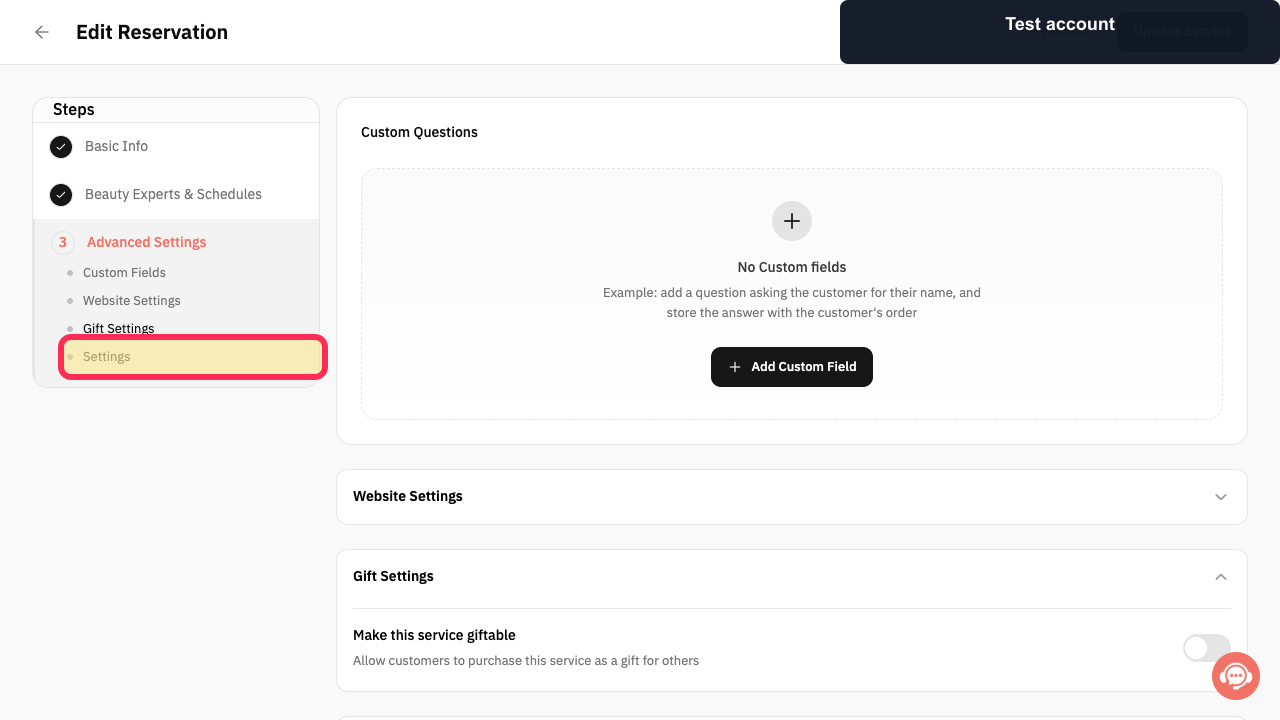
Open Settings.
The service booking settings are displayed.
Turn on Allow same-day booking.
The same-day booking setting is enabled and its deadline options are available.
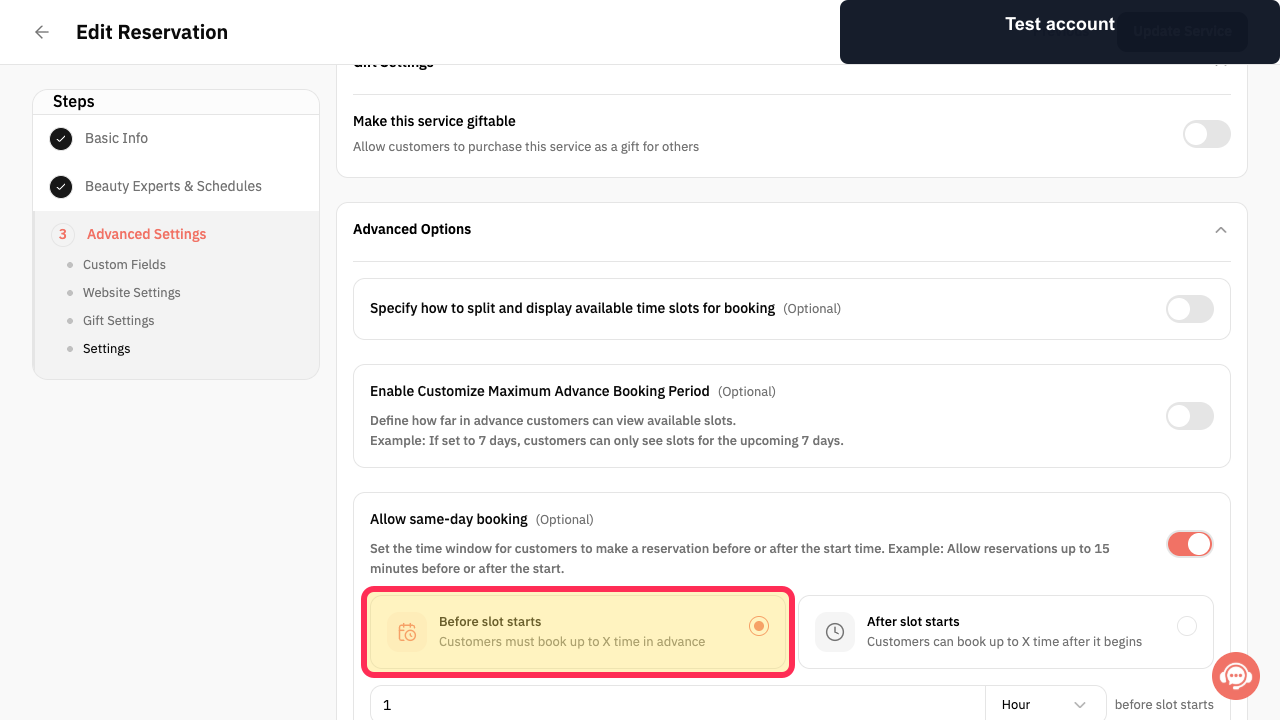
Select Before slot starts as the booking deadline option.
The booking deadline is set relative to the start of the time slot.
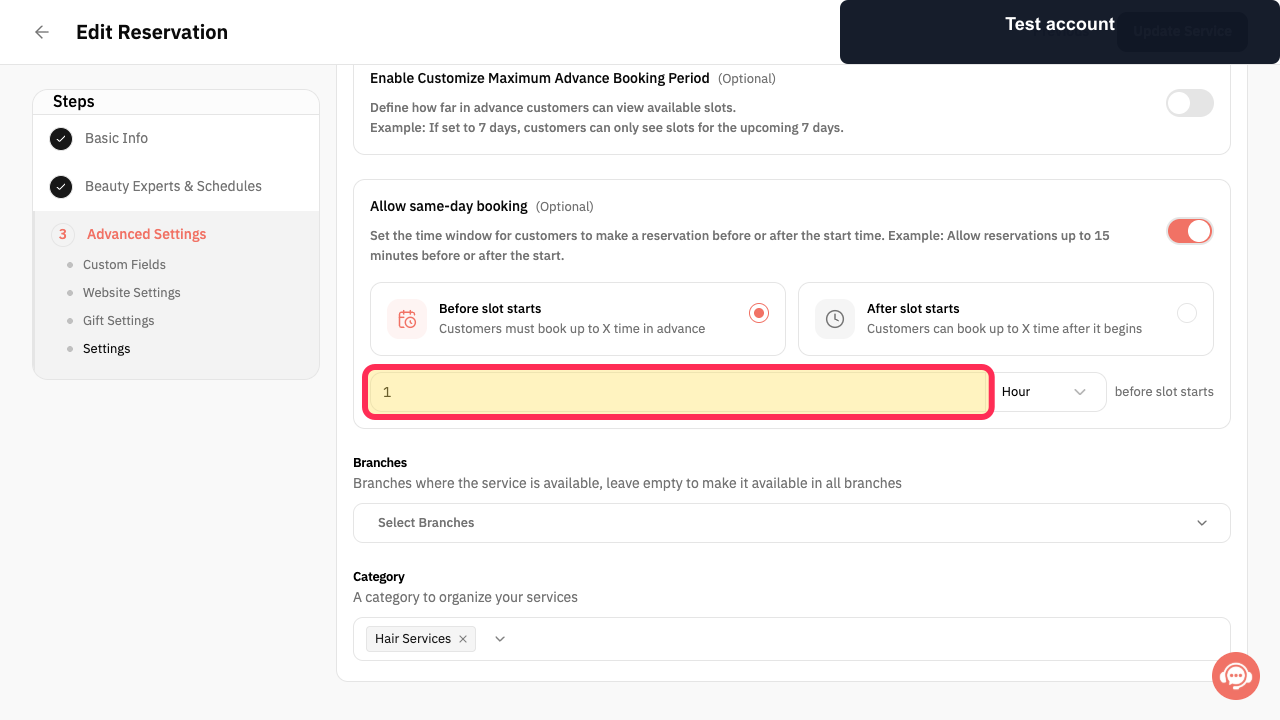
Enter the booking-deadline value and choose its time unit. In this example, the value is 1 Hour; use a shorter or longer period according to your booking policy.
The deadline value and time unit show when customers can no longer book the service.
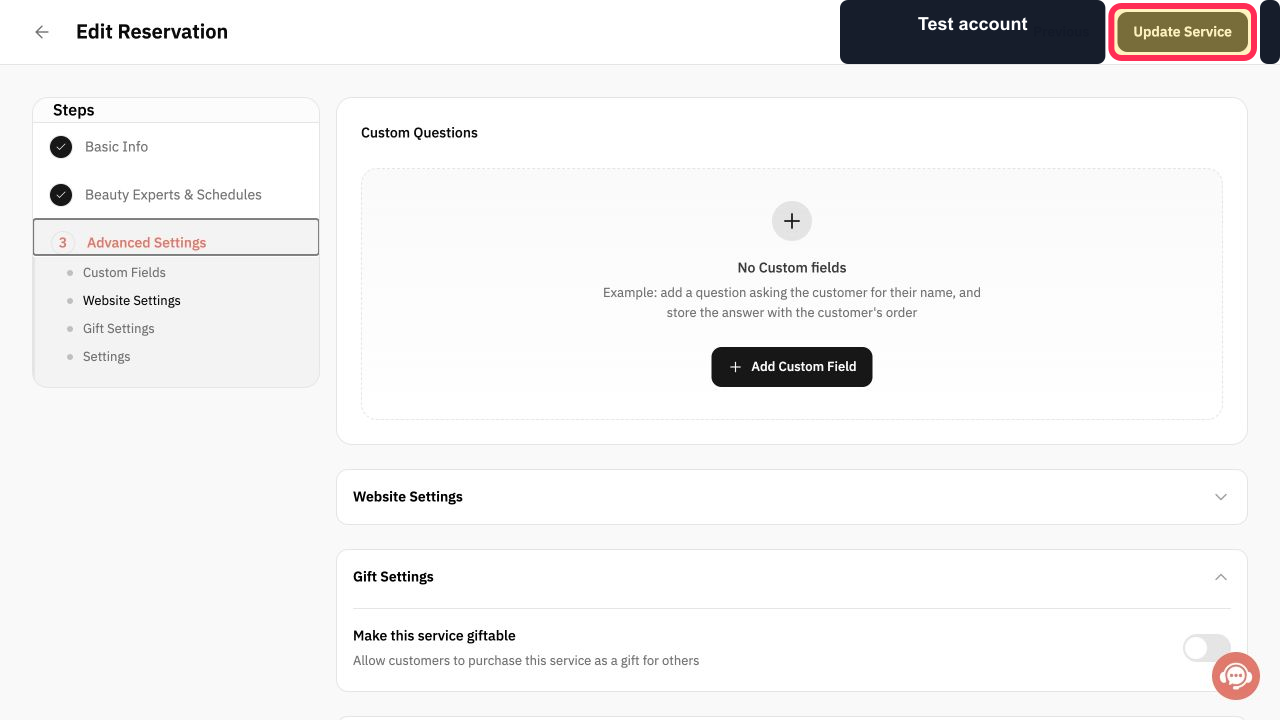
Review the deadline value and time unit, then select Update Service.
Your same-day booking setting for this service is updated.
Illustrated guide
Step 1: Open the reservation service whose same-day booking settings you want to change.
Step 2: Open Advanced Settings for the service.
Step 3: Open the service Settings.
Step 4: Enable Allow same-day booking.
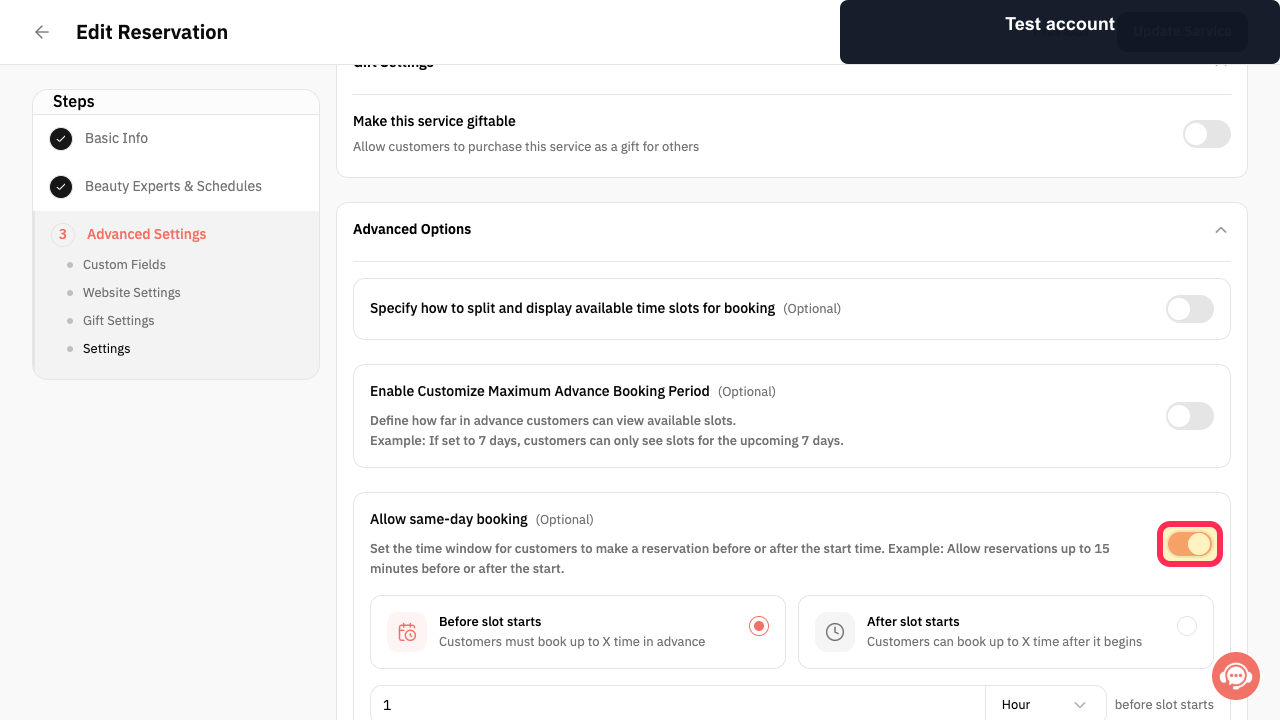
Step 5: Select Before slot starts.
Step 6: Set the same-day booking deadline value and time unit.
Step 7: Review the deadline and update the service.
Important notes
This setting applies to each reservation service individually.
Review the deadline number and its unit together before updating. An unintended value or unit can close booking availability earlier than expected.
Related questions
Where can I find the setting to allow or prevent same-day bookings in Rekaz?
How do I set a booking deadline before a time slot starts in Rekaz?
Can I control same-day booking separately for each reservation service in Rekaz?


