How do I change appointment time-slot intervals in Rekaz?
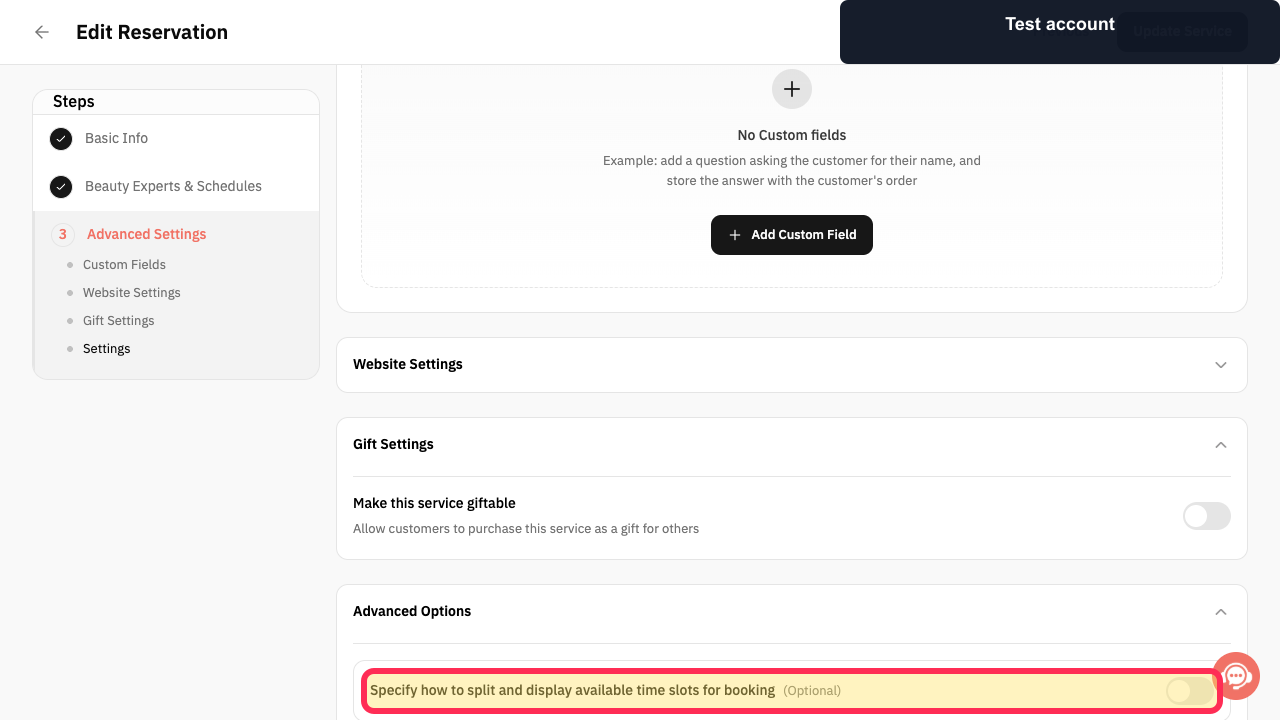
When editing a reservation service in Rekaz, look for the optional setting labelled “Specify how to split and display available time slots for booking(Optional)”. The current interface does not show the control or values needed to change the interval itself, so the older instructions to enable the setting, choose a split, and update the service cannot be confirmed.
If your goal is instead to add time between consecutive reservation slots or to control how many reservations fit in one slot, Rekaz shows separate optional settings for those purposes. They do not evidence a way to set the appointment time-slot interval.
Steps
While editing the reservation service, verify that the optional booking-slot setting is visible.
“Specify how to split and display available time slots for booking(Optional)” is visible in the service settings.
If you need to change the gap between consecutive reservation slots rather than the slot interval, select the buffer option.
The option for customizing the time gap between consecutive reservation slots is available to configure.
If you need to control booking capacity in an existing slot, select the Customize Slots option.
The option for setting how many reservations can be made in the same time slot is available to configure.
Illustrated guide
Step 1: The optional setting for splitting and displaying available booking slots.
Step 2: The optional buffer setting for consecutive reservation slots.
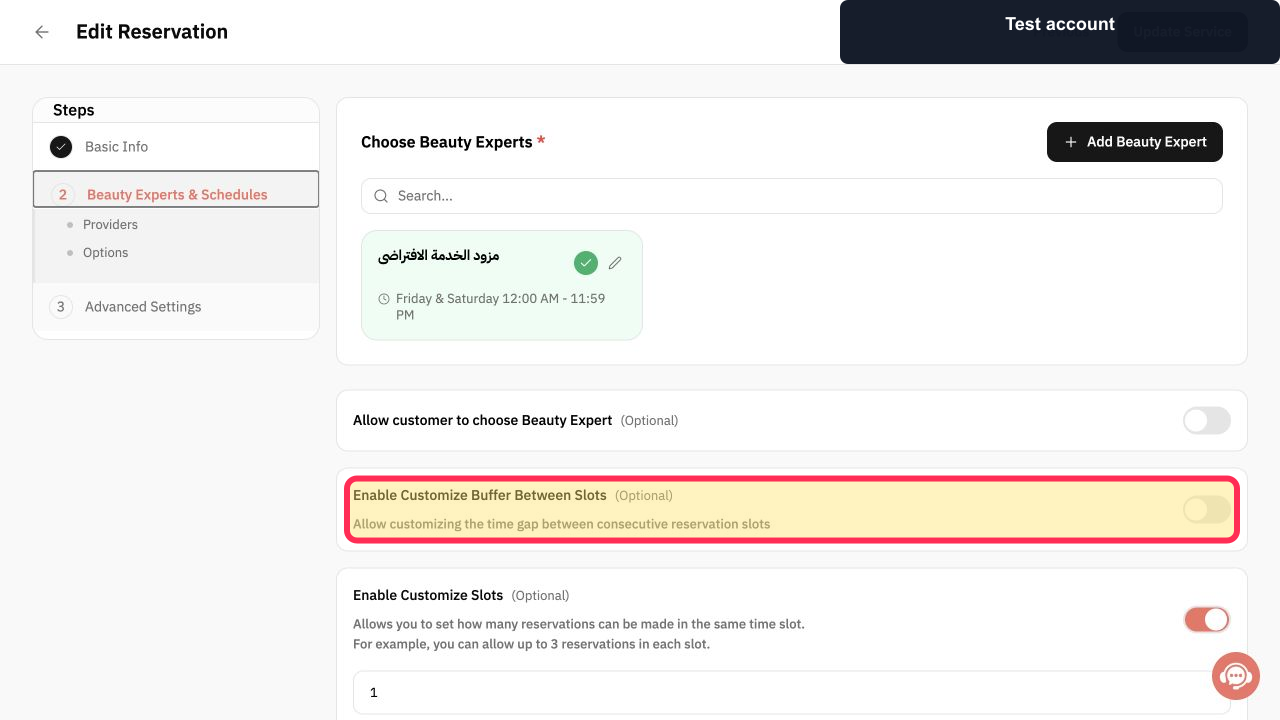
Step 3: The optional setting for the number of reservations allowed in a time slot.
Important notes
Review how the selected split works with the duration of your Service Options so that unsuitable time slots do not appear.
After updating the service, test the booking page to confirm that the available time slots appear as expected.
Related questions
How do I change appointment slot intervals in Rekaz?
How do I adjust booking time slots in Rekaz?
Where can I change the booking time-slot display in Rekaz?


