Why are no appointment times available in Rekaz?
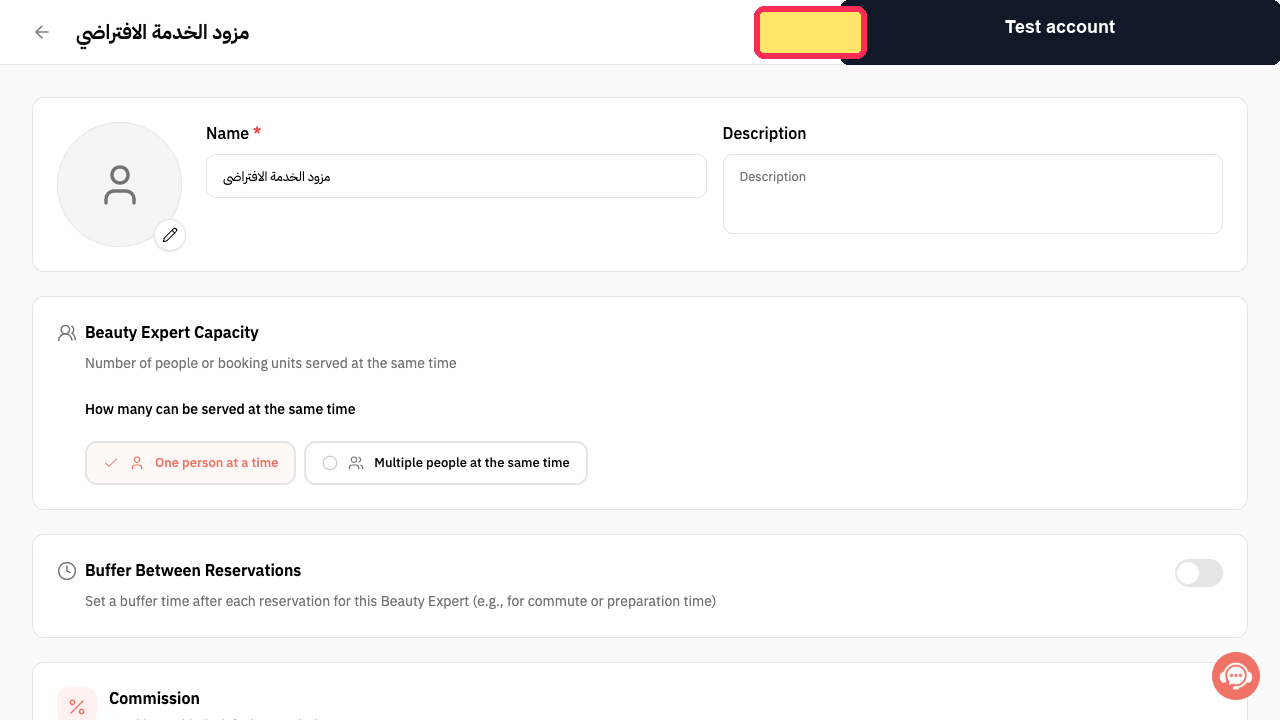
In Rekaz, review the reservation schedule settings first: they control how far ahead customers can see slots, the permitted booking time around a start time, the number of reservations allowed in a slot, and any gap between slots. Then check the Beauty Expert’s availability for the requested day.
The current interface does not show the checks for service-option provider links, option duration, or Reservation Calendar conflicts. Use the available reservation and Beauty Expert availability settings below to identify the available causes shown in the current interface.
Steps
Review how far ahead customers can view reservation slots. If the requested date is beyond this configured period, no times will be shown for that date.
The reservation setting explains the number of upcoming days for which customers can view available slots.
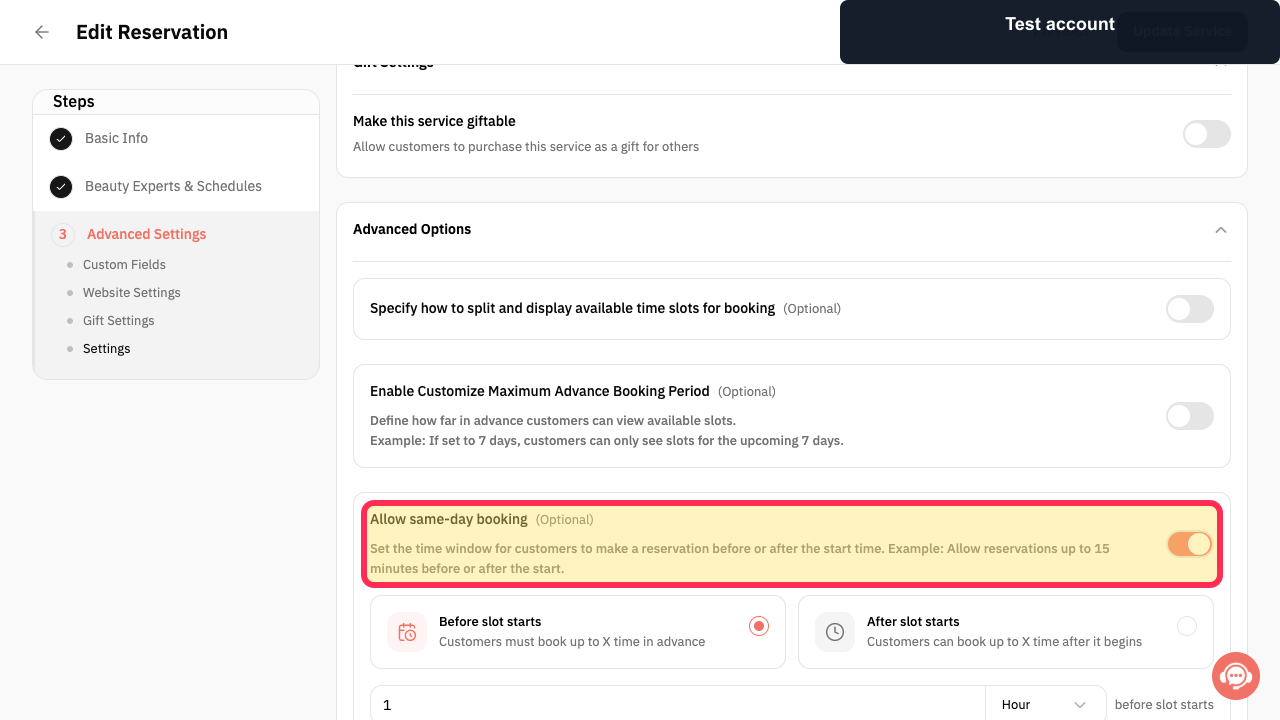
Review the permitted reservation window before or after the start time. A requested time outside this window is not available.
The setting shows that reservations can be limited to a defined period before or after the start time.
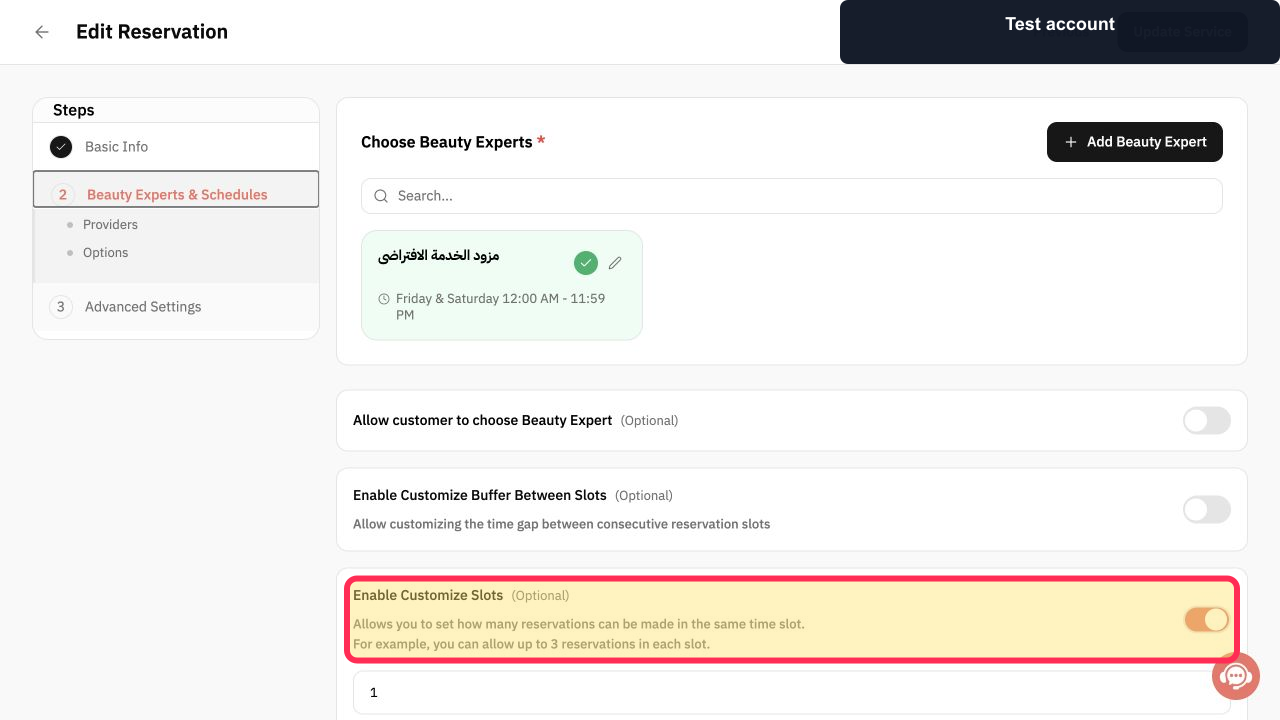
Check the reservation slot-capacity configuration. Once the allowed number of reservations in a time slot is reached, that slot may have no remaining availability.
The Customize Slots setting is visible and explains that it controls how many reservations can be made in the same time slot.
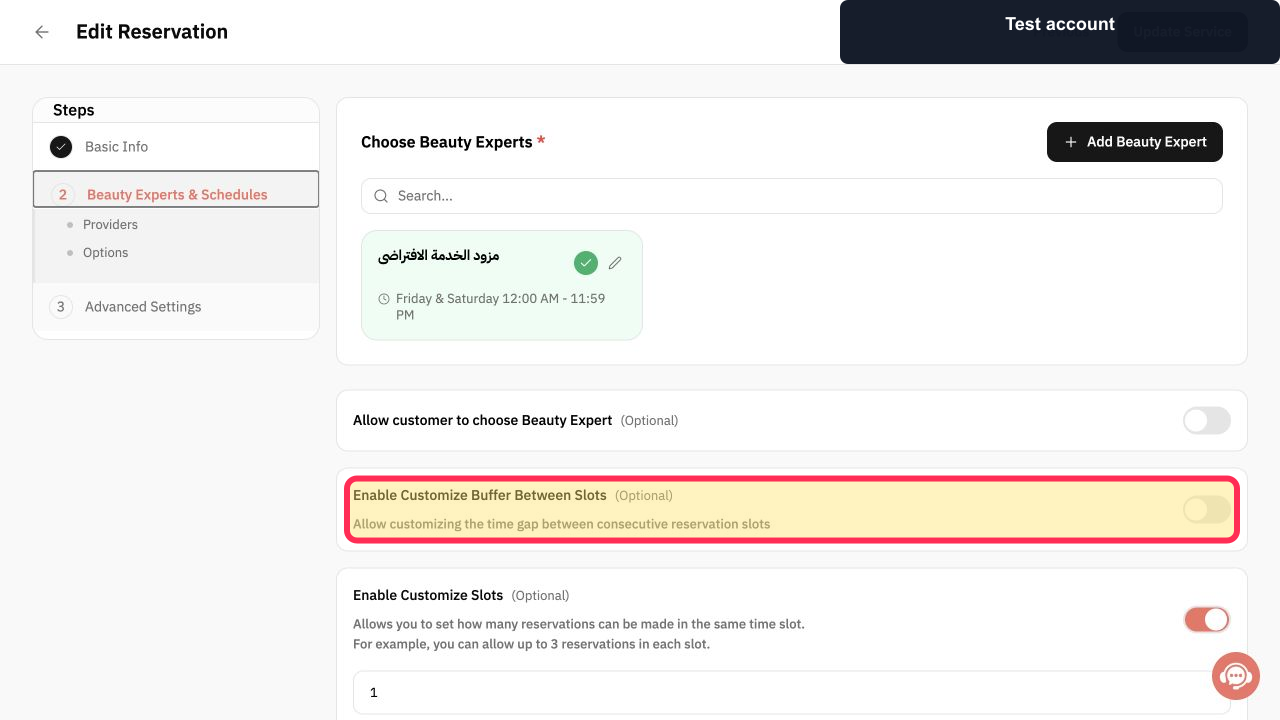
Check whether a buffer is configured between consecutive reservation slots. A buffer creates a gap and can reduce the number of available appointment times.
The Customize Buffer Between Slots setting is visible and explains that it controls the gap between consecutive slots.
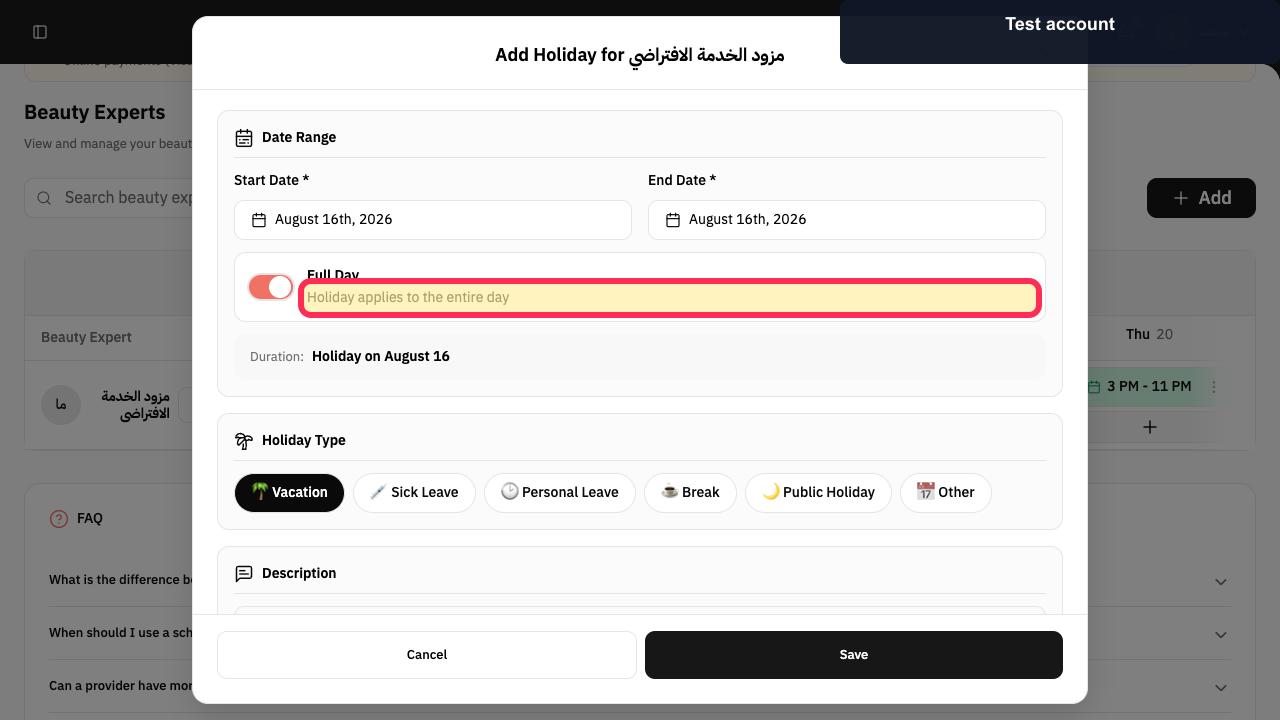
Check whether the Beauty Expert has a holiday on the requested date. A holiday applies for the entire day, so no appointment times should be available for that day.
The holiday setting states that the holiday applies to the entire day.
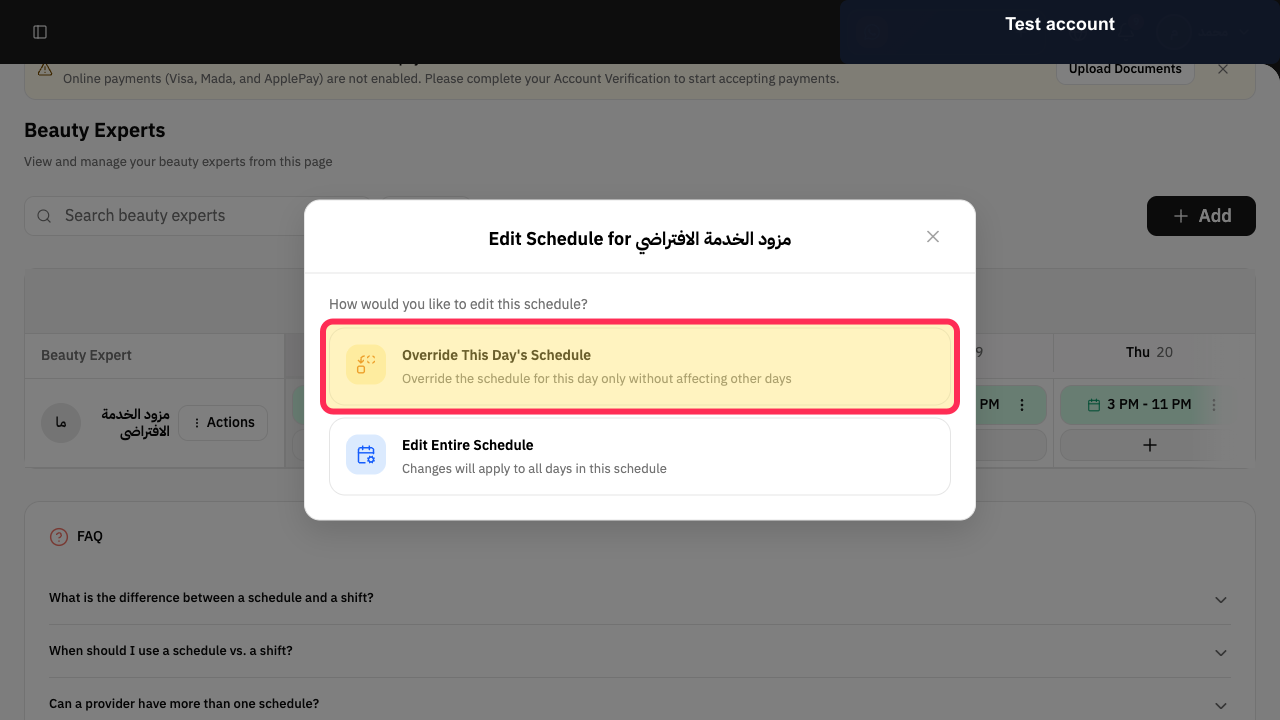
Review whether the requested day has a day-specific schedule override. An override can make that day’s availability different from the Beauty Expert’s usual schedule.
The schedule option shows that the day can be overridden without changing other days.
Illustrated guide
Step 1: Check the advance period for viewing available reservation slots.
Step 2: Check the allowed reservation window around the start time.
Step 3: Check the number of reservations allowed in each time slot.
Step 4: Check whether a buffer reduces the available reservation slots.
Step 5: Confirm whether the requested date is a full-day holiday.
Step 6: Check for a schedule override on the requested day.
Important notes
Start with the exact service and option the customer wants to book. Different options can have different durations and assigned Service Providers.
If you update a setting, save it and then check the same date again in the Reservations Calendar.
Related questions
Why is the booking schedule empty in Rekaz?
Why are no appointment times showing in Rekaz?
The service is available, but has no appointment times. What should I check in Rekaz?


