How do I set the maximum advance booking period in Rekaz?
To limit how far ahead customers can book, open the reservation service's Advanced Settings and enable the maximum advance booking period.
This verified example uses 7 days. The setting controls how far into the future customers can see slots; it is separate from the same-day booking deadline.
Steps
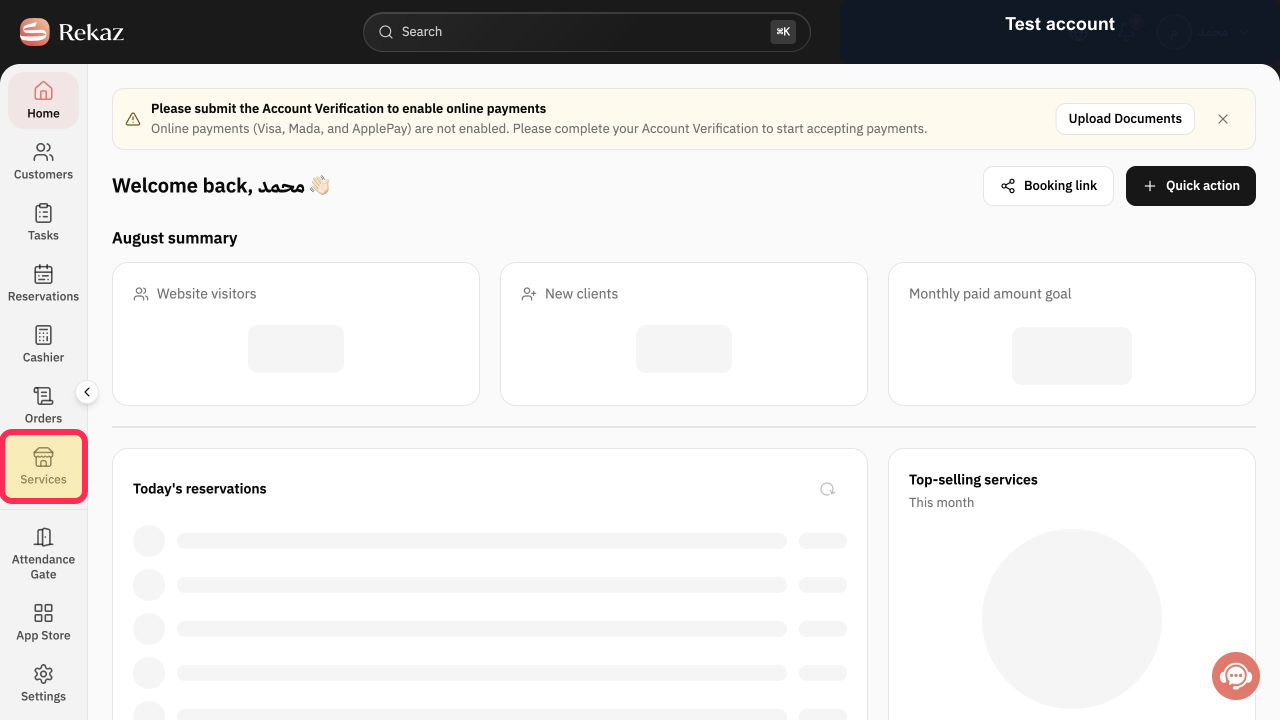
From the signed-in Rekaz sidebar, select Services.
The Services page opens.
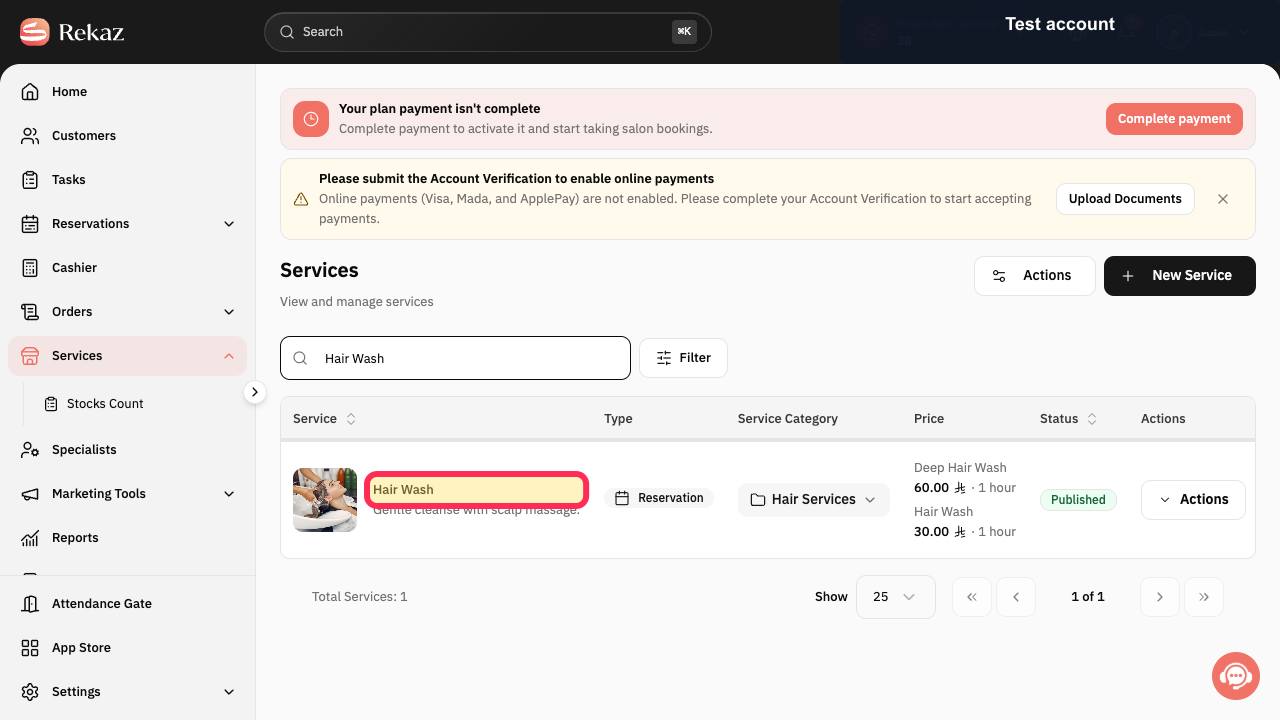
Search for and select the reservation service you want to edit. This guide uses Hair Wash as the example service.
The selected reservation service opens for editing.
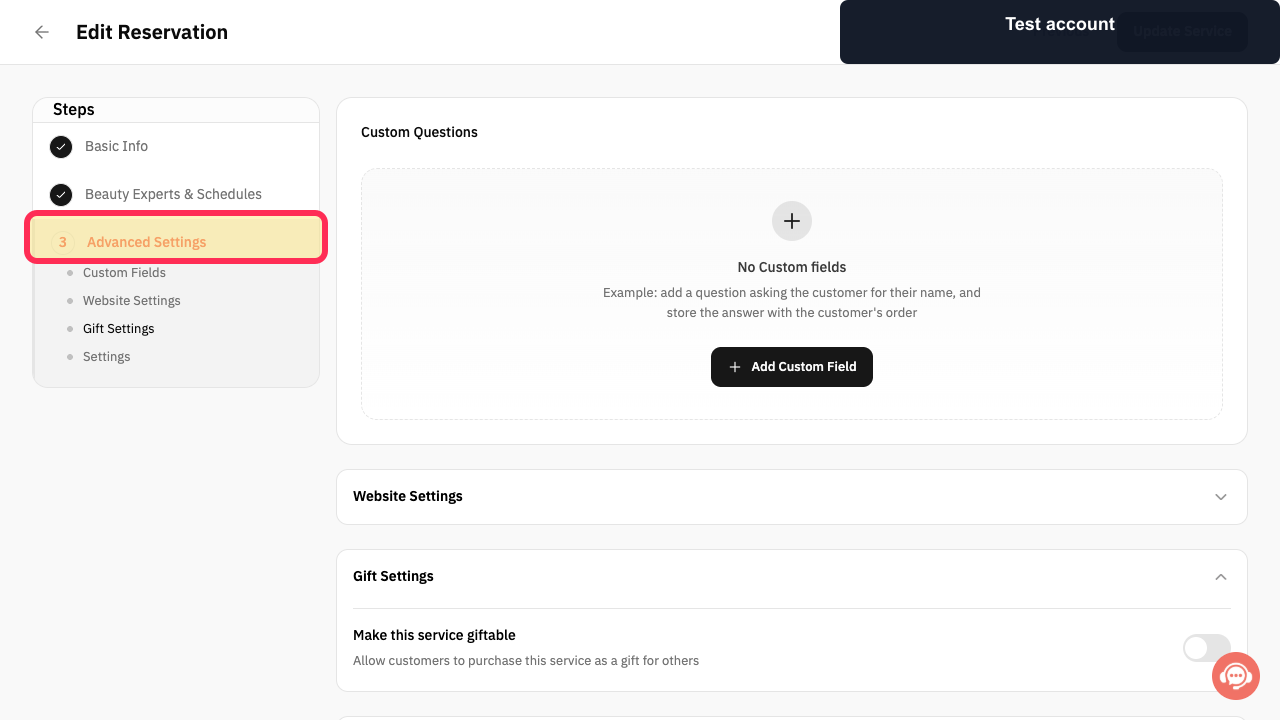
In the service editor, select 3 Advanced Settings.
The Advanced Settings step opens.
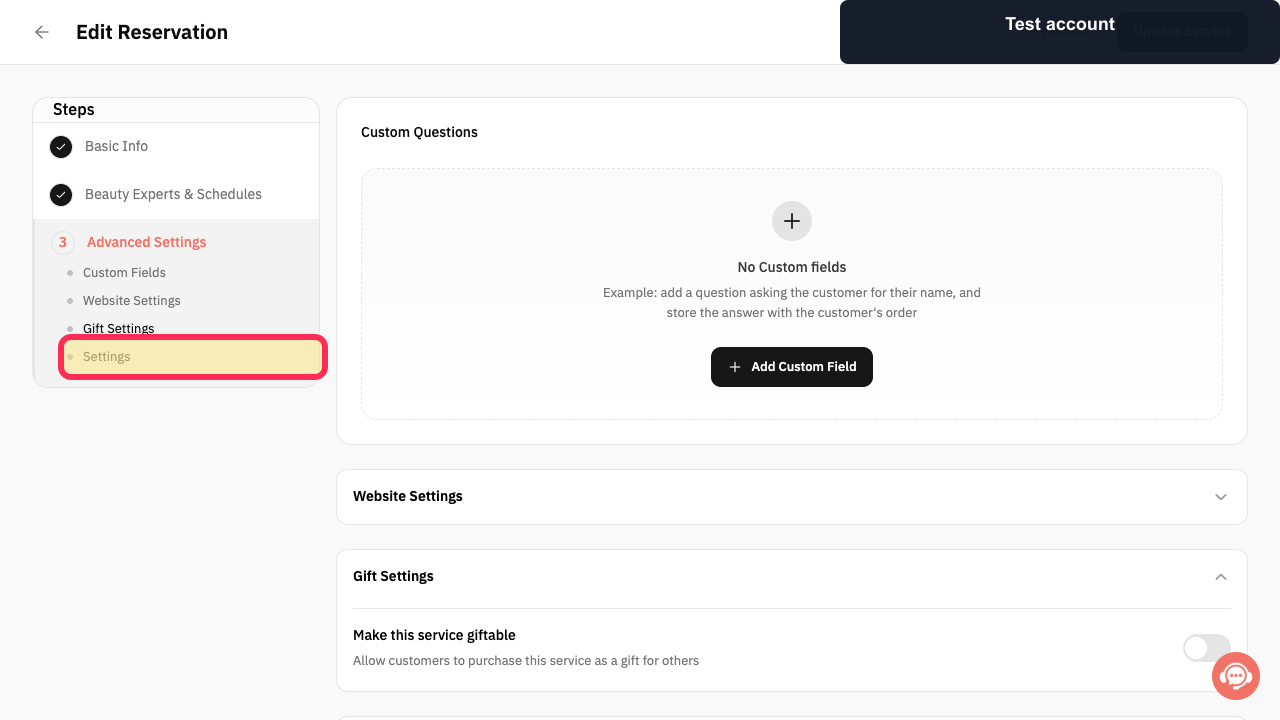
Select Settings under Advanced Settings.
The service's advanced options are displayed.
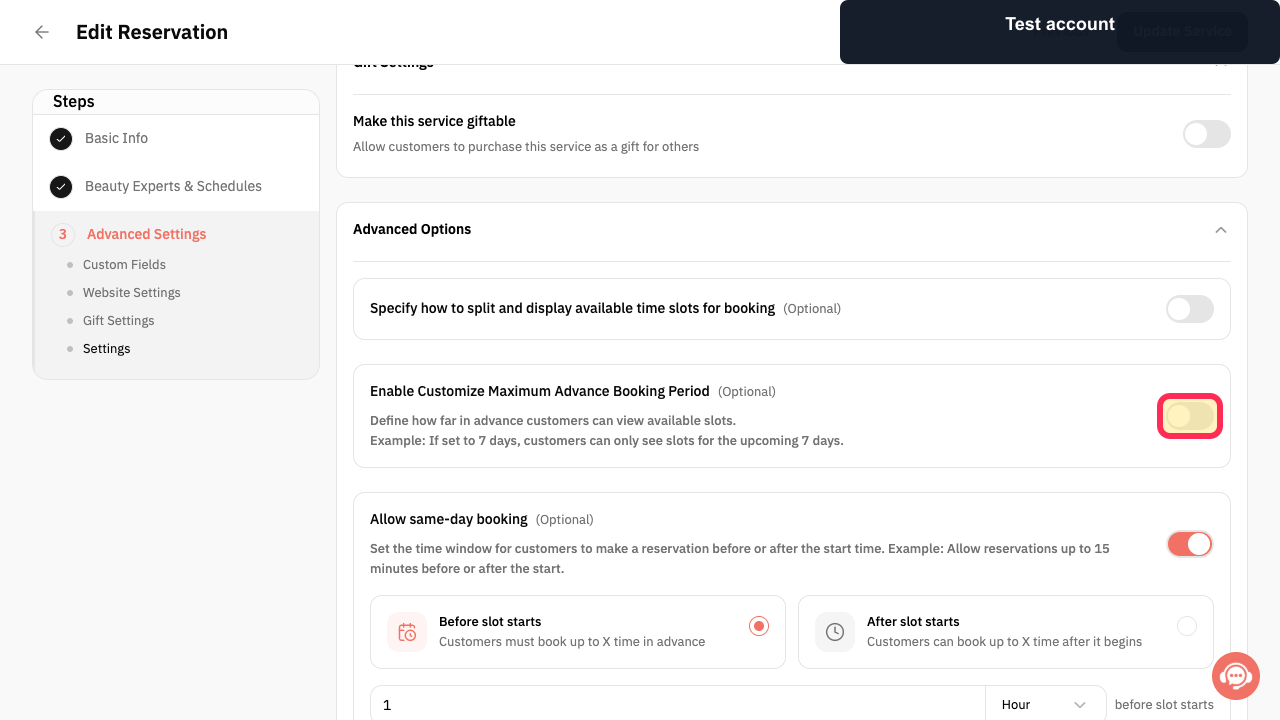
Turn on Enable Customize Maximum Advance Booking Period.
The period field appears below the setting.
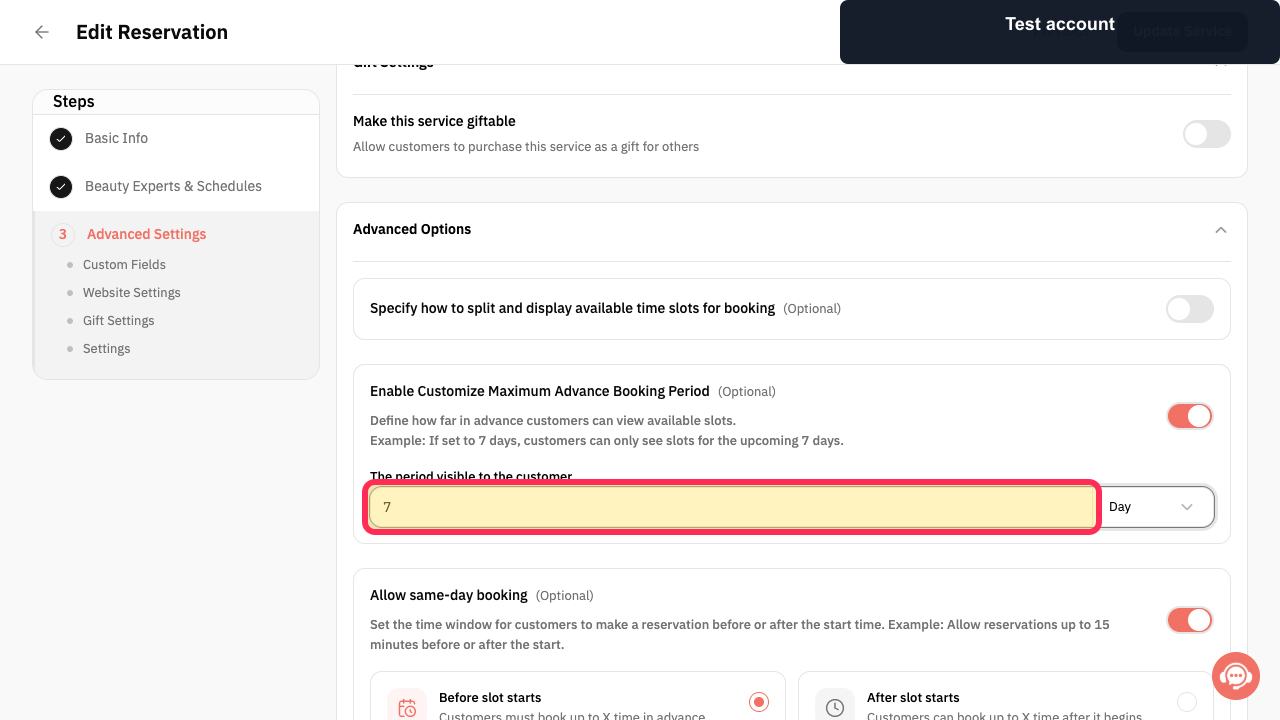
Enter the visible booking period and choose its time unit. In this example, enter 7 and select Day.
The period visible to the customer is set to 7 days.
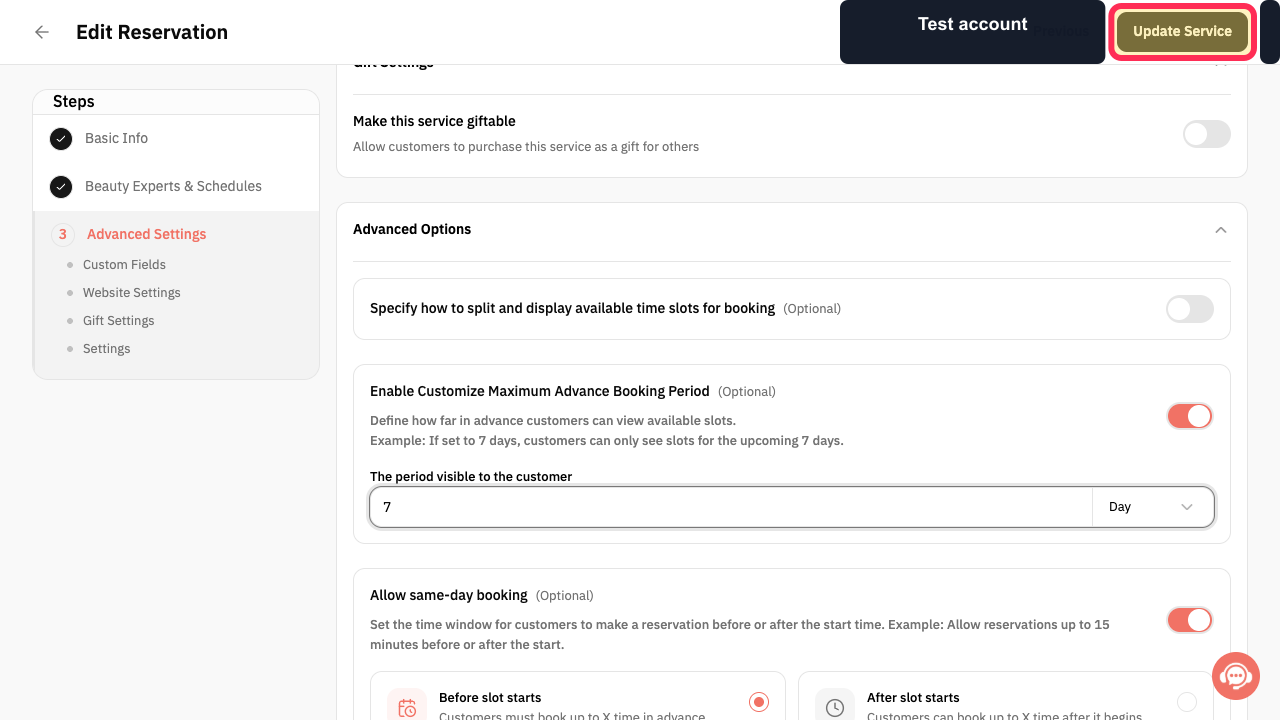
Review the setting, then select Update Service.
The service's maximum advance booking period is saved.
Illustrated guide
Step 1: Open Services from the Rekaz sidebar.
Step 2: Select the reservation service to edit; Hair Wash is used in this example.
Step 3: Open Advanced Settings in the service editor.
Step 4: Open Settings under Advanced Settings.
Step 5: Enable the maximum advance booking period.
Step 6: Set the maximum advance booking period to 7 days in this example.
Step 7: Update the service to save the maximum advance booking period.
Example
If you enter 7 days, customers can see available appointments for the next 7 days only.
Important
Do not confuse the maximum advance booking period with the booking deadline before slot starts. The advance booking period controls how far into the future appointments are shown; the booking deadline controls how close to the appointment customers can book.
Related questions
How do I let customers book only one week ahead in Rekaz?
How do I choose how many days of appointments customers can see in Rekaz?
How do I stop customers from booking too far in advance in Rekaz?


