How do I set the number of people allowed in one reservation in Rekaz?
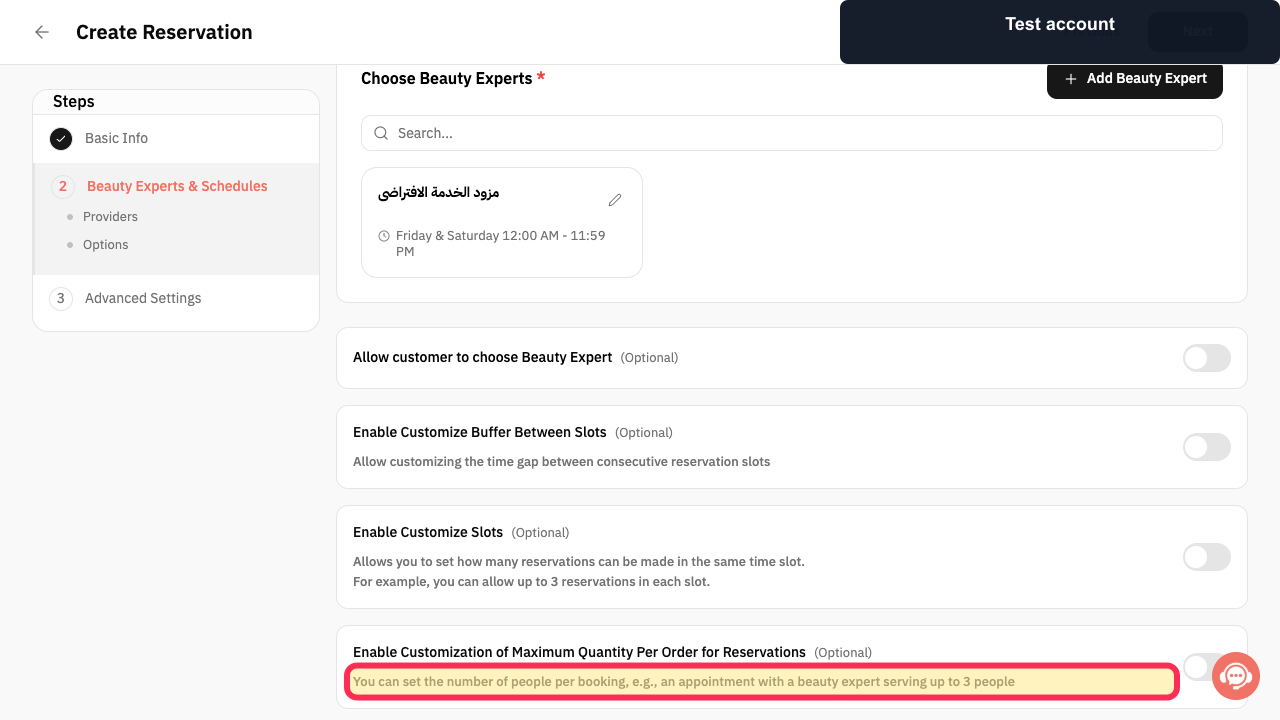
Rekaz shows the maximum-quantity option on the Schedules screen for a reservation service. Its on-screen guidance states that it is used to set the number of people per booking.
The current interface does not show the action for entering a maximum number of people after enabling this option, nor does it show a save action for that value. Do not use the slot-customization setting for this purpose: it controls how many reservations can be made in the same time slot.
Steps
On the reservation service’s Schedules screen, review the guidance for the people-per-booking setting.
The screen states that you can set the number of people per booking.
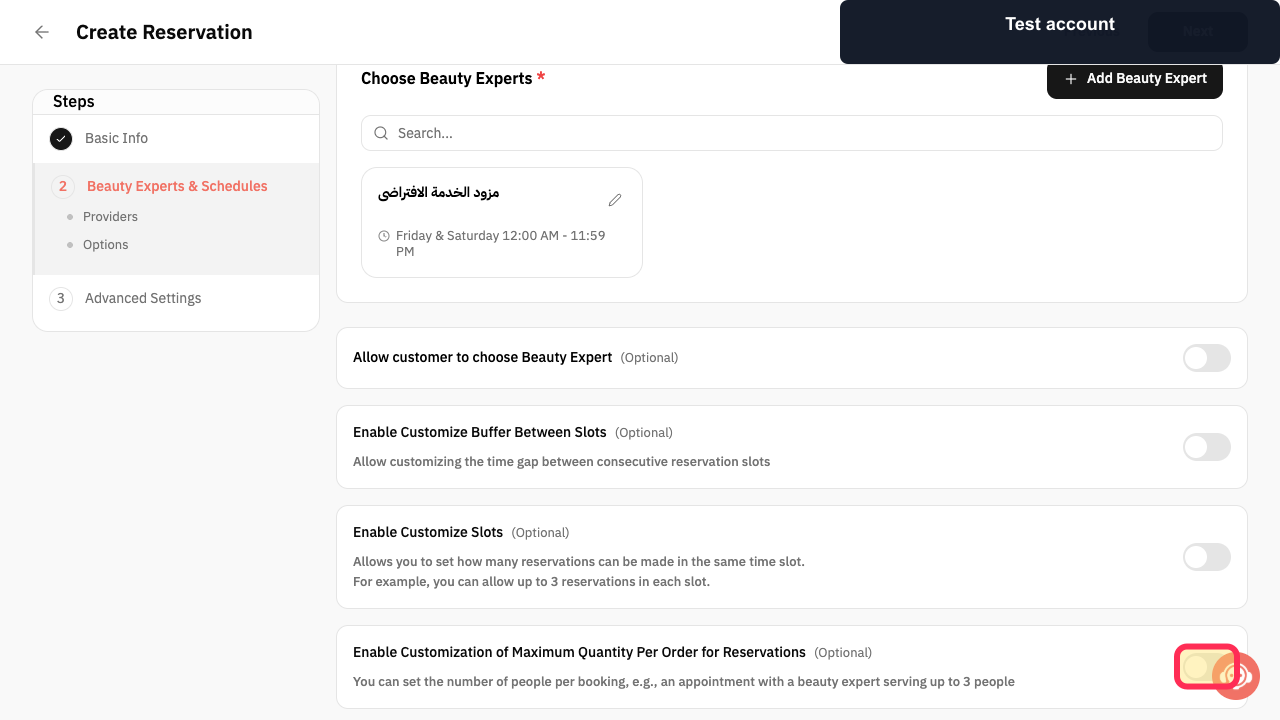
Select Enable Customization of Maximum Quantity Per Order for Reservations.
Maximum-quantity customization is enabled for reservations for this service.
Illustrated guide
Step 1: Guidance for setting the number of people per booking.
Step 2: Enable maximum quantity customization for reservations.
Important limits
Choose a limit that matches the capacity of the service provider and your premises before updating the service.
This setting controls the number of people in one reservation, not the number of simultaneous reservations for the service.
Related questions
How do I book a group in one appointment in Rekaz?
How do I allow three customers in one reservation in Rekaz?
Where can I set the number of people allowed in a reservation in Rekaz?


