How do I automatically confirm free reservations in Rekaz?
The current Rekaz interface does not show the action for automatically confirming free reservations. The previously documented “Auto confirm free reservations” setting is not available in the current interface.
You can open Website Options to review the current website settings, but this available path does not provide a control to enable automatic confirmation for free reservations.
Steps
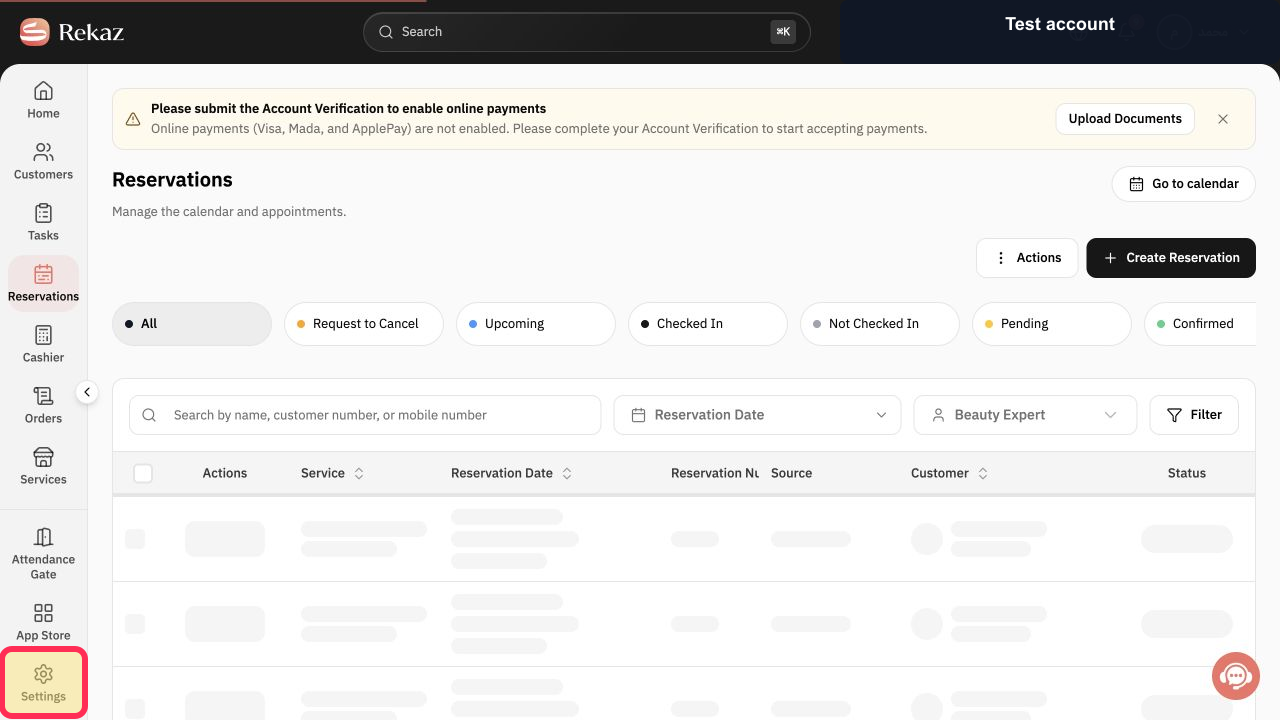
In the Rekaz sidebar, select Settings.
The Settings page opens.
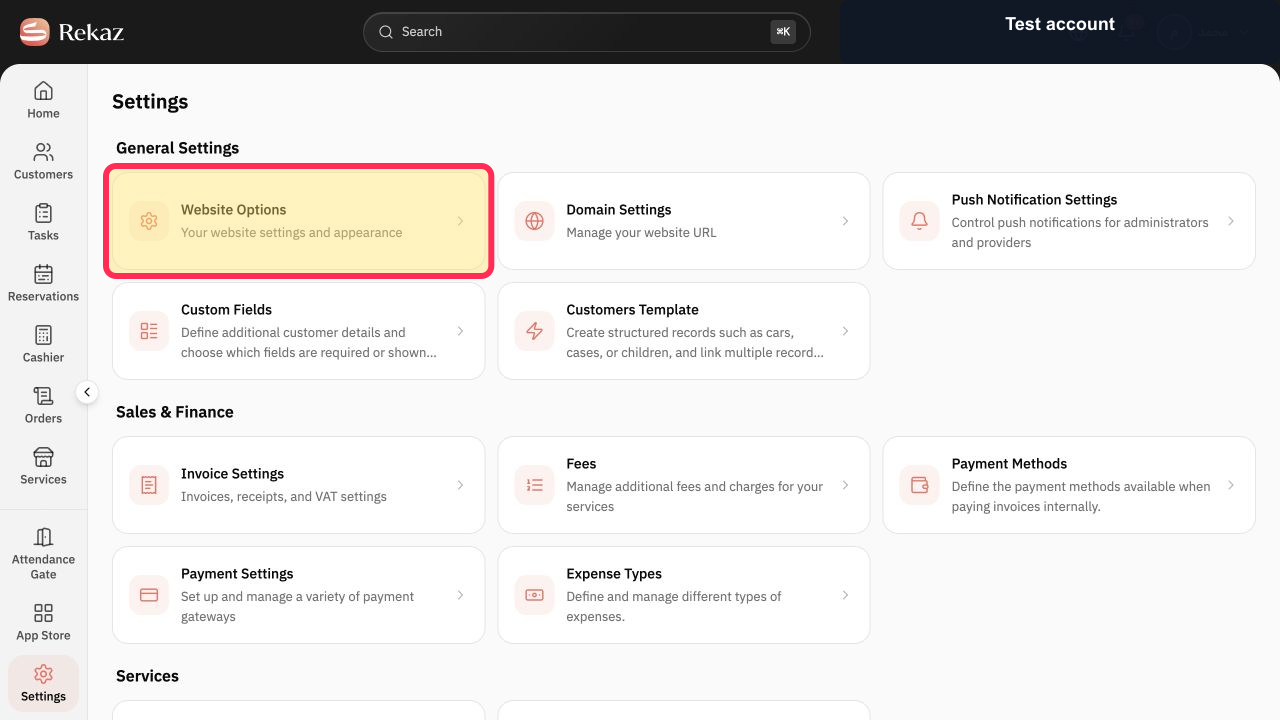
On the Settings page, select the Website Options card.
Website Options opens so you can review the current website settings.
Illustrated guide
Step 1: Select Settings from the Rekaz sidebar.
Step 2: Open Website Options from Settings.
Important notes
Review your settings and data before completing any final or financial action.
Auto confirm free reservations applies only to free reservations.
Paid reservations and reservations that require a deposit are handled according to payment settings and collection status.
Related questions
Where can I find Auto confirm free reservations in Rekaz?
What are the steps to automatically confirm free reservations in Rekaz?
Does Auto confirm free reservations apply to paid reservations in Rekaz?


