How do I allow customers to request a reservation cancellation in Rekaz?
To allow customers to request a reservation cancellation in Rekaz, enable the relevant option in Website Settings under the Customer tab and save the change.
Customers can submit a cancellation request from the booking interface after you enable this setting. Review these requests from the Reservations page.
Steps
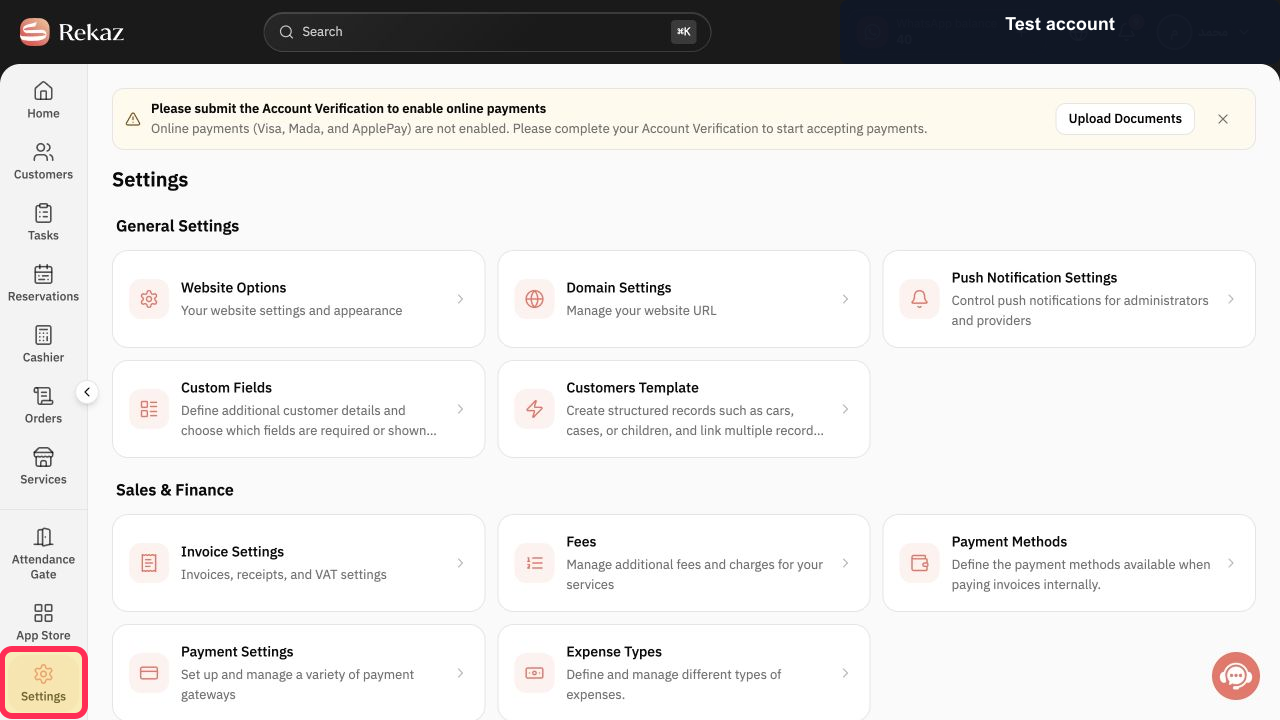
From the main sidebar, select **Settings**.
The Settings area opens.
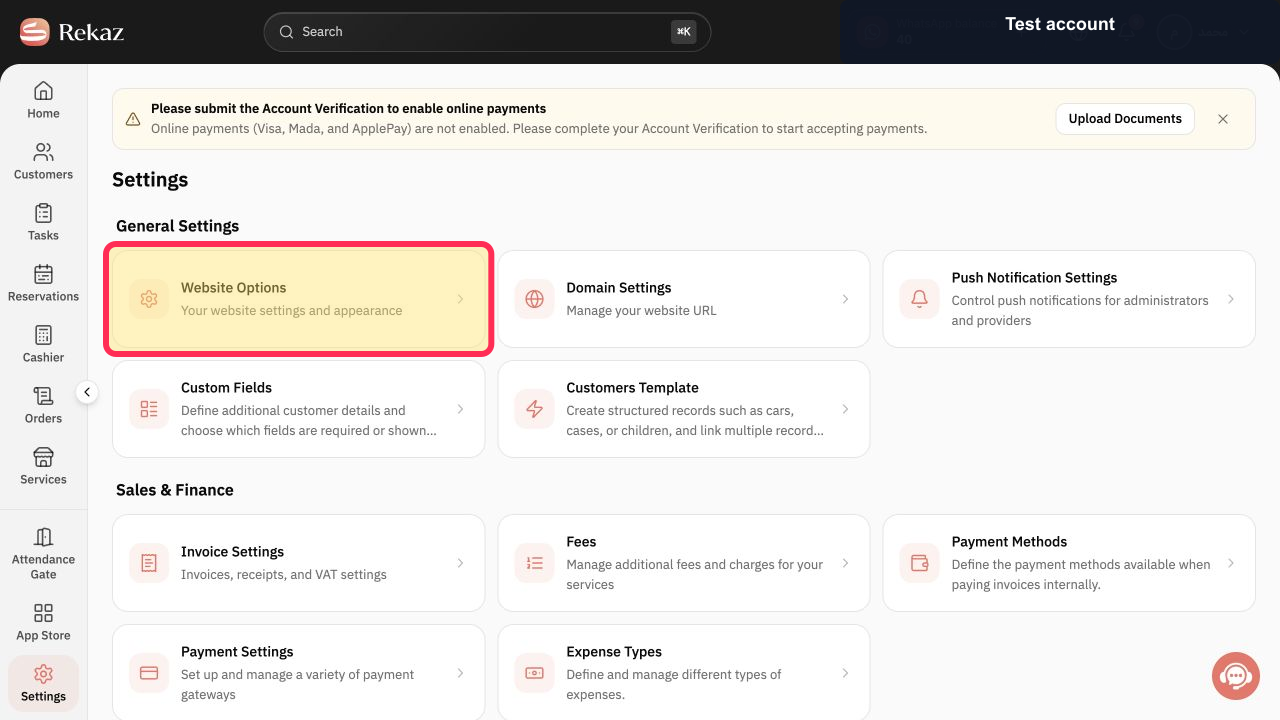
Open **Website Settings**.
The Website Settings options open.
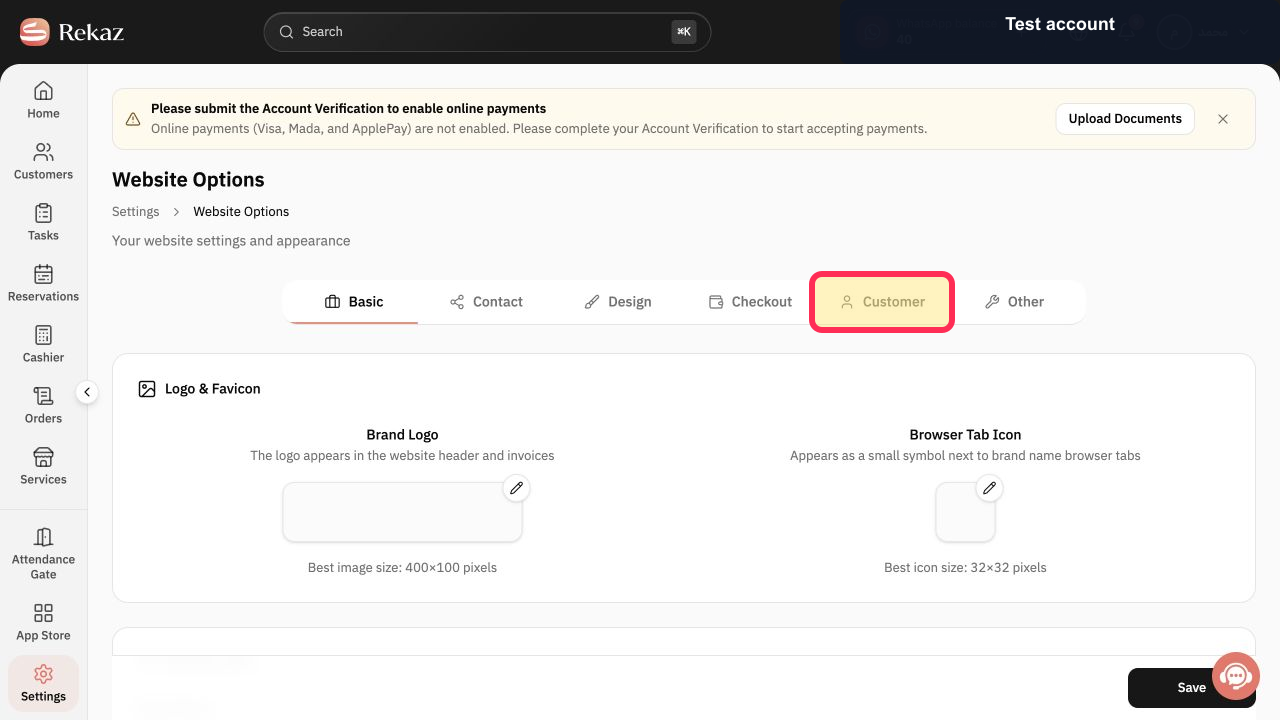
Select the **Customer** tab.
The Customer settings are displayed.
Enable **Allow customer to request cancellation of reservation from website**.
The option is enabled, allowing customers to submit cancellation requests from the website booking interface.
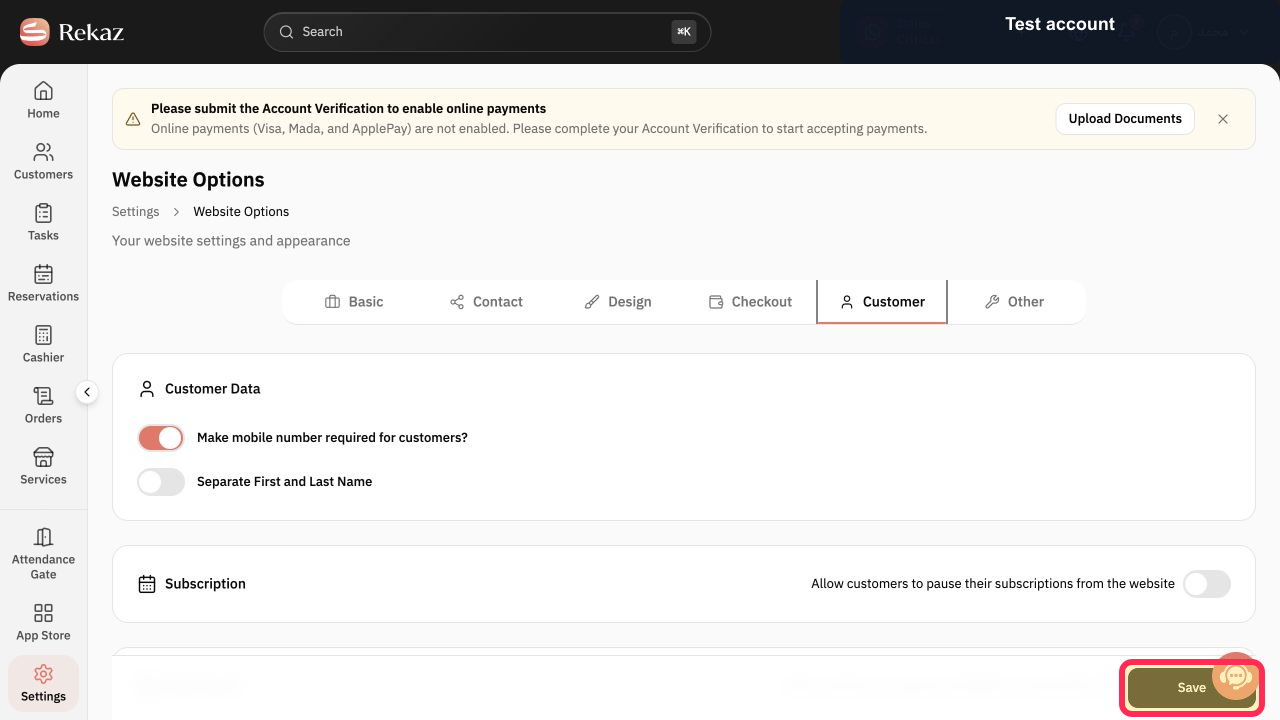
Select **Save** to apply the setting.
The setting is saved.
Illustrated guide
Step 1: Select Settings from the main sidebar in Rekaz.
Step 2: Open Website Settings.
Step 3: Open the Customer tab.
Step 4: Enable customer cancellation requests from the website.
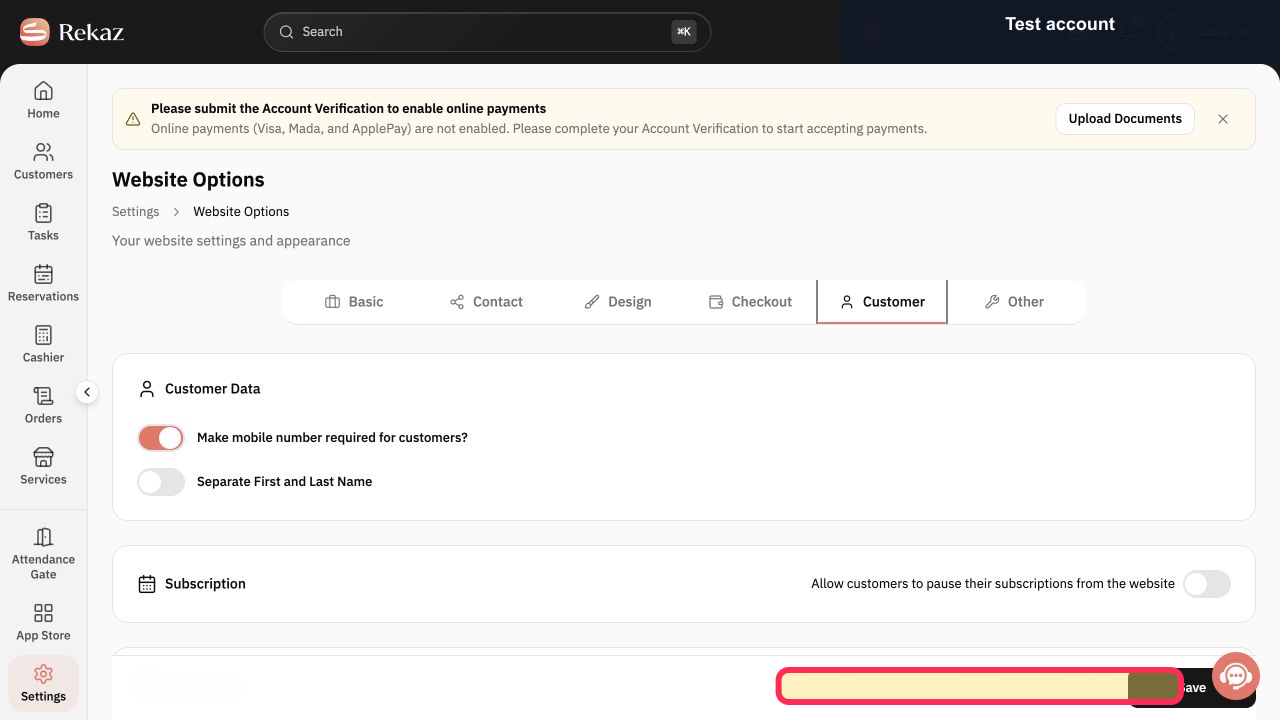
Step 5: Save the updated customer setting.
Important information
Review your business's cancellation policy before making cancellation requests available to customers.
Enabling this setting lets customers submit a cancellation request; it does not state that a reservation is automatically cancelled.
Follow up on customer cancellation requests from the Reservations page.
Related questions
How can customers request to cancel their reservation in Rekaz?
Where can I enable customer reservation cancellation requests in Rekaz?
How do I manage customer cancellation requests in Rekaz?


