How do I change a reservation status in Rekaz?
To change a reservation status in Rekaz, go to Reservations, open the reservation’s Actions menu, choose Edit Reservation Status, select the new status, and save your change.
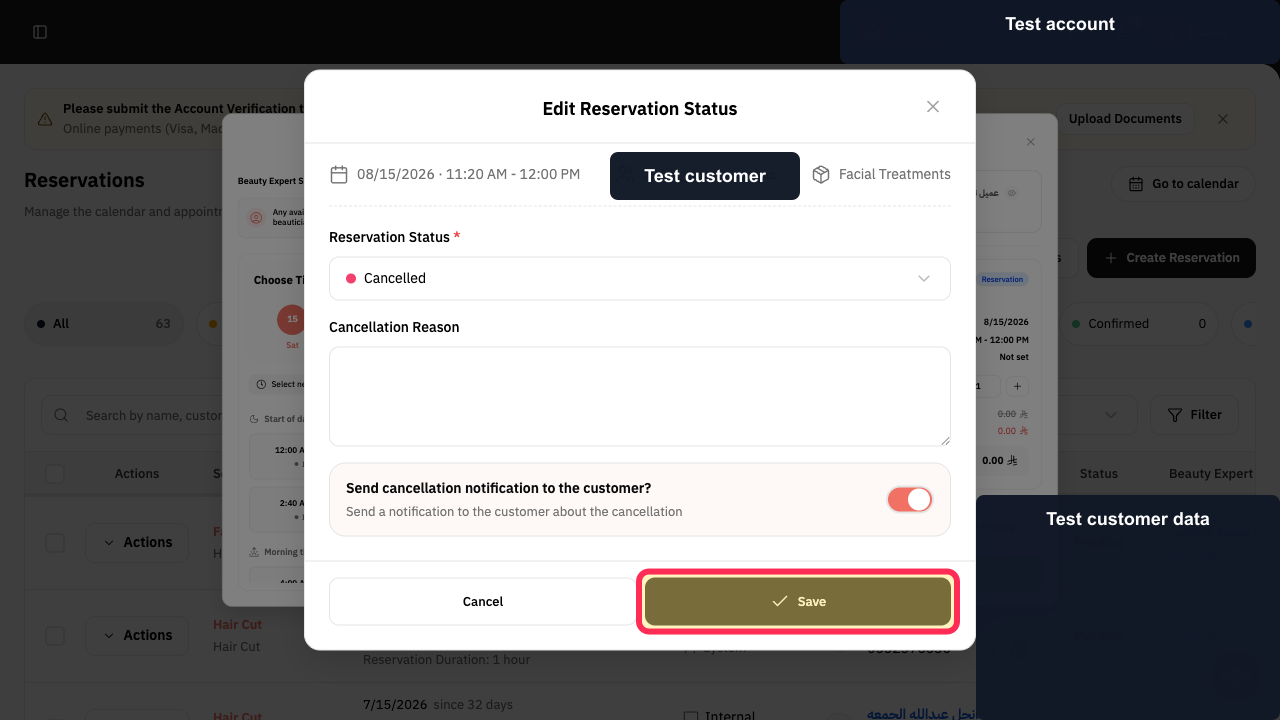
If you select Cancelled, Rekaz may display additional fields for the cancellation reason and customer notification.
Steps
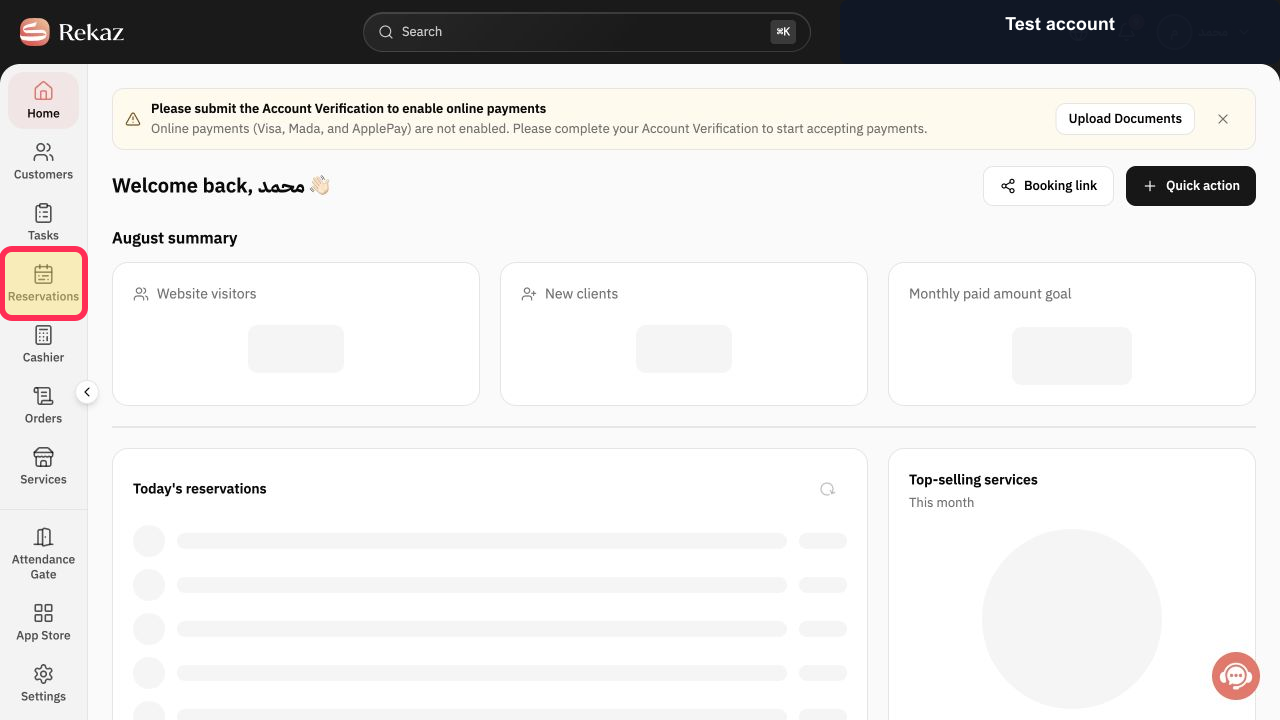
From Home, select Reservations in the sidebar.
The Reservations page opens.
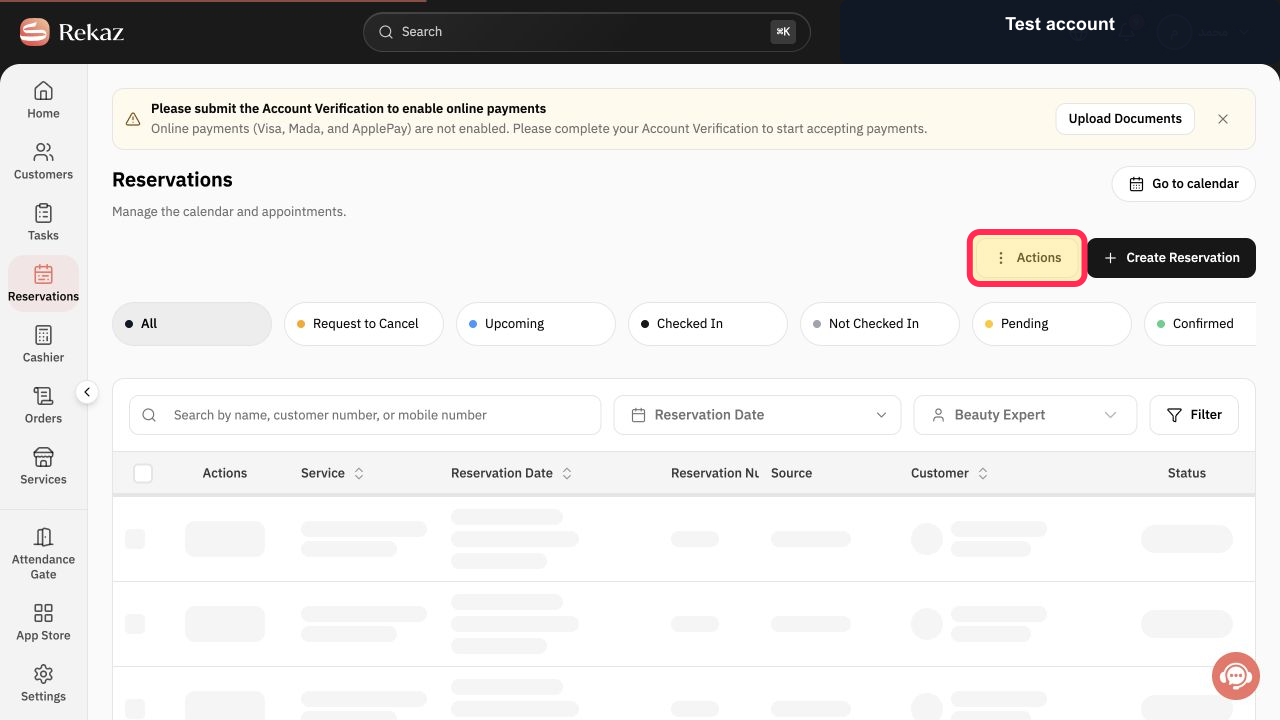
Find the reservation you want to update, then select Actions for that reservation.
The reservation’s available actions are displayed.
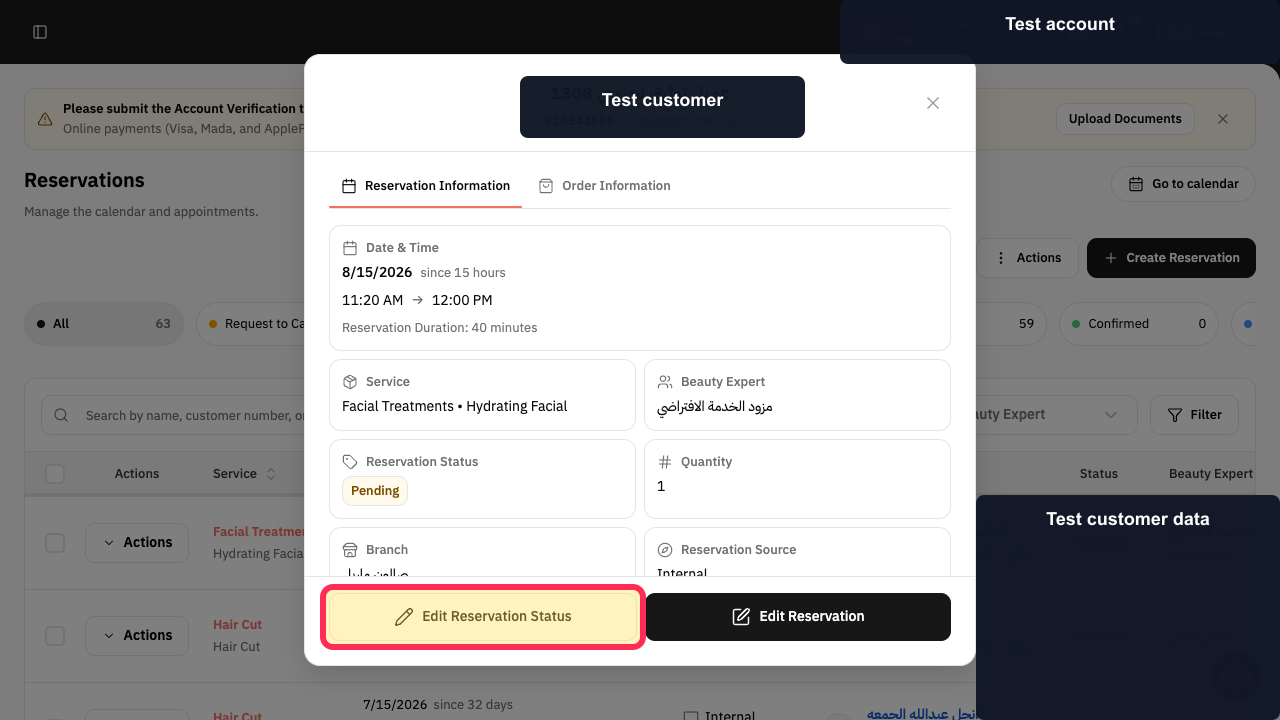
Select Edit Reservation Status.
The Edit Reservation Status form opens and shows the reservation’s current status.
In Reservation Status *, select the new status.
The selected reservation status is displayed in the editor.
Review the selected status, then select Save.
The save action is submitted. The source screenshots did not verify a completed status update.
Illustrated guide
Step 1: Open Reservations from the Rekaz sidebar.
Step 2: Open the Actions menu for the required reservation.
Step 3: Choose Edit Reservation Status.
Step 4: Choose the new reservation status.
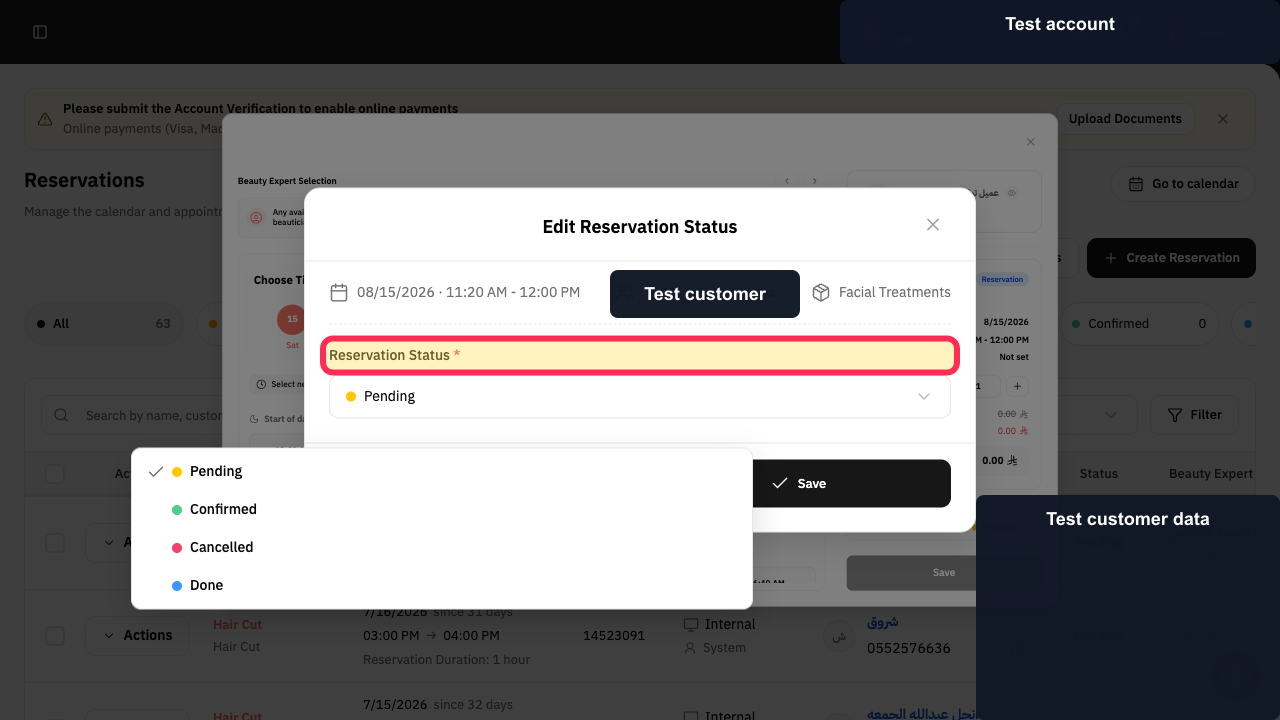
Step 5: Review the status and save the change.
Important notes
You can update the status of an existing reservation from its Actions menu without opening its related financial order.
If you choose Cancelled, additional cancellation-reason and customer-notification fields may appear.
No new status was saved during the source capture, so the completed saved result was not verified.
Related questions
How do I mark a reservation as confirmed in Rekaz?
How do I change a reservation to completed in Rekaz?
Where can I edit an appointment status in Rekaz?


