How do I cancel a reservation in Rekaz?
To cancel an existing reservation in Rekaz, open the reservation’s Actions menu, select Cancel, enter a cancellation reason, choose whether to send a customer notification, and save your changes.
Selecting Save completes the cancellation. Review the reservation, reason, and notification choice carefully before saving.
Customer information is hidden in the screenshots to protect privacy.
Steps
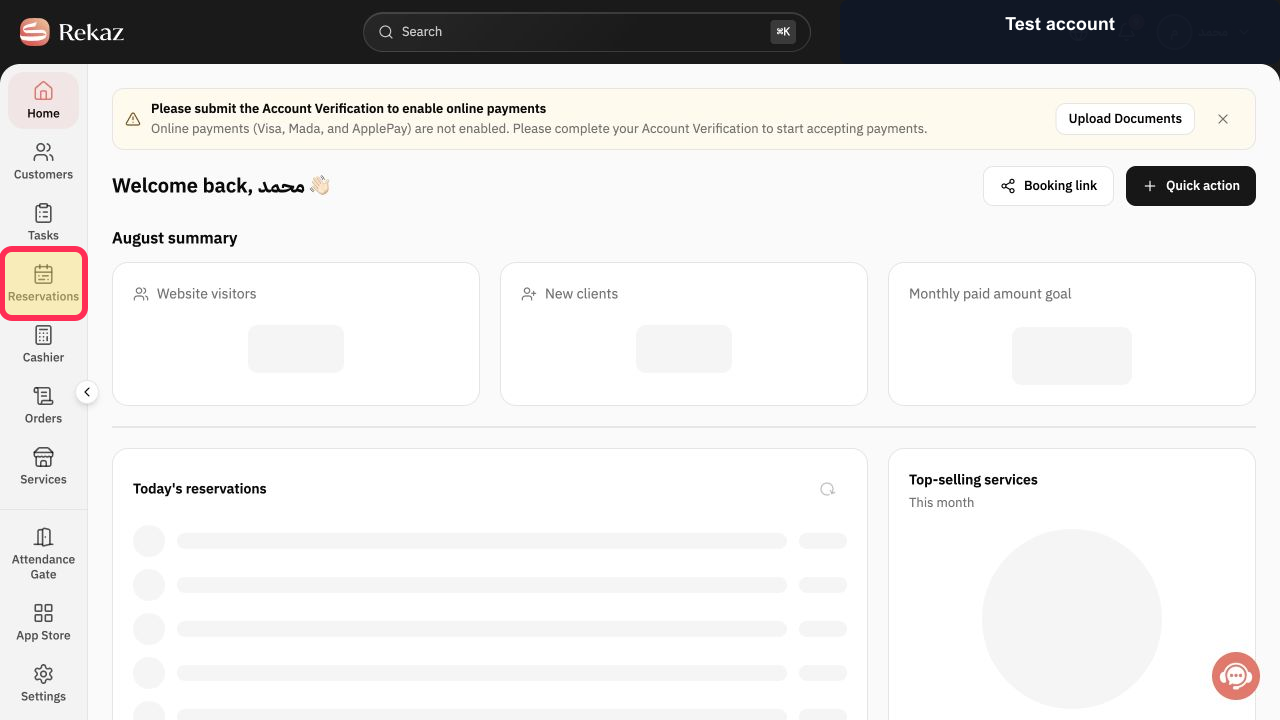
From Home, select Reservations in the sidebar.
The Reservations page opens.
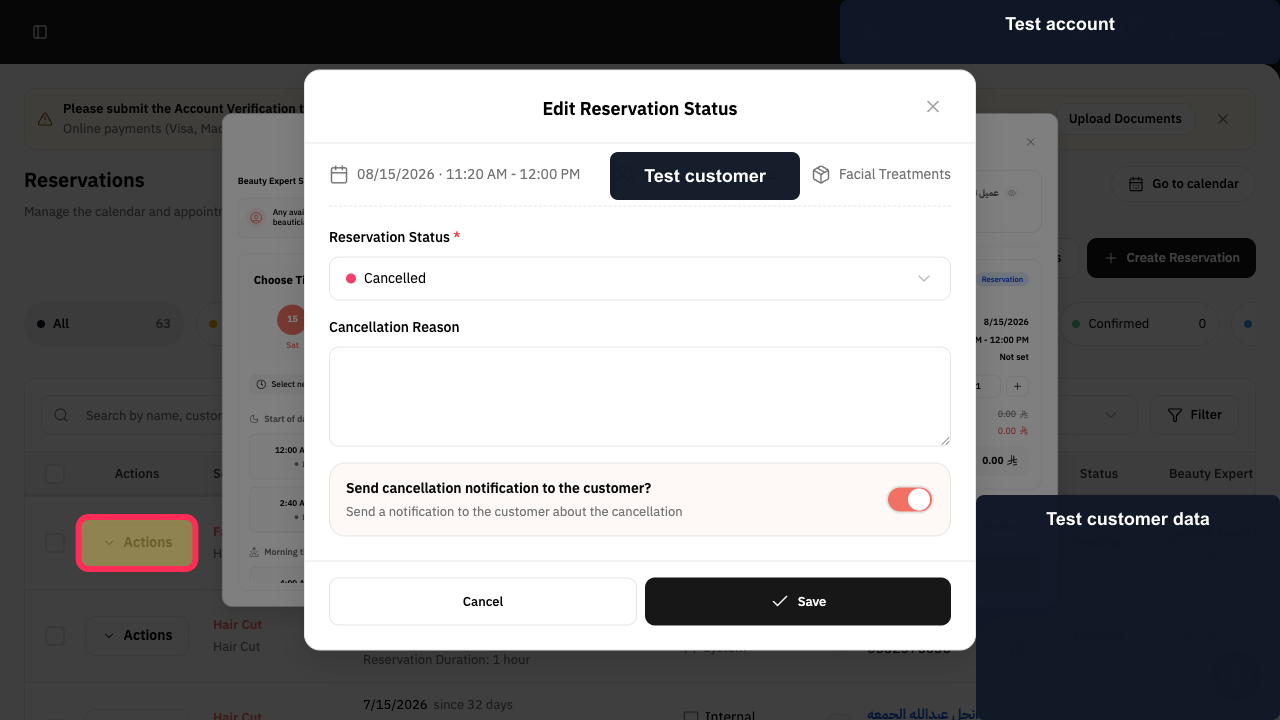
Find the reservation you want to cancel and select Actions.
The actions menu for the selected reservation opens.
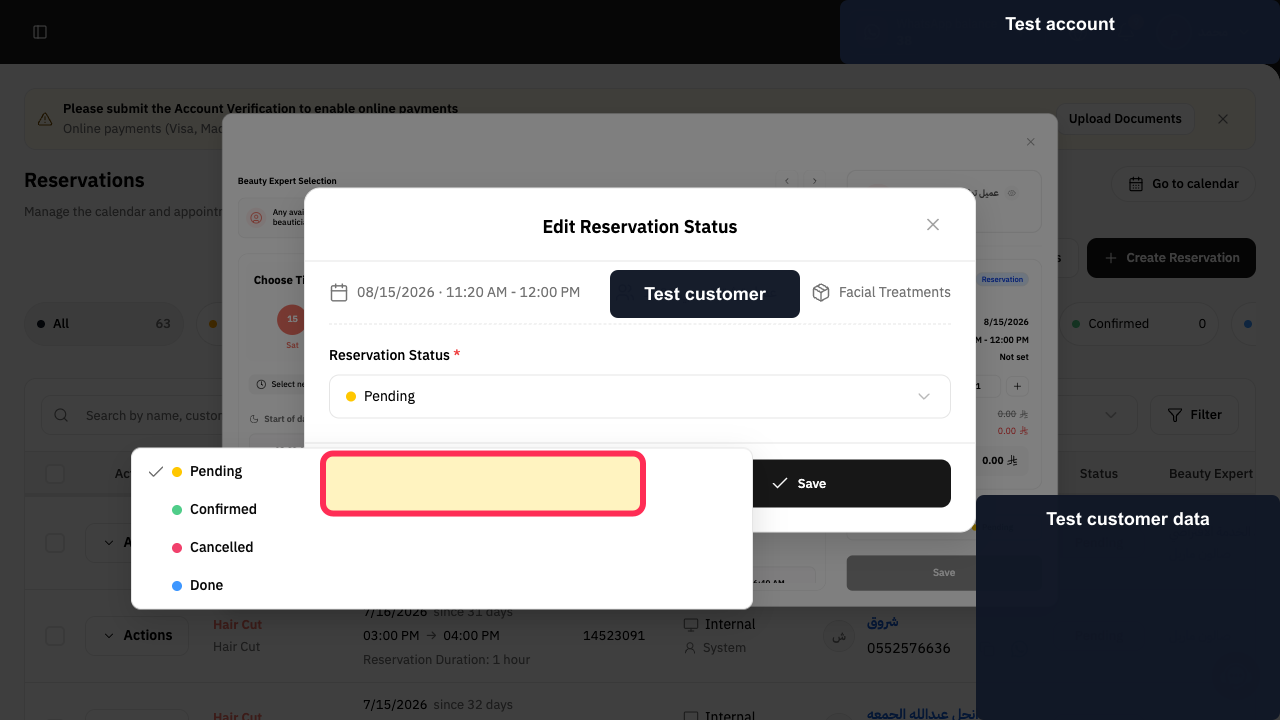
Select Cancel from the actions menu.
The Cancel Reservation window opens.
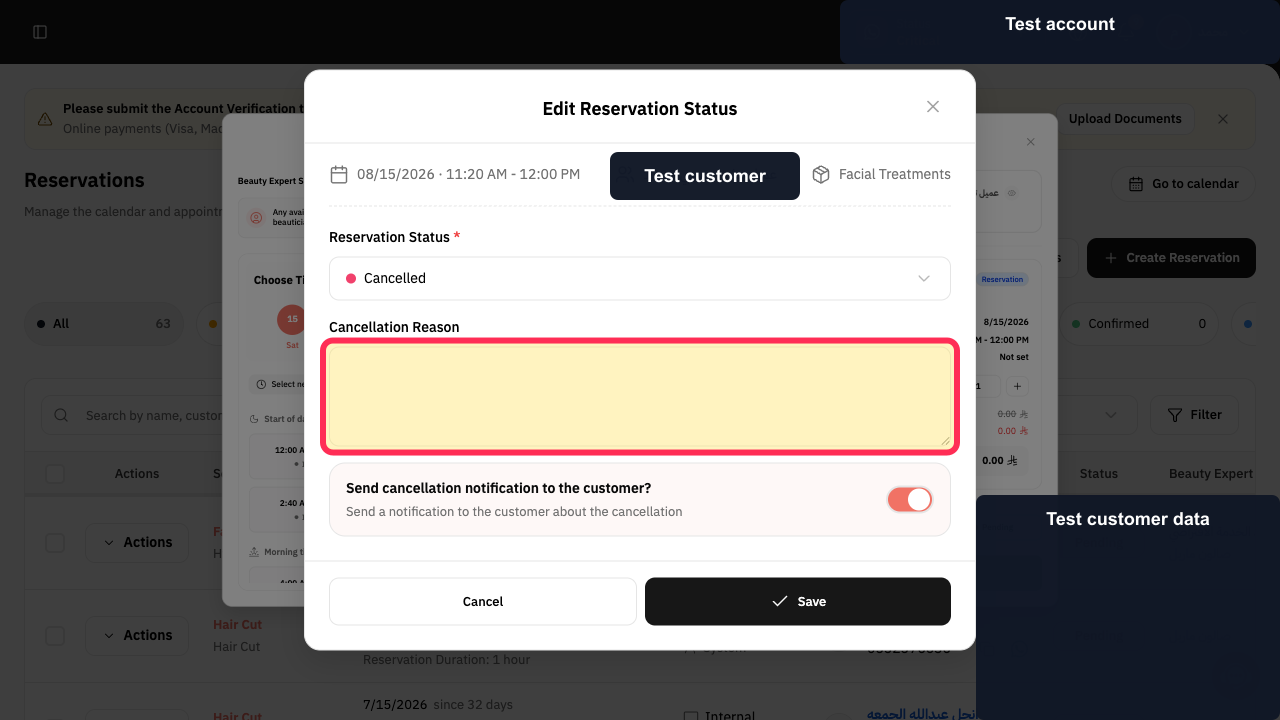
Enter the cancellation reason in the Cancellation Reason field.
The cancellation reason appears in the field.
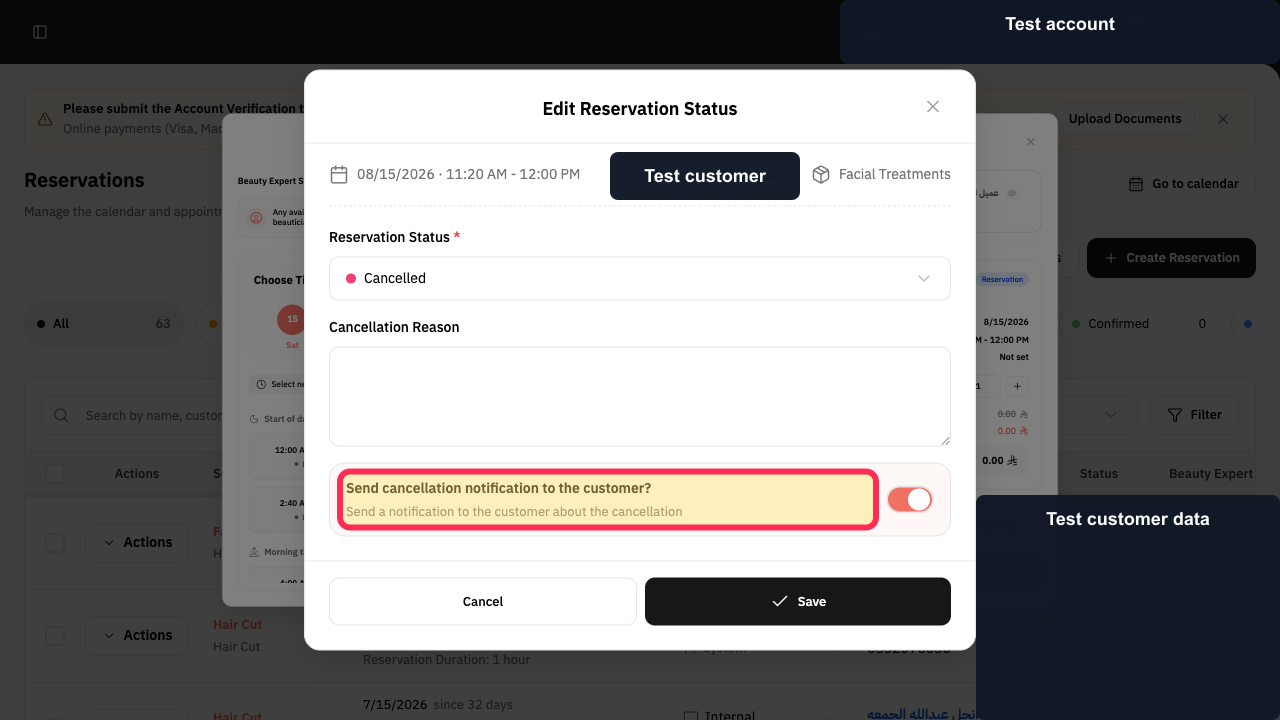
Choose whether to send the cancellation notification to the customer.
Your customer-notification preference is selected.
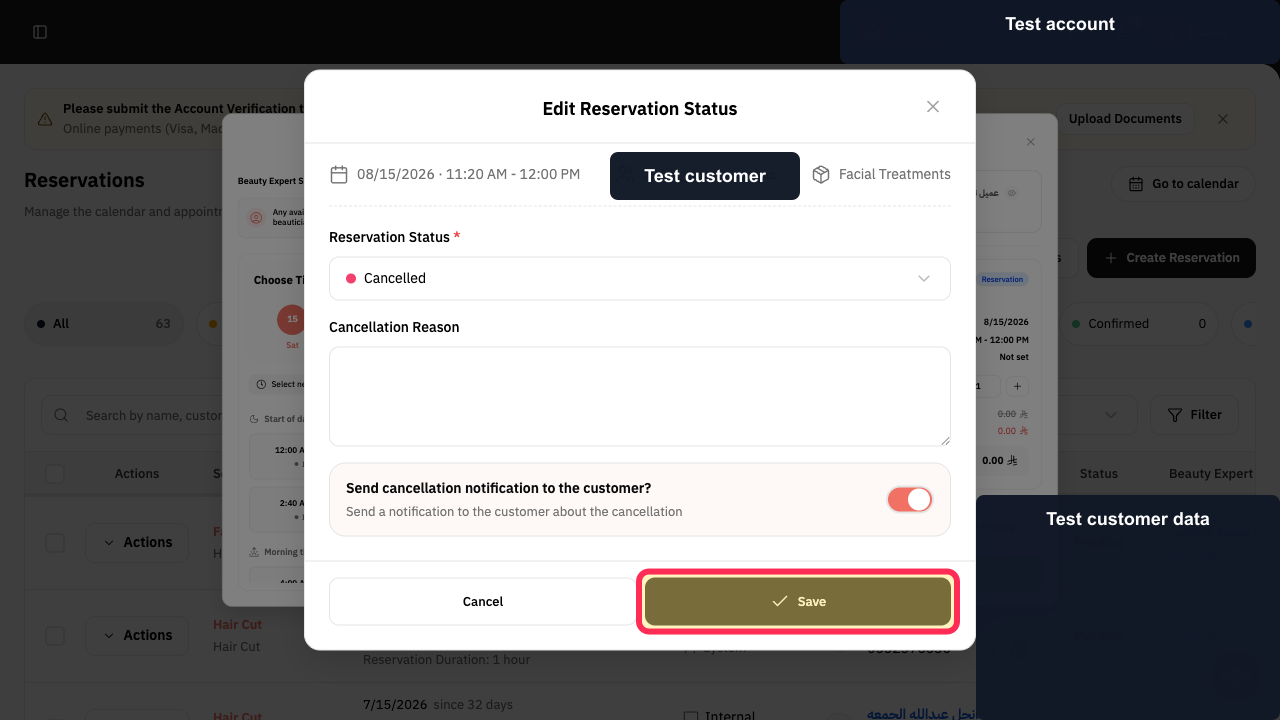
Review the details, then select Save.
The reservation is cancelled.
Illustrated guide
Step 1: The Reservations option in the Home sidebar.
Step 2: The Actions control for the reservation you want to cancel.
Step 3: The Cancel option in the reservation’s Actions menu.
Step 4: The Cancellation Reason field in the Cancel Reservation window.
Step 5: The customer-notification option in the Cancel Reservation window.
Step 6: The Save button used to confirm the reservation cancellation.
Important
Selecting Save completes the cancellation. Confirm the reservation, cancellation reason, and customer-notification choice before you save.
No reservation was cancelled while this guide was recorded.
Related questions
How do I cancel a customer appointment in Rekaz?
Where can I find the option to cancel a reservation in Rekaz?
How do I cancel a reservation and notify the customer in Rekaz?


