How do I charge a reservation to a customer’s package in Rekaz?
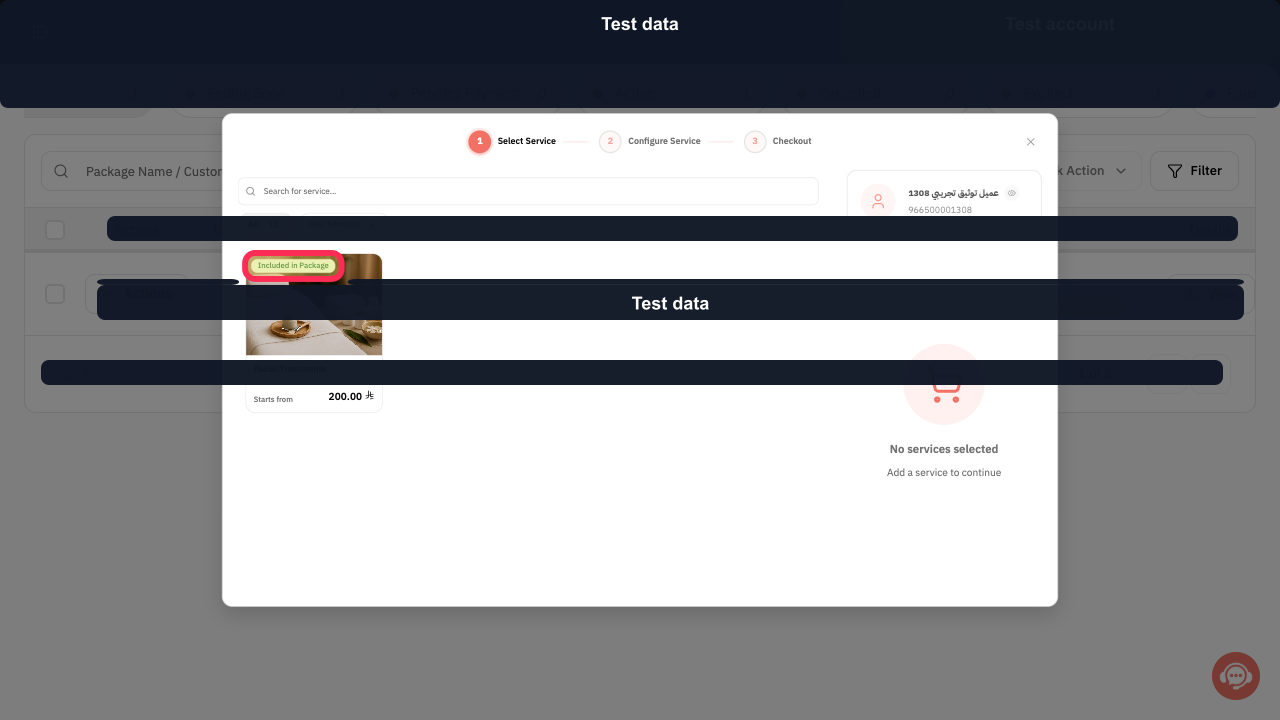
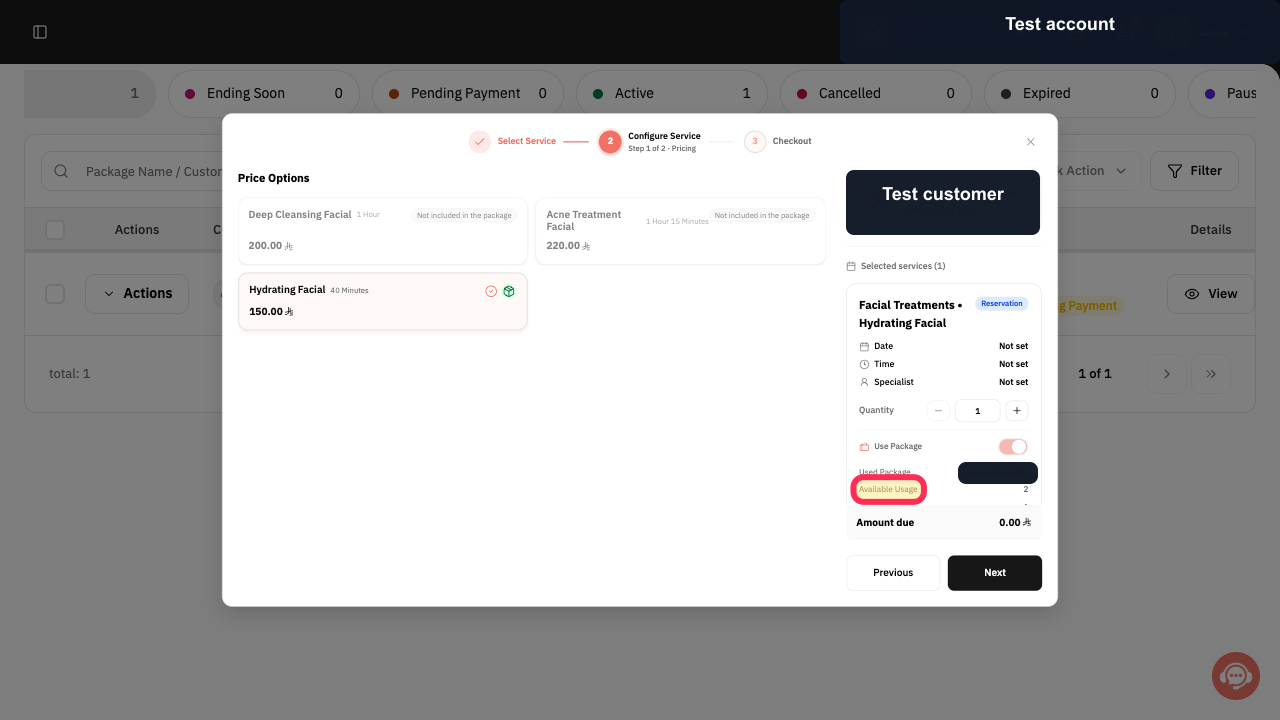
A reservation is covered by a package only when the selected service is marked Included in Package and the package still has Available Usage.
Confirm that Amount due is zero before creating the reservation. If a balance appears unexpectedly, stop and recheck the package and service instead of collecting a second payment.
Steps
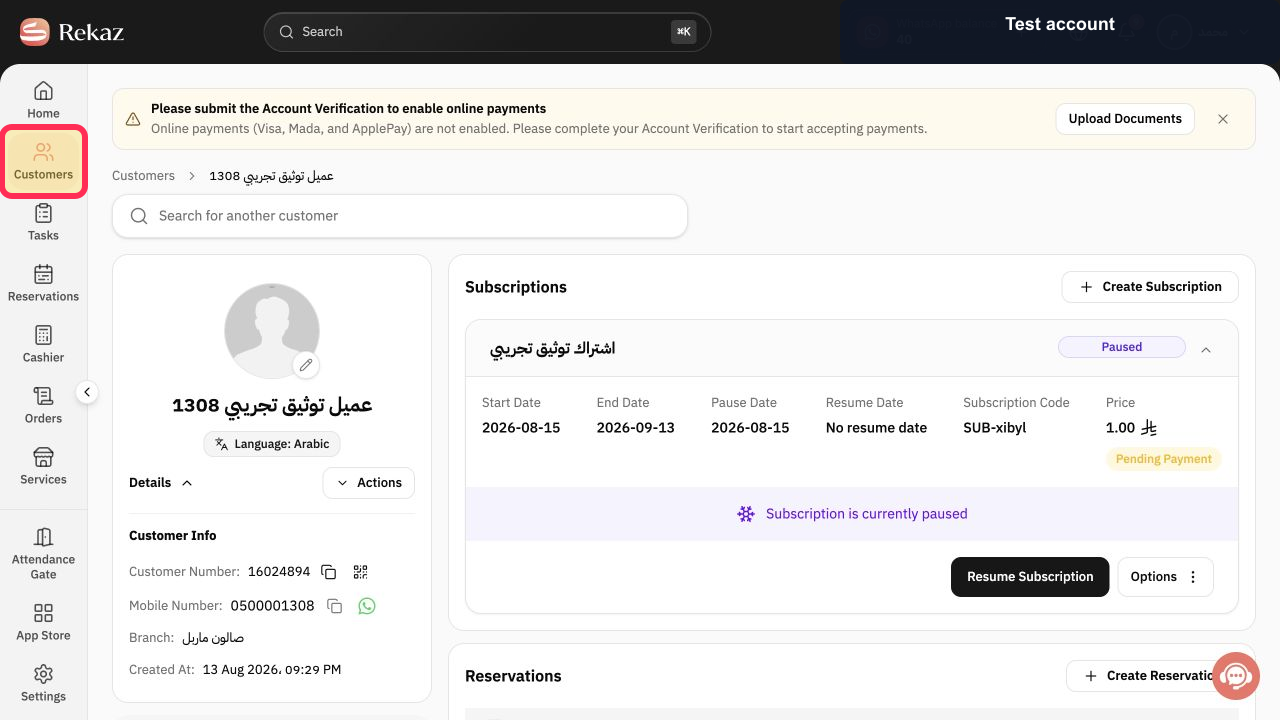
Open Customers and select the customer who owns the active package.
The customer profile opens.
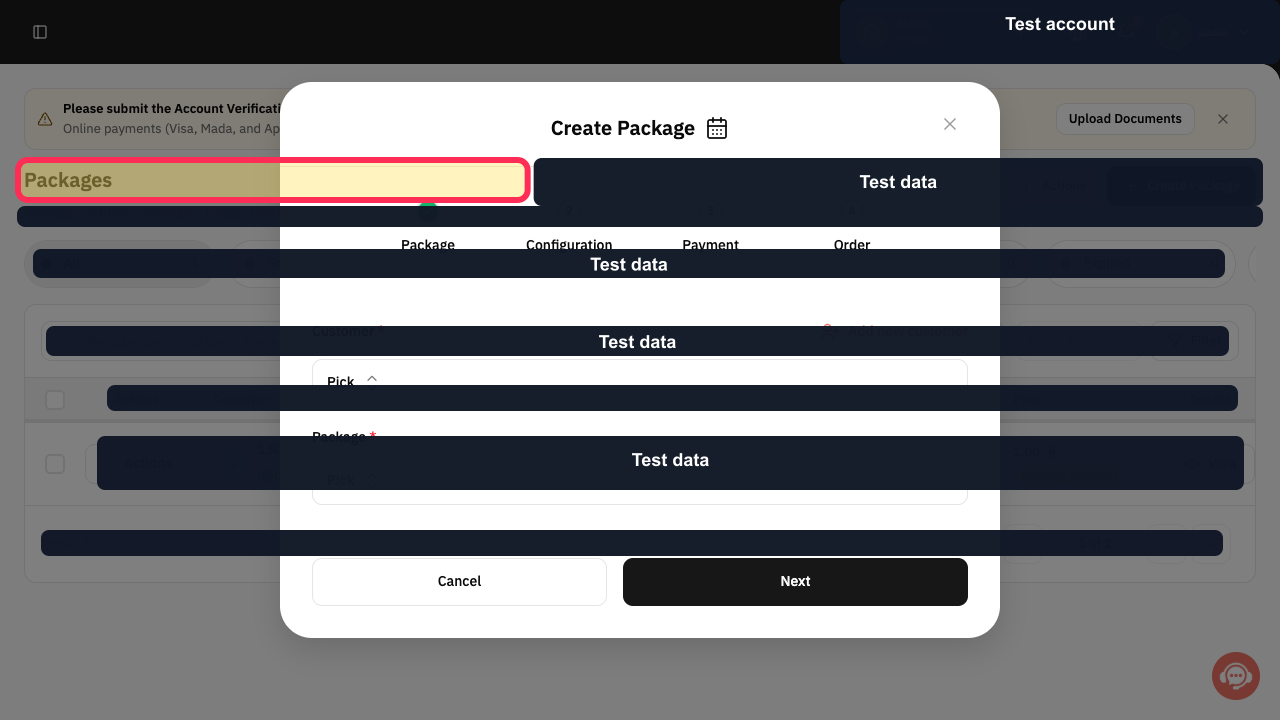
Scroll to Packages and open the active package.
The package details and available actions are visible.
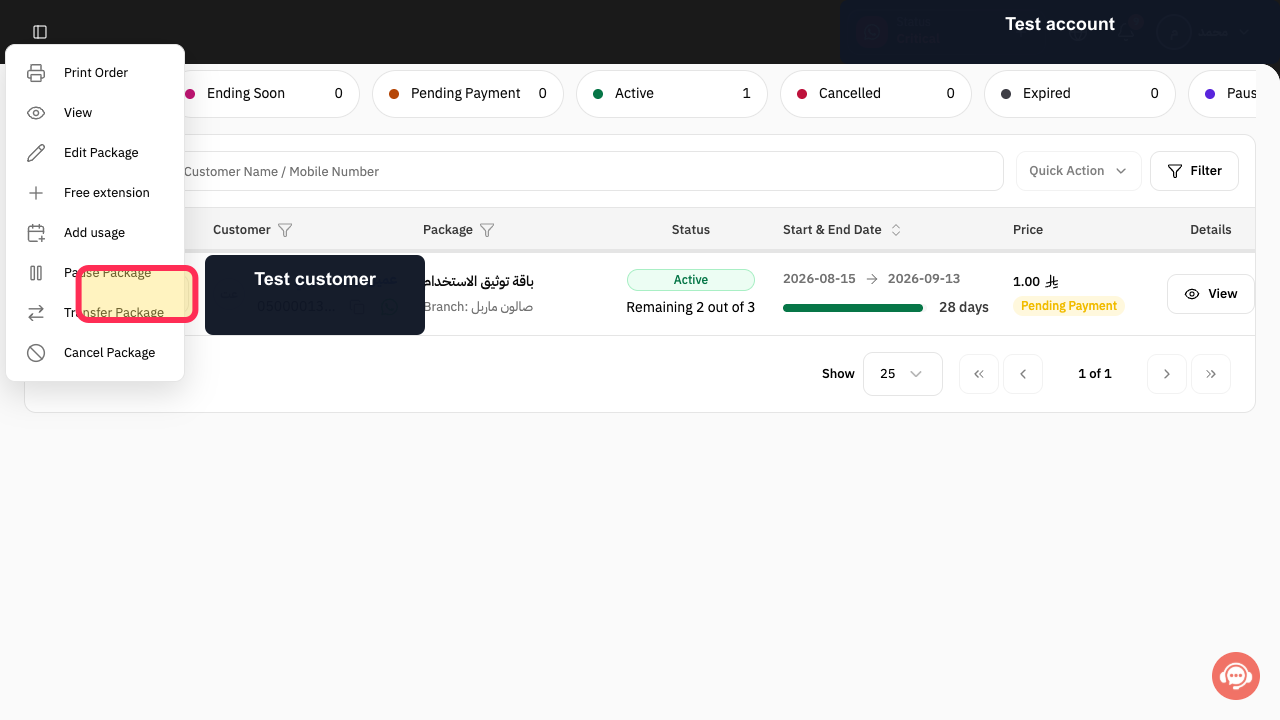
Select Actions for the active package.
The package Actions menu opens.
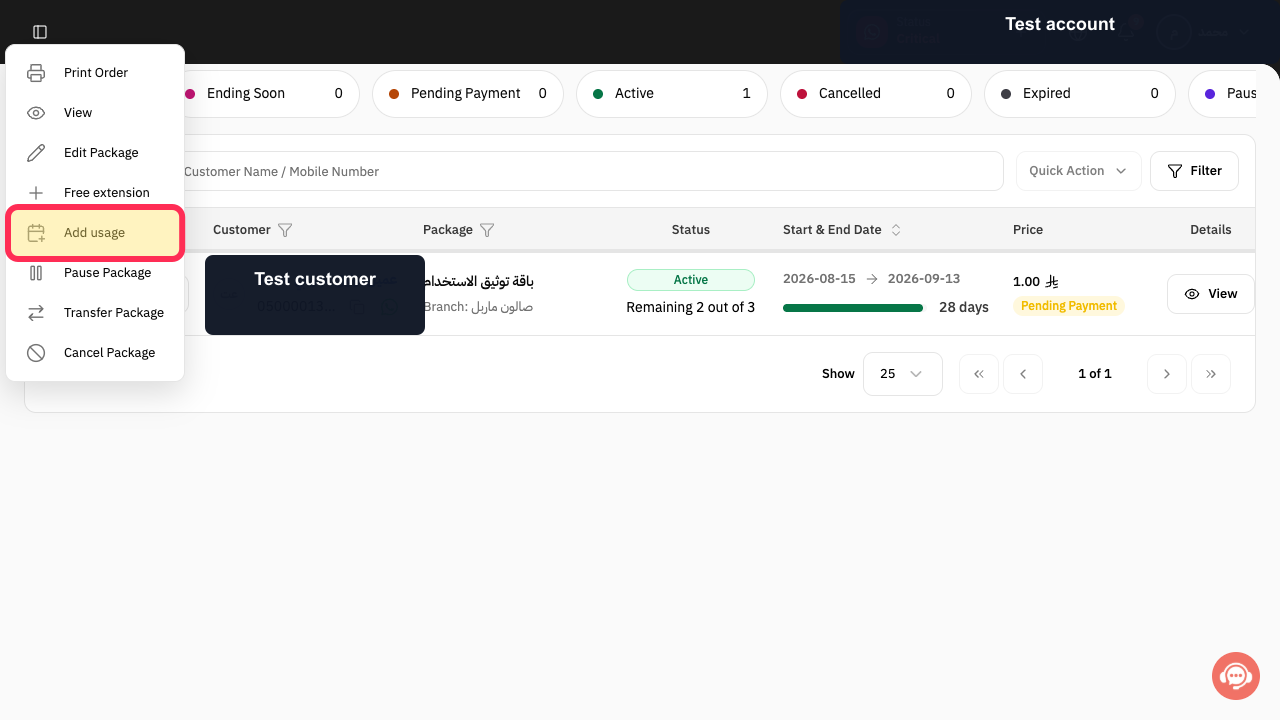
Select Add usage.
The package-usage service selector opens.
Choose the service marked Included in Package.
The selected service is added to the package-usage configuration.
Review Available Usage and Using from Package before scheduling.
The remaining package entitlement is confirmed before a session is deducted.
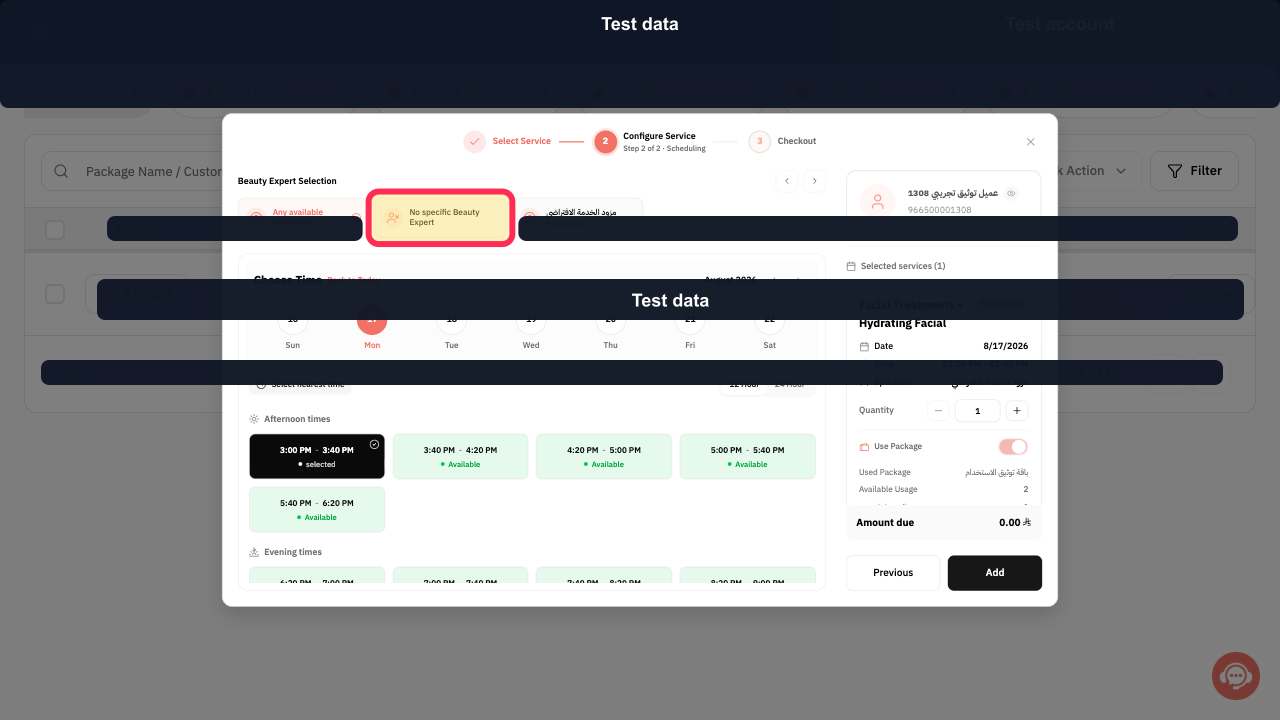
Choose the required provider, or select No specific Beauty Expert when any eligible provider may deliver the service.
The provider rule for the reservation is selected.
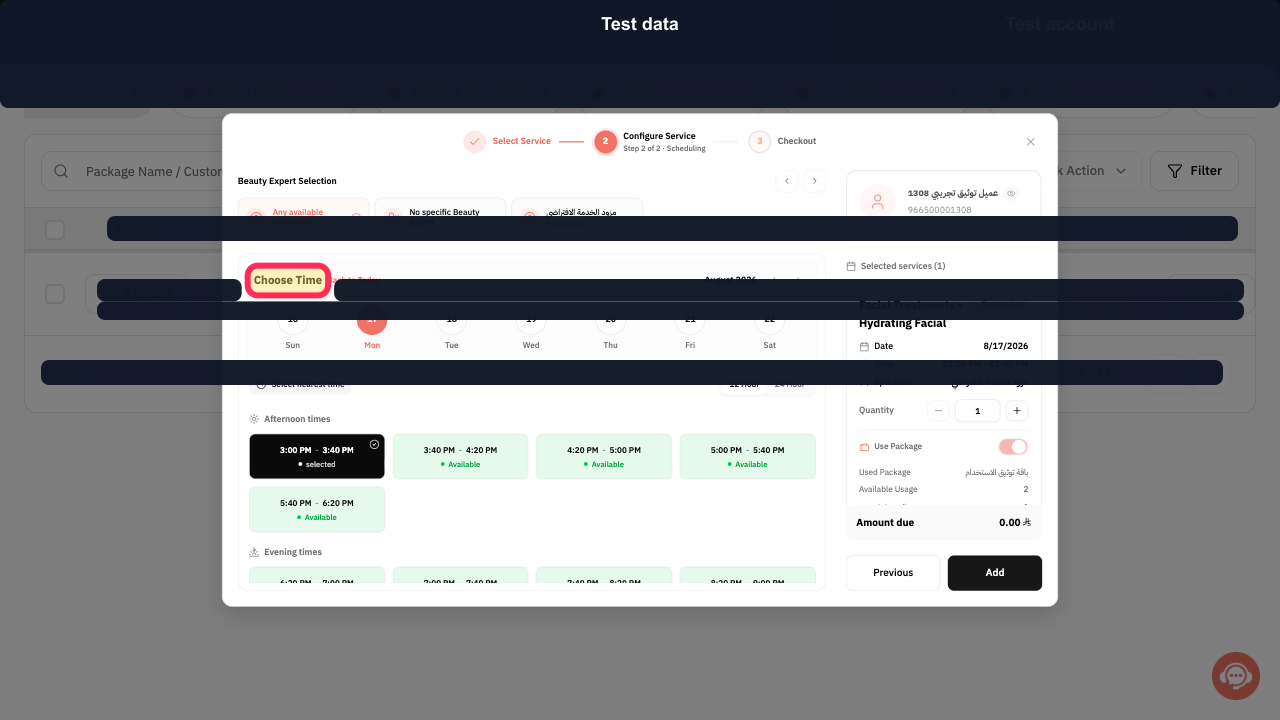
Set the reservation date shown in the scheduling form, then select Choose Time and pick an available slot.
The package reservation has a valid scheduled slot.
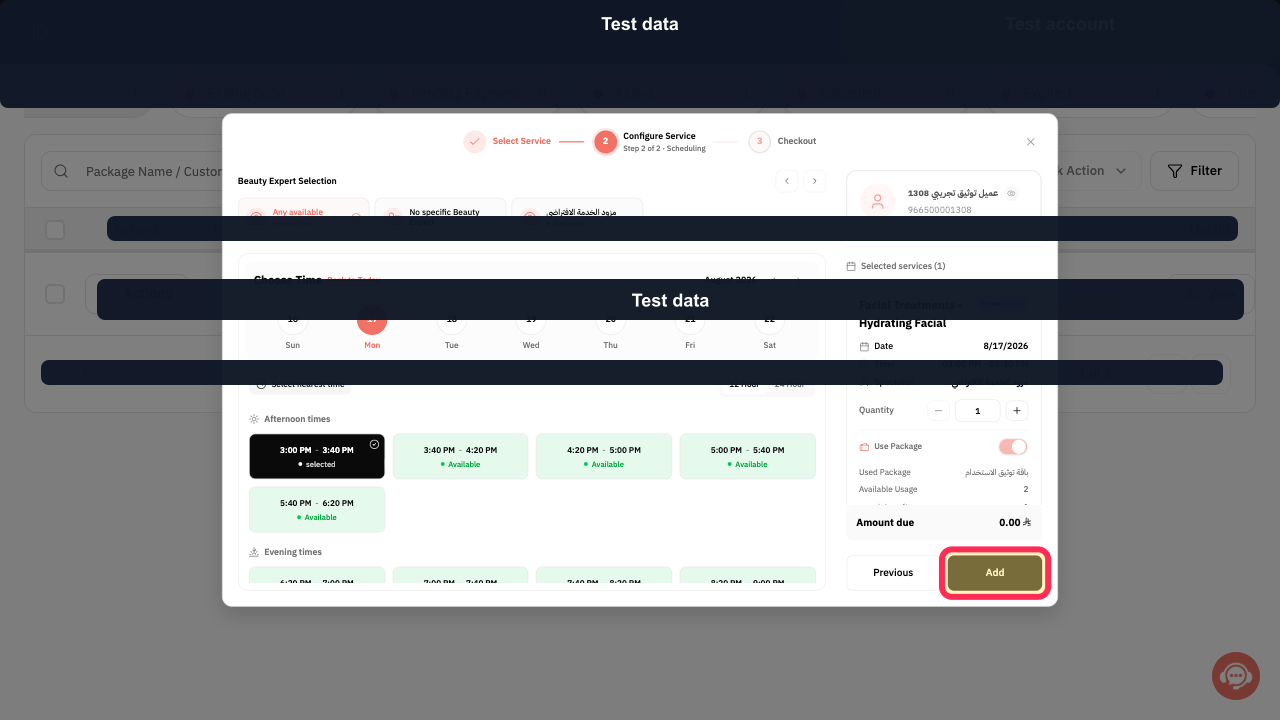
Select Add and verify that Amount due remains zero and Use Package is selected.
The covered service is added without a new amount due.
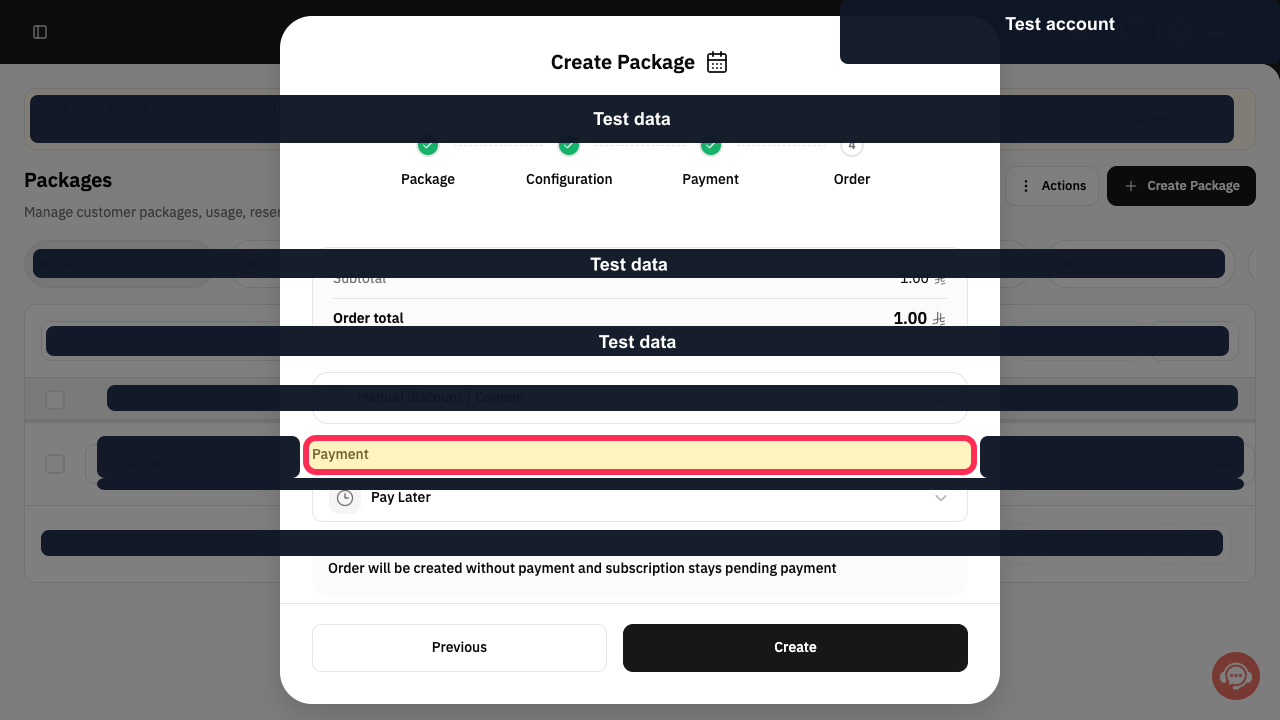
Select Payment after confirming that Amount due is zero.
The zero-total reservation confirmation opens without requesting a new payment.
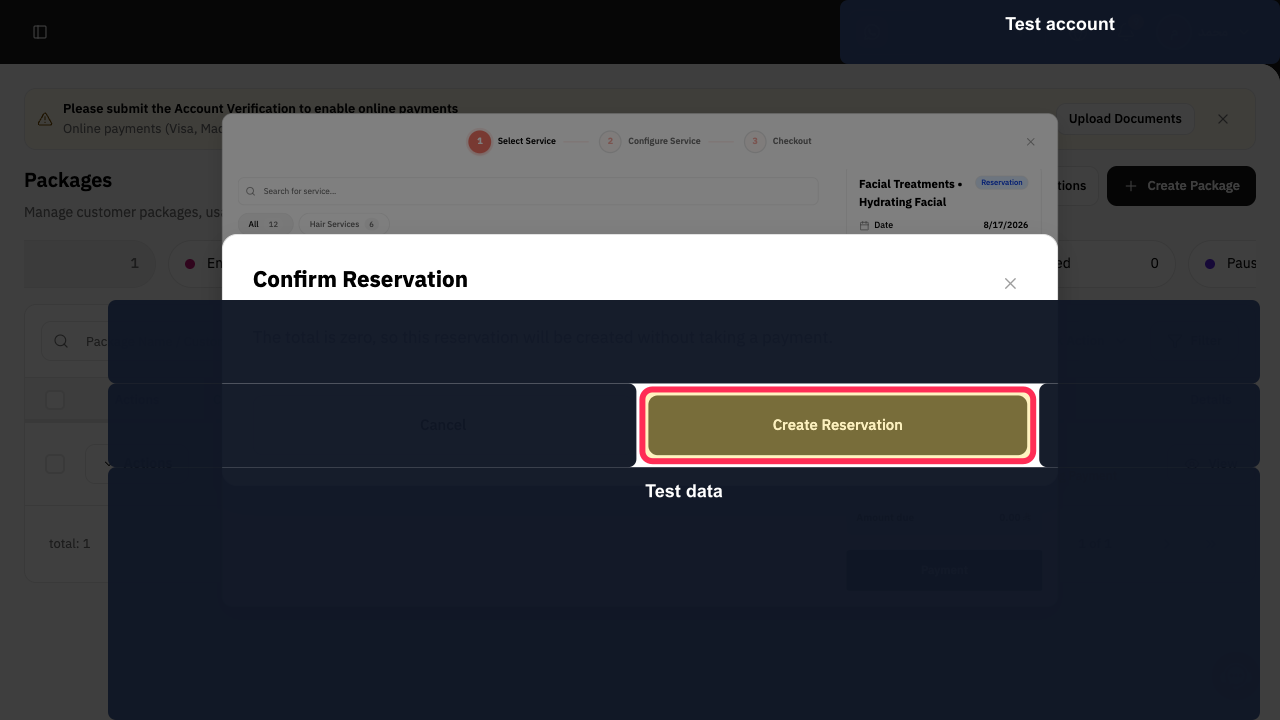
Review the confirmation message, then select Create Reservation.
The reservation is created and the package usage is recorded without charging the customer again.
Illustrated guide
Step 1: Open the package owner's customer profile.
Step 2: Open the customer's active package.
Step 3: Open the active package Actions menu.
Step 4: Start adding a use from the customer's package.
Step 5: Choose a service covered by the package.
Step 6: Verify the customer's available package usage.
Step 7: Choose the service provider for the package reservation.
Step 8: Schedule the package-covered reservation.
Step 9: Add the package-covered service after verifying the zero balance.
Step 10: Continue with the zero-value package reservation.
Step 11: Confirm the zero-value package reservation.
Important checks
Only use this flow from the customer’s active package. A general reservation flow may not show whether the customer is eligible to use the package.
Before creating the reservation, check the Subscription Name, Available Usage, and remaining after usage.
Do not complete the reservation unless the Amount due is zero and the Selected plan is correct.
About the screenshots
In the original visual guide, the relevant action or information is marked with a pink outline and yellow highlight.
The examples use test data, and fields that are not needed for the instructions are hidden.
Related questions
Where can I find the option to charge a reservation to a customer’s package in Rekaz?
What are the correct steps to add a reservation usage from a customer’s package in Rekaz?
How can I check the remaining package usage before creating a reservation in Rekaz?


