How do I create a customer reservation in Rekaz?
To create a reservation for a customer in Rekaz, open the Reservation Calendar and start a new reservation. Select the service, confirm its price, choose an available date and time, review the provider, and proceed to payment.
A reservation is not completed until you select a payment method and complete the final payment step. Check the date, time, and provider before continuing.
Steps
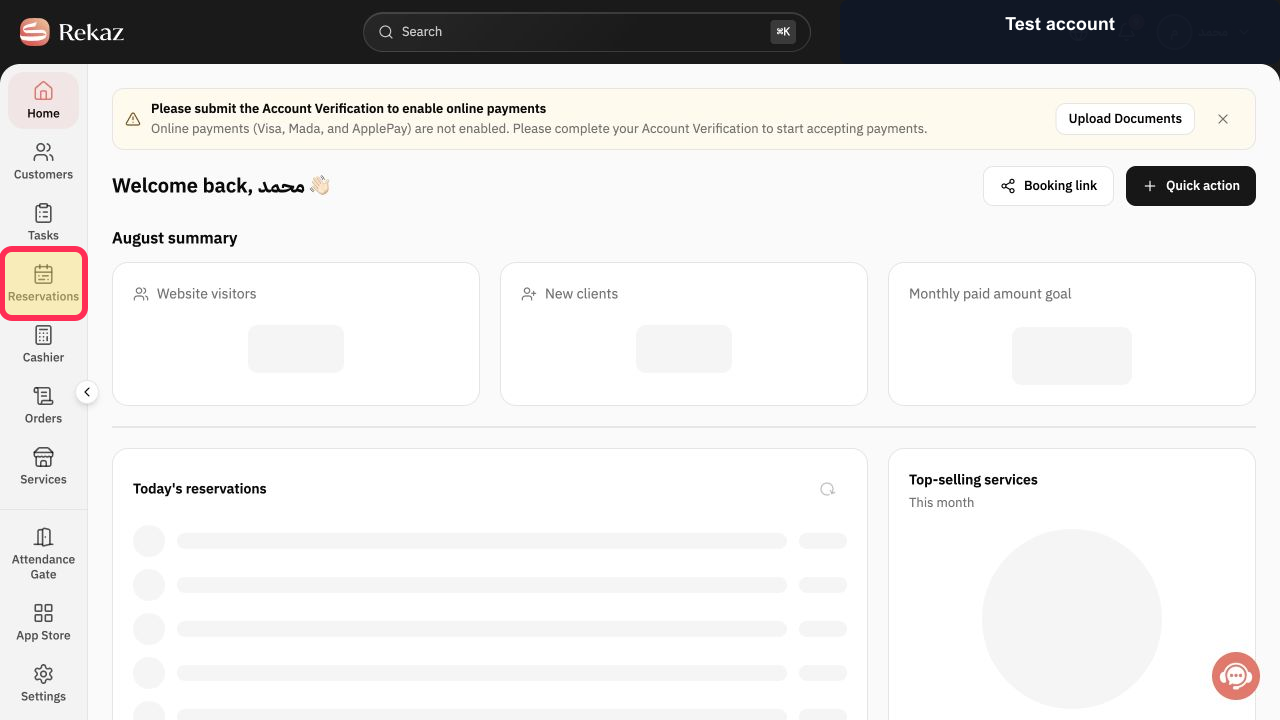
From Home, select **Reservations** in the sidebar to open the Reservation Calendar.
The Reservation Calendar is displayed.
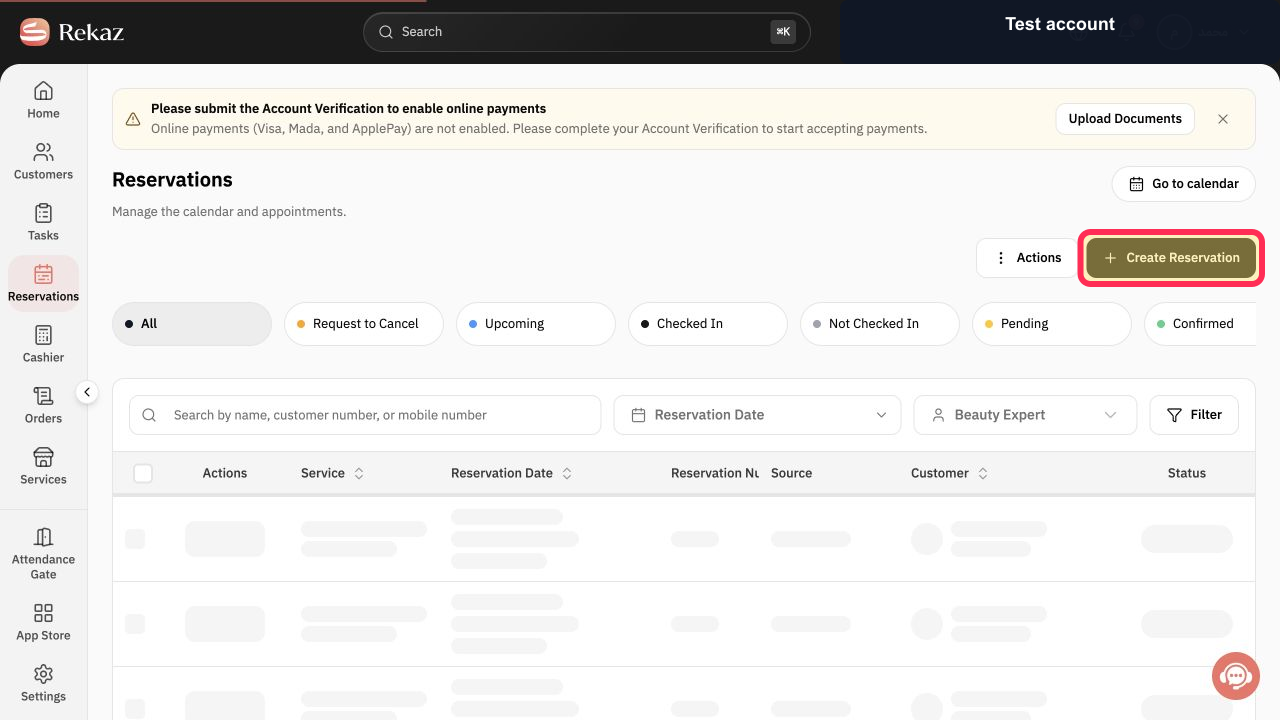
On the Reservation Calendar, select **Create Reservation**.
The sales flow opens for a new reservation.
Choose the service you want to reserve for the customer.
The selected service is added to the reservation flow.
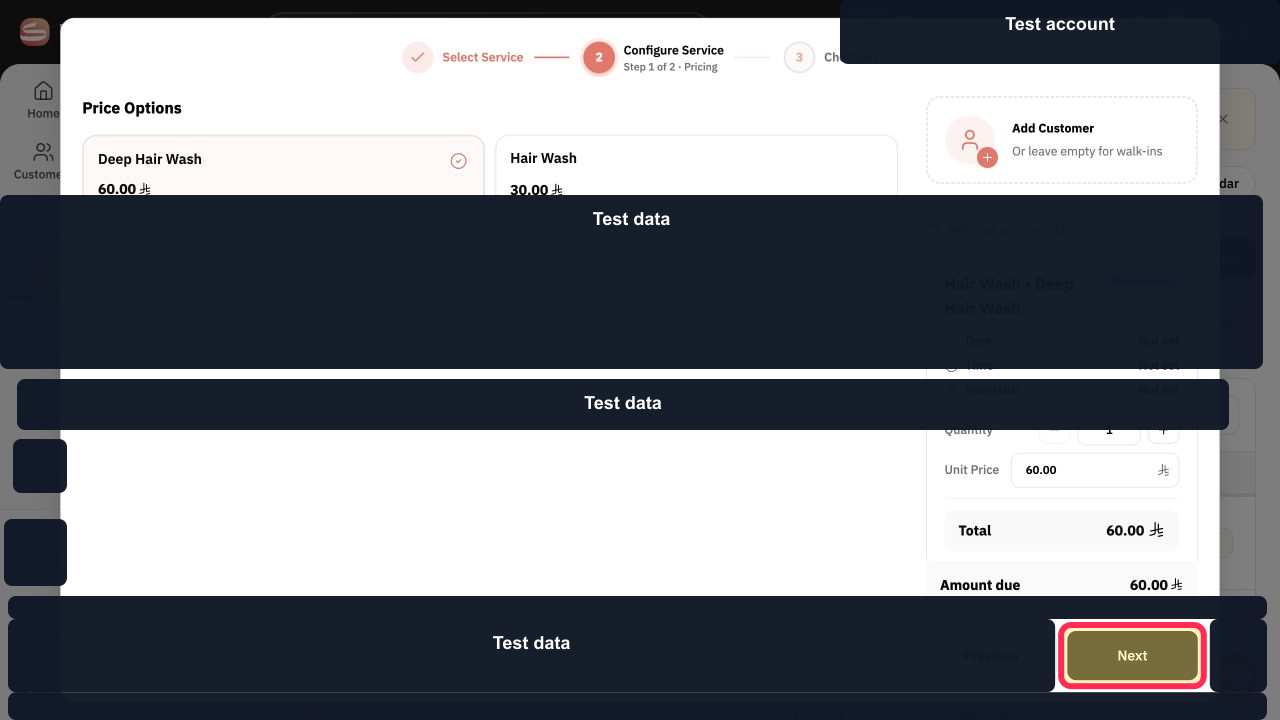
Review the selected service and its price, then select **Next**.
The date and time selection step opens.
Select the reservation date.
Available times for the selected date are shown.
Select a suitable available time.
The selected date and time are added to the reservation.
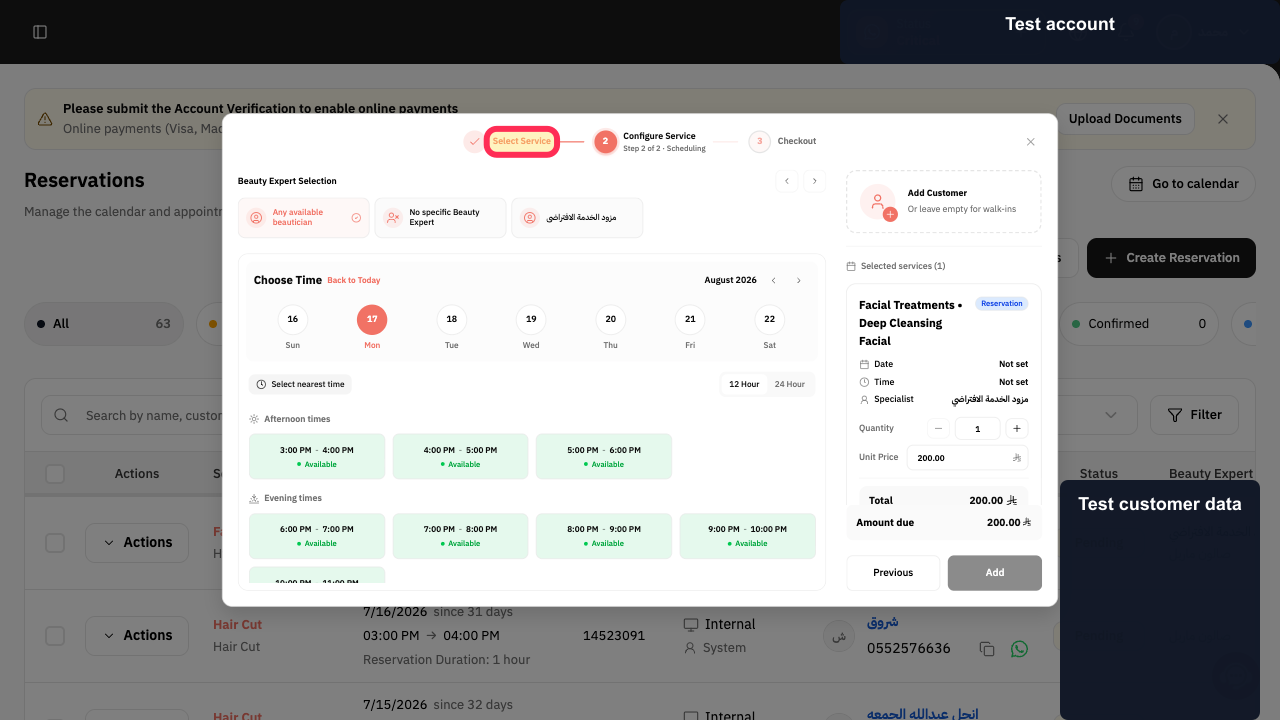
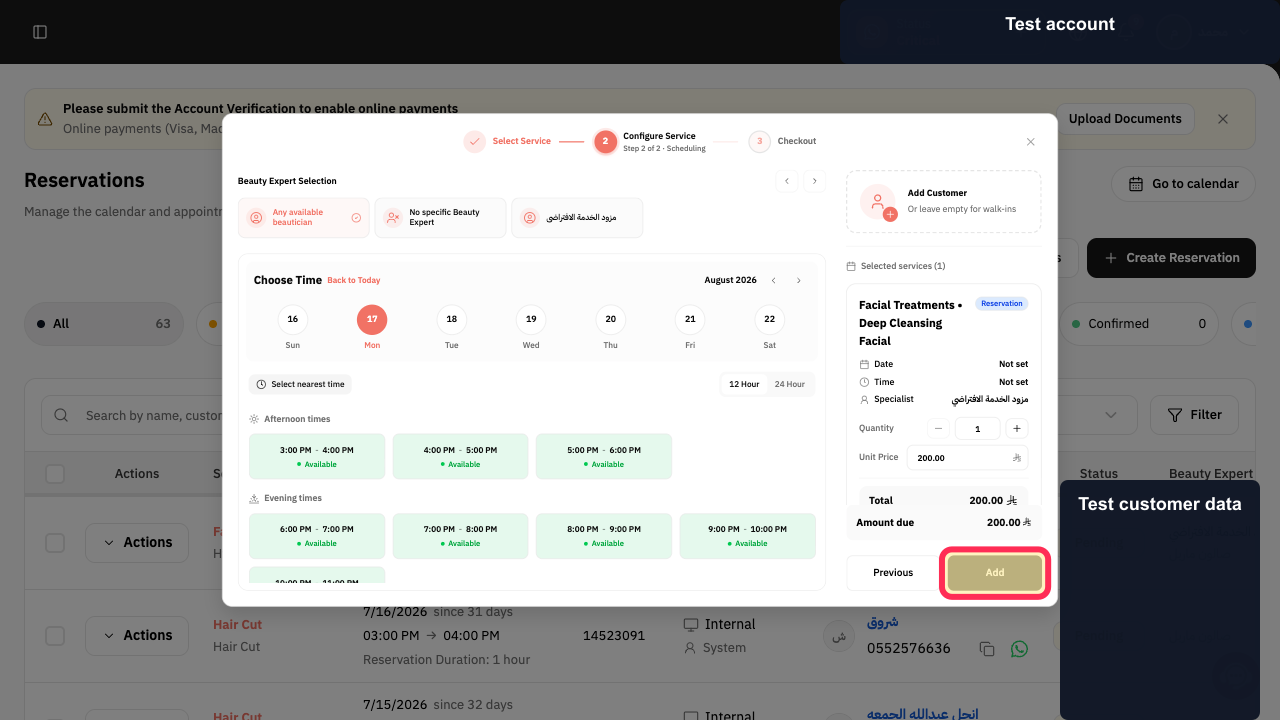
Review the appointment details and the provider, then select **Add**.
The service is added to the reservation summary.
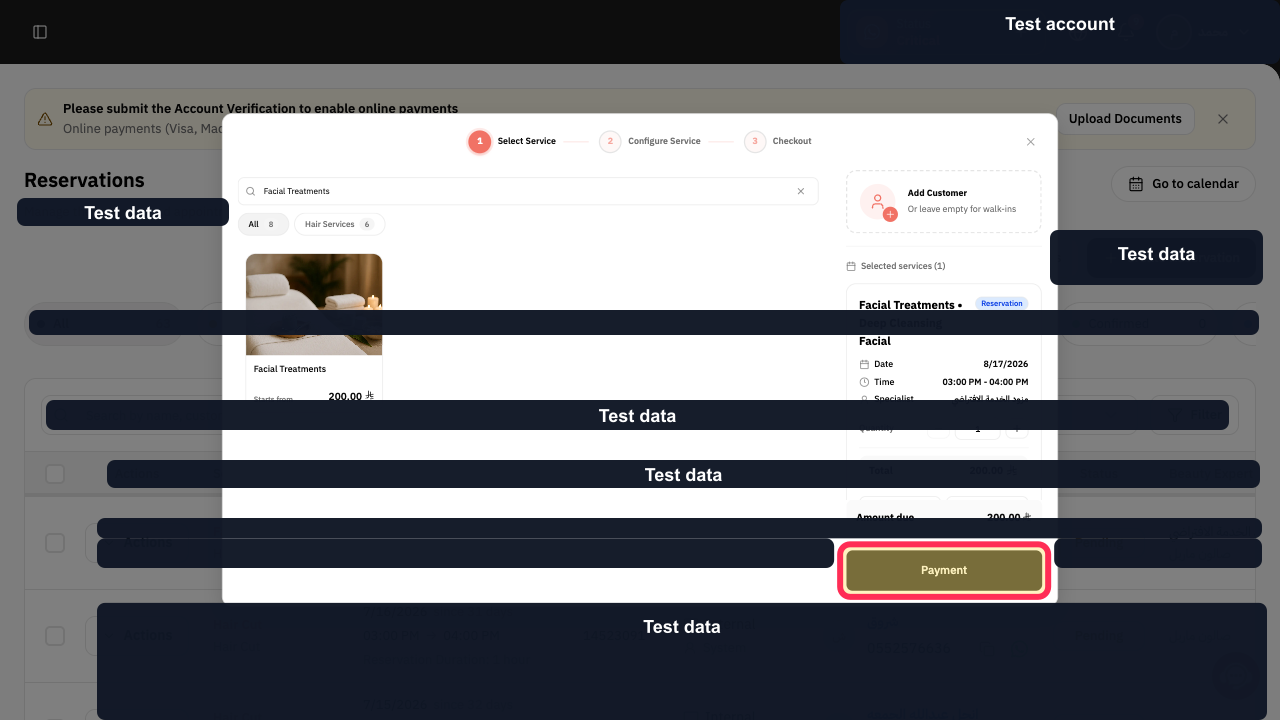
Check the service summary, then select **Payment**.
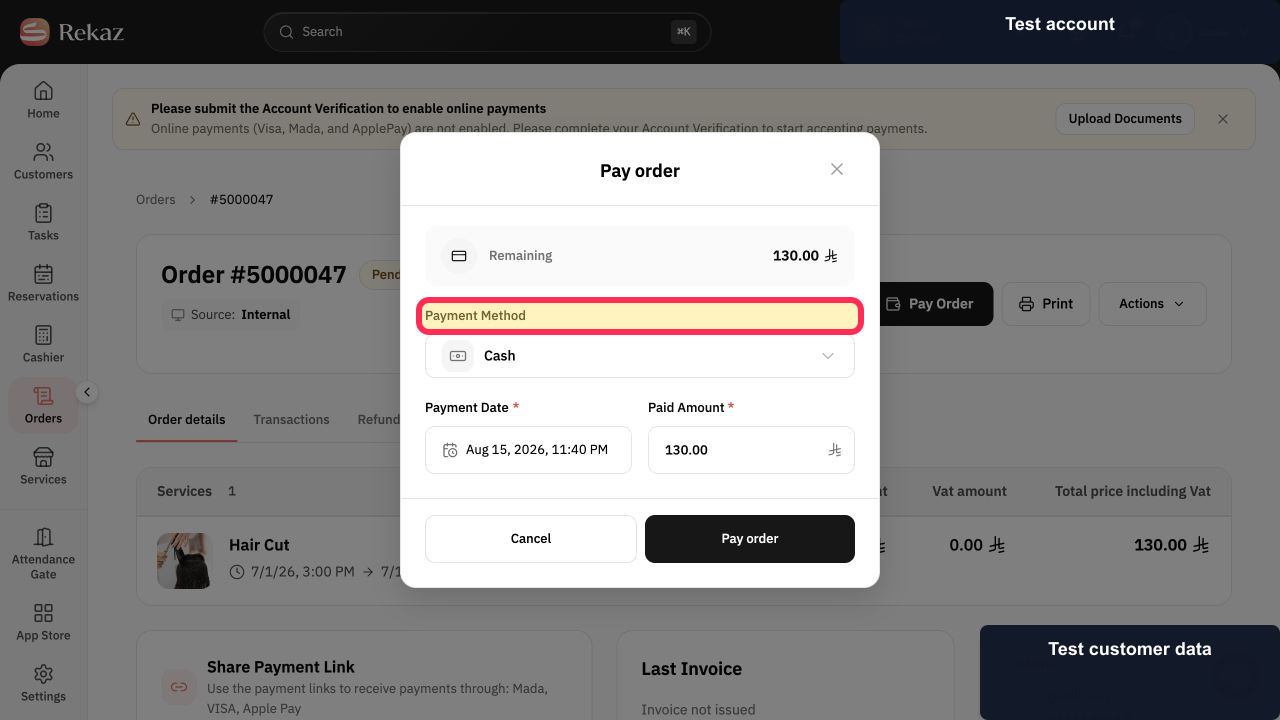
The payment method screen opens.
Select the appropriate payment method and complete the final payment step shown.
The selected payment method is used for the final payment step required to create the reservation.
Illustrated guide
Step 1: The Reservations option in the Home sidebar before opening the Reservation Calendar.
Step 2: The Create Reservation button on the Reservation Calendar.
Step 3: The service selection screen showing the service to choose.
Step 4: The selected service, its price, and the Next button.
Step 5: The date field used to choose the reservation date.
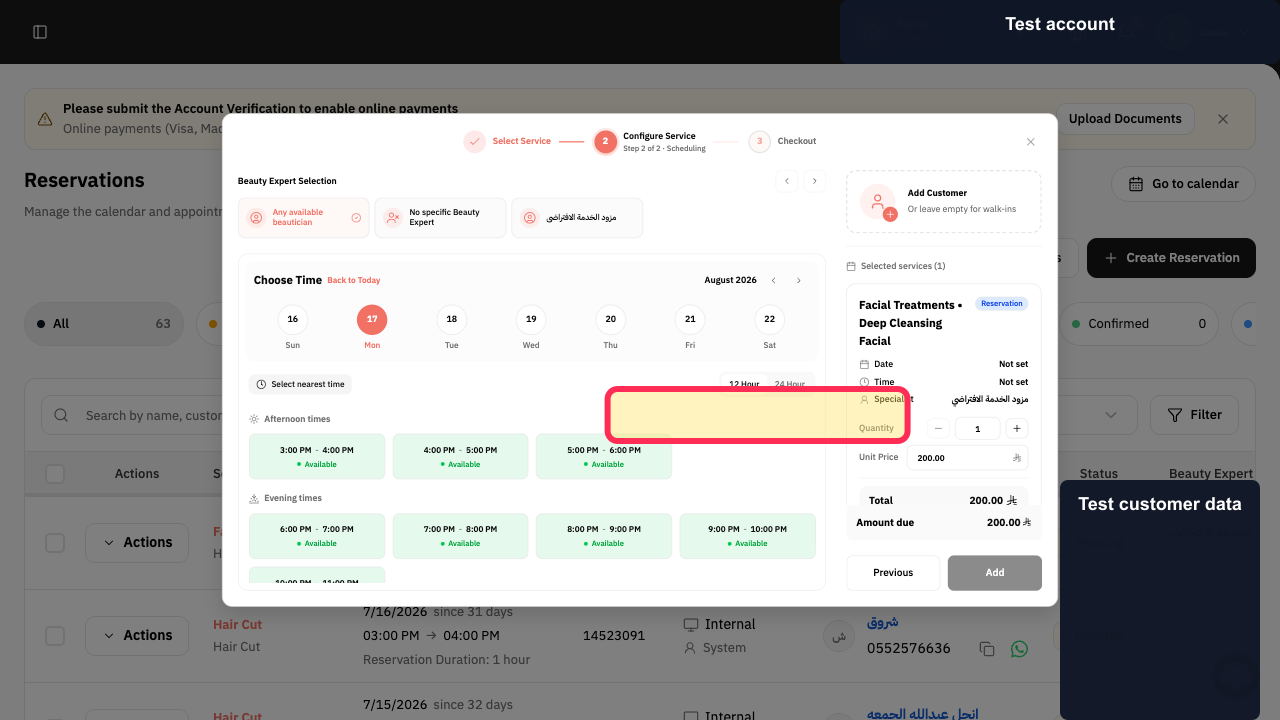
Step 6: The Available Time options for the selected date.
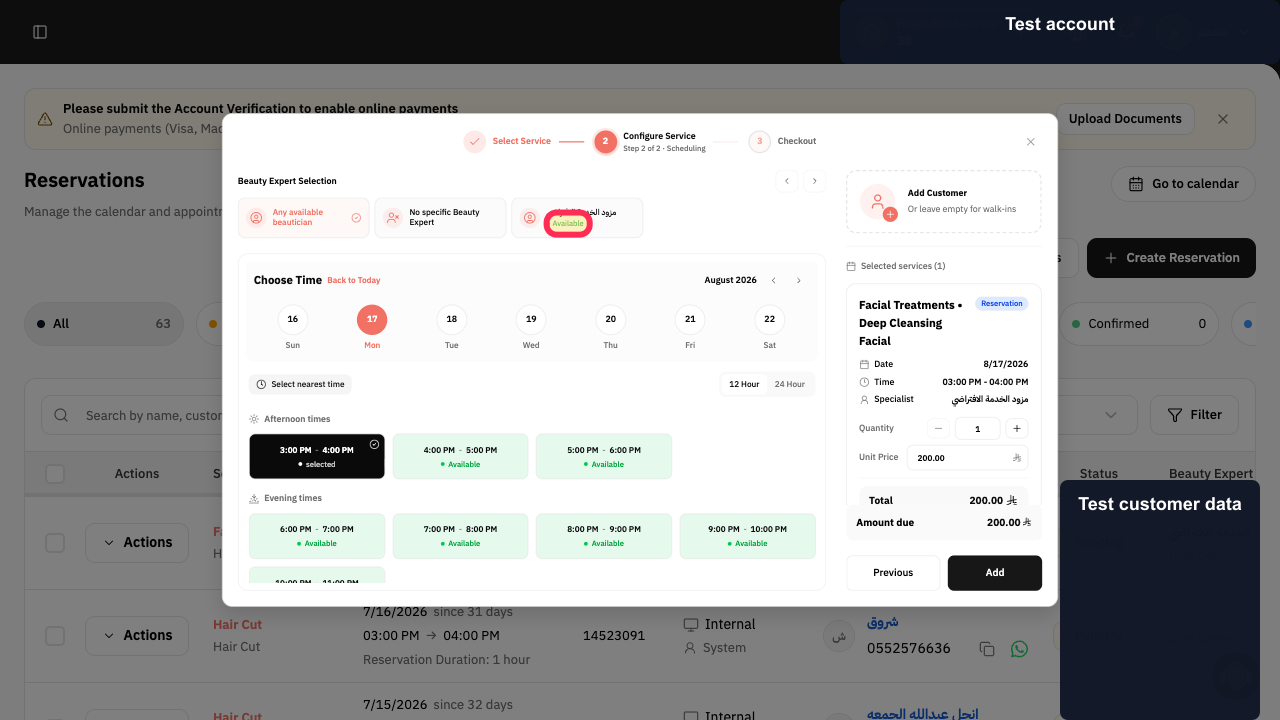
Step 7: The appointment details, provider, and Add button.
Step 8: The service summary and Payment button.
Step 9: The Payment Method options used to complete the reservation flow.
Important notes
Creating the reservation is not complete until you select a payment method and perform the final payment action.
Before completing payment, confirm the reservation date, time, and provider.
Related questions
How do I make an appointment for a customer in Rekaz?
Where can I add a new reservation in Rekaz?
How do I create a salon booking from within Rekaz?


