How do I edit a reservation status in Rekaz?
To edit a reservation status in Rekaz, open the reservation from the Reservations page, choose its Reservation Status, select the appropriate status, and save the change.
Available reservation statuses are Confirmed, Pending, Cancelled, and Completed.
Steps
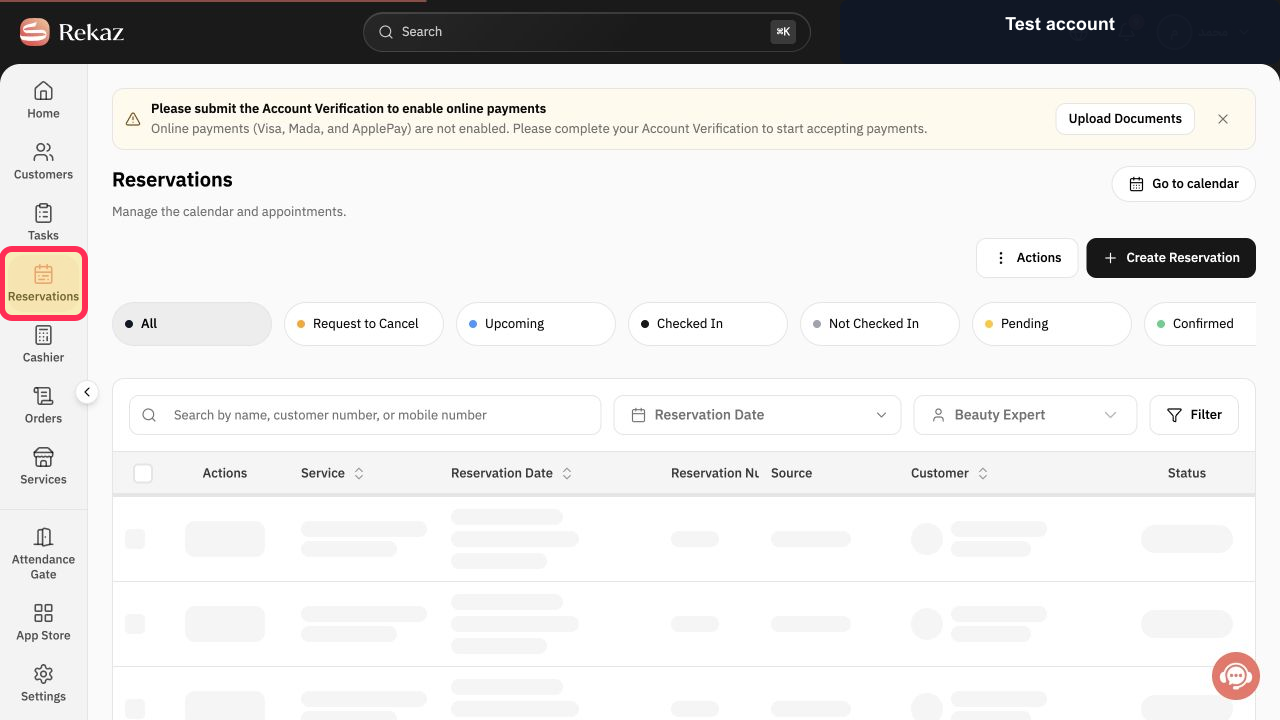
From the signed-in Rekaz Home page, select **Reservations** in the sidebar.
The Reservations page opens.
Select the reservation whose status you want to change.
The selected reservation opens.
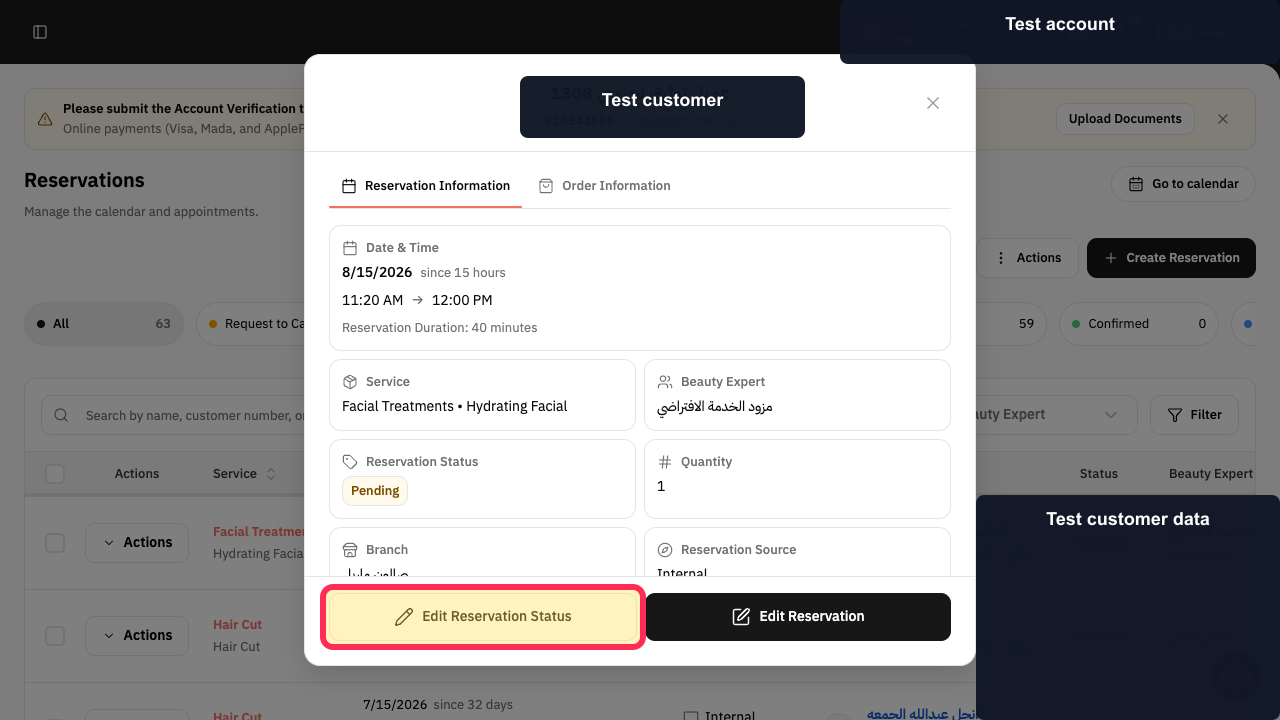
Select Edit Reservation Status.
The reservation-status editor opens.
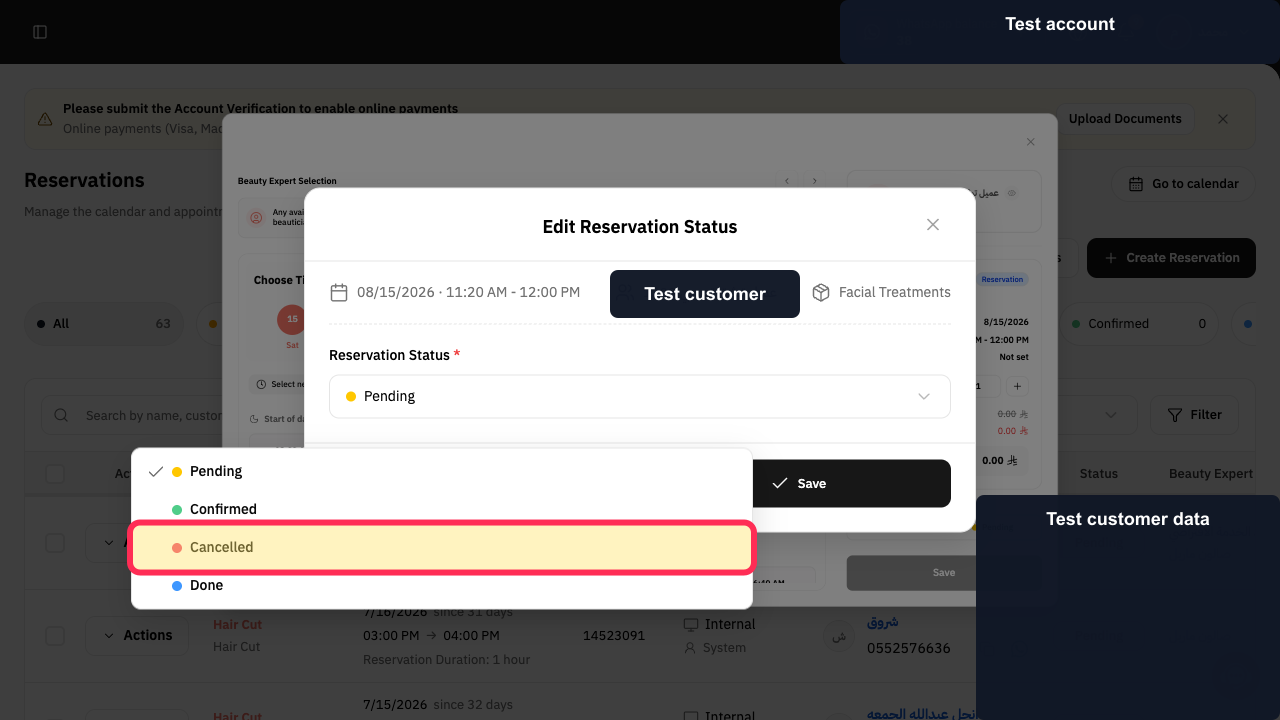
Open Reservation Status and choose the required status. This example highlights Cancelled; the menu also includes Pending, Confirmed, and Done.
The intended reservation status is selected.
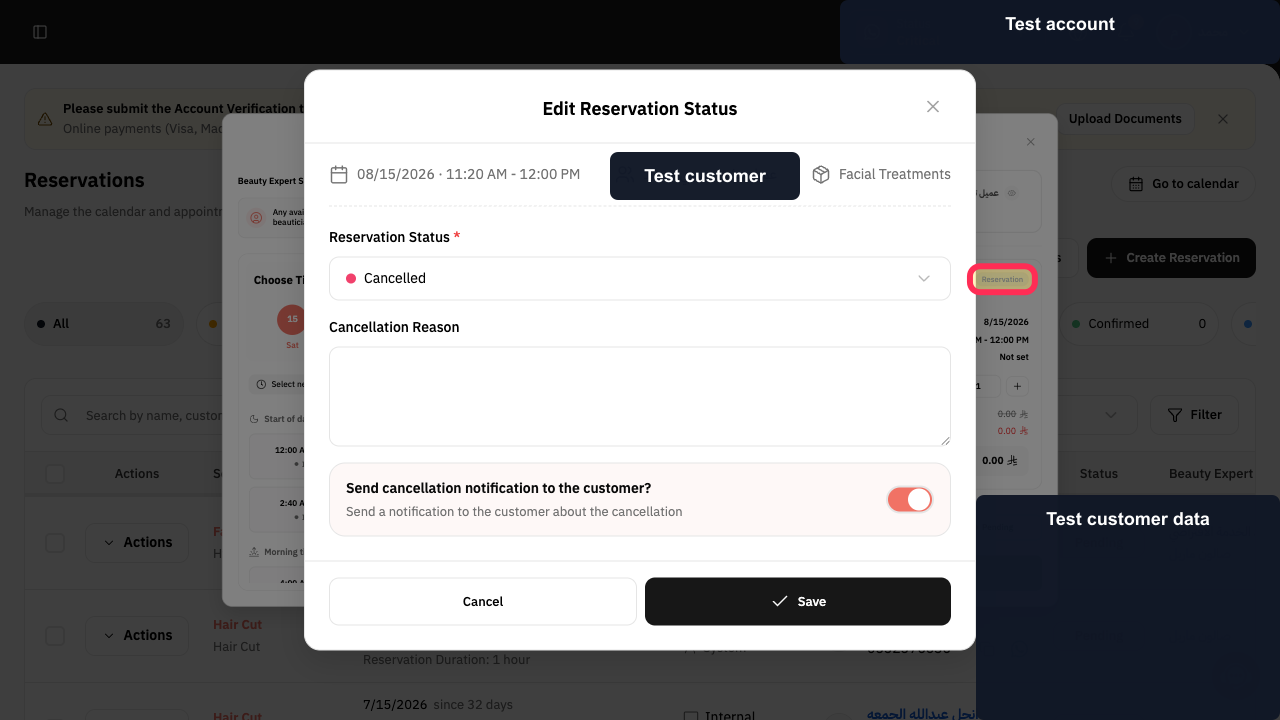
Select **Save**.
The reservation status change is saved.
Illustrated guide
Step 1: Open the Reservations page from the Rekaz sidebar.
Step 2: Select the reservation to update.
Step 3: Open Edit Reservation Status.
Step 4: Choose the required reservation status; Cancelled is highlighted as an example.
Step 5: Save the updated reservation status.
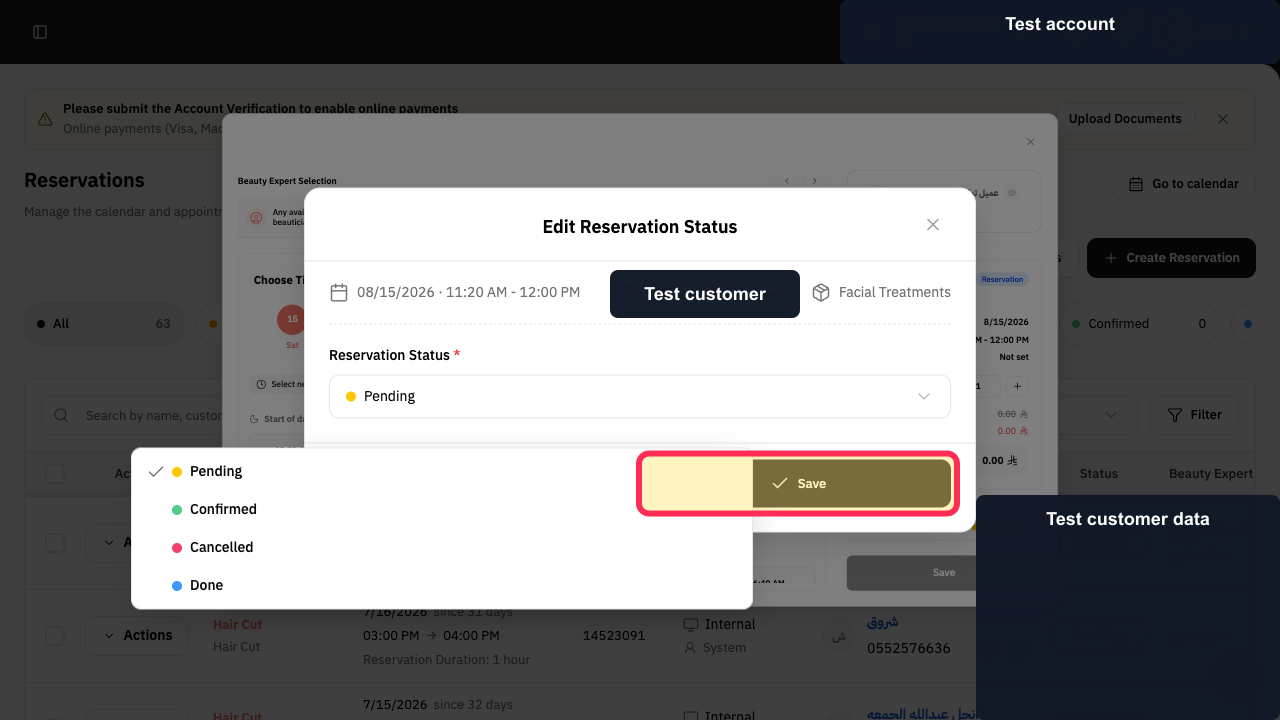
Reservation status options
When editing a reservation, you can set its status to Confirmed, Pending, Cancelled, or Completed.
Related questions
How do I mark a reservation as completed in Rekaz?
How do I cancel a reservation in Rekaz?
How do I confirm a pending reservation in Rekaz?


