How do I edit a service provider’s work schedule in Rekaz?
To edit a service provider’s work schedule in Rekaz, open the provider’s schedule, choose Edit, change the required working hours, and update the schedule.
This process applies to service providers, including specialists and technicians.
Steps
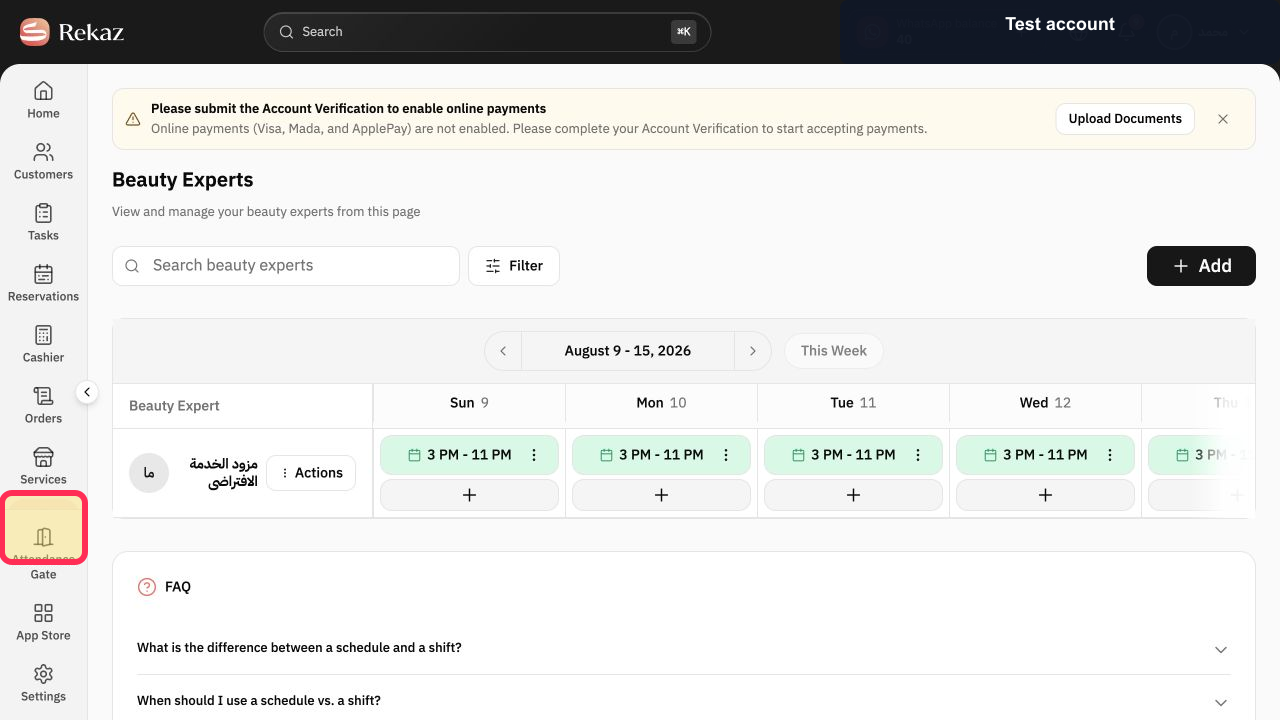
Select Specialists in the Rekaz sidebar.
The Beauty Experts page and weekly schedule open.
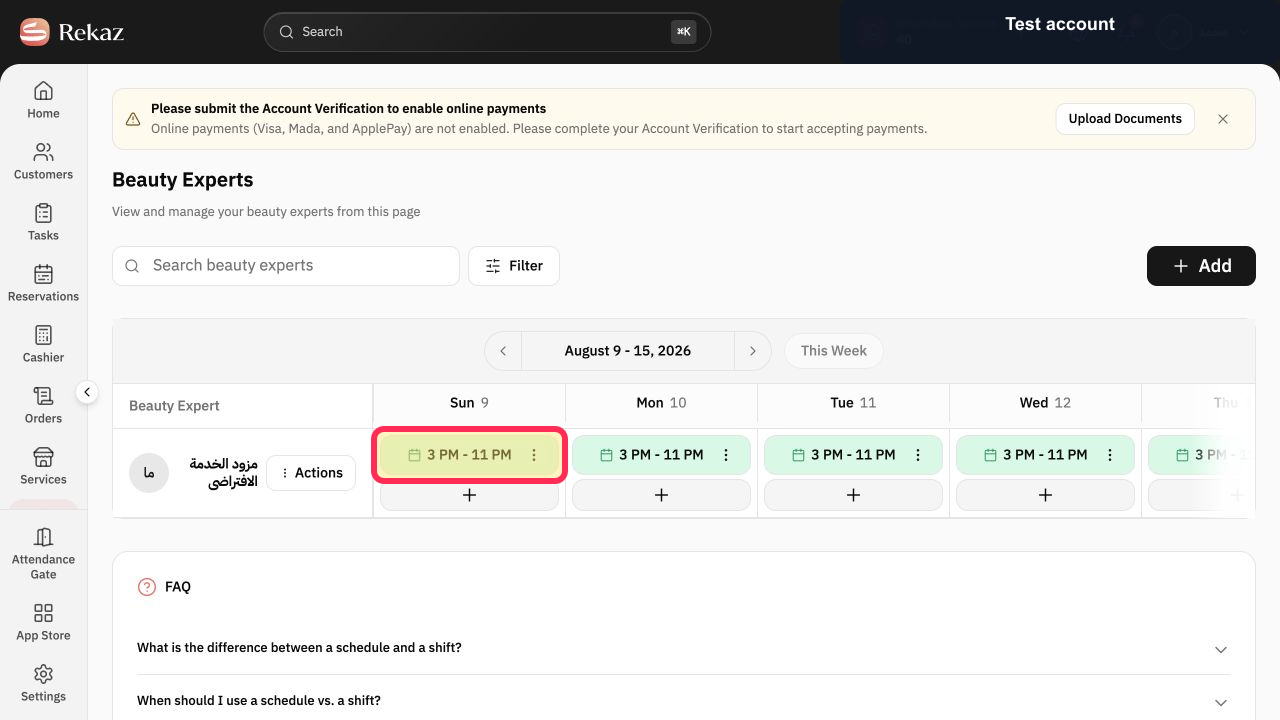
Select an existing working-hours block for the provider and day you want to change.
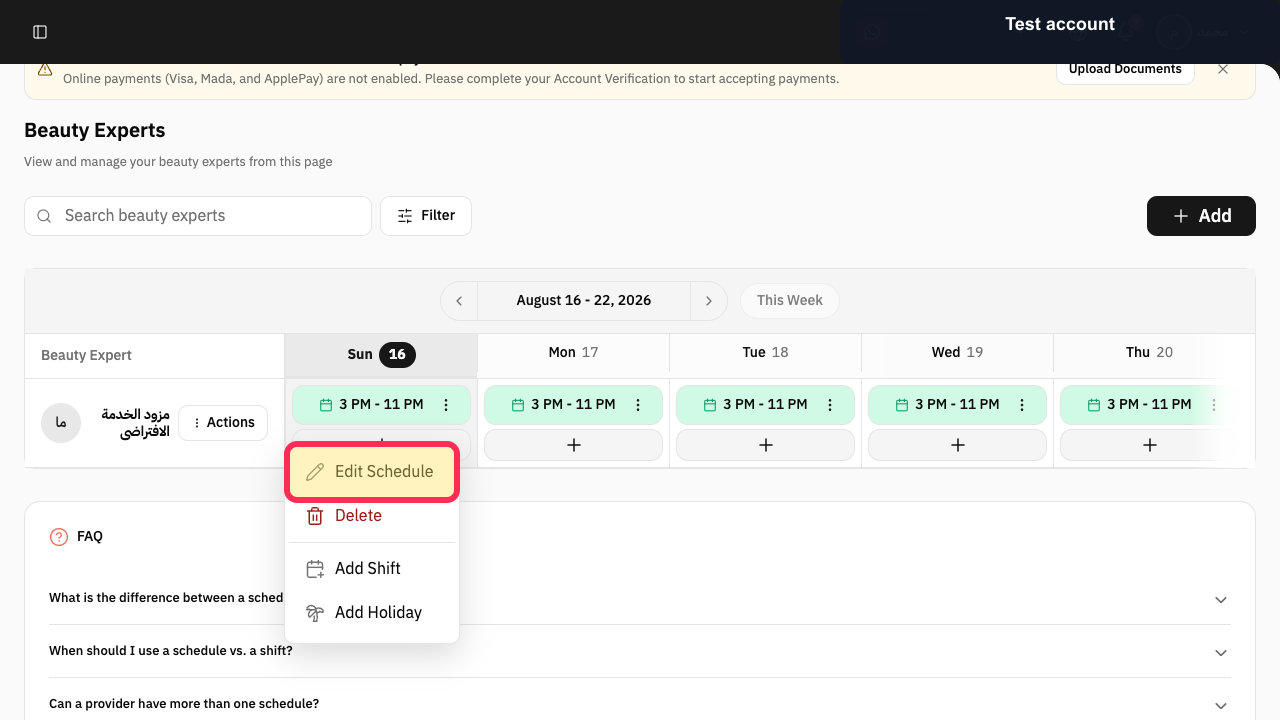
A menu opens for that schedule block.
Select Edit Schedule.
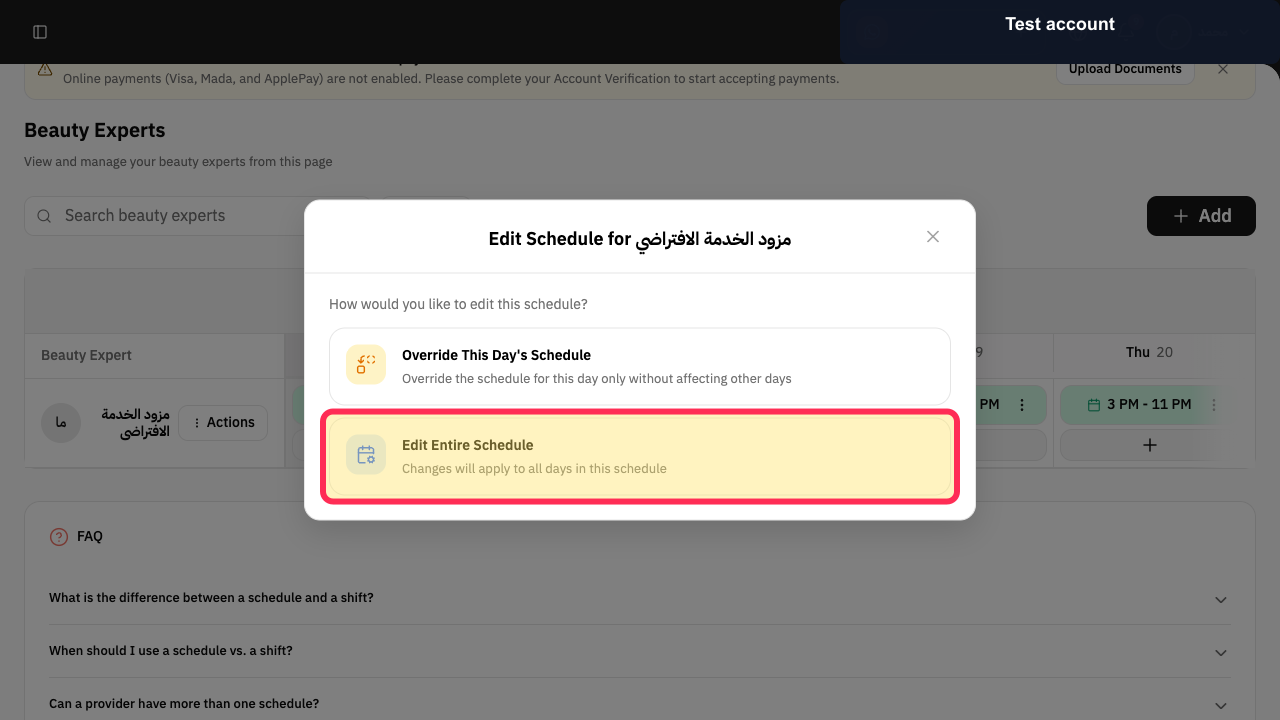
Rekaz asks whether to override one day or edit the entire schedule.
Choose Override This Day's Schedule for only that date, or Edit Entire Schedule for the full recurring schedule.
The matching schedule editor opens.
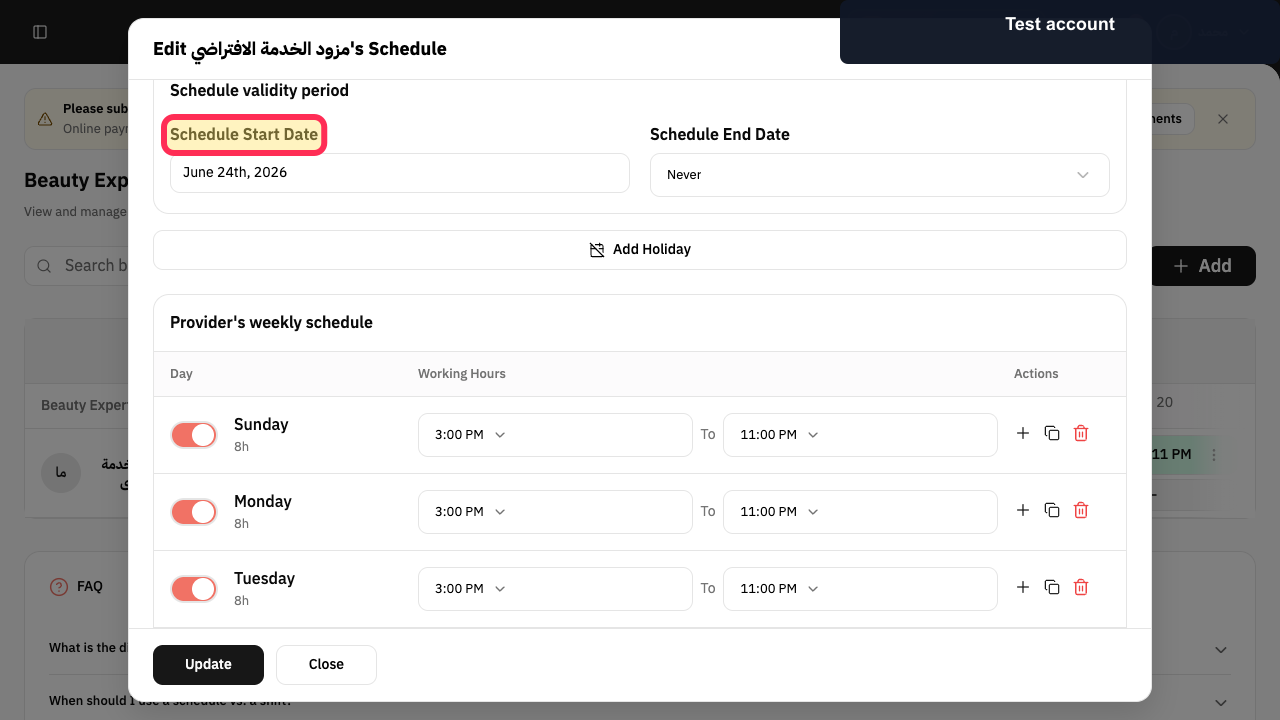
For a recurring change, review Schedule Start Date and Schedule End Date, then enable the required working days.
The schedule validity and active days match the intended change.
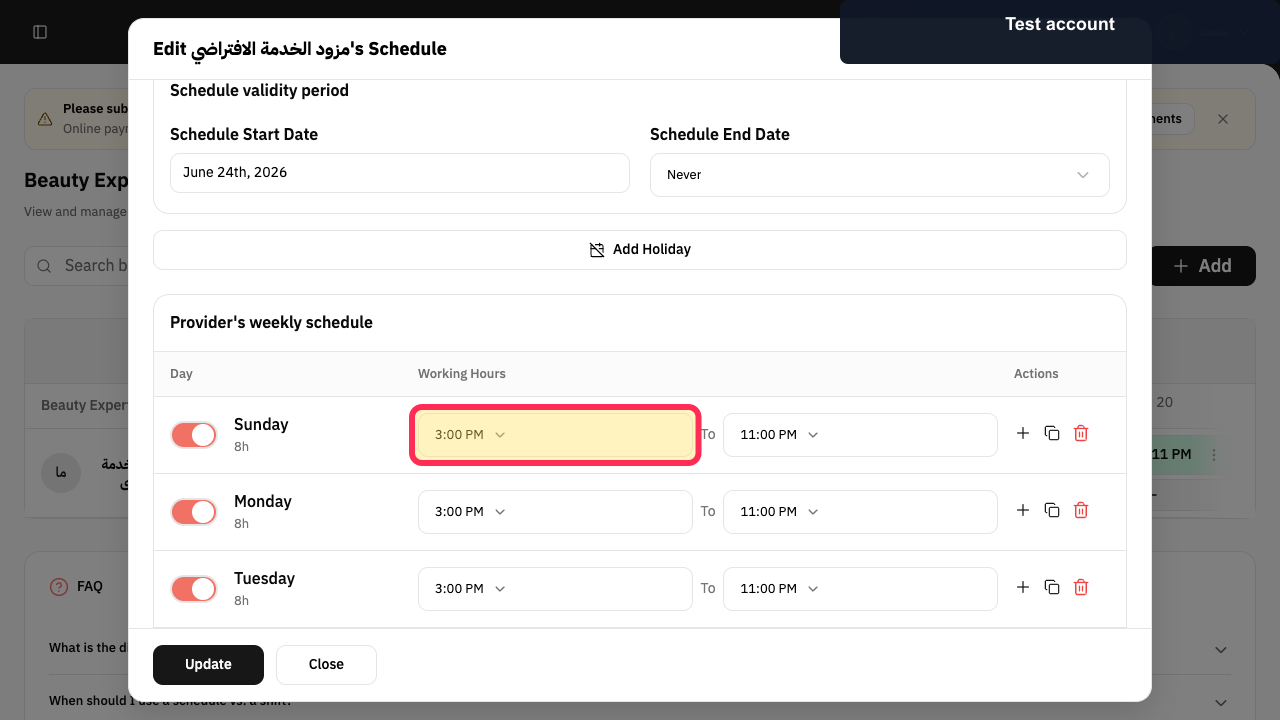
Set the start and end time for each enabled day.
The updated hours appear beside each working day.
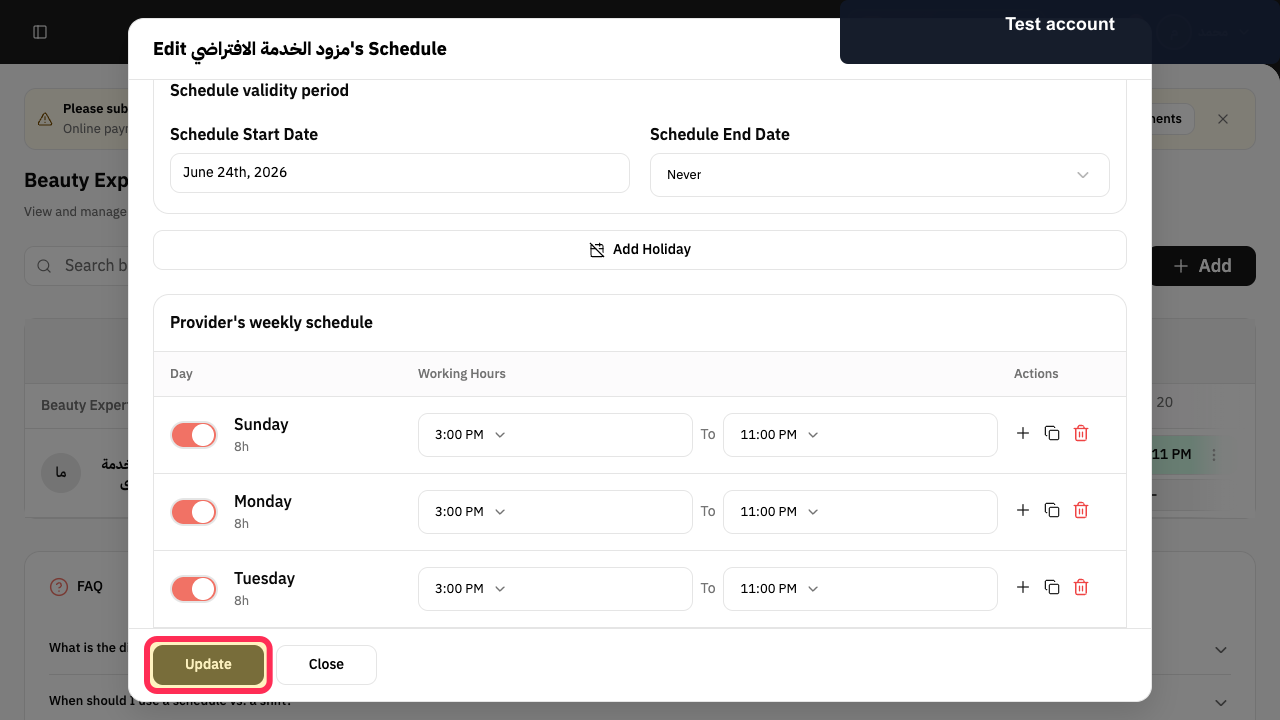
Select Update.
The edited schedule is submitted.
Illustrated guide
Step 1: Open the Beauty Experts weekly schedule from Specialists.
Step 2: Open the selected working-hours menu.
Step 3: Choose Edit Schedule.
Step 4: Choose the scope of the schedule change.
Step 5: Review validity and working days in the schedule editor.
Step 6: Set the new provider working hours.
Step 7: Update the provider's schedule.
Video tutorial
Watch this video tutorial to learn how to create and manage provider schedules step by step: https://youtu.be/4zr0uRbxqVA?si=CRUvOw5xHo8OvHYI
Related questions
How do I change a specialist’s working hours in Rekaz?
How do I view a service provider’s schedule in Rekaz?
How do I update a technician’s work schedule in Rekaz?


