How do I manage a Pilates or yoga studio in Rekaz?
Use reservation services to define booking capacity, provider schedules to handle day-specific availability, and packages or subscriptions for access plans. These controls can support Pilates or yoga offerings without a studio-specific feature.
An end-to-end customer booking, payment, or studio-reporting workflow is not available from this flow. The available controls cover setup only.
Steps
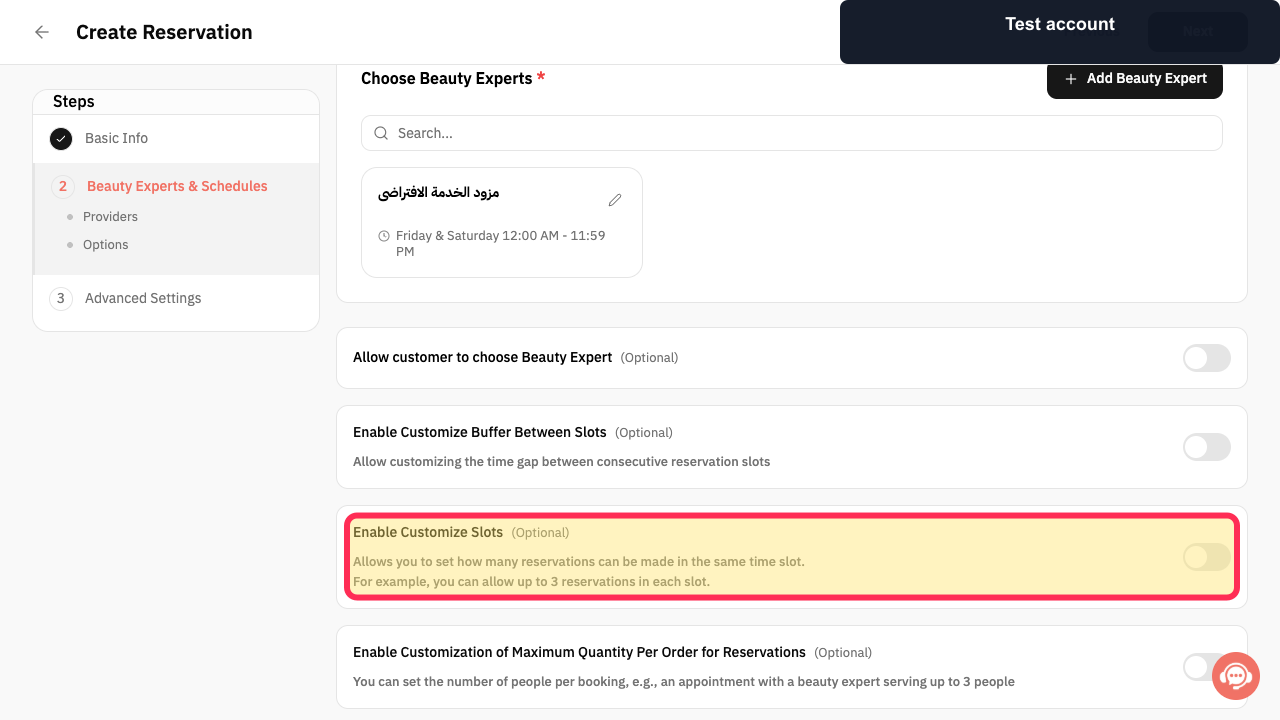
For a reservation service, select “Enable Customize Slots(Optional)” if you need to control how many reservations can be made in the same time slot.
The Customize Slots option is selected for the reservation service.
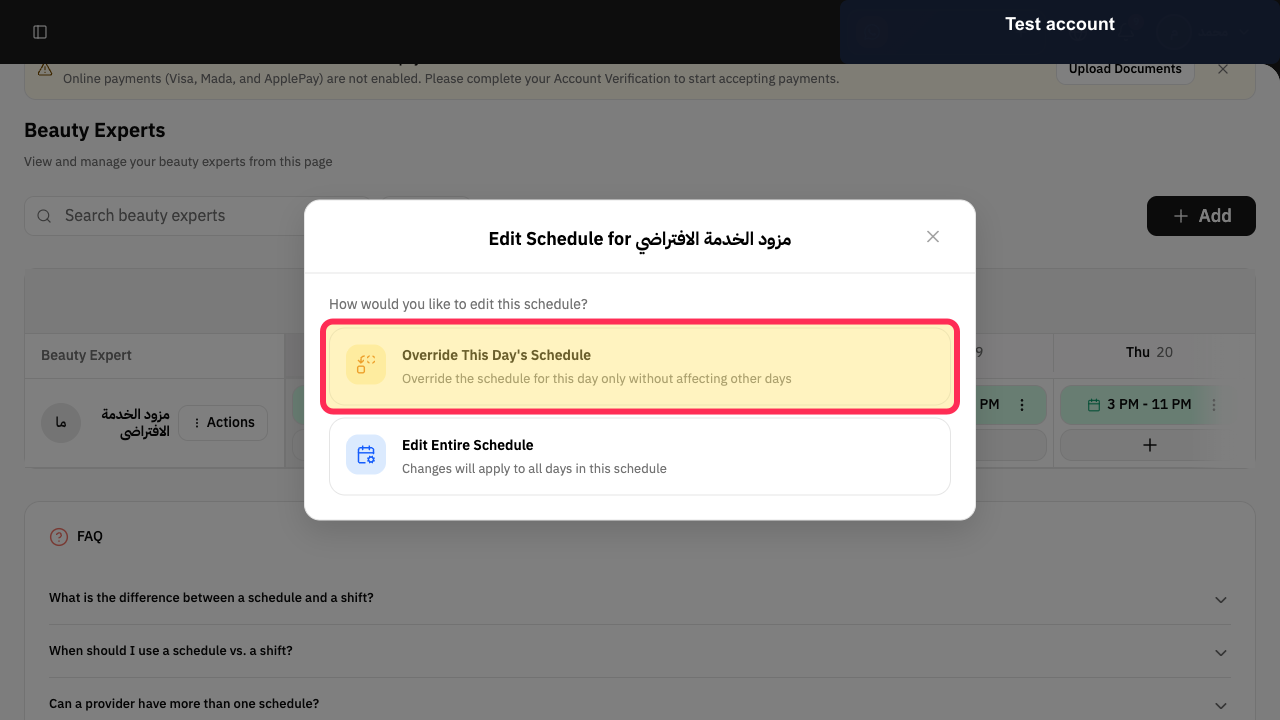
For a provider’s schedule, select “Override This Day's Schedule” when that day needs different availability without changing other days.
A day-only schedule override is selected, leaving other days unaffected.
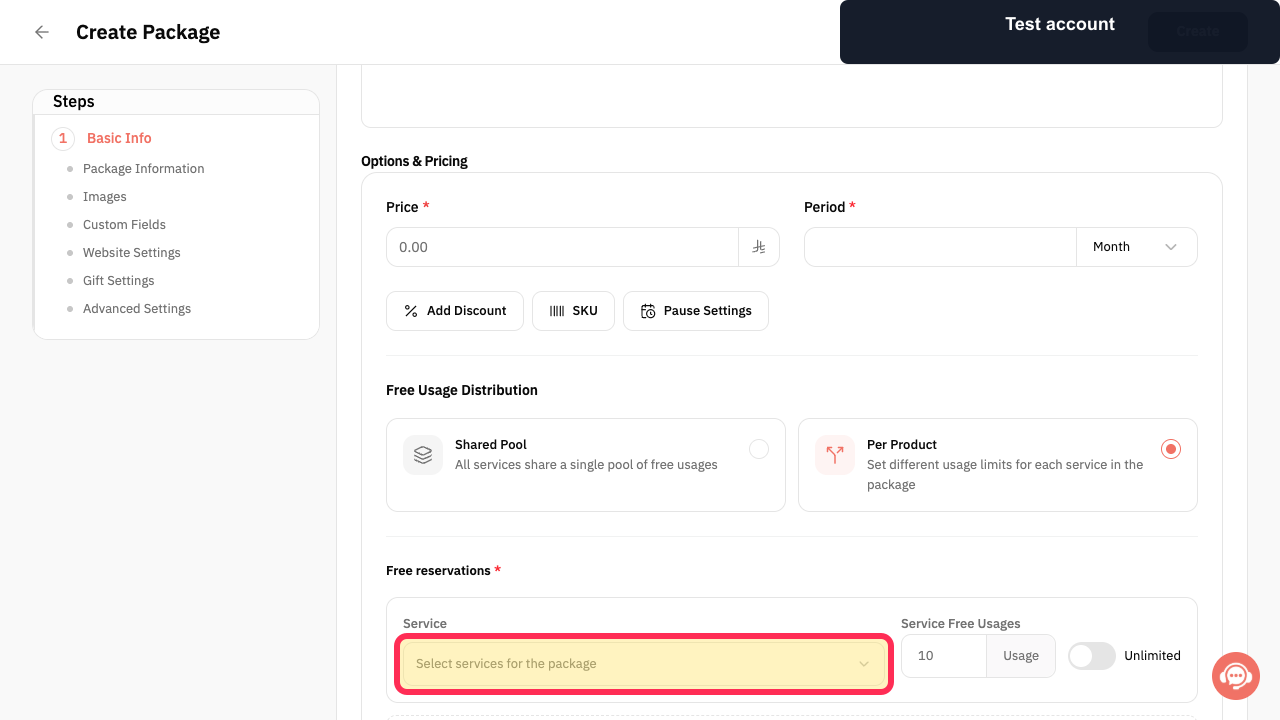
When creating a package for studio access, select “Select services for the package” to associate the relevant services with the package.
The package service-selection control opens so services can be chosen.
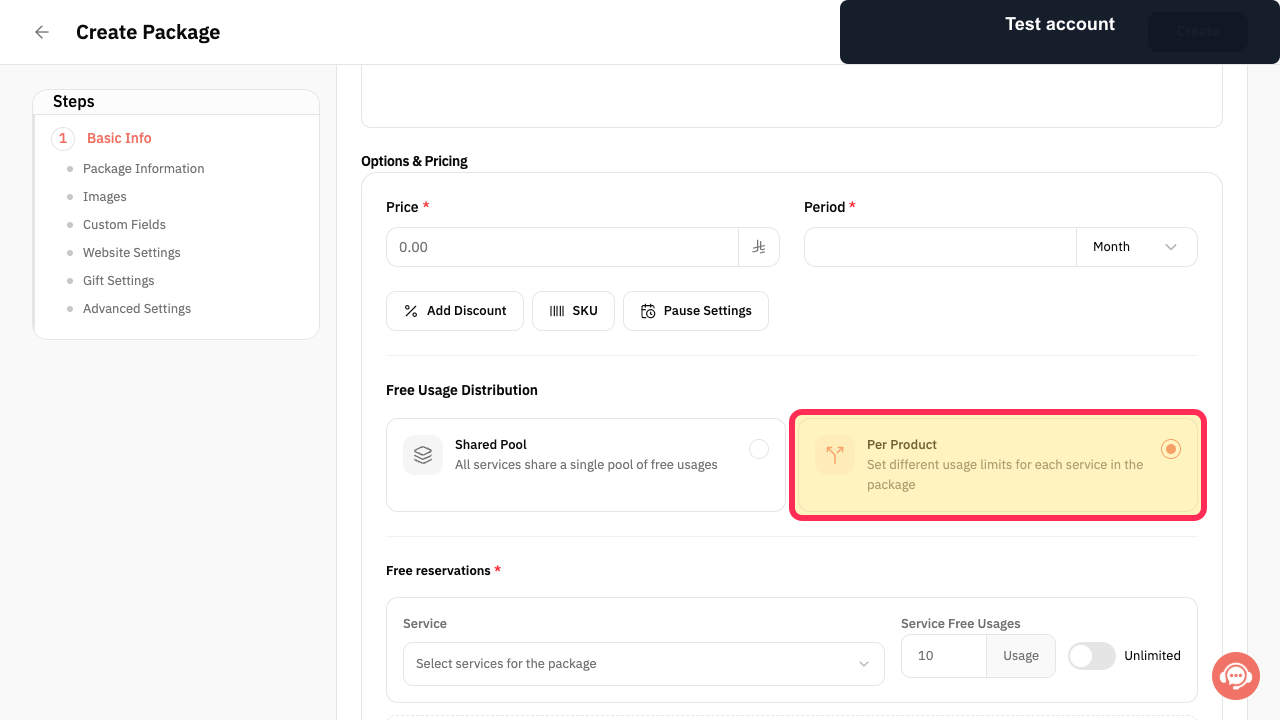
Choose “Per Product” when each service in the package needs its own usage limit.
The package is configured to use different usage limits for each service.
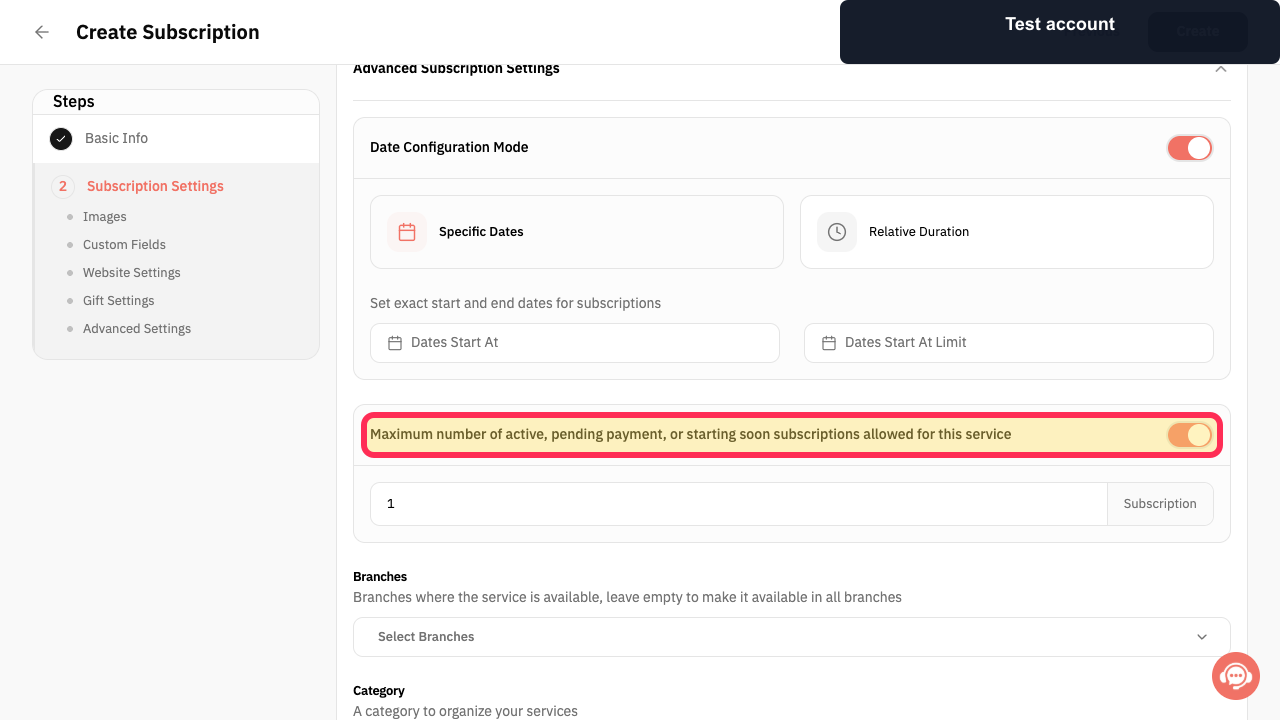
When configuring a subscription service, review the setting for the maximum number of active, pending payment, or starting soon subscriptions allowed.
The subscription capacity setting is visible for review and configuration.
Illustrated guide
Step 1: The Customize Slots option for a reservation service before it is selected.
Step 2: The option to override a single day in a provider schedule.
Step 3: The service-selection control in package creation.
Step 4: The Per Product usage option in package creation.
Step 5: The subscription capacity setting in the subscription configuration.
Important notes and limitations
This setup combines existing Rekaz services, providers, schedules, customers, subscriptions or packages, bookings, payments, and reports. It does not add a separate Pilates- or yoga-specific feature.
Begin with a small setup—one service and one provider—then expand it after testing.
Check each related detailed guide before changing settings or making bookings available to customers.
If Payment is not shown or you do not have a safe way to test the payment journey without using real card data or recording a real payment, contact Rekaz support before opening bookings to customers.
Related questions
How do I manage yoga classes in Rekaz?
How do I set up a Pilates studio in Rekaz?
How do I organise class subscriptions in Rekaz?


