How do I set up a chalet or resort in Rekaz?
To set up a chalet or resort in Rekaz, use the reservation-service workflow for the stay or booking offering you want customers to reserve. There is no separate chalet or resort profile or setup wizard.
Steps
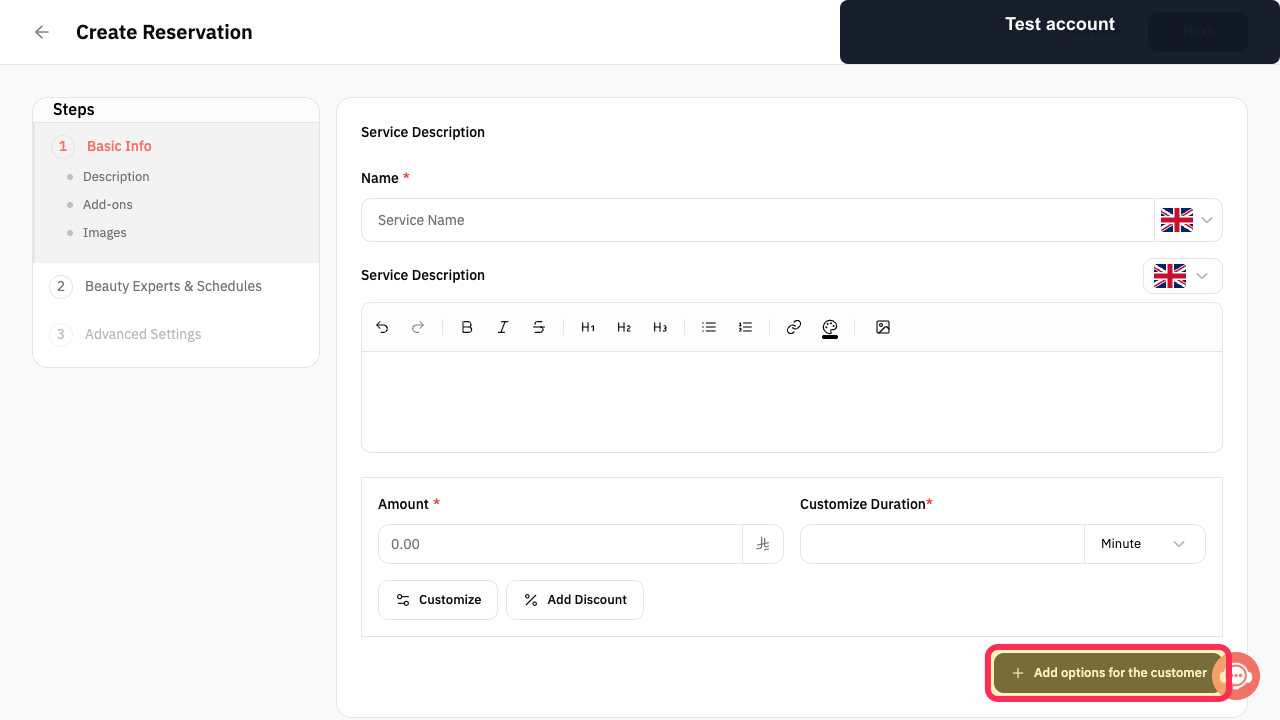
In the reservation service setup, select **Add options for the customer** if guests should be able to choose extras with their booking.
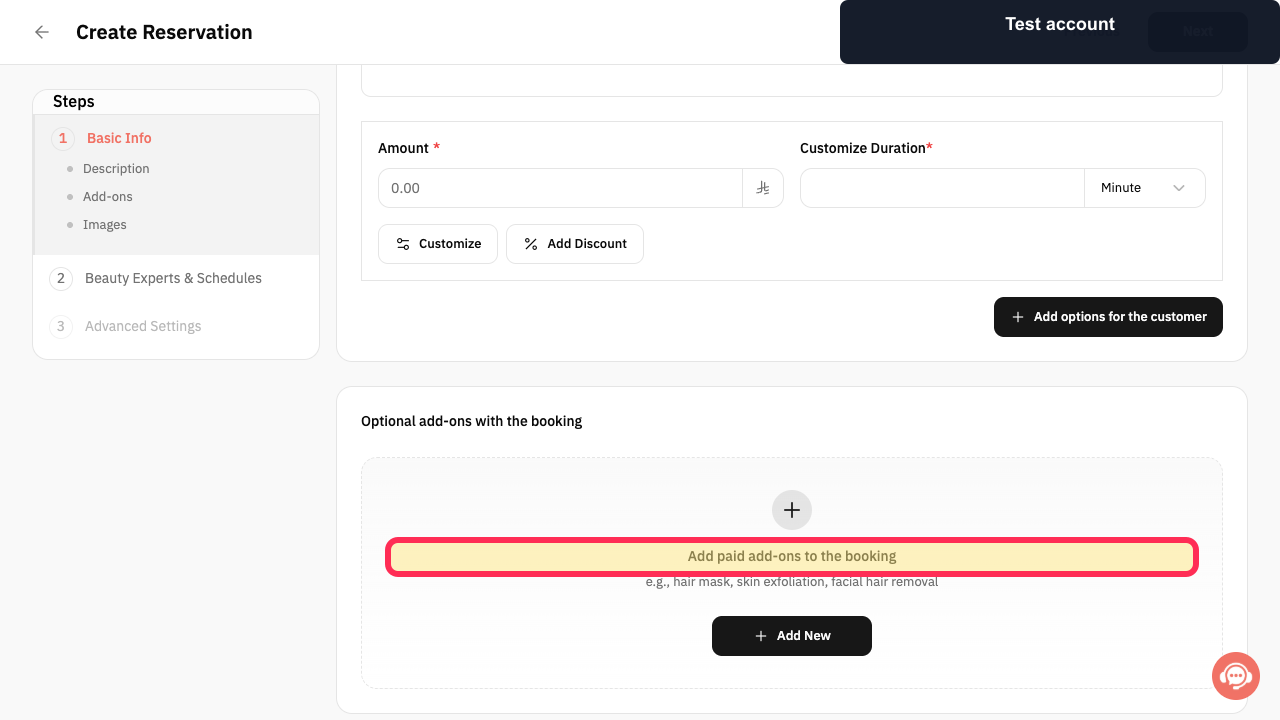
Review the **Add paid add-ons to the booking** section when you need to offer chargeable extras with the reservation.
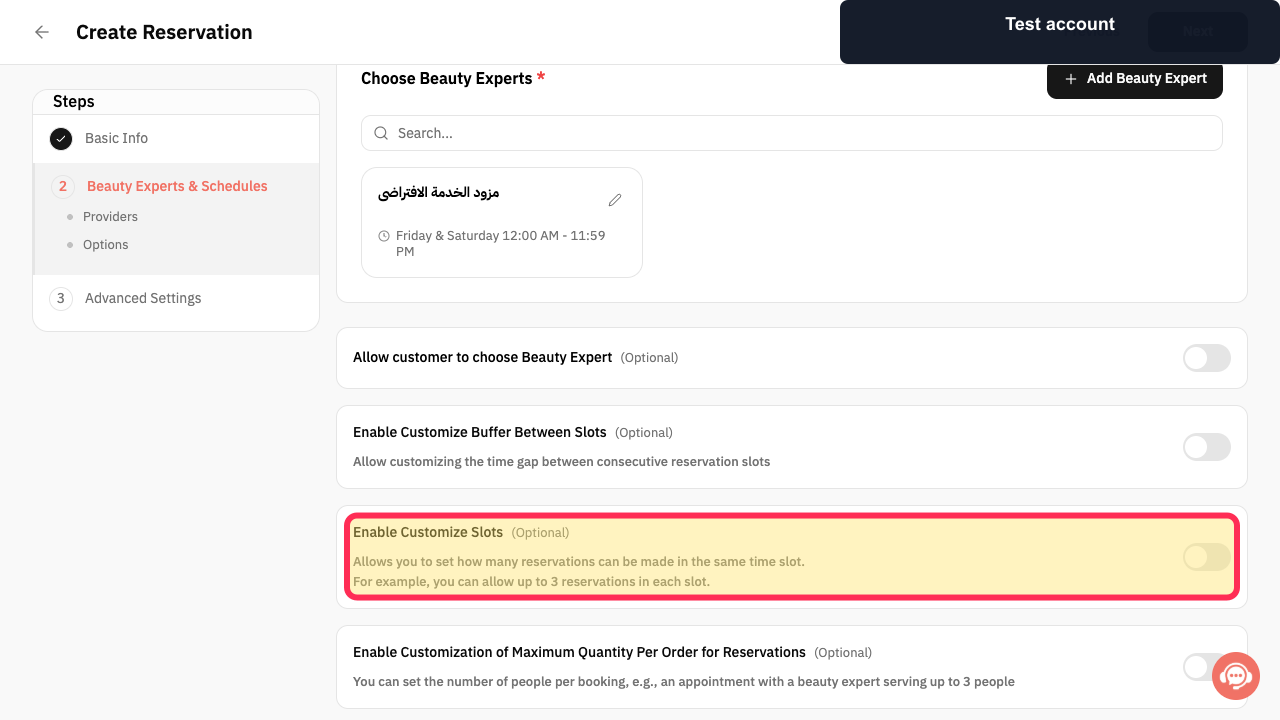
Enable **Customize Slots** only if you need to limit how many reservations can be made in the same time slot. This setting controls the number of reservations allowed in one time slot.
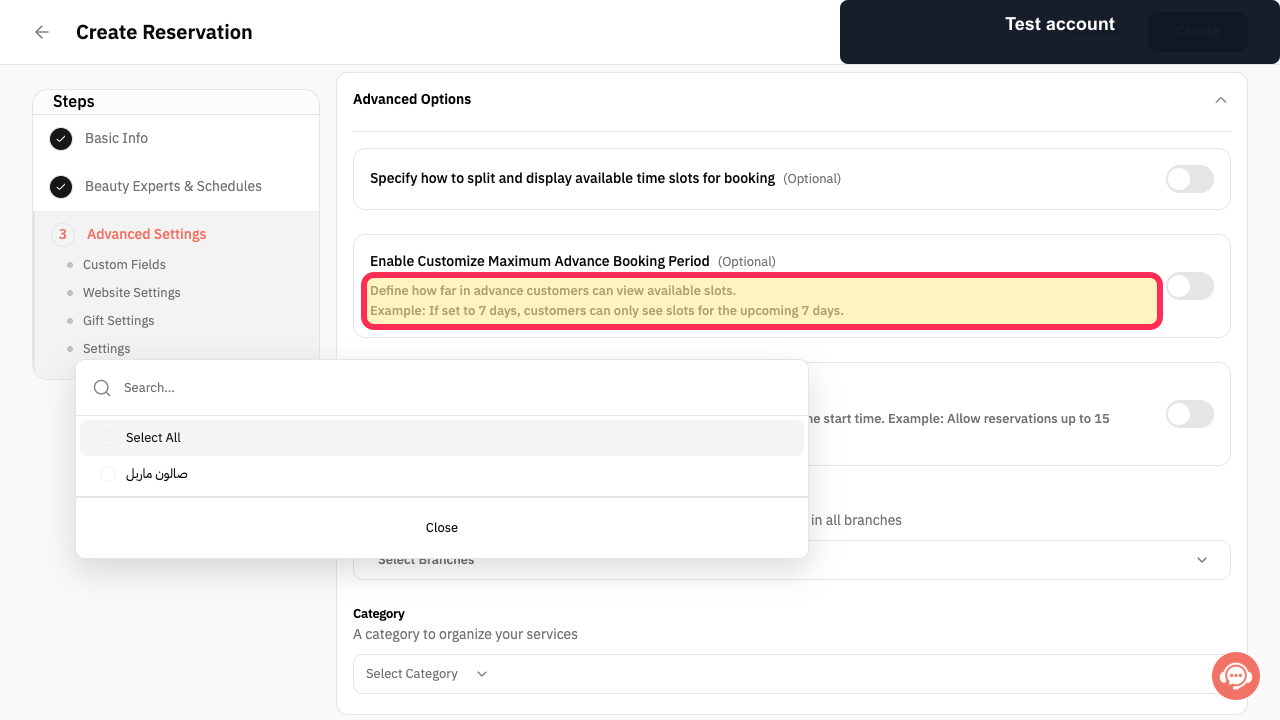
Review the advance-availability setting and choose a booking window appropriate for your property. Customers can only view slots within the number of days you set.
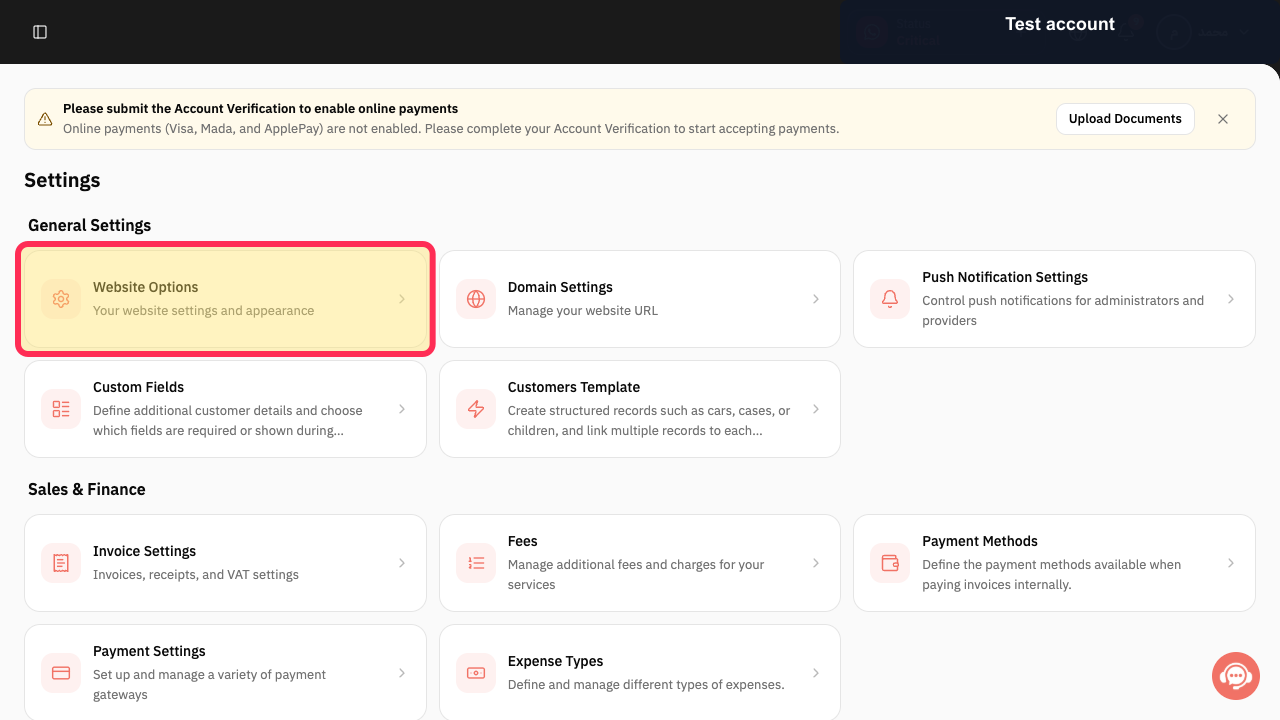
Open **Website Options** to review your website settings and appearance before making the reservation service available online. You can access Website Options from Settings.
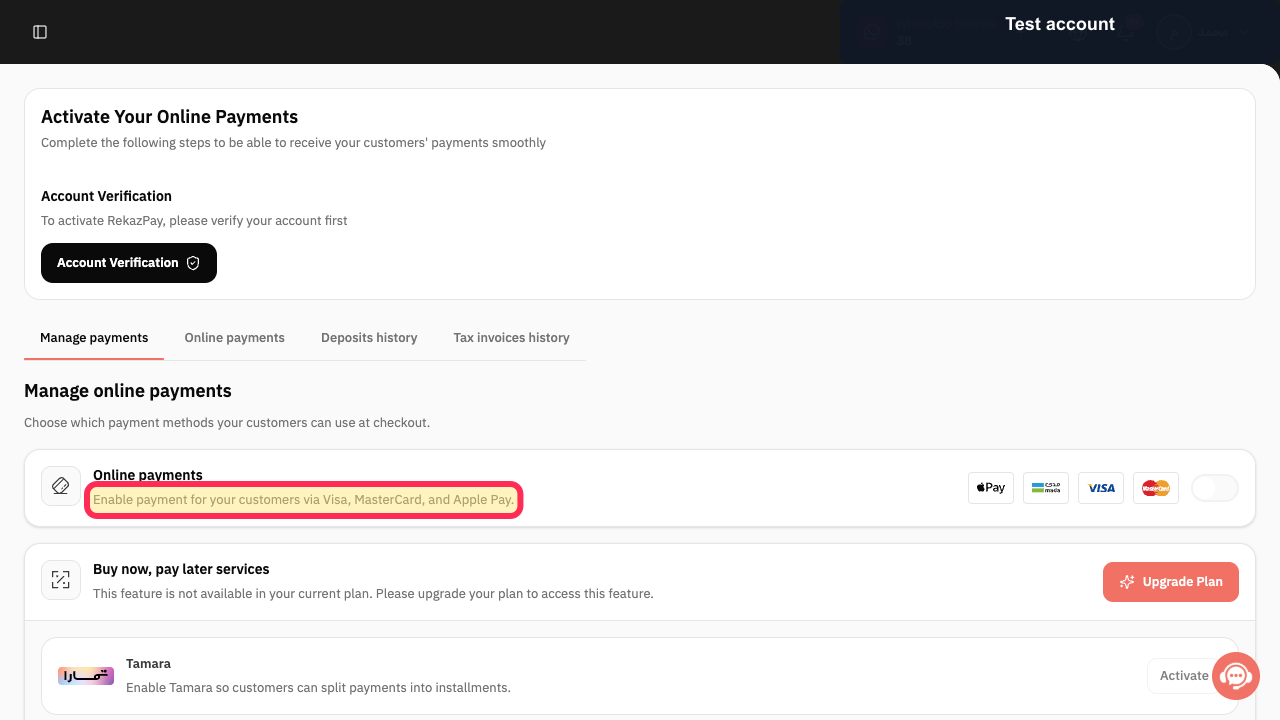
Review Rekaz Pay setup if you want customers to pay online. Rekaz Pay supports Visa, MasterCard, and Apple Pay.
Illustrated guide
Step 1: Add optional customer choices to a reservation service.
Step 2: Review the paid add-ons section for reservation extras.
Step 3: Control how many reservations can be made in the same time slot.
Step 4: Review the customer booking-availability window.
Step 5: Open Website Options to review the online booking website.
Step 6: Review online payment availability in Rekaz Pay.
Important notes and limits
Start with a small model—one service and one Service Provider—then expand the setup after testing it.
Test the full booking flow before accepting real bookings.
Review Website Settings before enabling online booking.
Use Reports to follow up on operations after setup.
Related questions
How do I manage chalet bookings in Rekaz?
How do I organise resort availability in Rekaz?
How do I set up a booking website for chalet or resort units in Rekaz?


