Why can’t a customer complete a reservation on my website in Rekaz?
Use the current Rekaz settings to review checkout fields and the affected reservation service’s schedule settings. Custom Fields controls which customer details are required or shown during checkout.
The current interface does not show a service publication status or provider-assignment control for this troubleshooting flow. Instead, verify the customer-visible booking period and, where relevant, the number of reservations allowed in the same time slot.
Steps
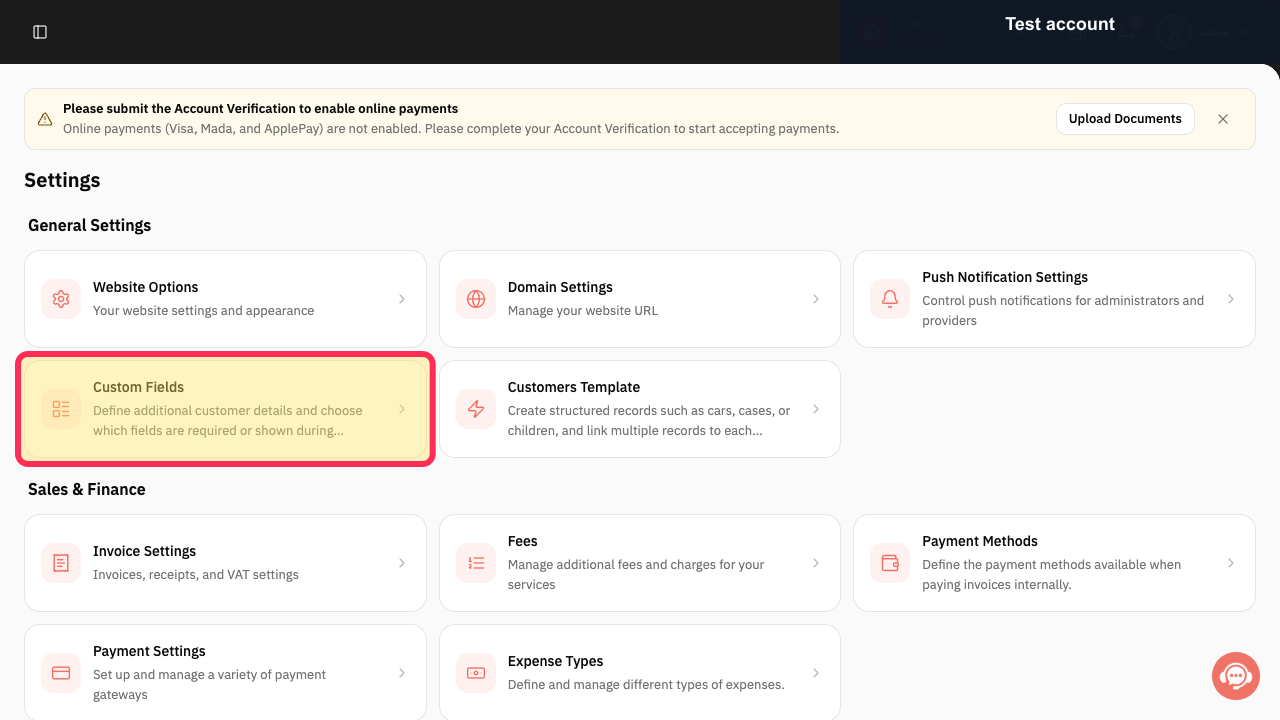
In Settings, select Custom Fields to review the customer details that are required or shown during checkout.
The Custom Fields configuration area is available for reviewing fields used during checkout.
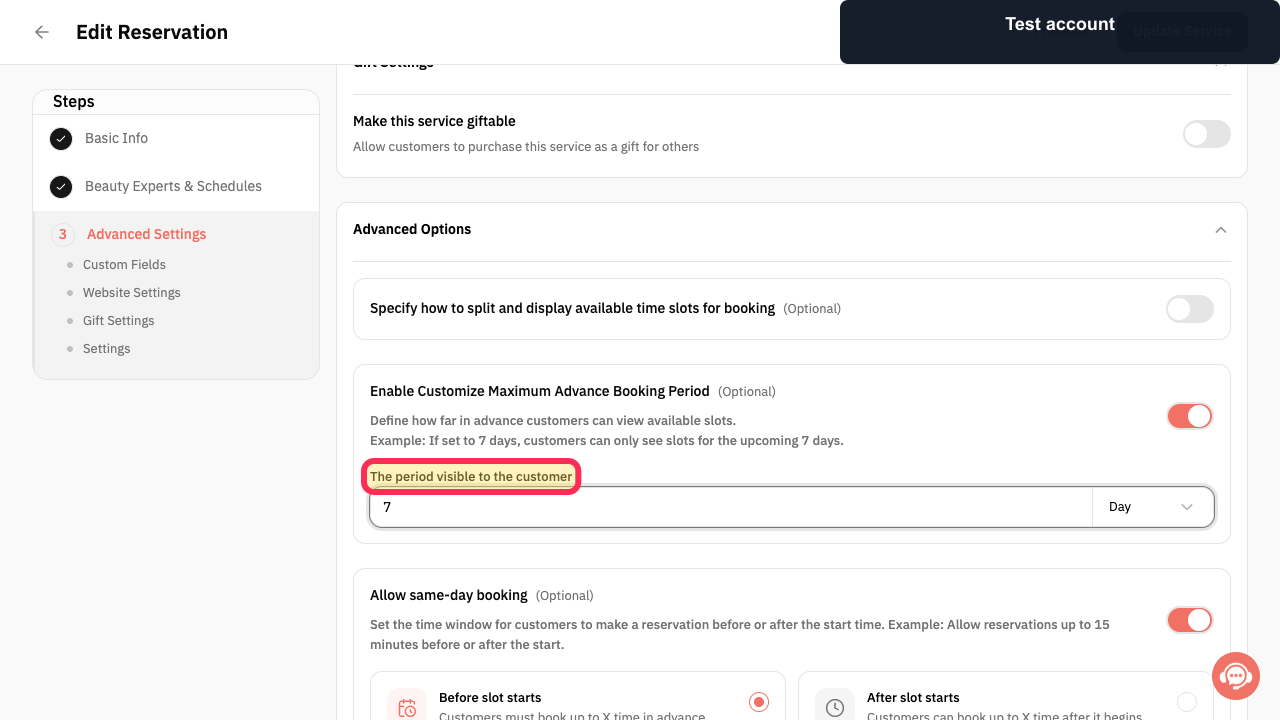
In the affected reservation service’s schedule settings, review The period visible to the customer and confirm that it includes the date the customer is trying to reserve.
The period visible to the customer setting is visible for review.
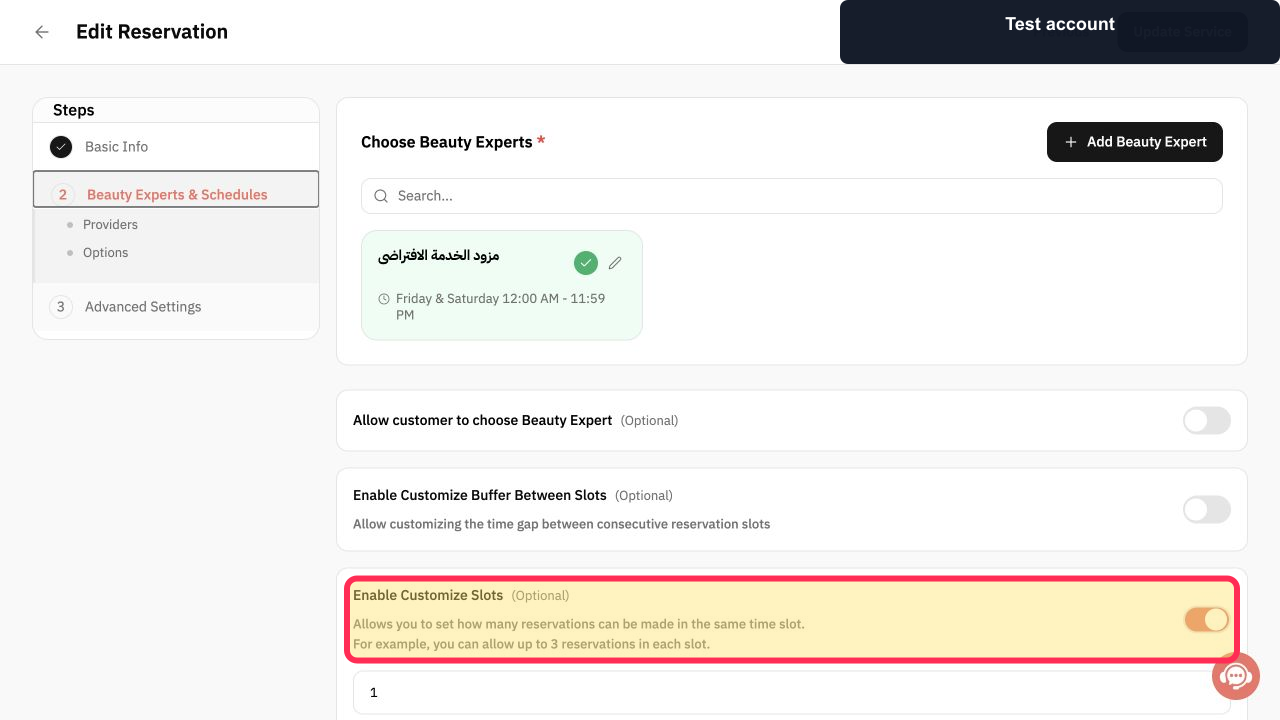
Review Enable Customize Slots(Optional) to determine whether the reservation service limits how many reservations can be made in the same time slot.
The optional slot-capacity setting and its explanation are visible.
Illustrated guide
Step 1: Open Custom Fields to review checkout requirements.
Step 2: Review the customer-visible reservation period.
Step 3: Review the reservation slot-capacity setting.
Important checks
Before you save or take a final action, review the name, status, amount, or date currently shown on screen.
Only treat options that are visible in your account as available. Do not assume that an option not shown in the interface can be used.
Required customer fields must not be missing.
The service must be published.
The service must have a provider.
The service must have an available time.
Related questions
Why is a customer unable to finish a website reservation in Rekaz?
What should I check when a website reservation cannot be completed in Rekaz?
How do I check required customer fields for website reservations in Rekaz?


