How do I check a package usage that was not deducted correctly in Rekaz?
Use the package record to verify whether the usage count and remaining balance match the package limit before making any further change. Do not add another usage simply to make a balance look correct.
The current Rekaz interface does not show the Included in Package, Used Package, remaining-after-usage fields, or a dedicated correction or reversal action. It also does not provide a clear view here for checking an original booking’s completion status. The available package action is Add usage, which should only be used for a genuinely missing usage after you have completed the review.
Steps
On the Packages page, locate the relevant customer package before reviewing its usage information.
The Packages page is visible and provides the customer-package management context.
Select View for the relevant package, then verify its Usages, remaining balance, and maximum limit for the applicable service.
The package details display the usage information and limits needed for comparison.
Select Actions for the package.
The package action menu is displayed.
Review the open menu and note that it includes Add usage. Do not select it solely to correct an apparent discrepancy, because the current UI does not show a reversal or correction action for an existing deduction.
Add usage is visible in the package action menu.
Illustrated guide
Step 1: Locate the relevant customer package on the Packages page.
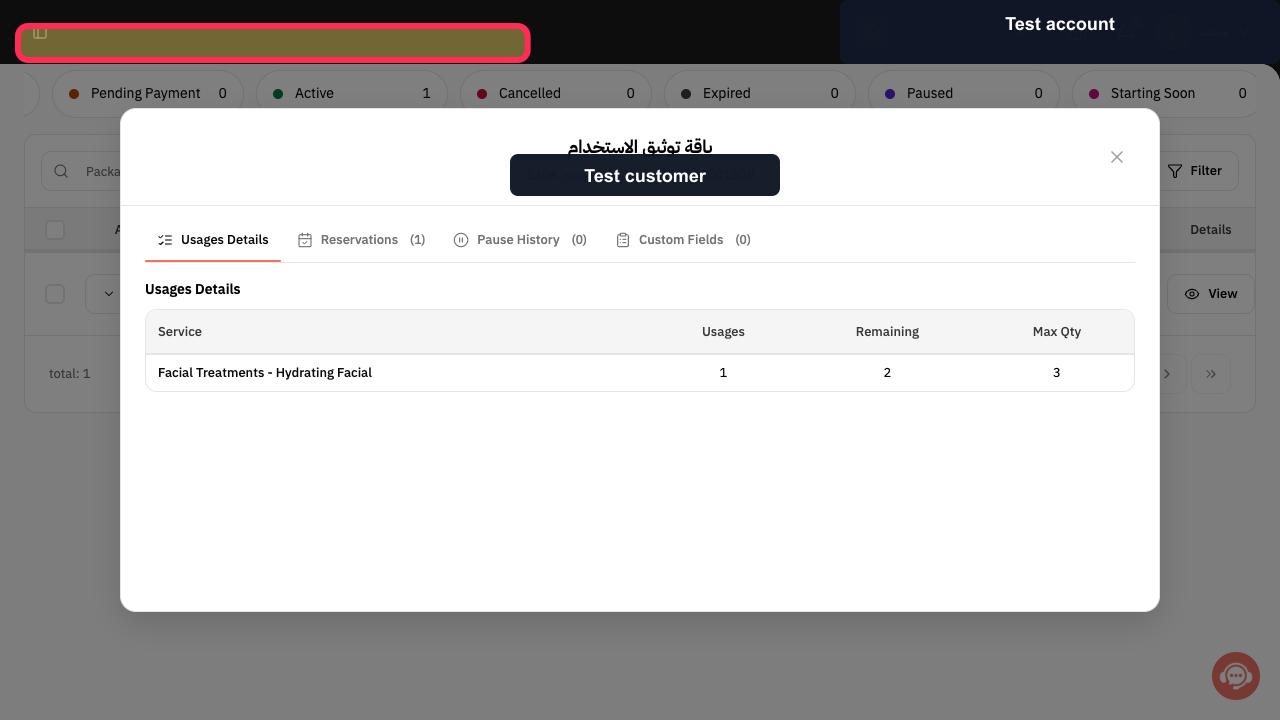
Step 2: Compare the package usage, remaining balance, and maximum limit.
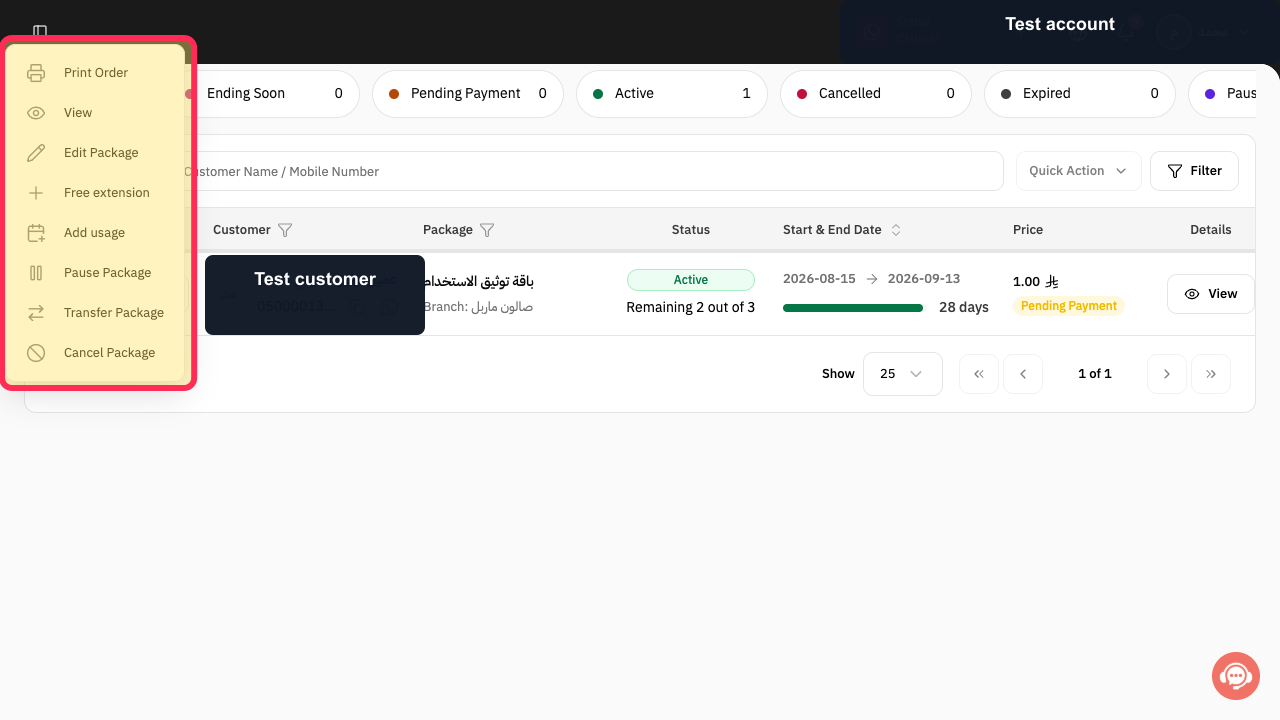
Step 3: Open the package actions menu.
Step 4: Review the available package actions, including Add usage.
Important warning
Do not record a second deduction before confirming whether the first booking was completed.
Compare the usage count before and after using the same account and the same service.
Notes
The screenshots in the original guide correspond to their related steps and use highlighting to show the relevant information or action.
The examples use test data, and non-essential fields may be hidden.
Related questions
Why was my package usage not deducted in Rekaz?
How can I check the remaining package balance after a booking in Rekaz?
How do I add a package usage instead of creating a general order in Rekaz?


