Why were Loyalty Points or Loyalty Stamps not added in Rekaz?
If Loyalty Points or Loyalty Stamps were not added, the current Rekaz interface does not show the checks for program activation, service eligibility, completed orders, customer links, or a correction action for missed rewards.
You can safely review the Loyalty Program setup screen to confirm that Rekaz presents loyalty program options. Do not change a program selection solely to troubleshoot missing points or stamps.
Steps
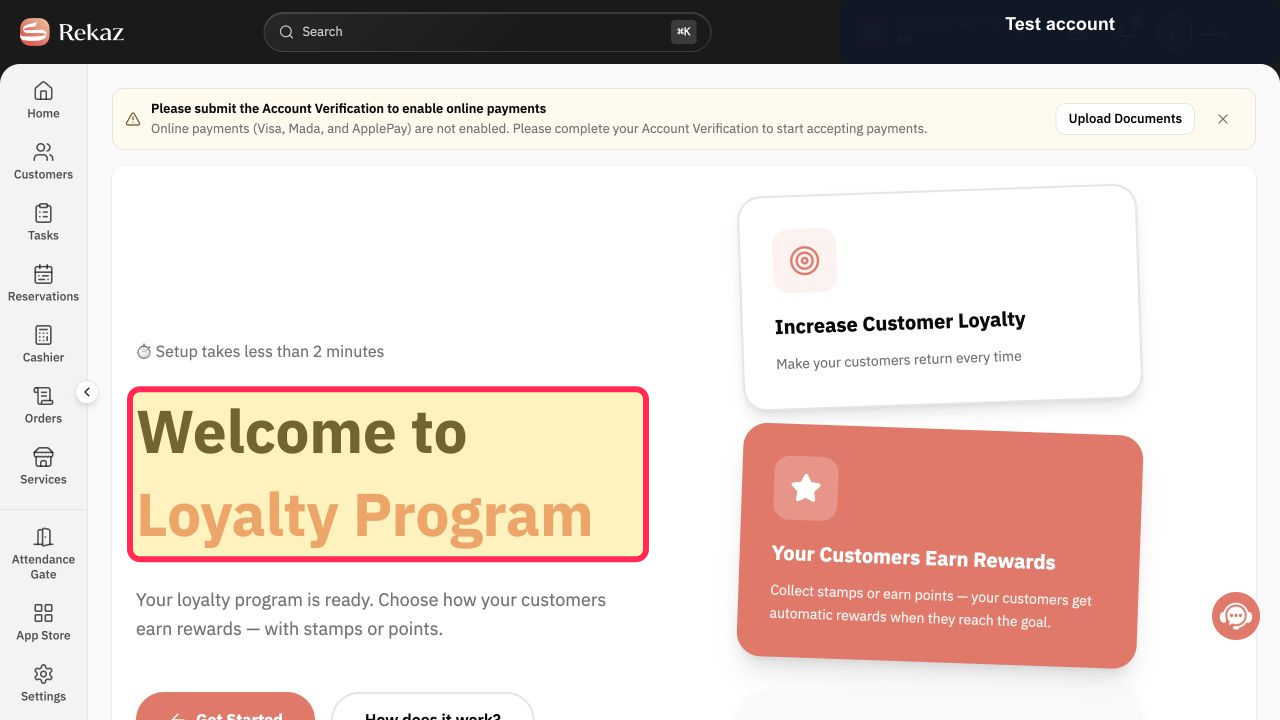
Open the Loyalty Setup page and confirm that the Loyalty Program welcome screen is displayed.
The heading “Welcome to Loyalty Program” is visible.
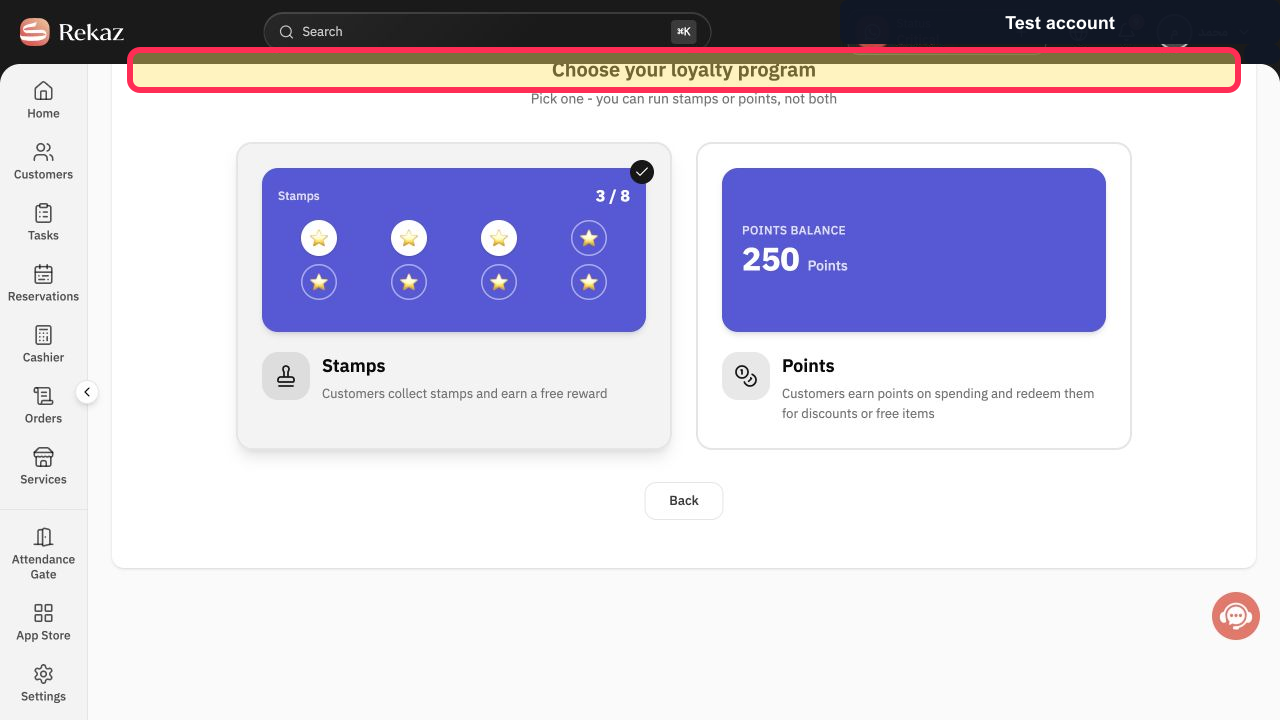
Review the Loyalty Setup screen to confirm that Rekaz is presenting a loyalty-program selection rather than a diagnostic or missed-reward correction screen.
The heading “Choose your loyalty program” is visible.
Illustrated guide
Step 1: The Loyalty Program welcome screen in Rekaz.
Step 2: The current Loyalty Program selection screen.
Important checks
Review the visible Name, status, Amount, and Date before saving or completing any final action.
Options that are not visible in the current interface are limitations of the interface, not steps to follow.
Related questions
Why are Loyalty Points not being added in Rekaz?
Why are Loyalty Stamps not being added in Rekaz?
How do I check whether a completed order is eligible for Loyalty Points or Stamps in Rekaz?


