Why is my gift order invalid in Rekaz?
In Rekaz, the the available interface shows that a service must be configured to allow customers to purchase it as a gift. Review the service’s gift setting when investigating an invalid gift order.
The current interface does not show the actions for reviewing a specific gift order’s status or payment, or for resending a gift link. Use the Gifts area and the service’s gift configuration as the safe, available path.
Steps
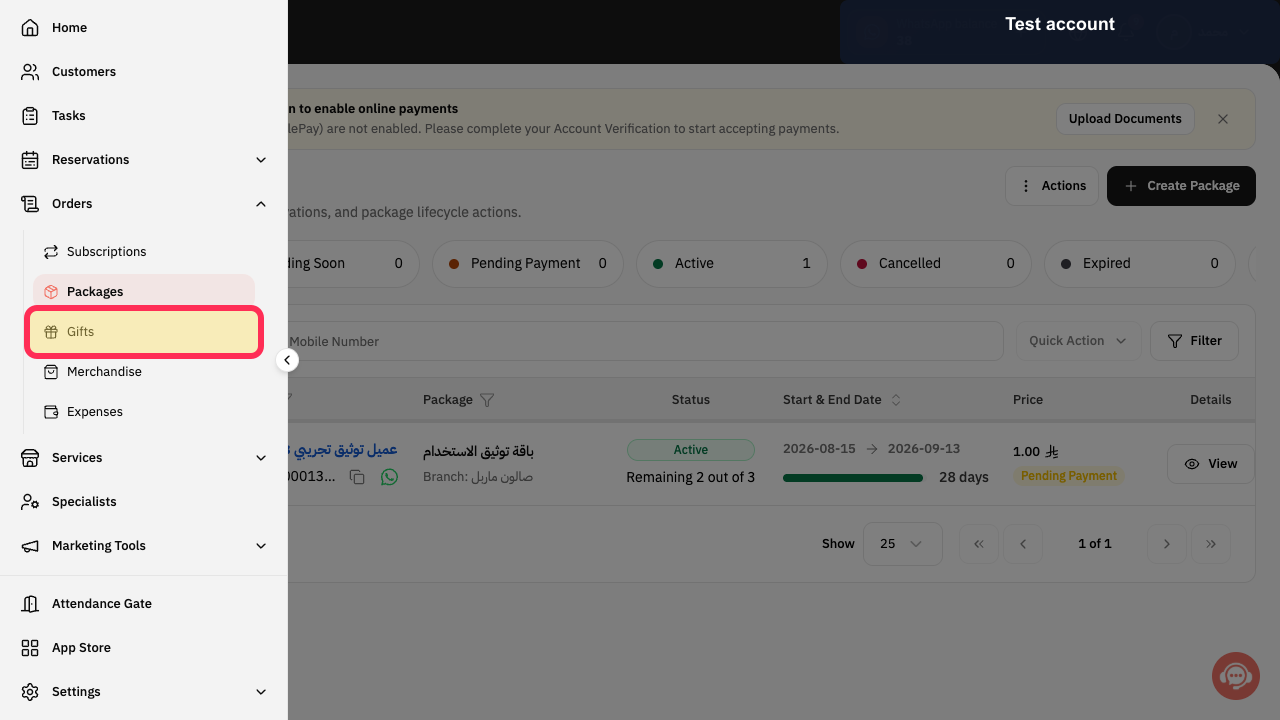
From the Rekaz sidebar, select Gifts.
The Gifts page opens.
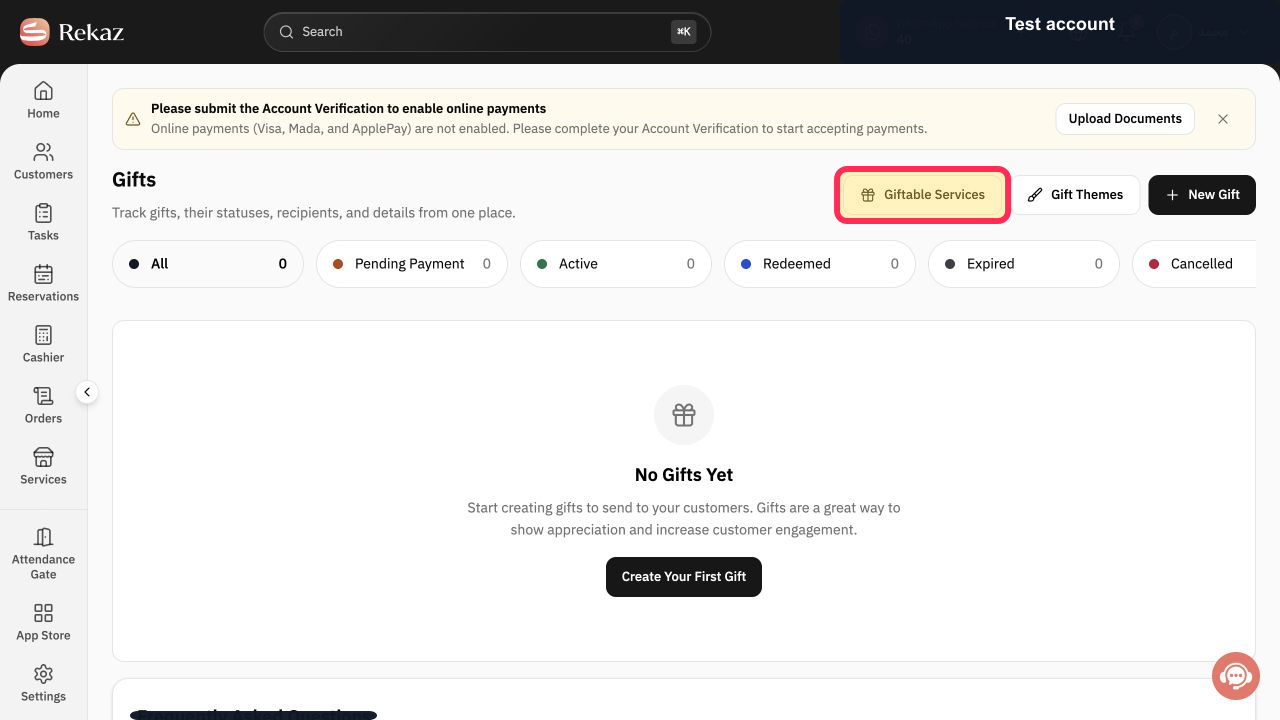
On the Gifts page, select Giftable Services.
The Giftable Services control is selected from the Gifts page.
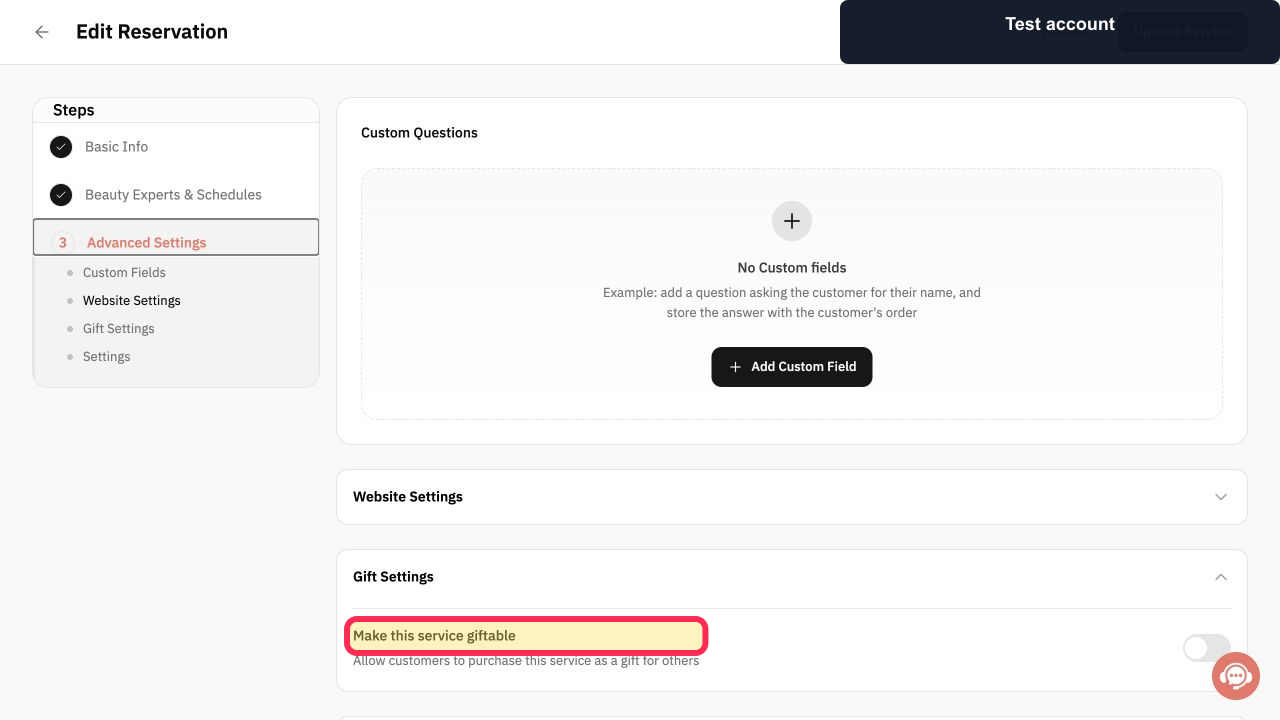
For the service related to the gift, review the Make this service giftable setting in its Gift Settings.
The setting explains that it allows customers to purchase the service as a gift for others.
Illustrated guide
Step 1: Open the Gifts area in Rekaz.
Step 2: View giftable services from the Gifts page.
Step 3: Check whether the related service is configured as giftable.
Important checks before taking action
Review the displayed name, status, amount or date before saving or taking any final action.
Only resend the link when the gift order is valid.
Gift Status
Date, amount, or linked service/value
Payment status
Interface limitation
The current navigation path, exact control labels, and the resend-link control are not confirmed in the the available interface. Verify these details before publishing screenshots or highlighting controls.
Related questions
How do I check why a gift order is invalid in Rekaz?
How do I review the payment status of a gift order in Rekaz?
How do I resend the link for a valid gift order in Rekaz?


