Why is my reservation not showing in Rekaz?
A reservation not appearing in the Calendar does not necessarily mean it was deleted. The Calendar may be showing a different week, Branch, or Service Provider.
First check the Calendar view and its Filter. If you still cannot find the reservation, review the reservation-creation path and do not create a duplicate until you have completed your search.
Steps
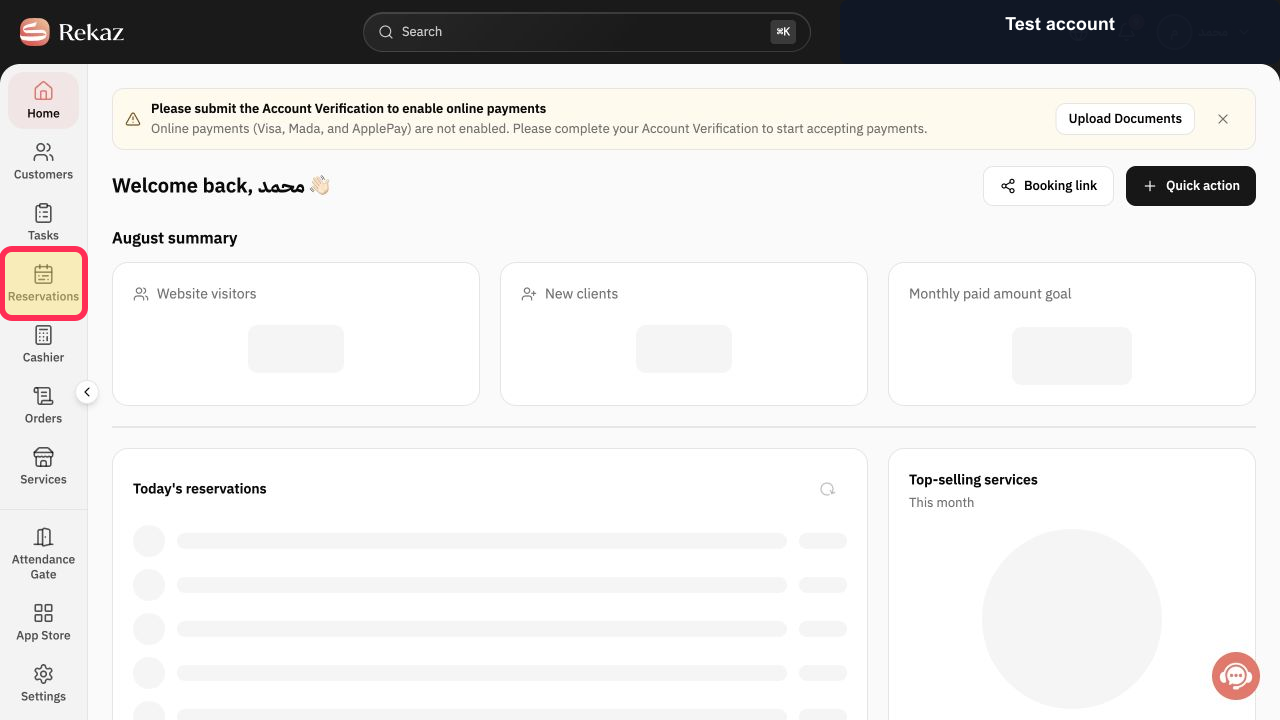
From Home, select **Reservations** in the sidebar to open the reservation Calendar.
The reservation Calendar opens.
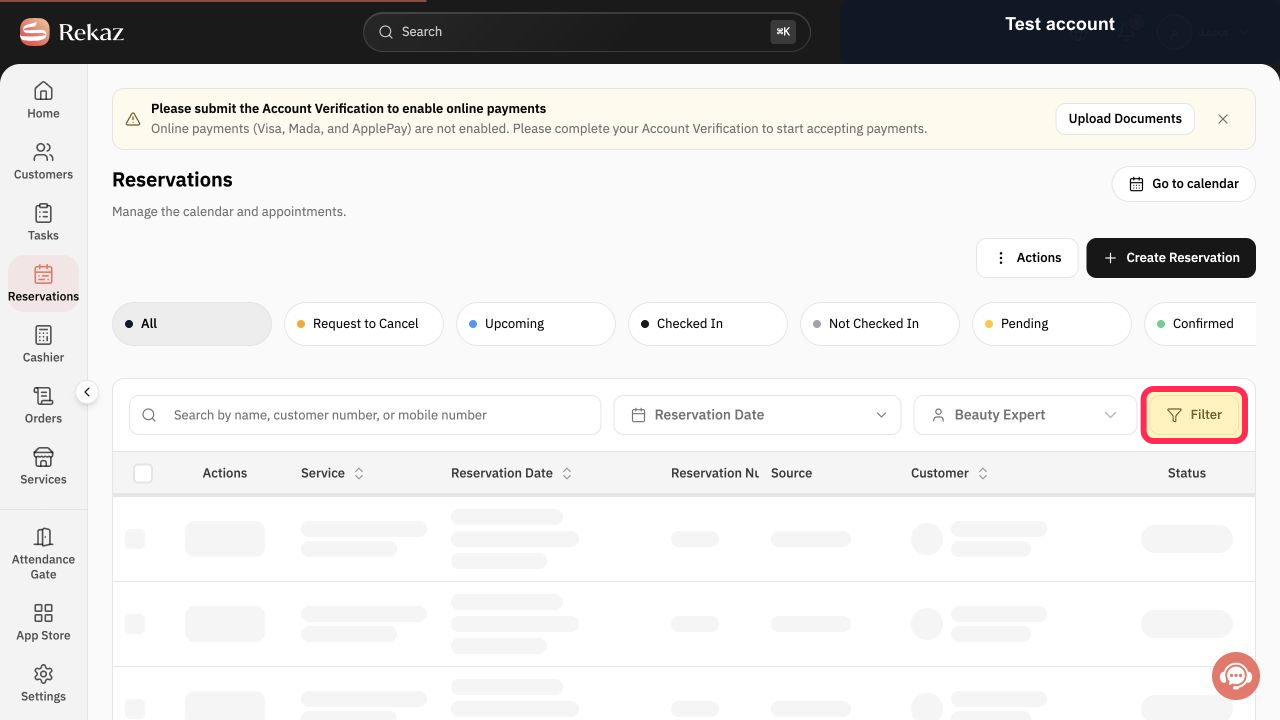
Open **Filter** and make sure the required Service Provider and Branch are not hidden.
The Calendar shows the selected Service Provider and Branch.
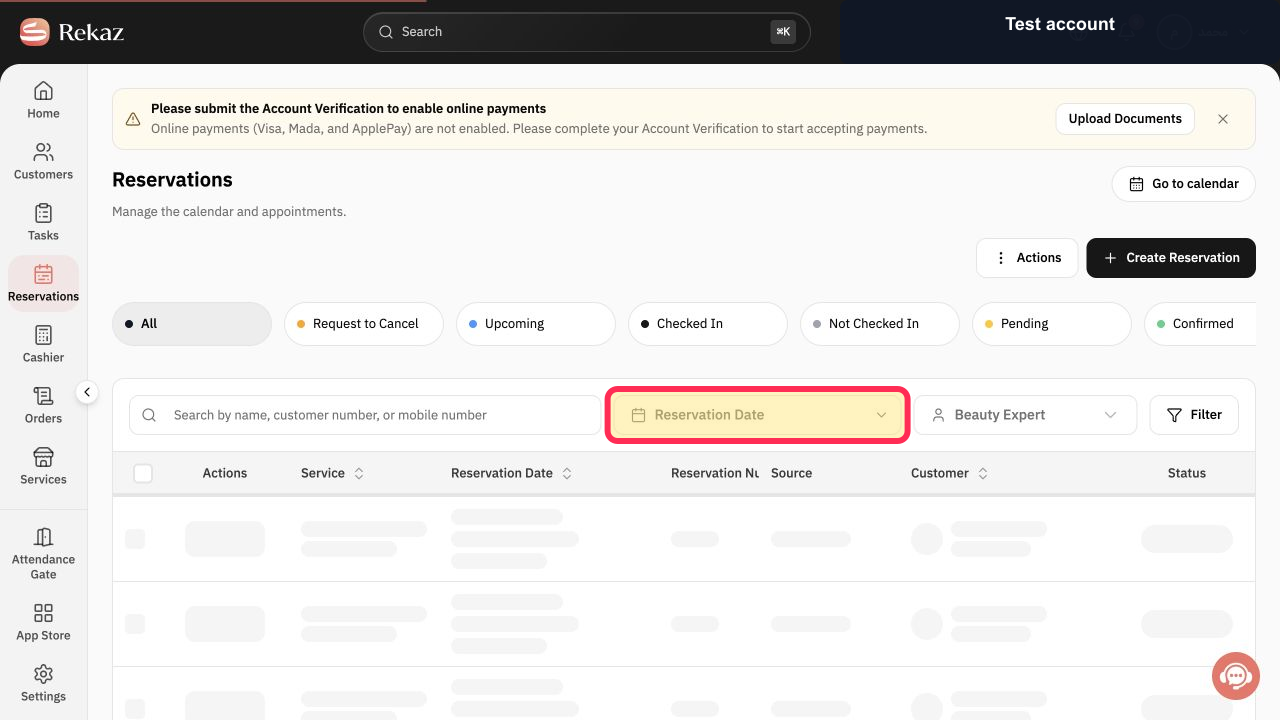
Check that the displayed week includes the reservation date.
The Calendar is set to a week that includes the reservation date.
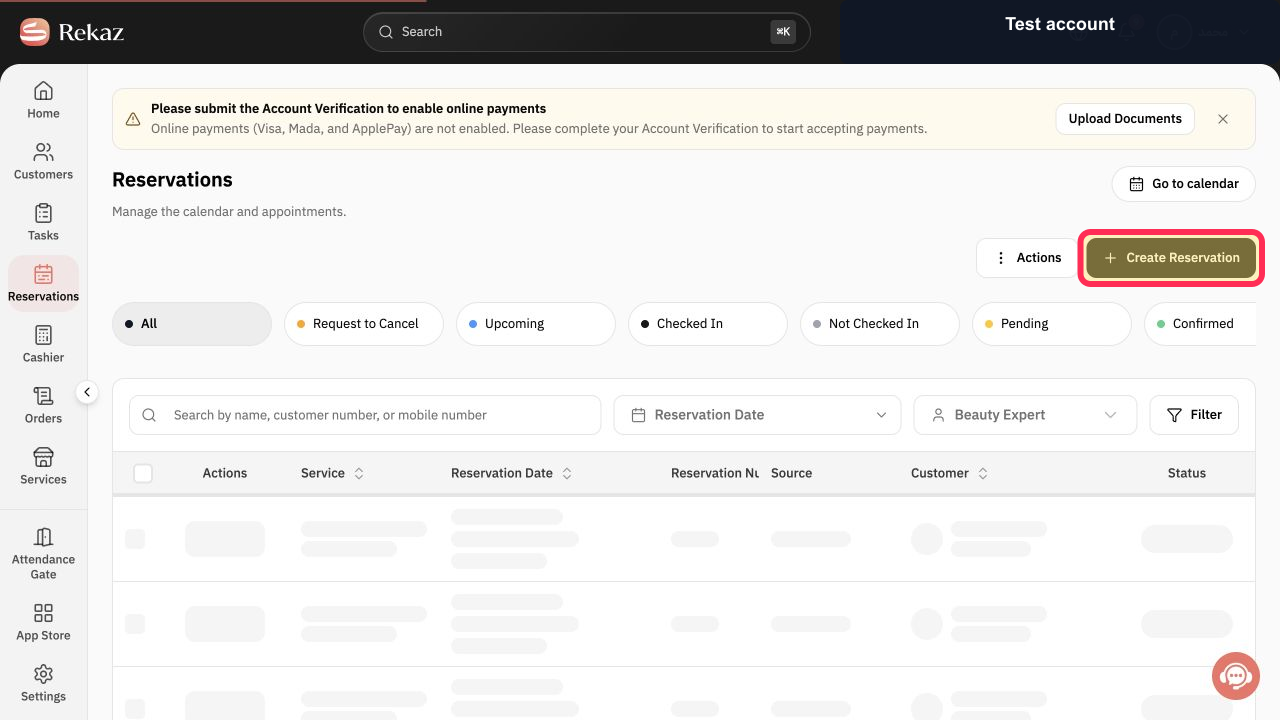
If you still cannot find the reservation, return to **Create Reservation** and review the reservation-creation path. Check the Branch, Service Provider, date, Service, and Time Slot that should have been used. Do not submit another reservation until you have completed your search.
The Create Reservation workflow is displayed so you can review the intended reservation selections without creating a duplicate.
Illustrated guide
Step 1: Open the reservation Calendar from the sidebar.
Step 2: Check that Filter is not hiding the required Service Provider or Branch.
Step 3: Confirm that the displayed week includes the reservation date.
Step 4: Review the Create Reservation workflow and verify the intended Service and Time Slot without submitting a duplicate.
Important notes
Check the Branch, Service Provider, and date together, as any of these can affect what appears in the Calendar.
A missing reservation in the current view does not prove that it was deleted.
Confirm the intended Service and Time Slot when reviewing the reservation-creation path.
Do not create a duplicate reservation before confirming that the original reservation cannot be found.
Related questions
My reservation is not showing in the Calendar in Rekaz.
Where did my customer's appointment go in Rekaz?
Why is an appointment not appearing in a Service Provider's schedule in Rekaz?


