How do I transfer a subscription to another customer in Rekaz?
Use Transfer Subscription only after confirming both customers' identities and any payment or usage obligations attached to the subscription.
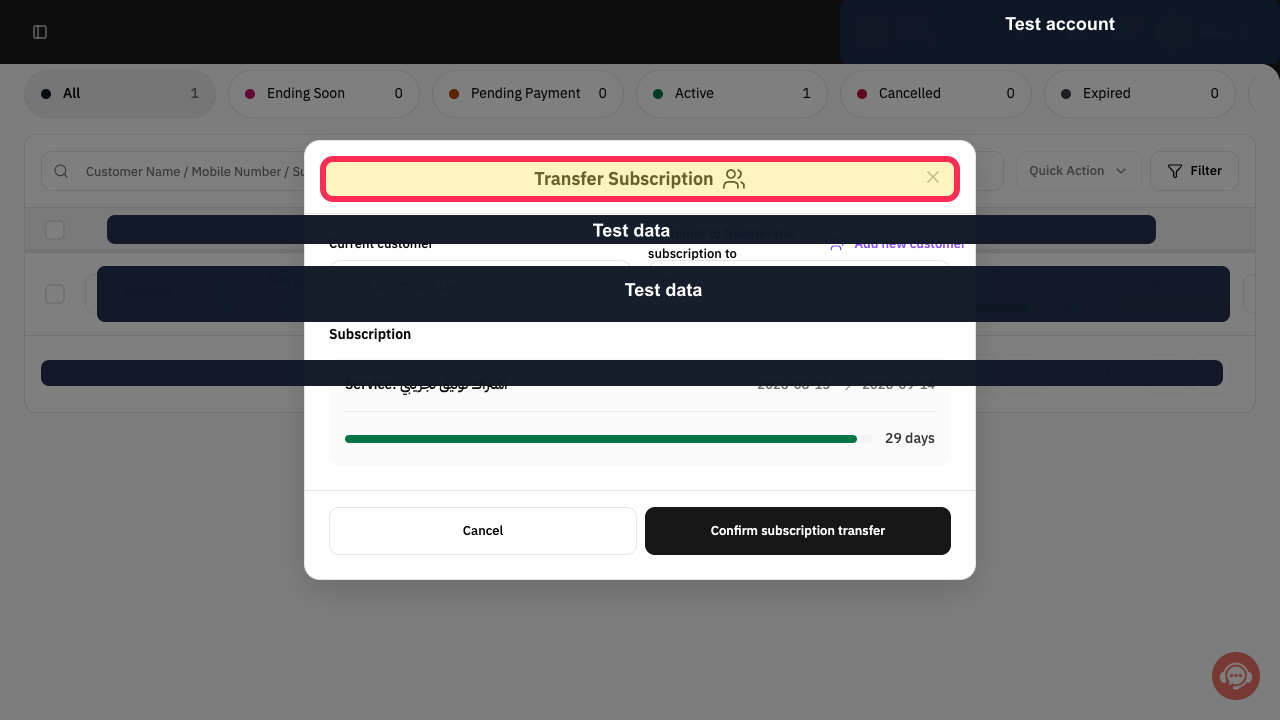
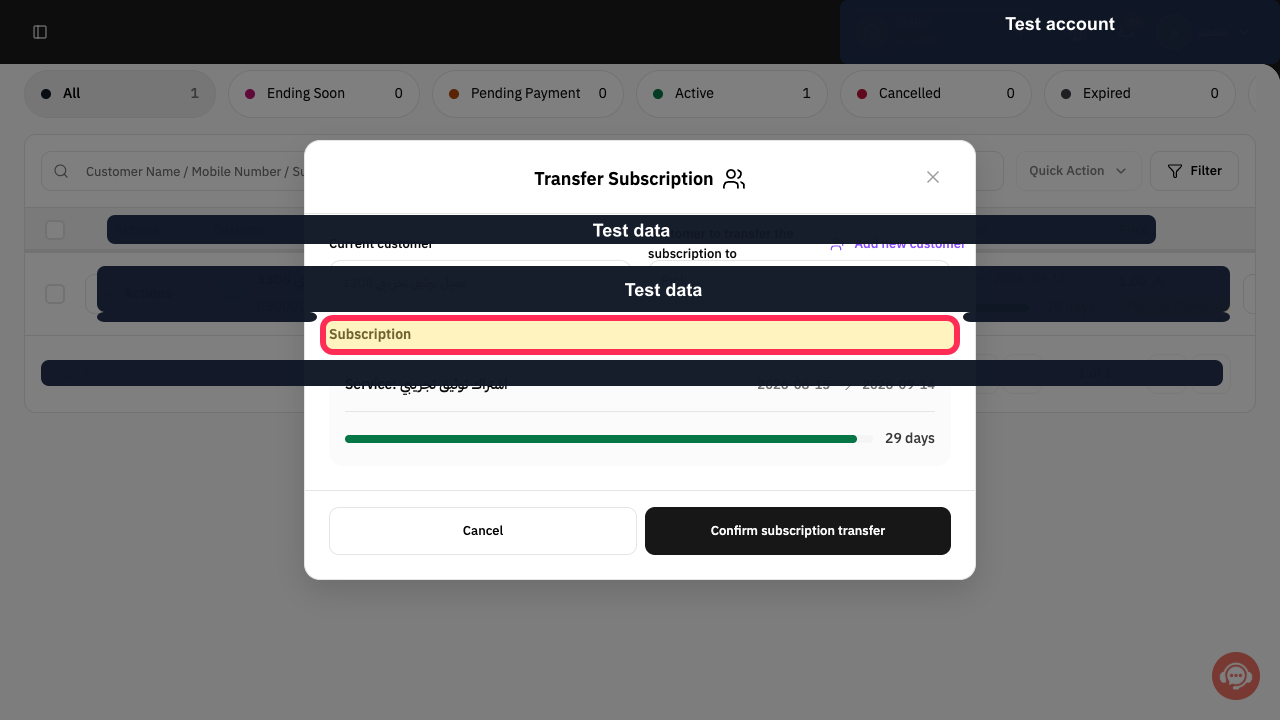
The transfer dialog keeps the Current customer read-only and shows the subscription service and dates before the final confirmation.
Steps
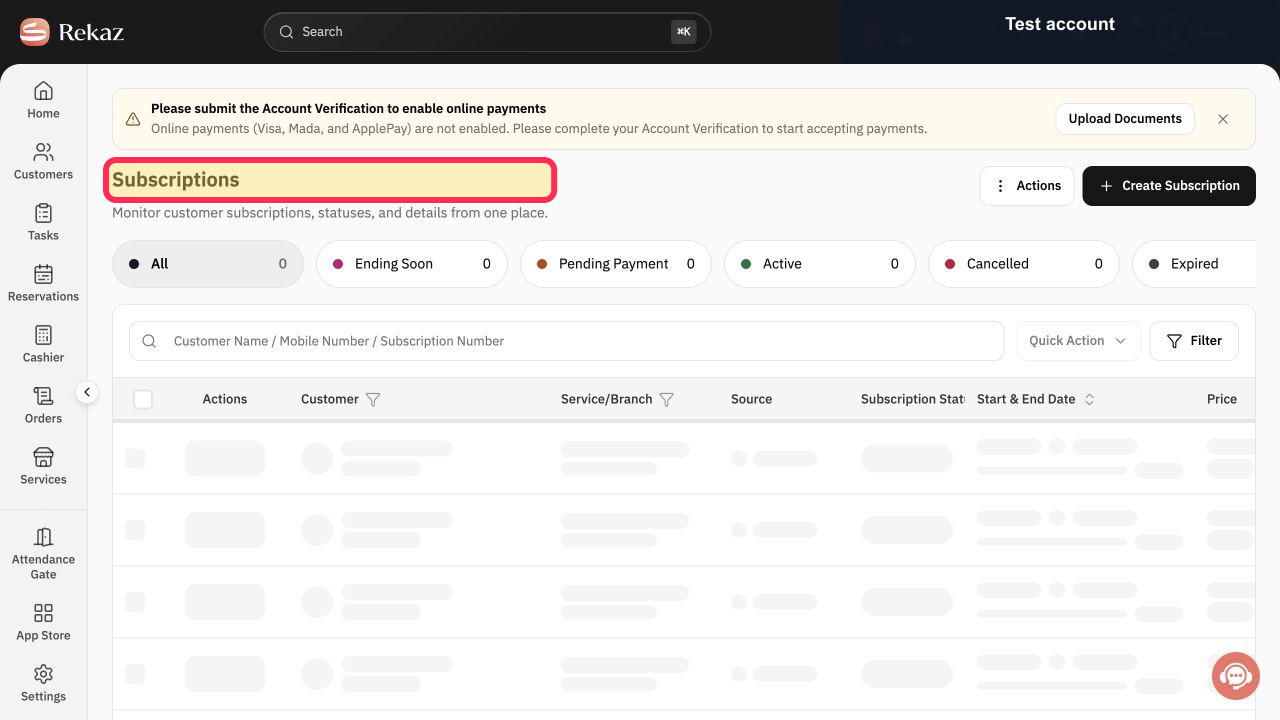
Select Subscriptions and locate the subscription to transfer.
The correct customer subscription row is visible.
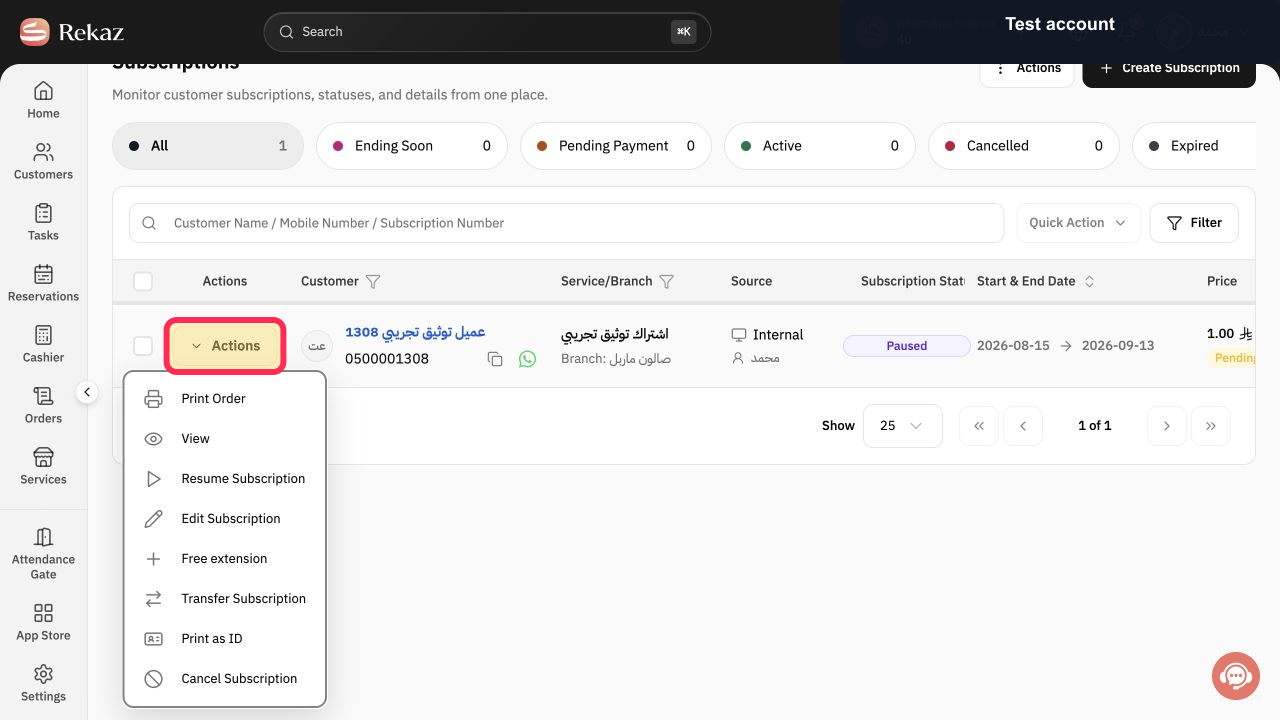
Select Actions in the subscription row.
The subscription Actions menu opens.
Select Transfer Subscription.
The Transfer Subscription dialog opens.
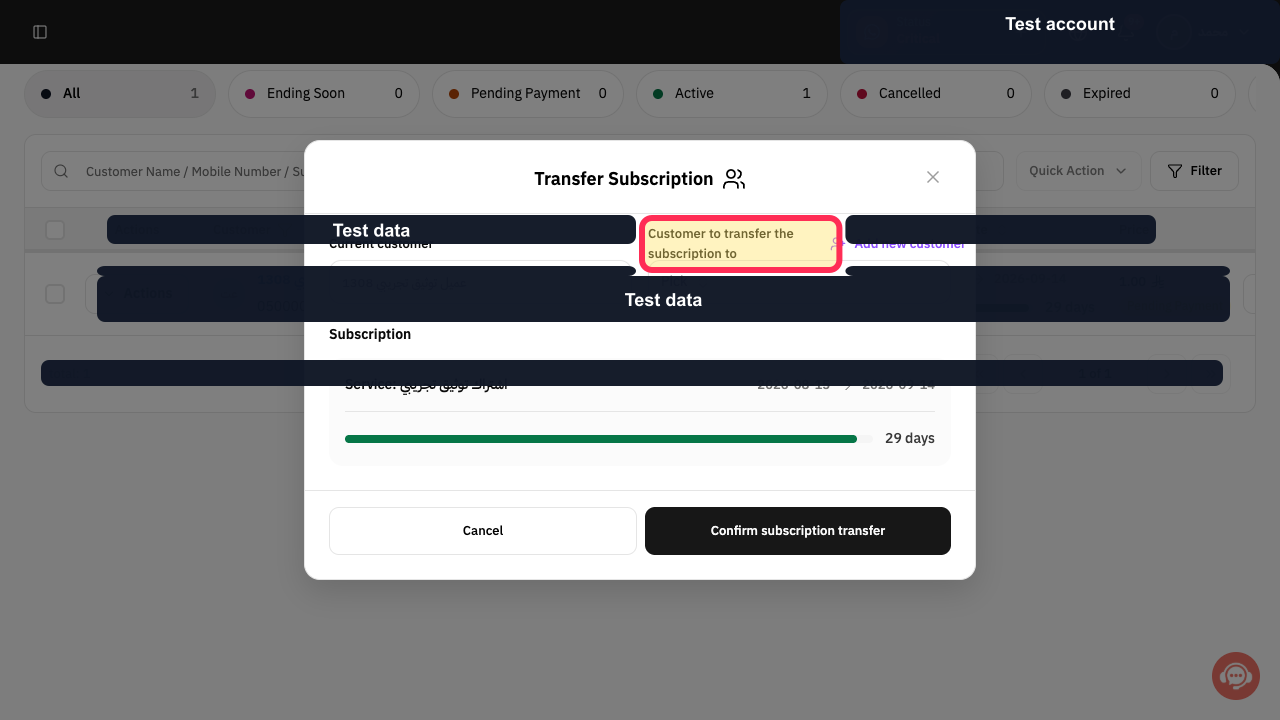
Verify Current customer, the Subscription service, and the displayed dates.
The subscription being transferred is confirmed.
Open Customer to transfer the subscription to and search for the new customer. Use Add new customer only when the recipient does not exist yet.
The intended recipient can be selected without changing the current customer field.
Review the new customer and subscription details once more.
The transfer target and subscription are ready for confirmation.
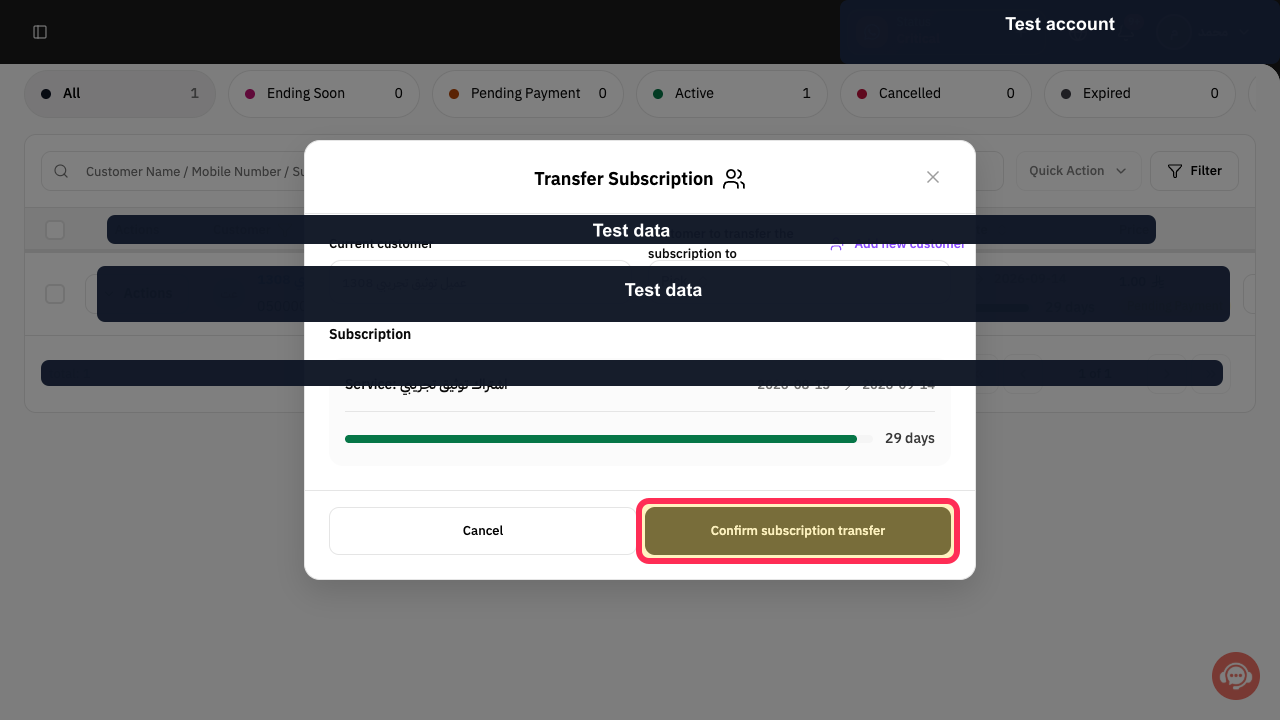
Select Confirm subscription transfer.
The subscription transfer is submitted.
Illustrated guide
Step 1: Locate the subscription to transfer.
Step 2: Open the subscription Actions menu.
Step 3: Start transferring the subscription.
Step 4: Verify the current customer, service, and dates.
Step 5: Choose the customer receiving the subscription.
Step 6: Review the subscription transfer target.
Step 7: Confirm transferring the subscription.
Important checks before transferring
Review all values and customer information before you complete a final or financial action.
Make sure you have verified both customers’ identities and any financial obligations connected with the subscription.
Related questions
Can I transfer a subscription from one customer to another in Rekaz?
Where can I find the Transfer Subscription option in Rekaz?
What should I check before transferring a subscription in Rekaz?


