How do I create a customer task in Rekaz?
A customer task keeps the follow-up linked to the correct customer and assigned to the responsible Rekaz user.
Use a clear task description and deadline, then review the customer and assignee before submitting.
Steps
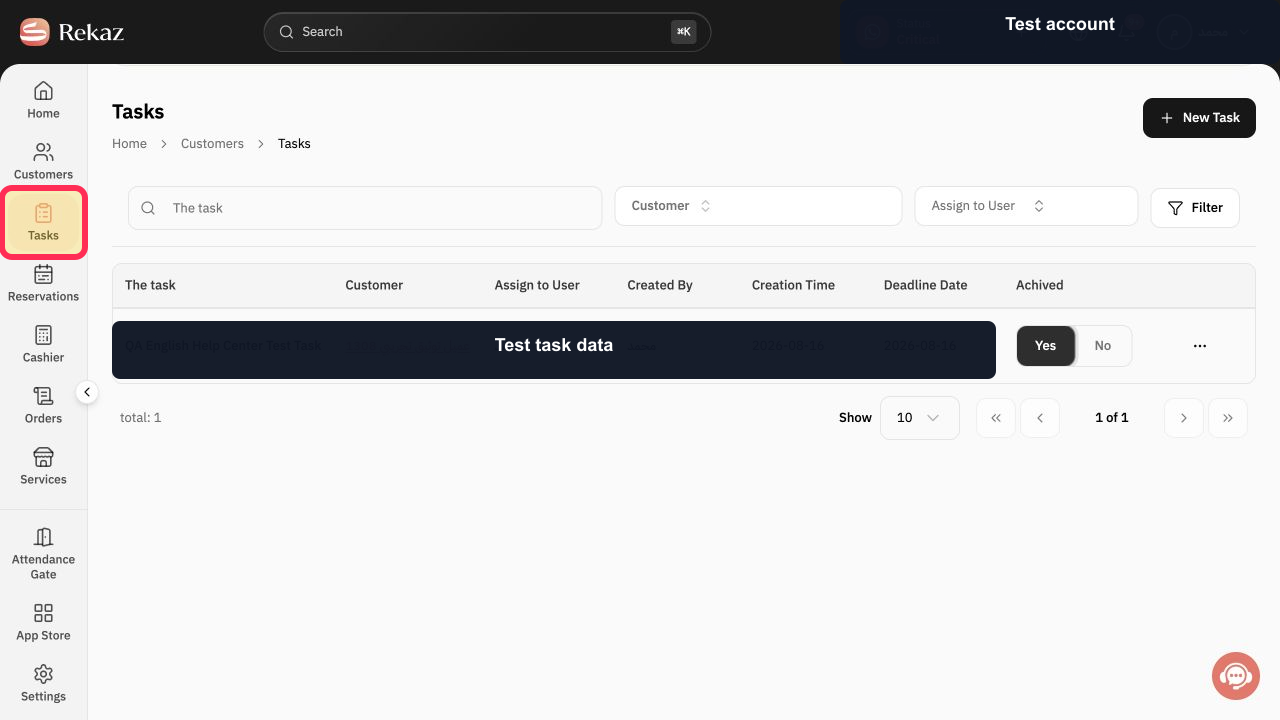
From the Rekaz sidebar, select Tasks.
The Tasks page opens.
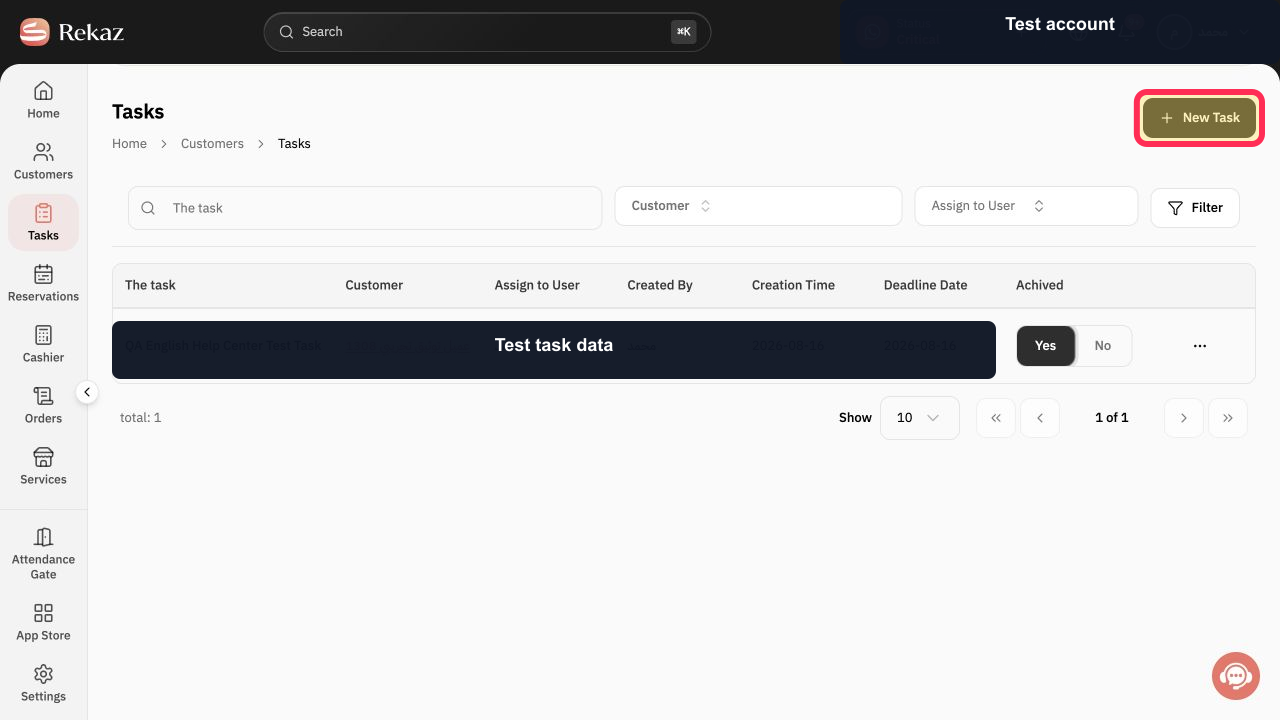
Select New Task.
The New Task dialog opens.
Open Customer and choose the customer that the task relates to.
The selected customer appears in the New Task dialog.
In The task, enter a clear description of the follow-up or work required.
The task description appears in the form.
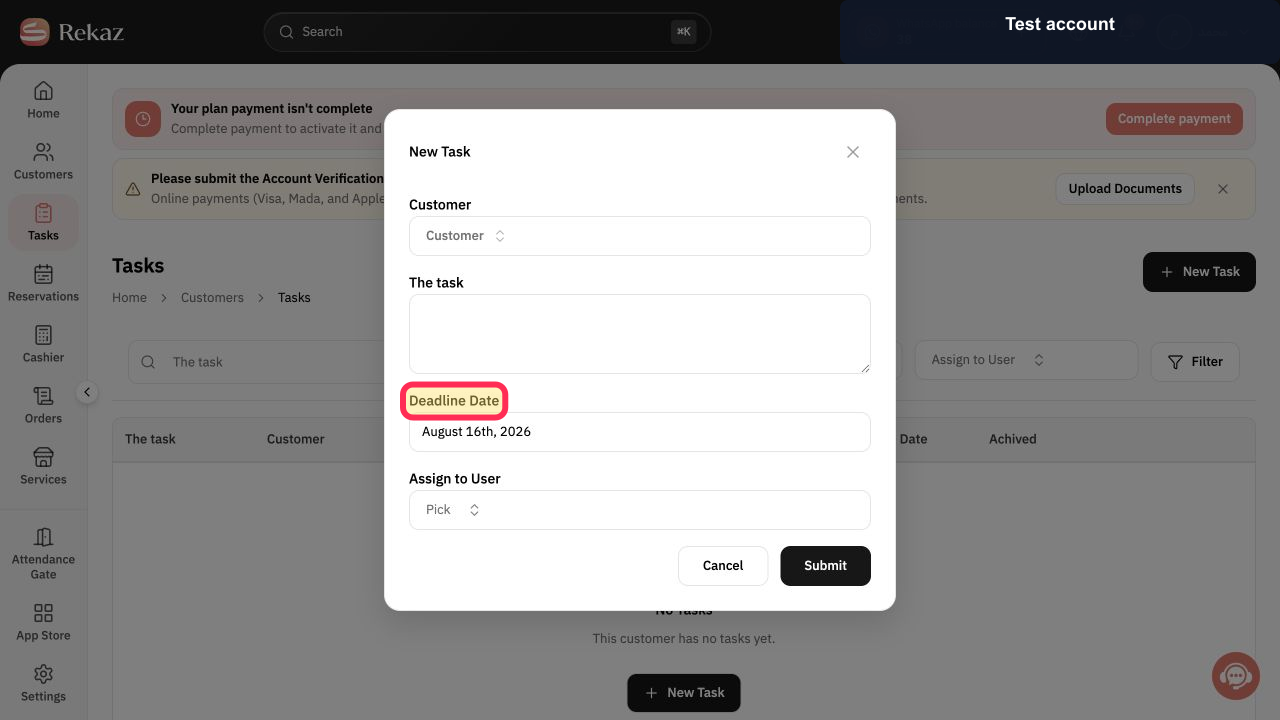
Select Deadline Date and choose when the task should be completed.
The selected deadline date appears in the form.
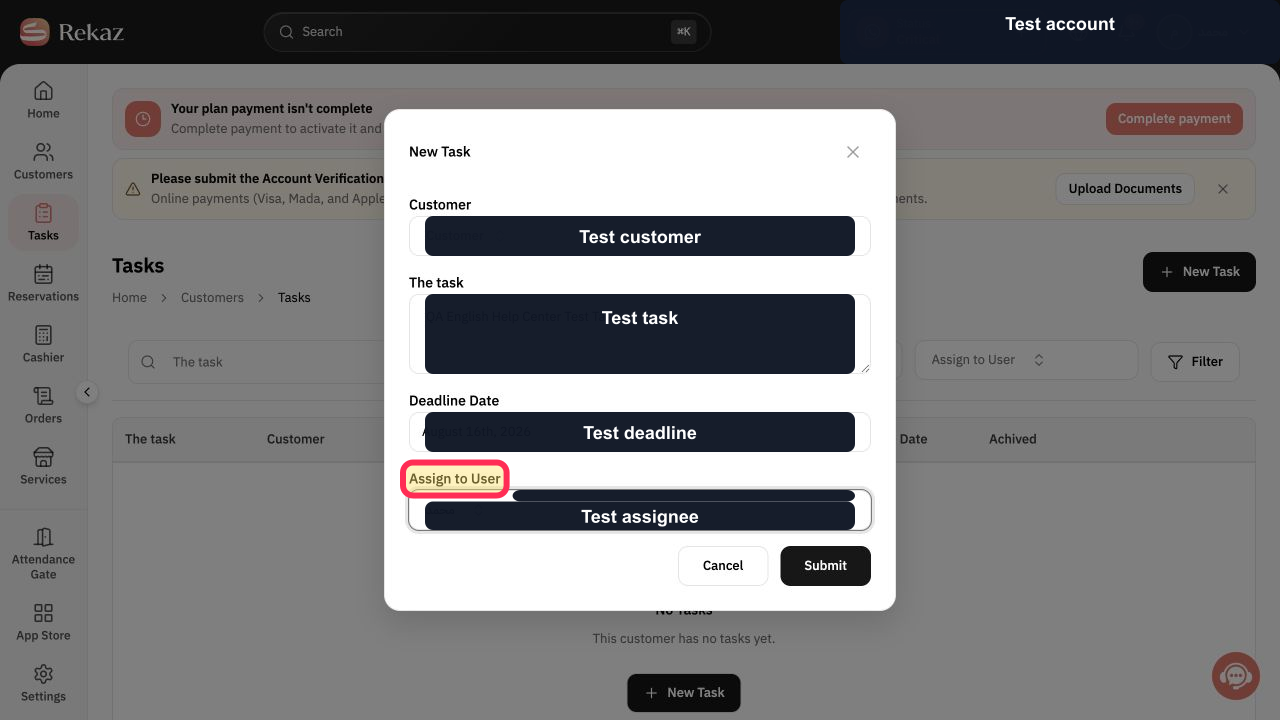
Open Assign to User and choose the responsible Rekaz user.
The selected user appears as the task assignee.
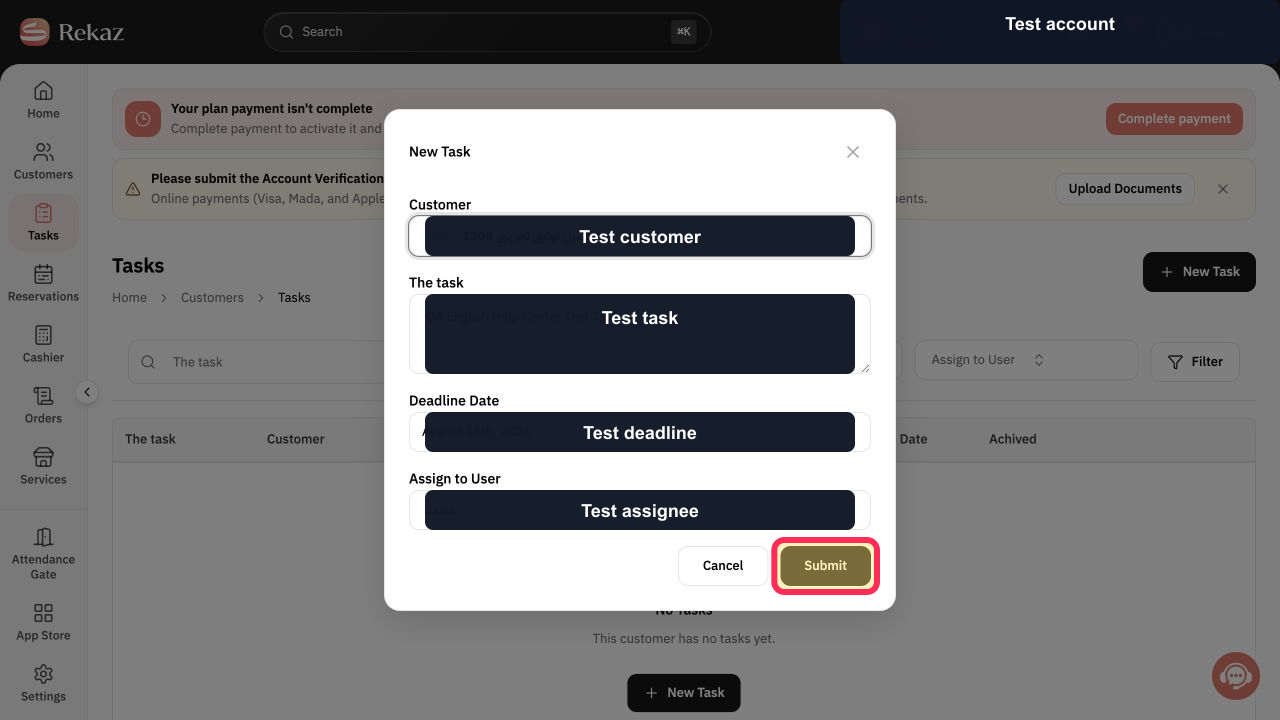
Review the customer, task description, deadline, and assignee, then select Submit.
The task is created and appears on the Tasks page.
Illustrated guide
Step 1: Open Tasks from the Rekaz sidebar.
Step 2: Open the New Task dialog.
Step 3: Choose the customer for the task.
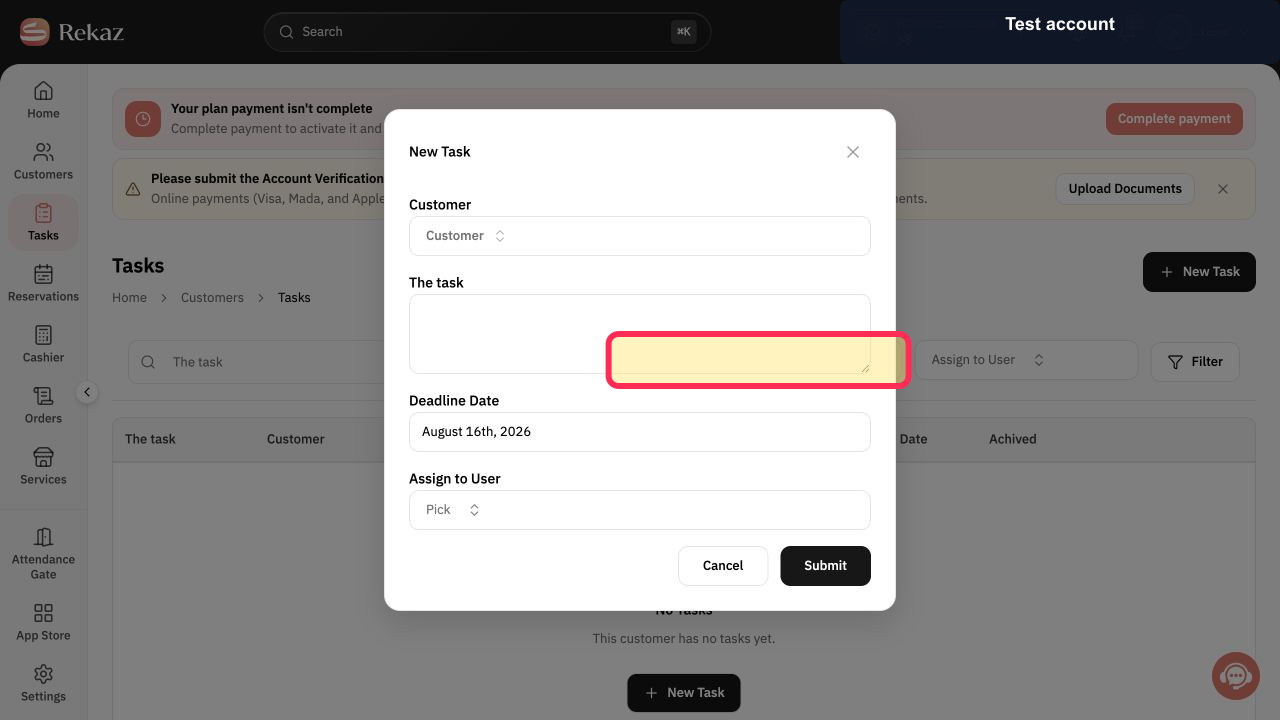
Step 4: Enter the customer task description.
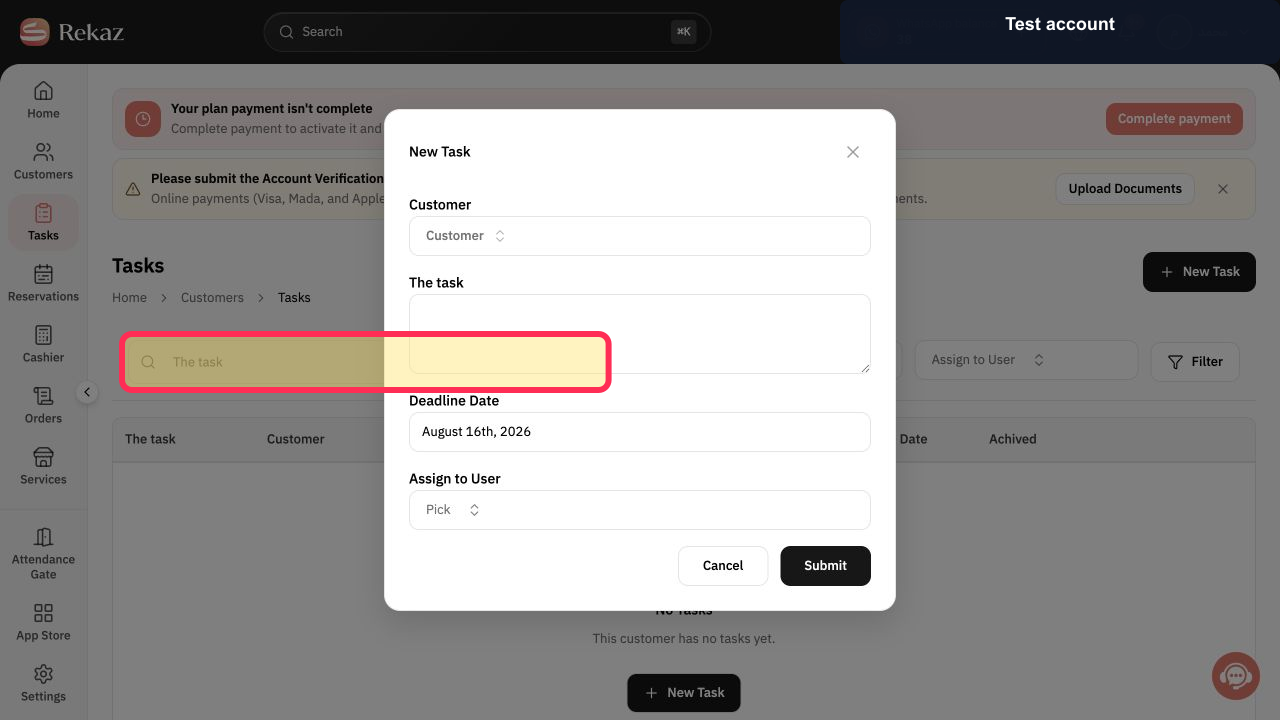
Step 5: Set the customer task deadline.
Step 6: Assign the customer task to a Rekaz user.
Step 7: Submit the new customer task.
Important notes
The customer selection is what links the task to the customer’s record.
Use a clear task description.
Choose a suitable deadline date.
Related questions
How do I add a task to a customer in Rekaz?
Where can I link a follow-up to a customer in Rekaz?
How do I assign a task to an employee in Rekaz?


