How do I view employee or subscriber attendance records in Rekaz?
Subscription Attendance Reports shows attendance and absence records for customer subscriptions. The verified report does not present an employee time-clock history, so employee-device records may require a separate account integration.
Use identical date and branch filters when comparing this report with another attendance view.
Steps
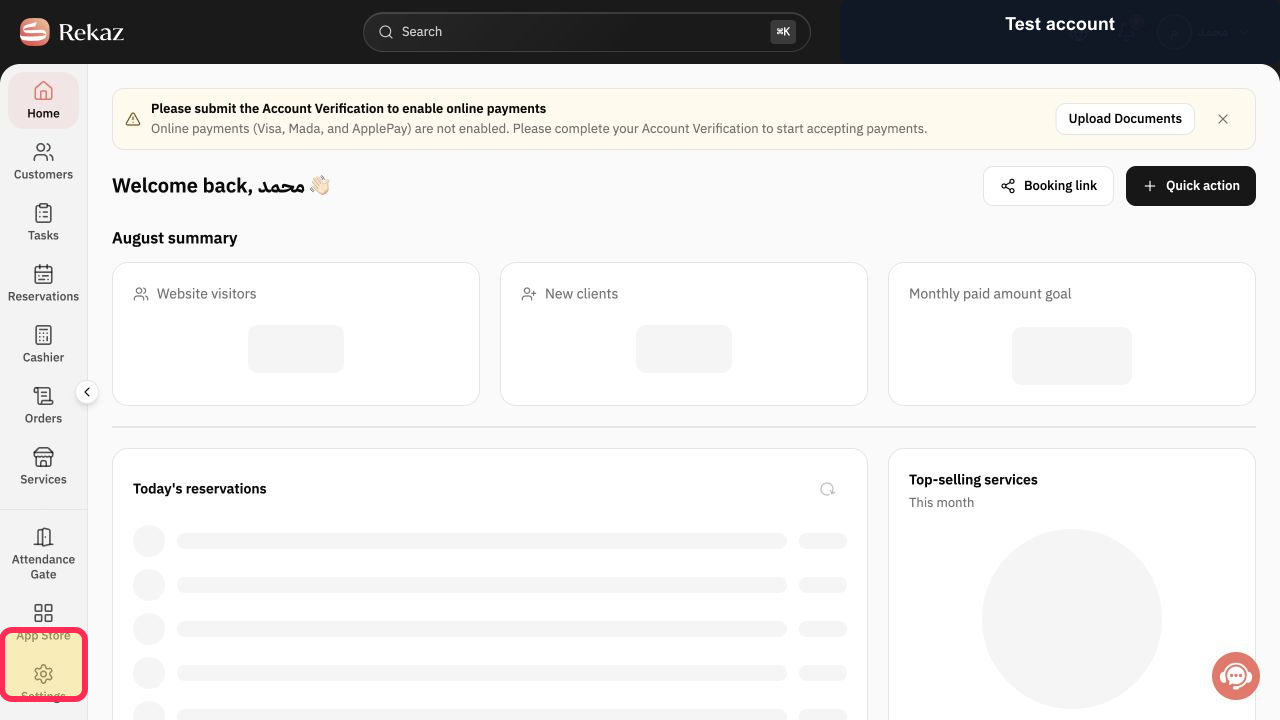
Open Reports from the Rekaz navigation.
The Reports catalog opens.
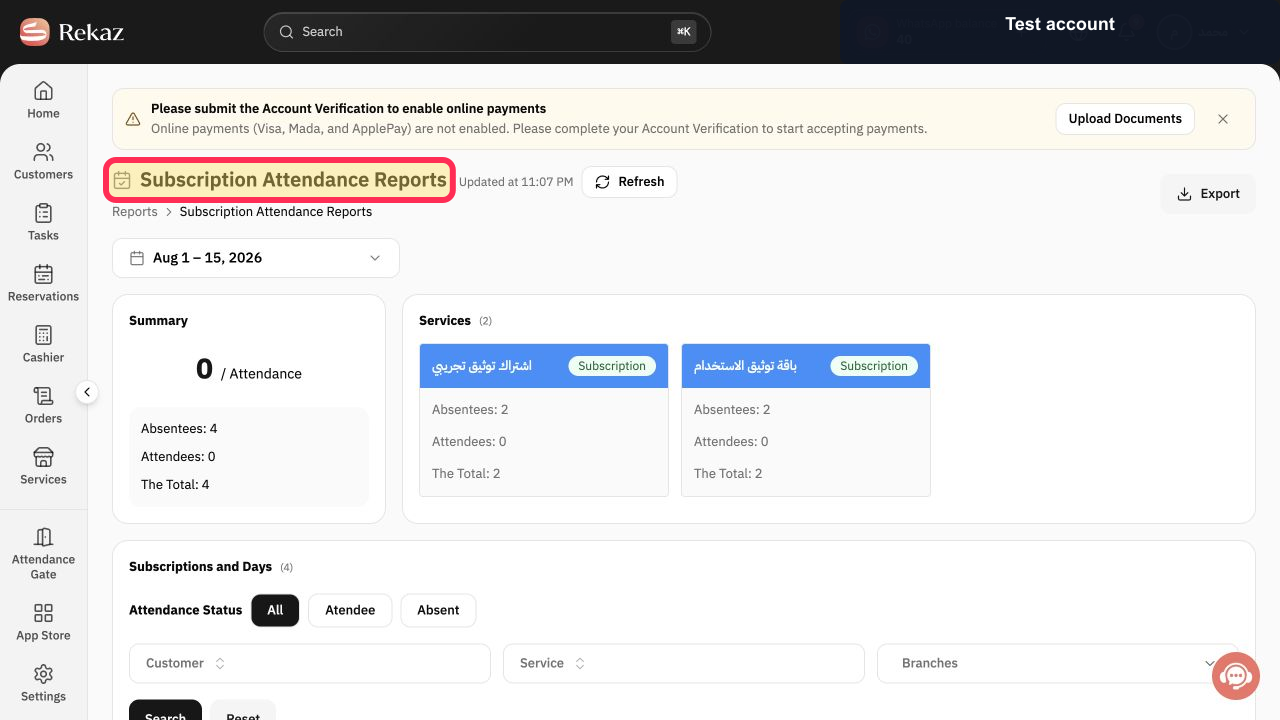
Select Subscription Attendance Reports.
The subscription attendance report opens.
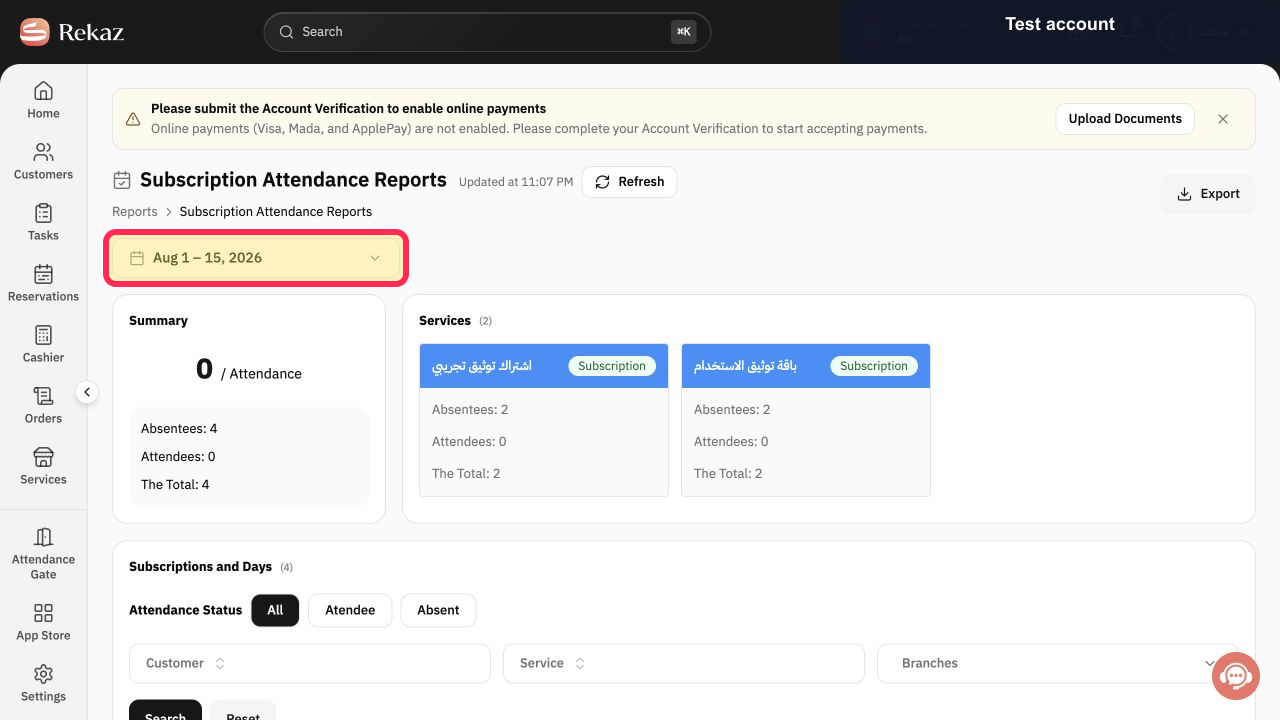
Select the date-range button and choose the reporting period.
The subscription attendance period is set.
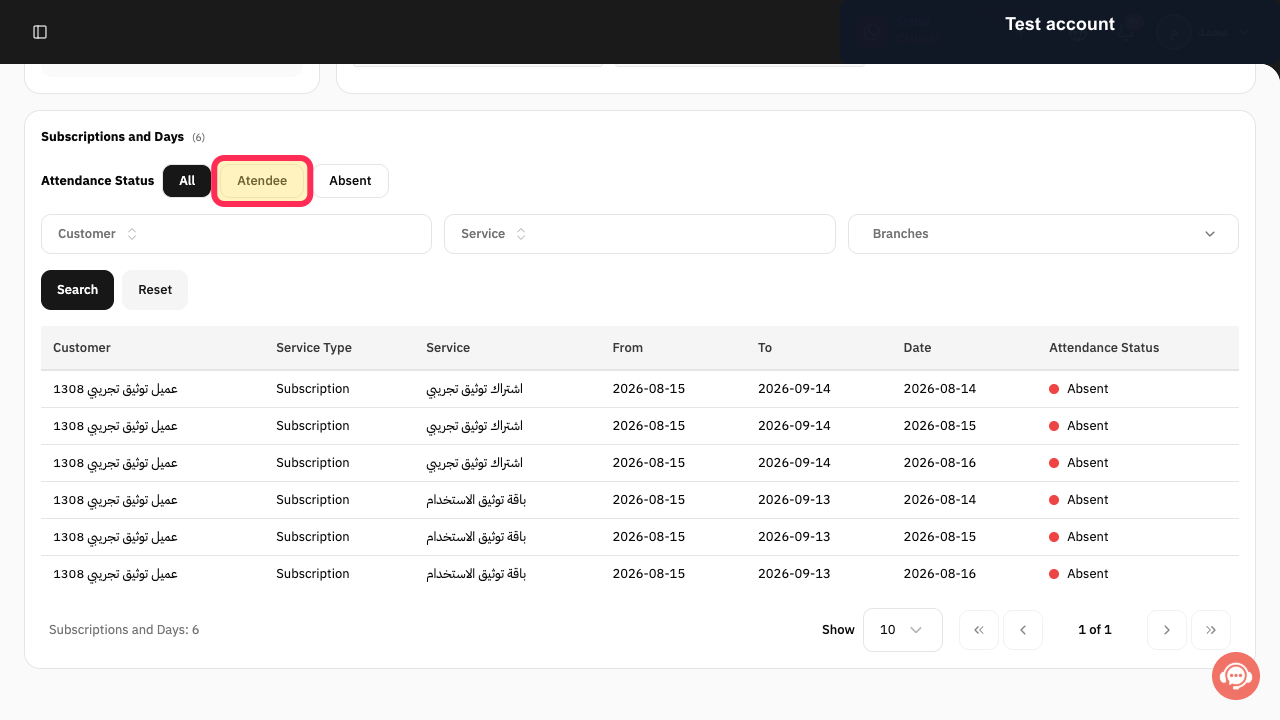
Under Attendance Status, choose Atendee for attended records or Absent for missed attendance.
The report uses the intended attendance-status filter.
Select Customer when you need one customer's subscription records.
The customer filter opens.
Select Service when you need one subscription service.
The service filter opens.
Select Branches and choose the required branch.
The report is limited to the intended branch.
Select Search to apply the selected filters.
The subscription attendance results refresh.
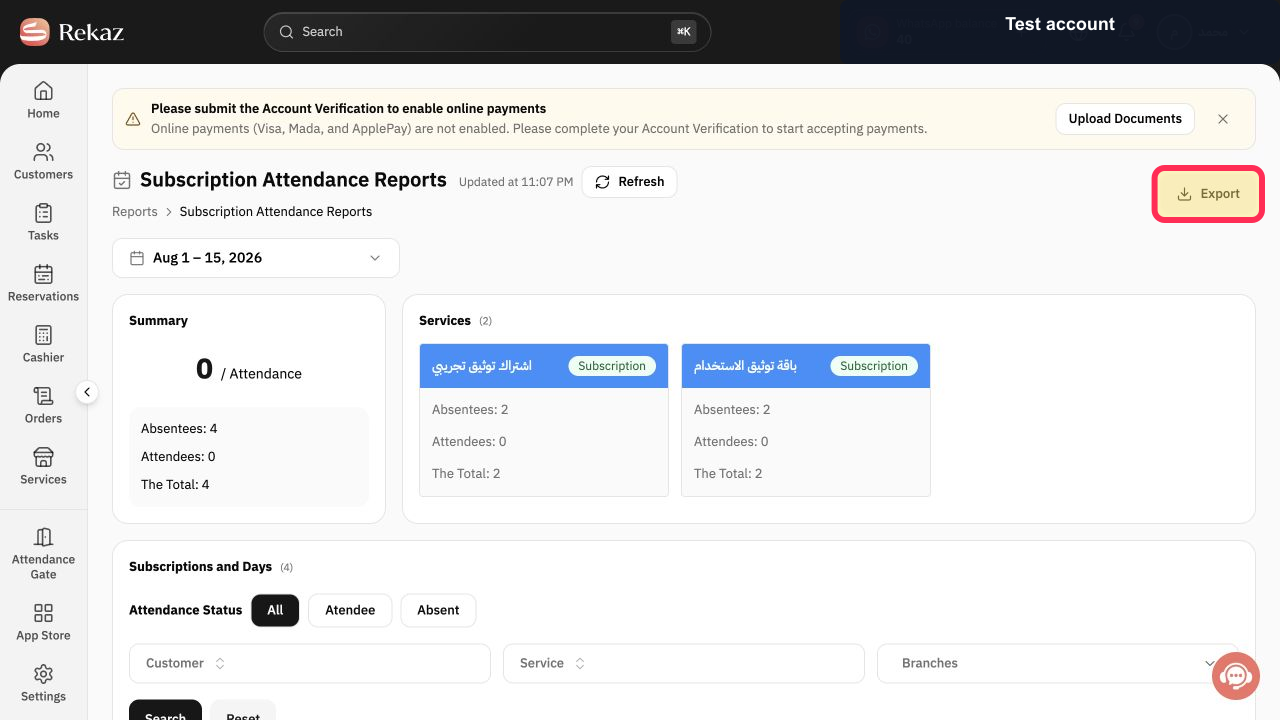
Select Export after verifying the date, status, customer, service, and branch scope.
The filtered subscription attendance report is prepared for download.
Illustrated guide
Step 1: Open the Rekaz Reports catalog.
Step 2: Open Subscription Attendance Reports.
Step 3: Set the Subscription Attendance Reports date range.
Step 4: Choose the subscriber attendance status.
Step 5: Filter subscription attendance by customer.
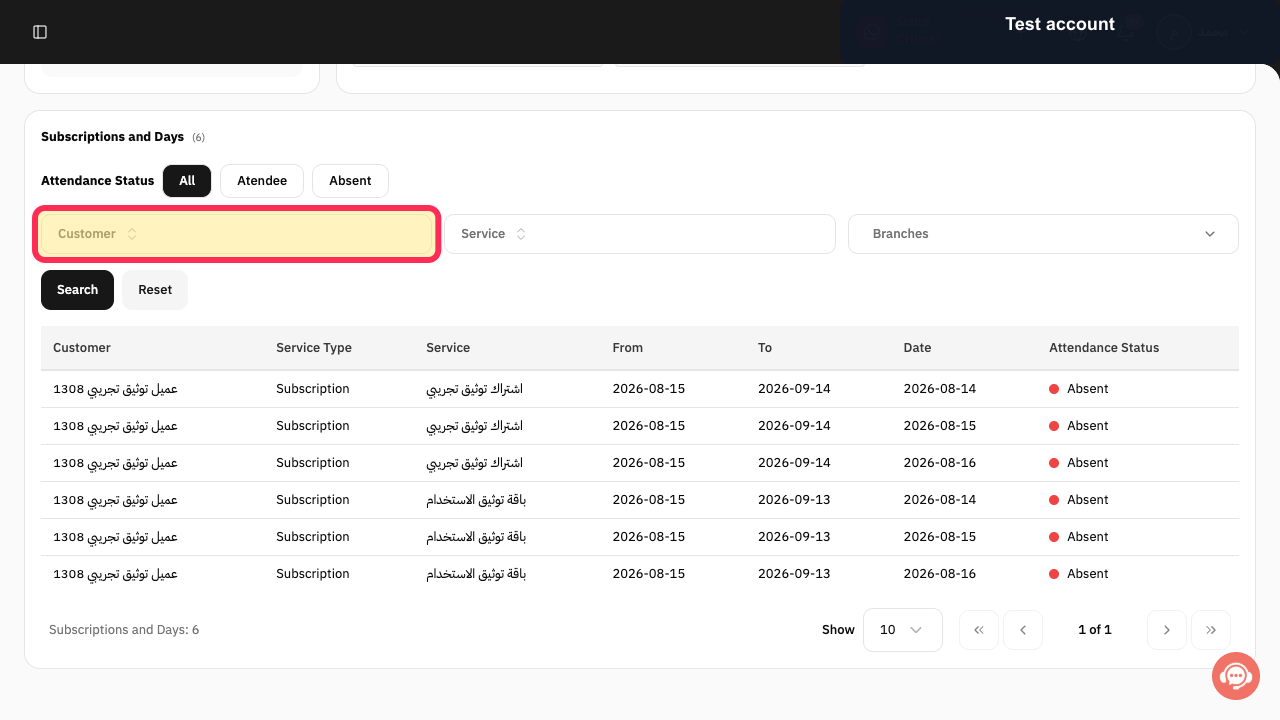
Step 6: Filter subscription attendance by service.
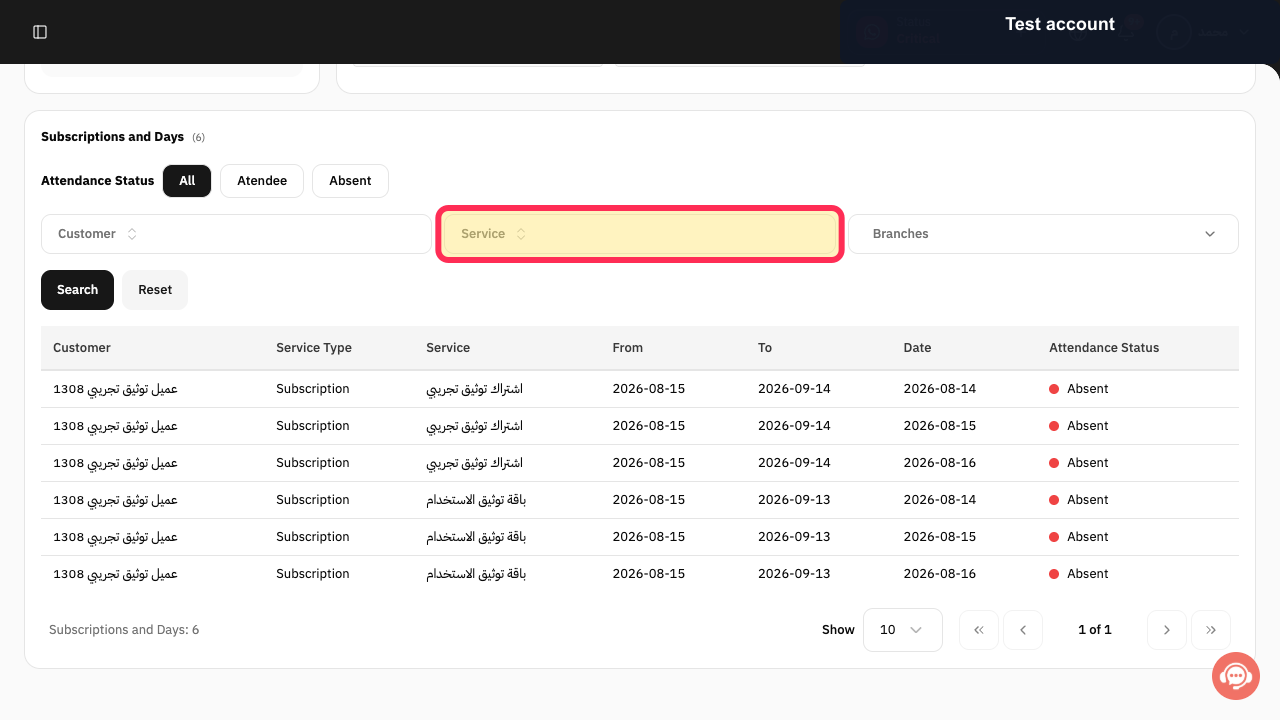
Step 7: Filter subscription attendance by branch.
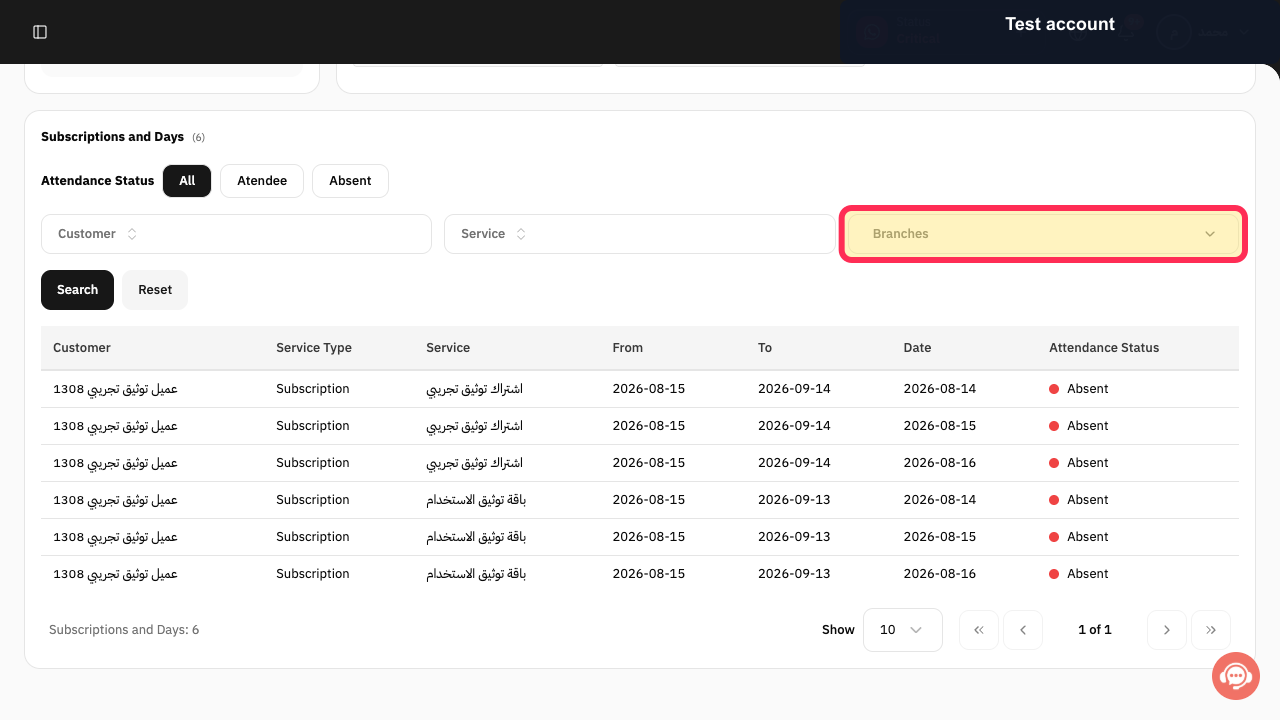
Step 8: Apply the subscription attendance filters.
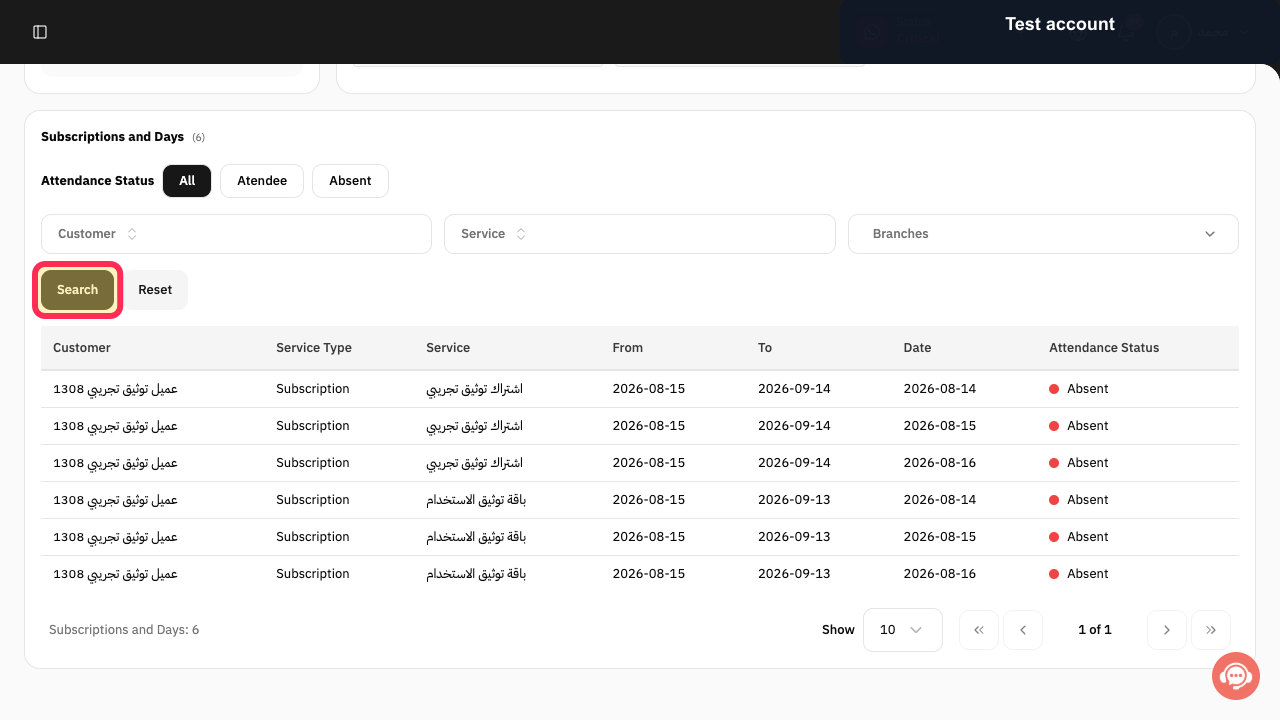
Step 9: Export the Subscription Attendance Report.
Important notes and limitations
Set the Date, Type, and Branch before exporting so the report reflects the records you need.
If Attendance History or one of the required filters is unavailable in your account, contact Rekaz support for help. When requesting assistance, do not share passwords or unnecessary personal information.
Review the displayed Name, Status, Amount, and Date before exporting or taking any final action.
Confirm the Check In and Check Out times for each relevant record.
Attendance exports may contain personal data. Store and share exported files only with authorized people.
Related questions
Where can I find employee or subscriber attendance records in Rekaz?
How do I filter an attendance report by date, type, and branch in Rekaz?
How do I export attendance records in Rekaz?


