How do I use Attendance Gate in Rekaz?
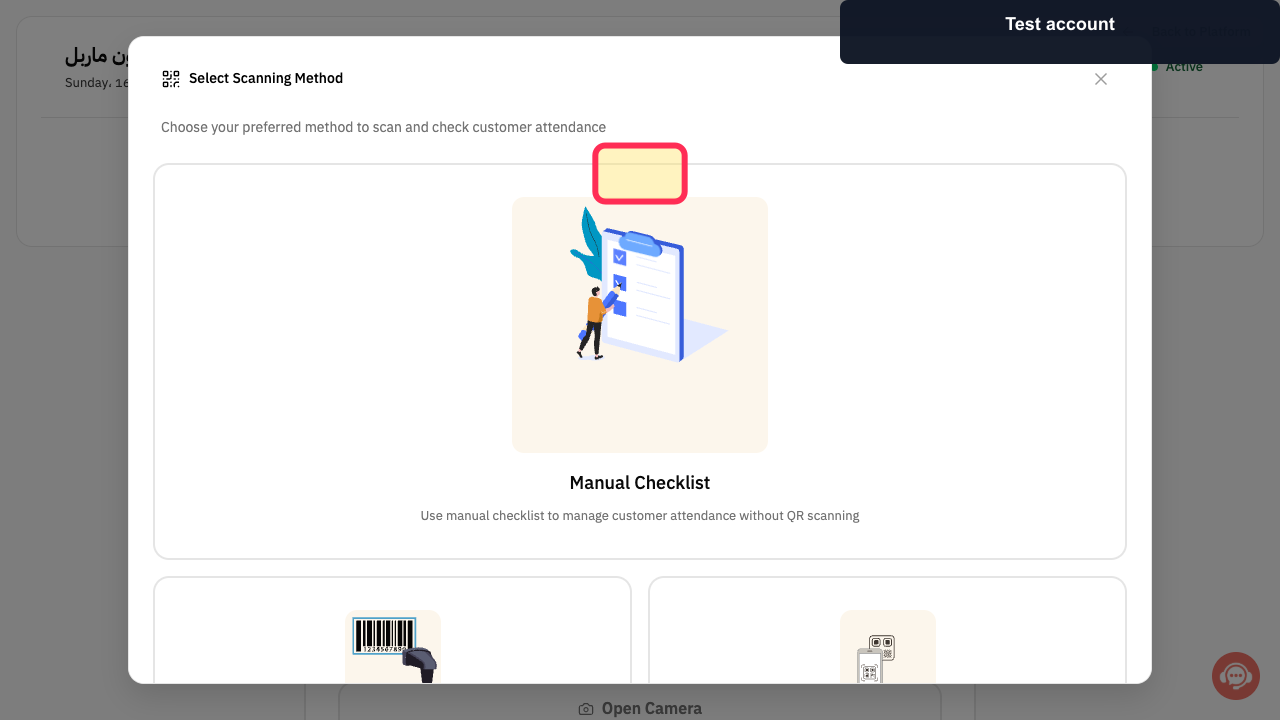
Attendance Gate in Rekaz currently opens a scanning-method selection screen. Choose Scanner to access the Attendance System.
Steps
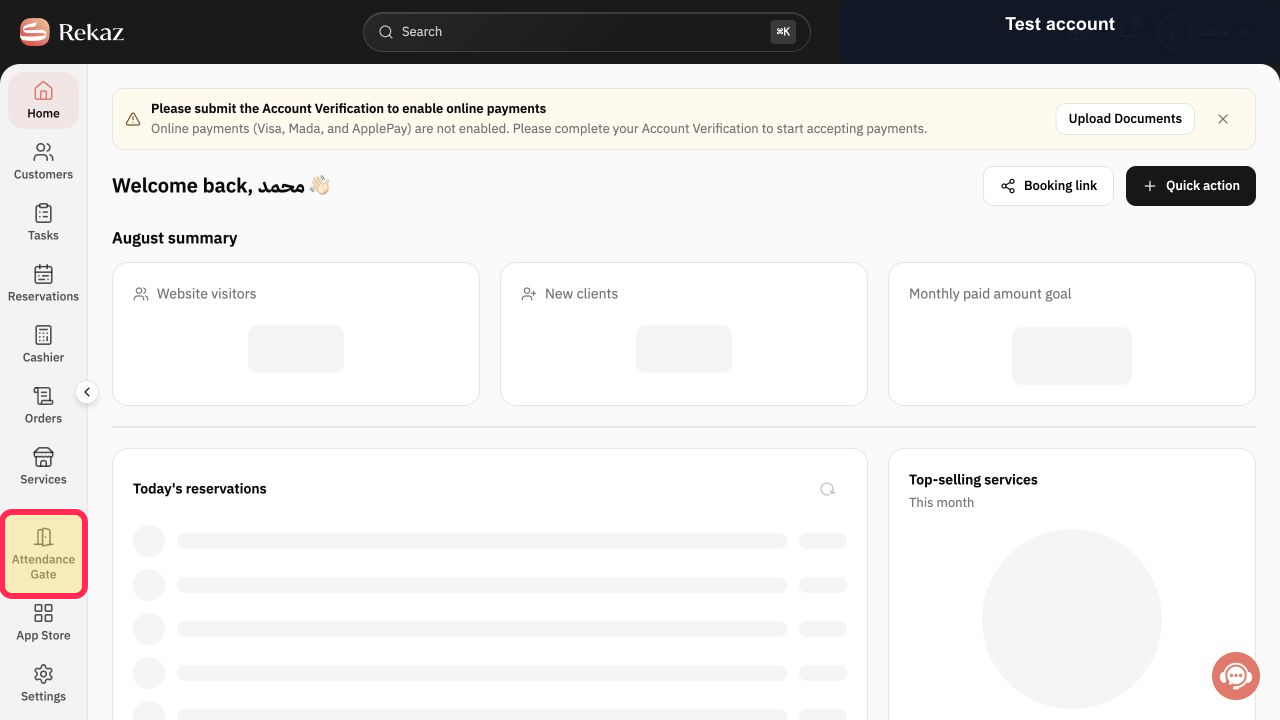
From the Rekaz sidebar, select Attendance Gate.
The Attendance Gate page opens and shows the scanning-method selection screen.
On the scanning-method selection screen, select Scanner.
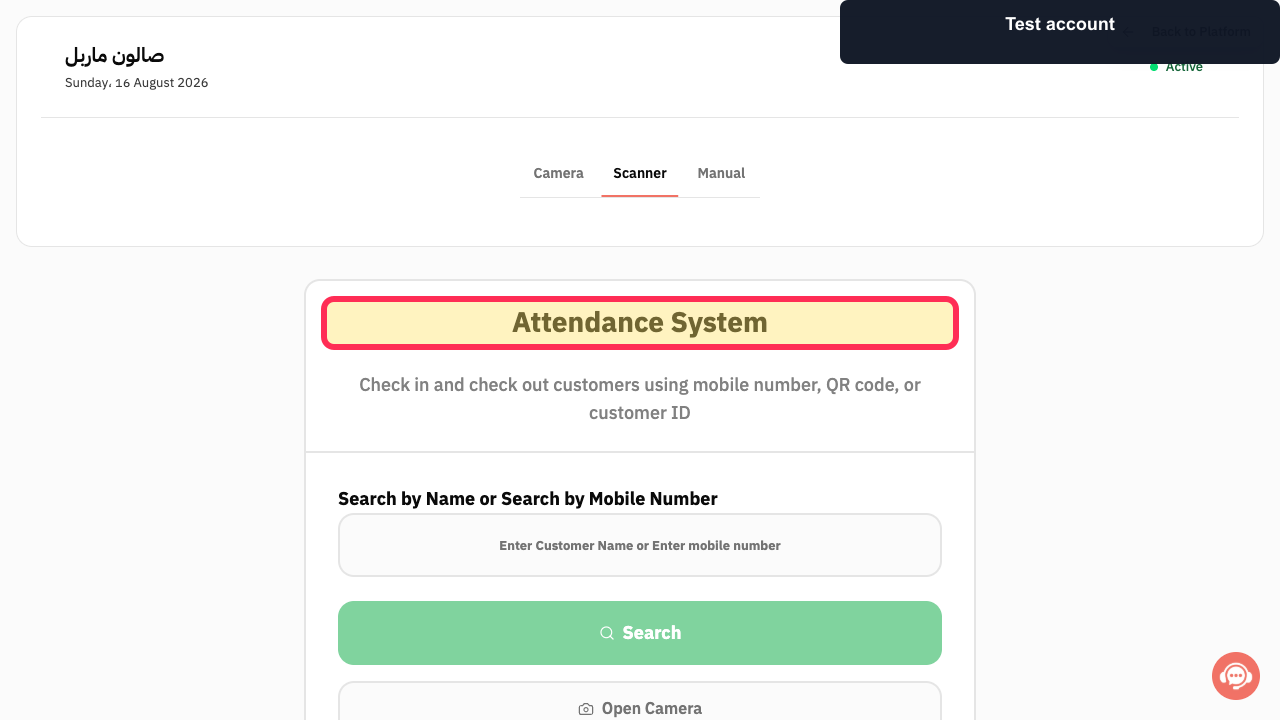
The Attendance System opens.
After selecting Scanner, the Attendance System opens.
Illustrated guide
Step 1: Select Attendance Gate from the Rekaz sidebar.
Step 2: Choose Scanner in Attendance Gate.
Step 3: Attendance System after selecting Scanner.
Important notes and limitations
Search, scanning, attendance-record review, and export options may not all be available on your Attendance Gate screen.
Do not assume that controls not shown on your Attendance Gate screen are available in your account.
Check the displayed subscriber name and status before proceeding.
Review any displayed amount or date before saving or completing a final action.
Related questions
How do I use Attendance Gate in Rekaz?
Where can I find Attendance Gate in Rekaz?
How do I search for a subscriber in Rekaz Attendance Gate?
How do I scan a subscriber in Rekaz Attendance Gate?


