Why is my printer not printing from Rekaz?
If printing from Rekaz is not working, first use the available order print control to retry the print action. Rekaz currently shows Print on an order and Print Invoice in paid-order actions.
Steps
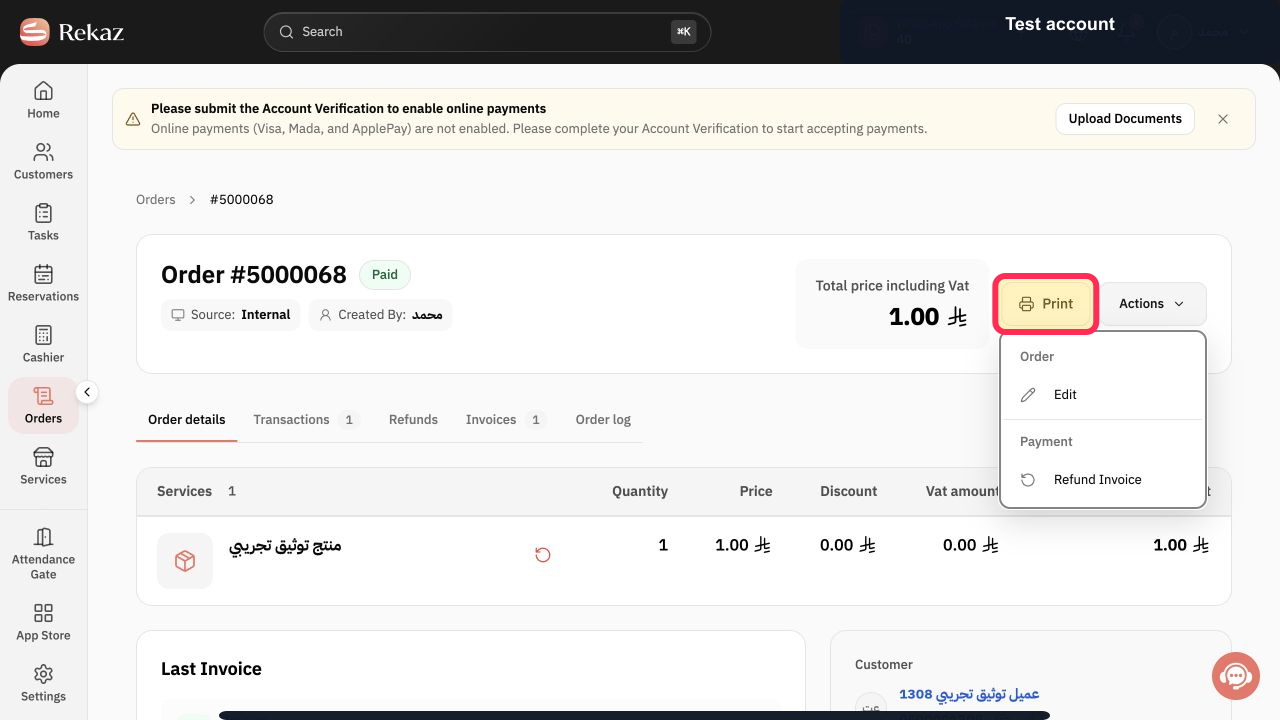
With the order details open, select Print to retry the order print action.
The order print action is triggered from Rekaz.
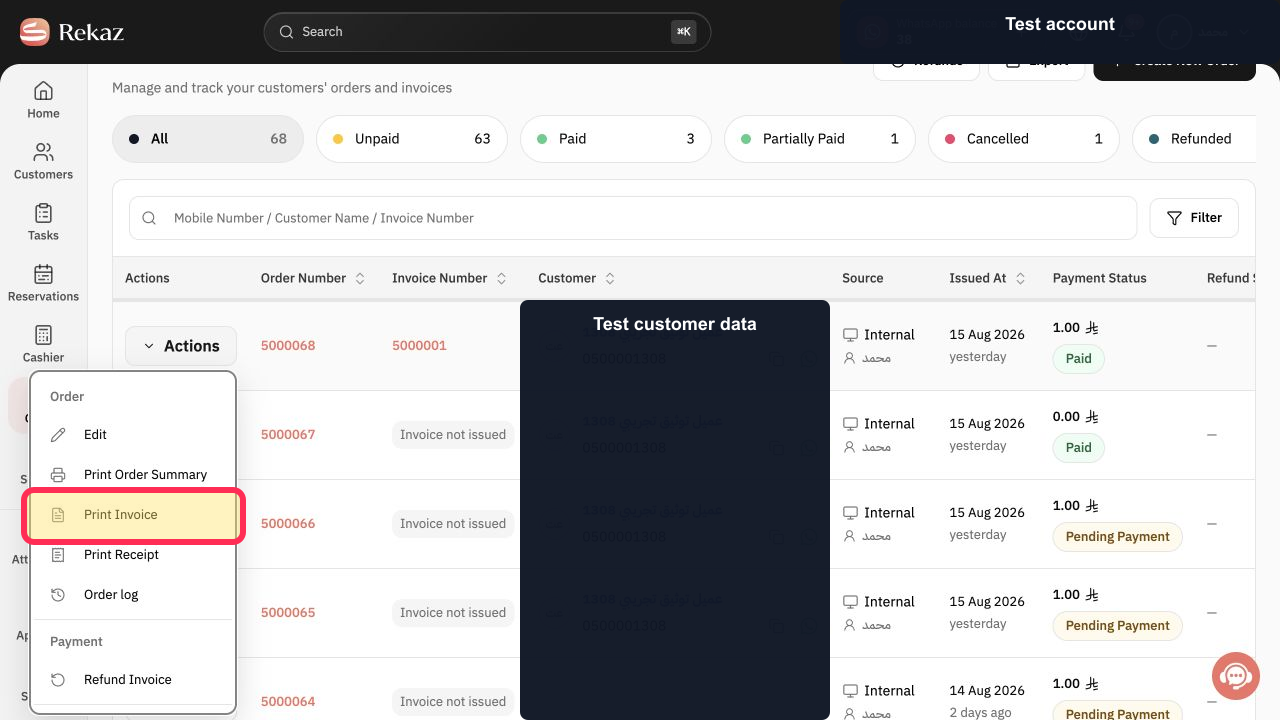
For a paid order invoice, select Print Invoice from the order’s row actions.
The invoice print action is triggered for the paid order.
Illustrated guide
Step 1: The Print button on an open order before starting the print action.
Step 2: The Print Invoice action for a paid order before starting the invoice print action.
Important notes
Rekaz opens the print request. Printer selection and paper size are handled by your browser or operating system.
Use a sample order when testing, and do not include sign-in details or other sensitive information in screenshots or support requests.
If the print window does not open, review your browser’s pop-up permissions.
Make sure the intended printer is connected and selected before printing.
Check that the paper size in the browser or operating-system print settings matches the paper loaded in the printer.
Related questions
Why does the print window not open in Rekaz?
How do I test invoice printing in Rekaz?
Why is Rekaz sending a print request but my printer is not printing?
How do I check the paper size when printing from Rekaz?


