How do I create an API Key in Rekaz?
Use Rekaz Search to open Api Keys, then create a separate key for the integration you are connecting.
The Base64 value is shown only in the creation dialog. Treat both the Base64 value and Tenant ID as credentials and never place them in public screenshots, documents, conversations, or source code.
Steps
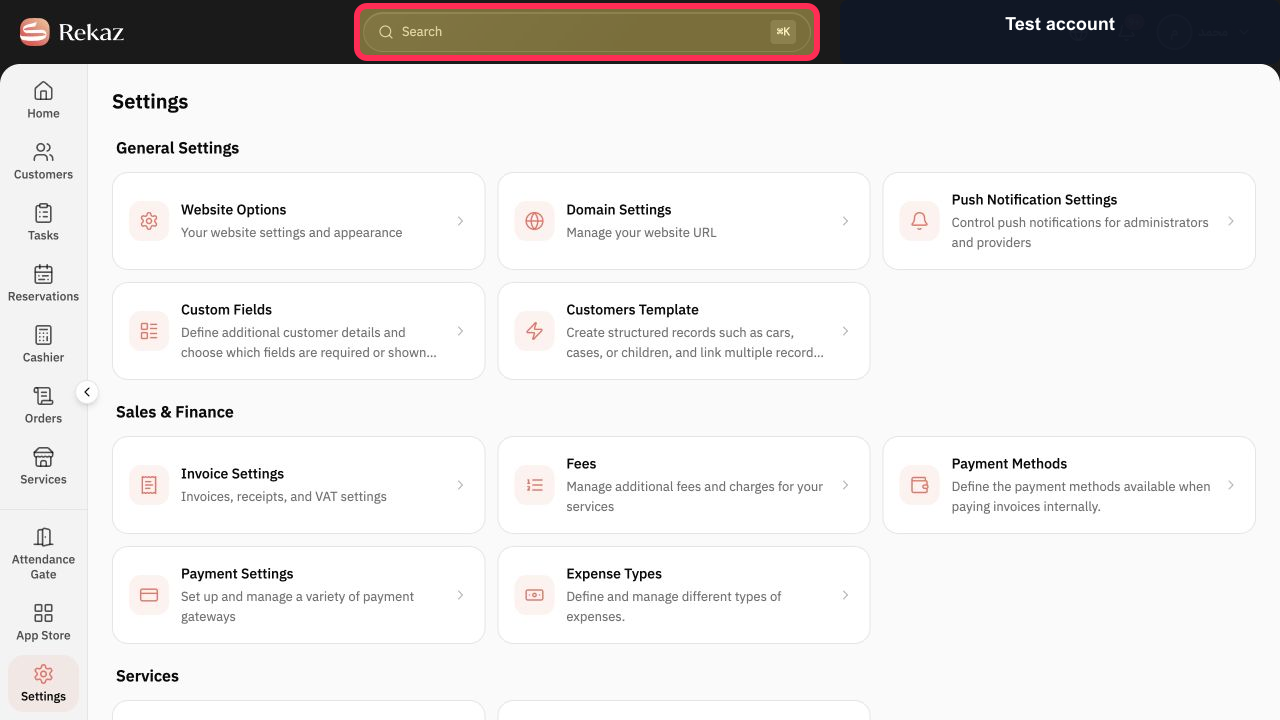
From any Rekaz page, select Search to find Api Keys.
The Rekaz search dialog opens.
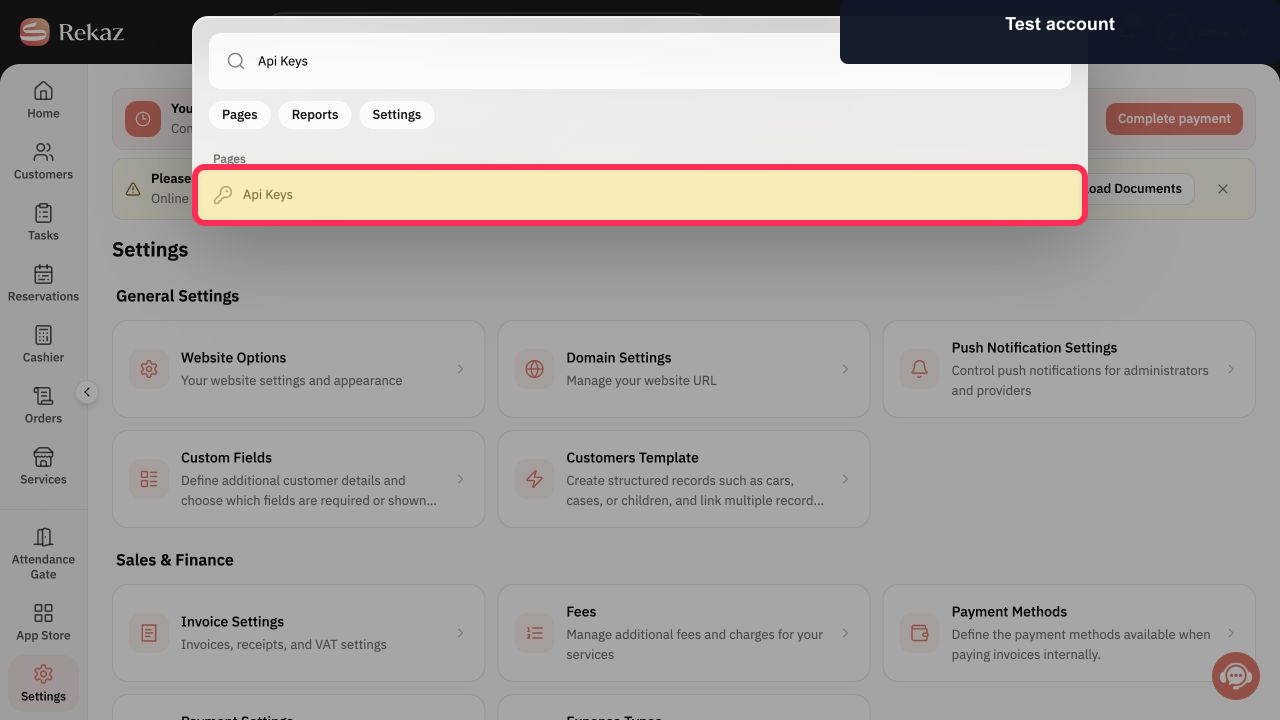
Enter Api Keys, then select Api Keys under Pages.
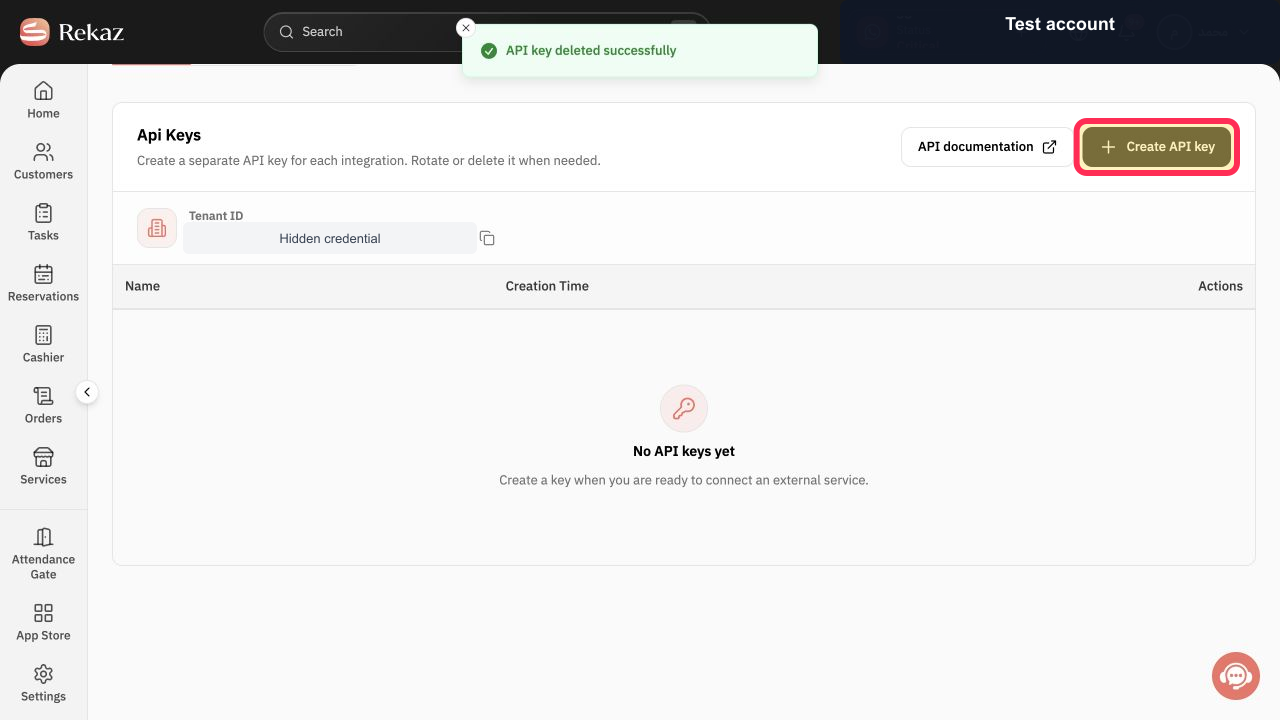
The Api Keys page opens.
On the Api Keys page, select Create API key.
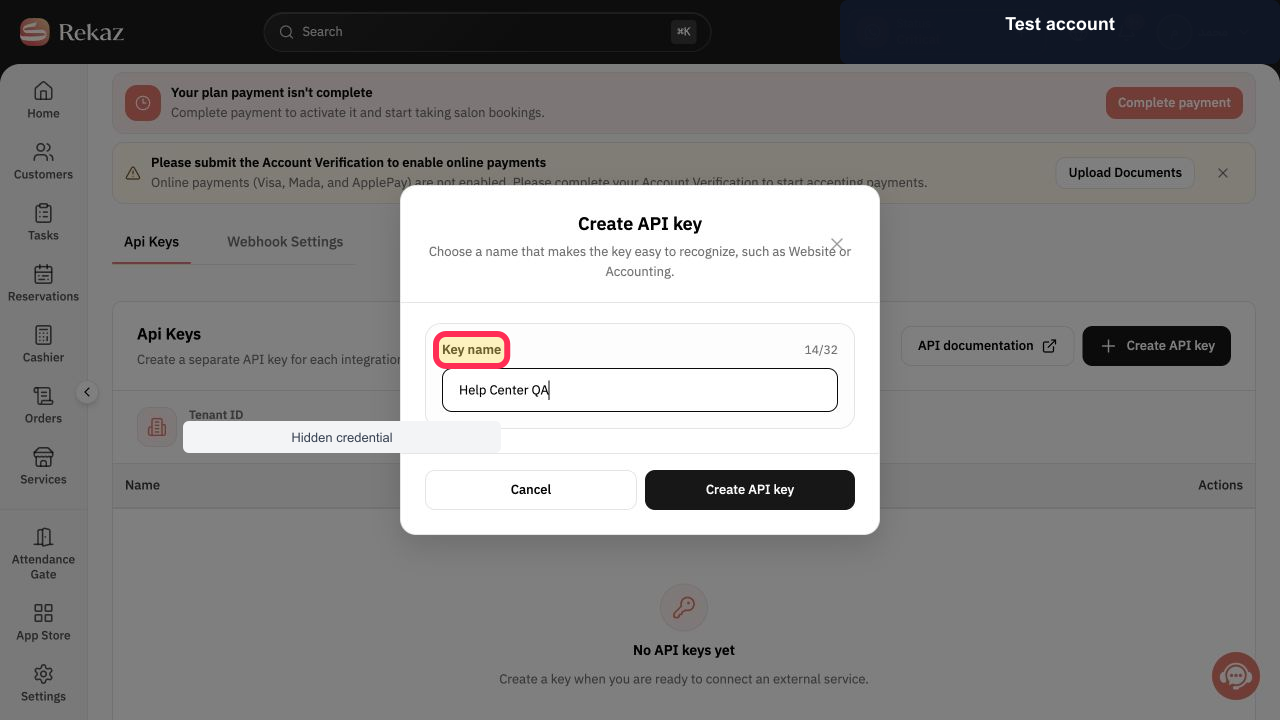
The Create API key dialog opens.
In Key name, enter a clear purpose-based name for the integration.
The key name is entered and the create action becomes available.
Review the name, then select Create API key in the dialog.
The API key created dialog displays the one-time Base64 value and Tenant ID.
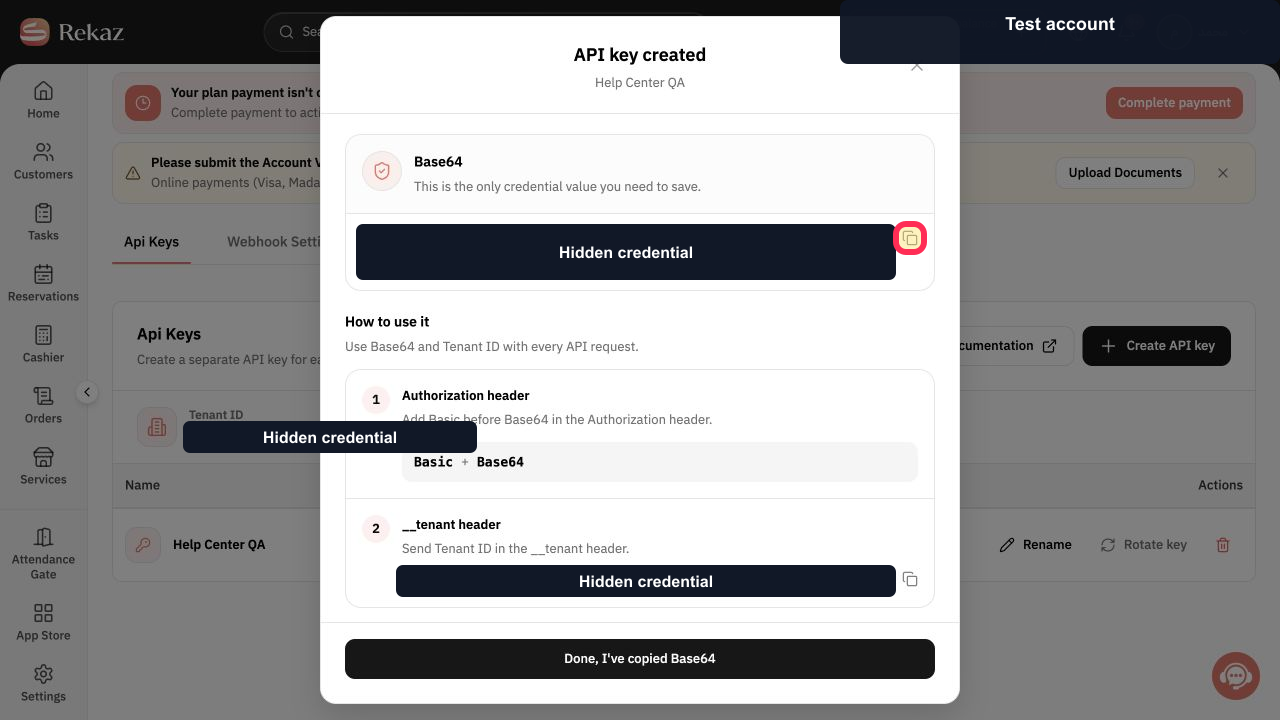
Select Copy Base64 and store the value immediately in an approved secrets manager.
The Base64 credential is copied without exposing it in the guide.
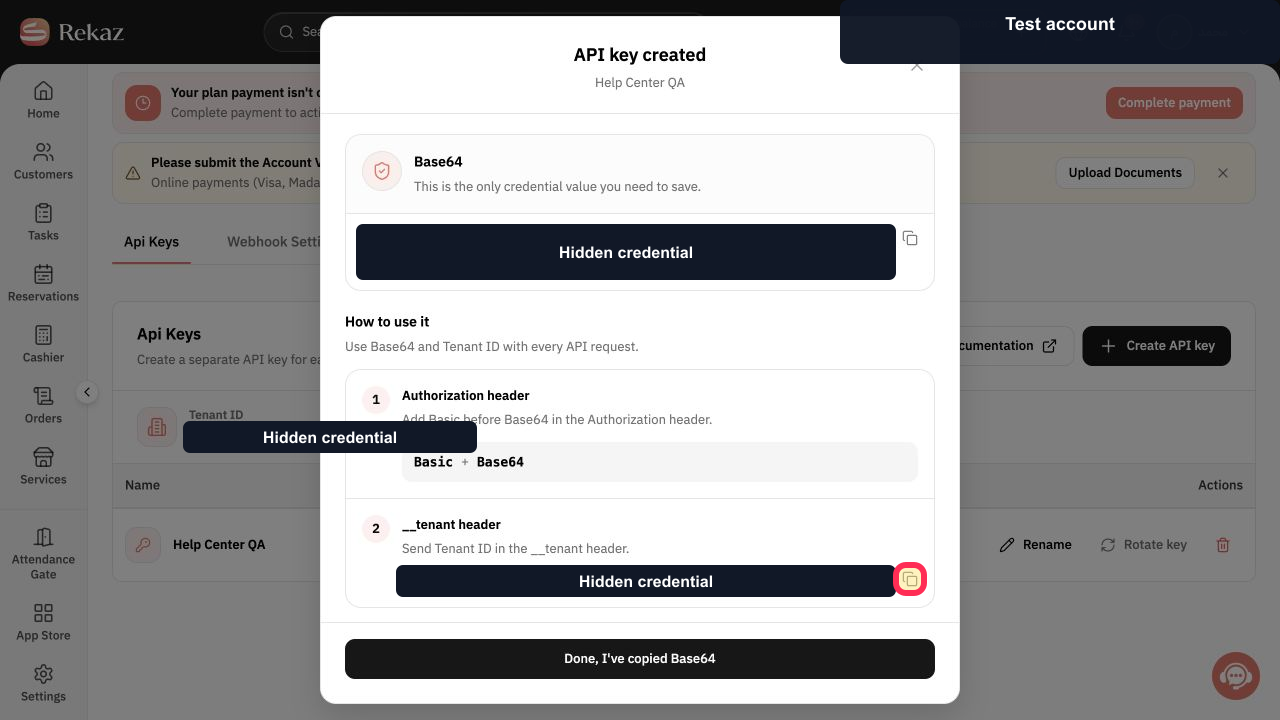
Select Copy Tenant ID and store it with the integration configuration.
The Tenant ID is copied without exposing it in the guide.
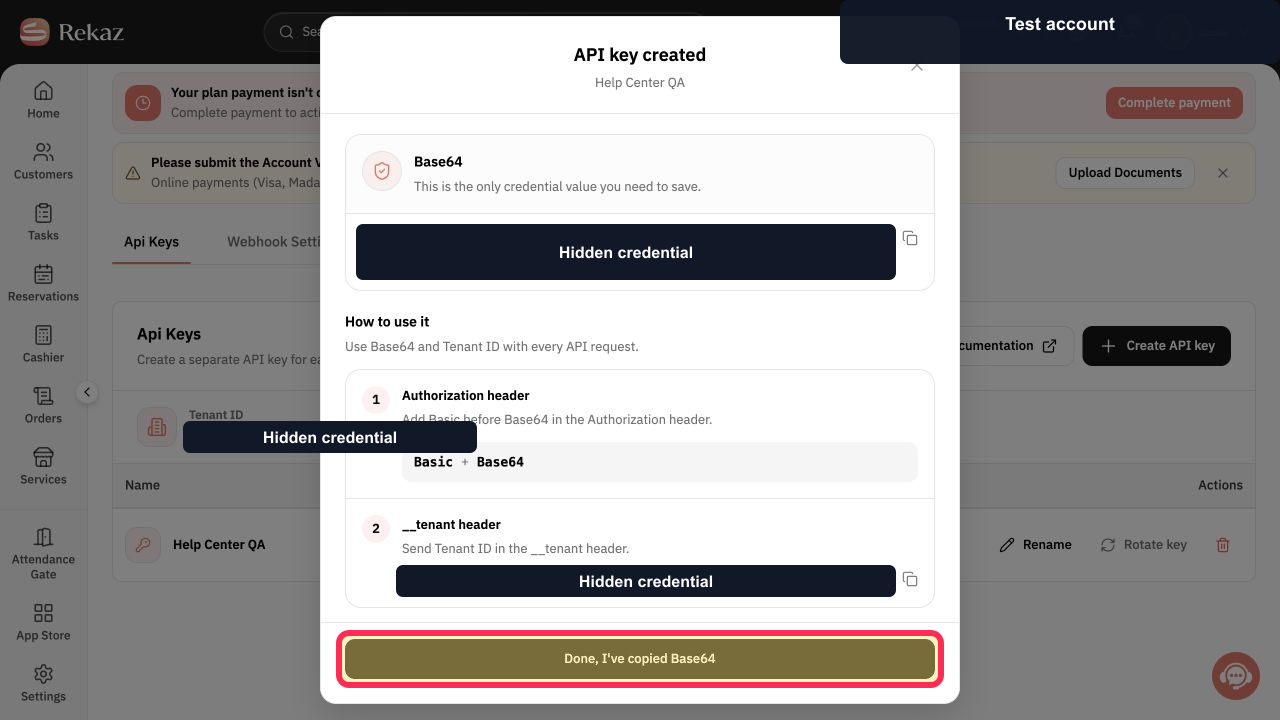
Only after securely storing both values, select Done, I've copied Base64.
The credential dialog closes and the new key appears in the Api Keys list.
Illustrated guide
Step 1: Open Rekaz Search to find Api Keys.
Step 2: Find and open Api Keys from Rekaz Search.
Step 3: Start creating an API key.
Step 4: Name the API key for its integration.
Step 5: Create the named API key.
Step 6: Copy the one-time Base64 credential securely.
Step 7: Copy the Tenant ID securely.
Step 8: Confirm that the API credential was stored securely.
Keep your API Key secure
Treat the API Key and its Base64 value as sensitive credentials.
Do not send the key in a conversation.
Do not add the key to publicly available code.
Use a descriptive name that identifies the application and purpose.
Store the copied value in a secrets manager.
Related questions
Where can I create an API Key in Rekaz?
How do I copy the Base64 value for an API Key in Rekaz?
How do I use an API Key when connecting an external system to Rekaz?


