Why can’t I find Google Calendar in Rekaz?
Google Calendar is not currently listed in the App Store for the documented trial account, so there are no verified setup steps to follow. Availability may change or depend on your plan; contact Rekaz Support to confirm whether it is available for your account.
Steps
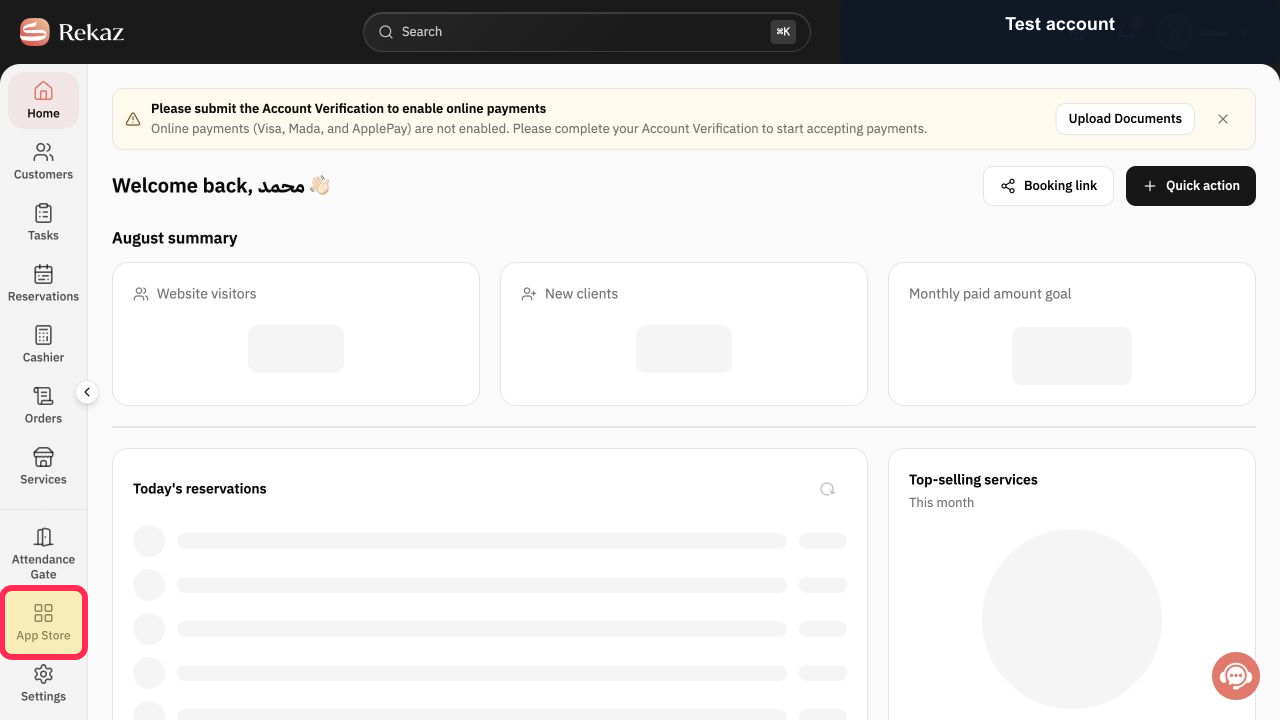
From the signed-in Rekaz dashboard, select App Store in the sidebar.
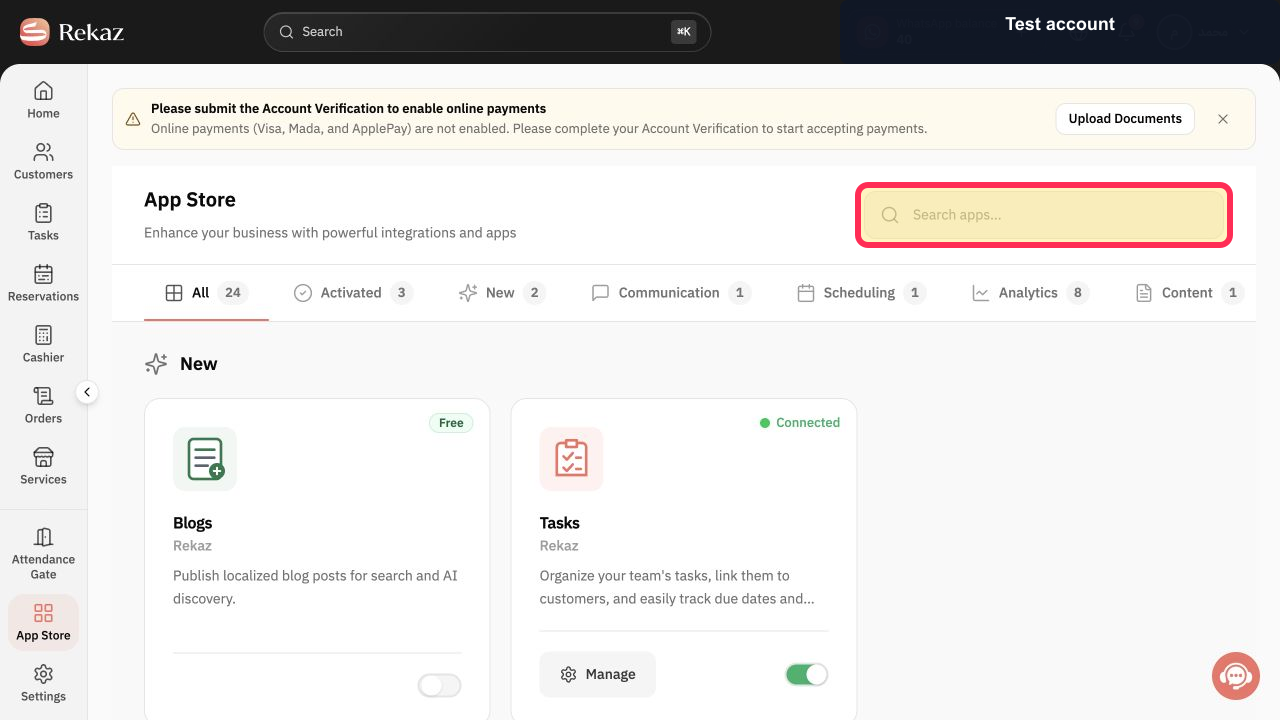
The App Store opens and displays its search box.
In Search apps..., enter Google Calendar and review the App Store results.
The App Store shows any matching integration available to the account.
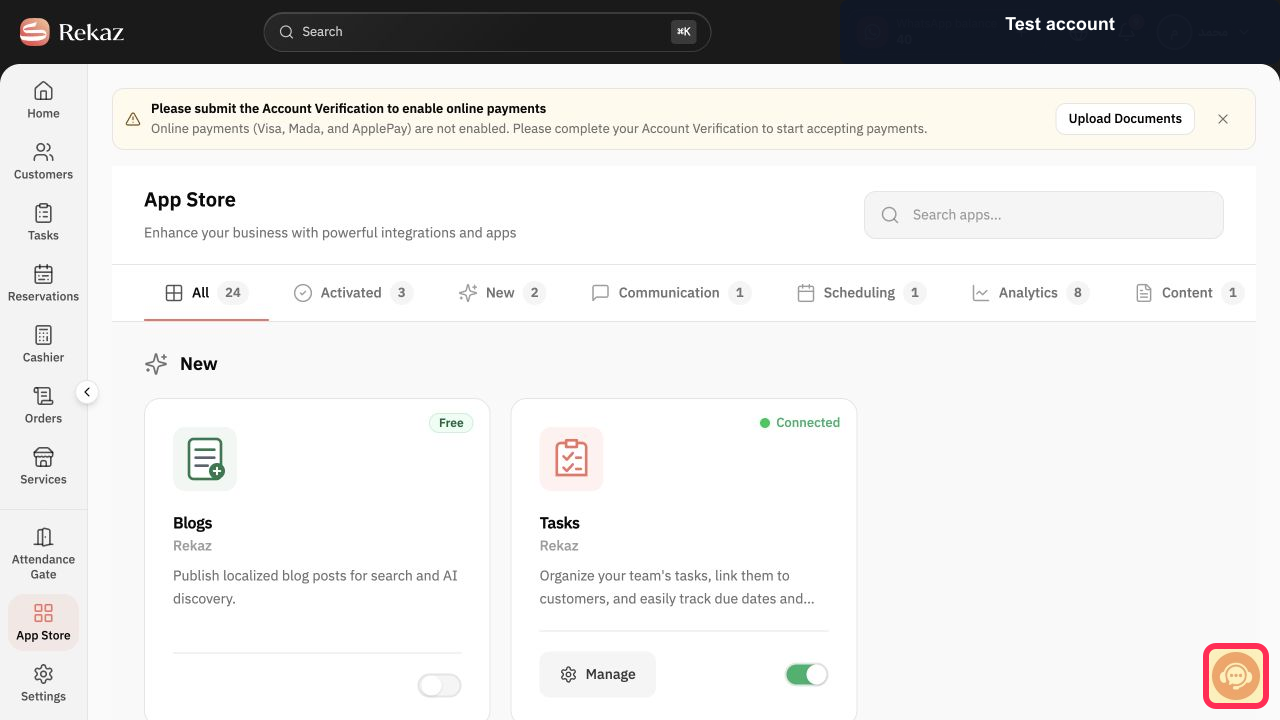
If Google Calendar does not appear in the App Store search results, select Contact support to confirm its current availability for your account before following any unverified connection instructions.
Rekaz support can confirm whether the integration is currently available for the account.
Illustrated guide
Step 1: Open the App Store in Rekaz.
Step 2: Search the Rekaz App Store for Google Calendar.
Step 3: Contact Rekaz support about Google Calendar availability.
Important availability information
This guide reflects a real path in the current Rekaz trial environment. Google Calendar was not available in the App Store search results at the time of documentation.
Availability may change later or vary by plan. Confirm the current status in your own account before publishing or relying on any setup guidance.
Review all values and data before completing any final or financial action.
Related questions
Where can I find the Google Calendar option in Rekaz?
What are the correct steps to connect Rekaz to Google Calendar?
Is Google Calendar available in the Rekaz App Store?


