How do I use the App Store in Rekaz?
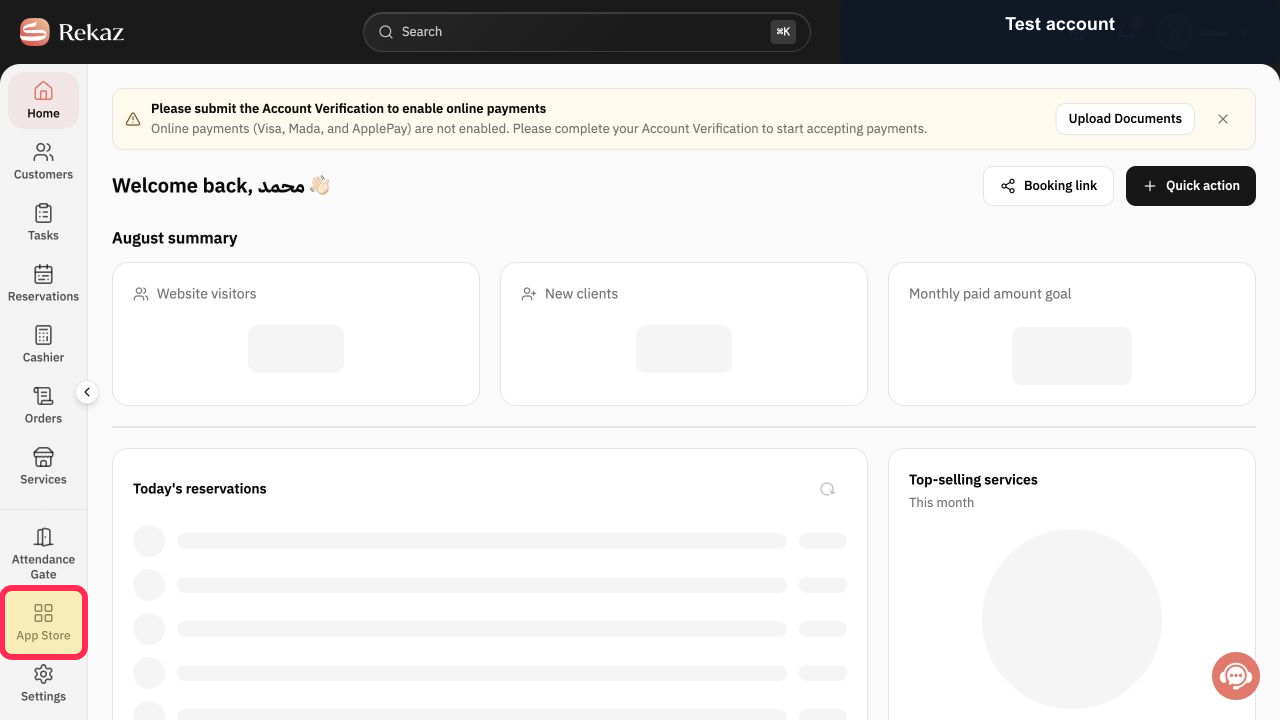
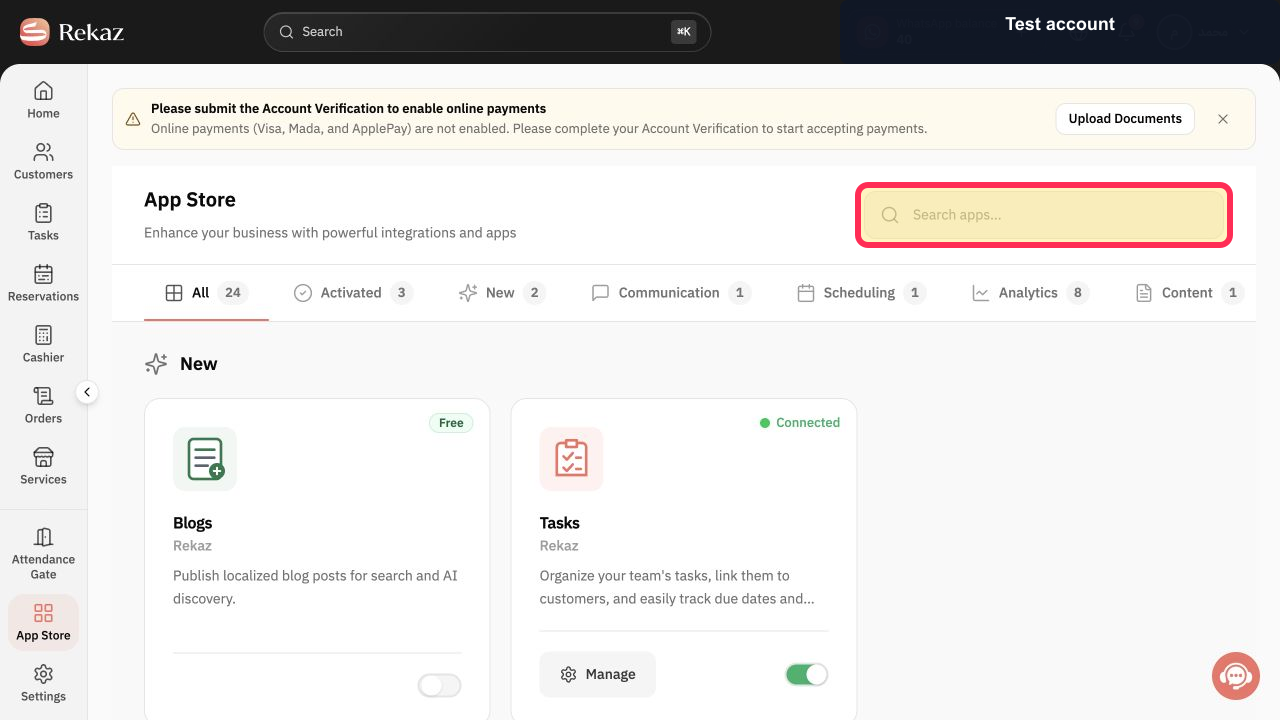
The Rekaz App Store is the place to look for available apps. Open App Store from the sidebar, then use the “Search apps...” field to look up an app by name.
The Category and Active Status filters, integration cards, and Manage and Activate actions are not available in the current interface.
Steps
From the Rekaz sidebar, select App Store.
The App Store page opens.
Verify that the page heading is App Store.
The App Store heading is visible.
In the “Search apps...” field, enter the name of the app you want to find.
Your search text appears in the app search field.
Illustrated guide
Step 1: Select App Store in the Rekaz sidebar.
Step 2: Confirm that the App Store page is open.
Step 3: Search the App Store for an app by name.
Important notes and limitations
The integrations available to you, and their activation status, can vary by account and plan.
Review the values and data involved before completing any final or financial action.
Do not activate an integration until you have reviewed its Permissions and the data it will be able to access.
Related questions
Where can I find the App Store in Rekaz?
How do I search for an integration in the Rekaz App Store?
How do I filter integrations by category or activation status in Rekaz?
How do I manage or activate an integration in Rekaz?


