How do I cancel an unpaid order in Rekaz?
You can cancel an order in Rekaz only while no payment has been recorded on it. From the order details, open Actions and select Cancel Order.
The confirmation message explains that cancelling the order also cancels its assigned services. Review these services before you confirm.
Steps
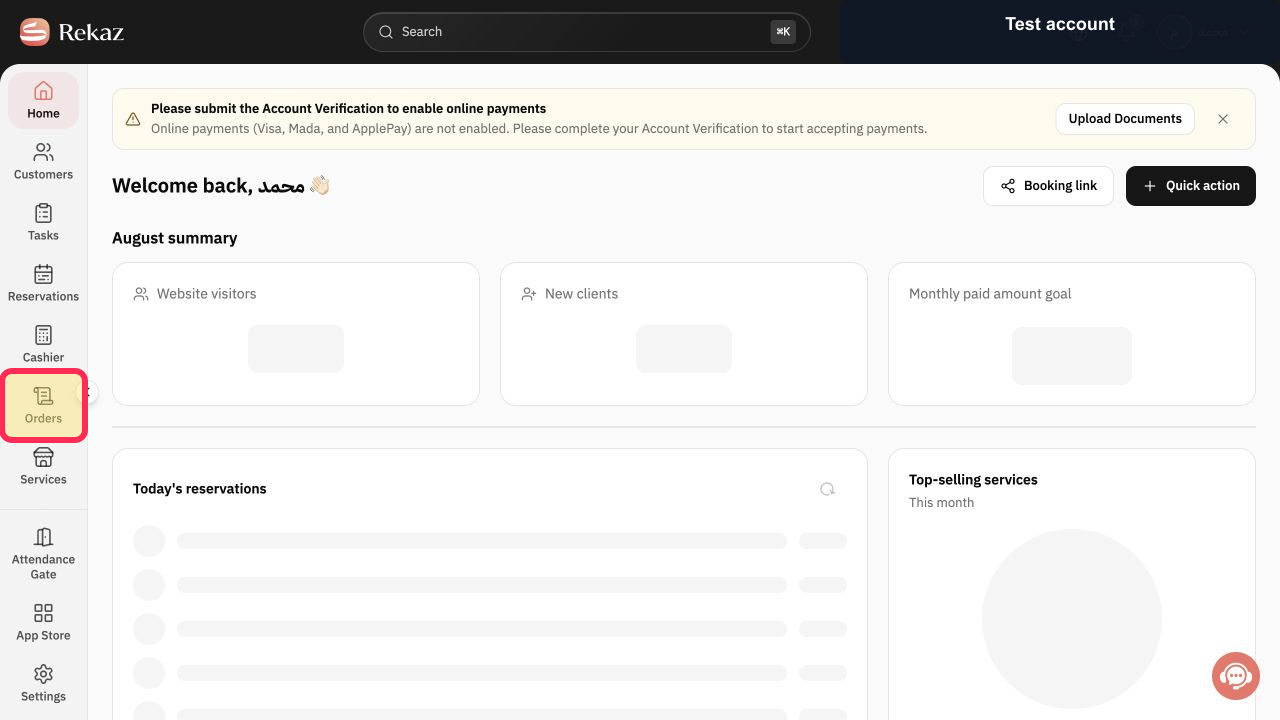
From the Home sidebar, select Orders.
The Orders page opens.
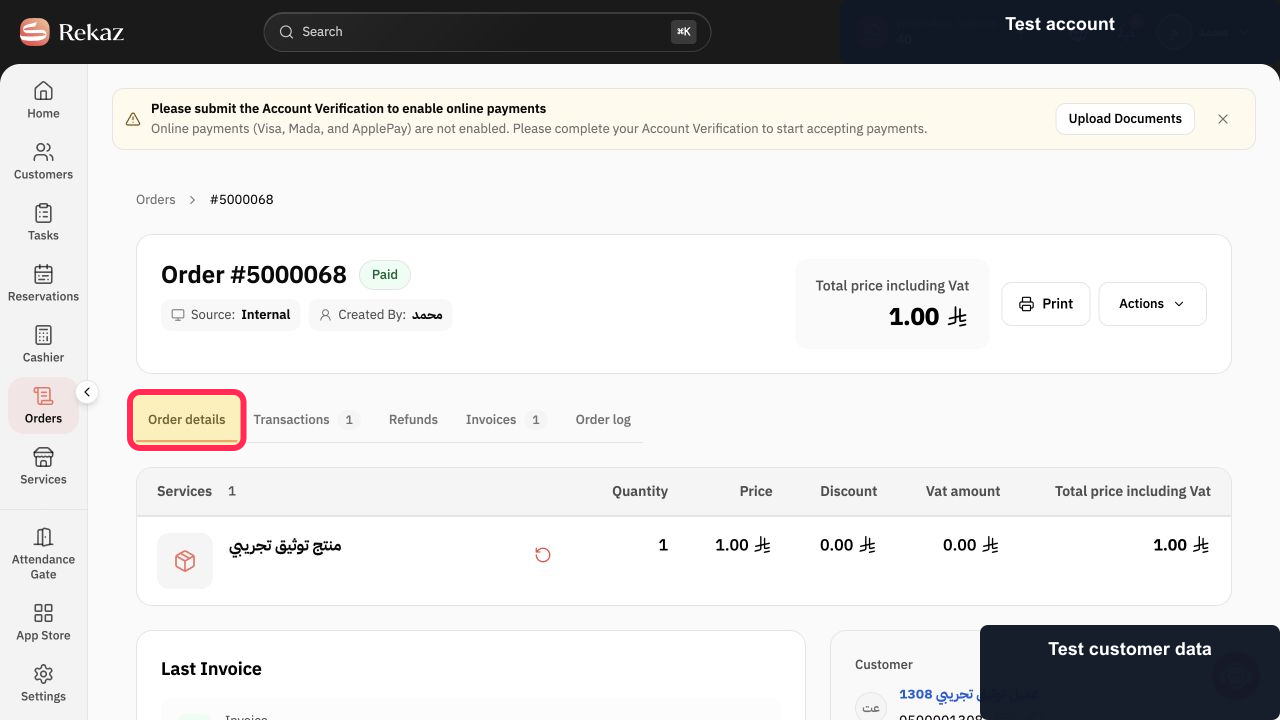
Open the unpaid order that you want to cancel.
The Order details page for the selected order opens.
In Order details, select Actions.
The Actions menu opens and shows the sensitive actions available for this unpaid order.
Select Cancel Order.
A confirmation message appears.
Review the confirmation message and select Cancel Order to confirm.
The order is cancelled, including its assigned services.
Illustrated guide
Step 1: Select Orders from the sidebar.
Step 2: Open the unpaid order from the Orders list.
Step 3: Open Actions from the order details.
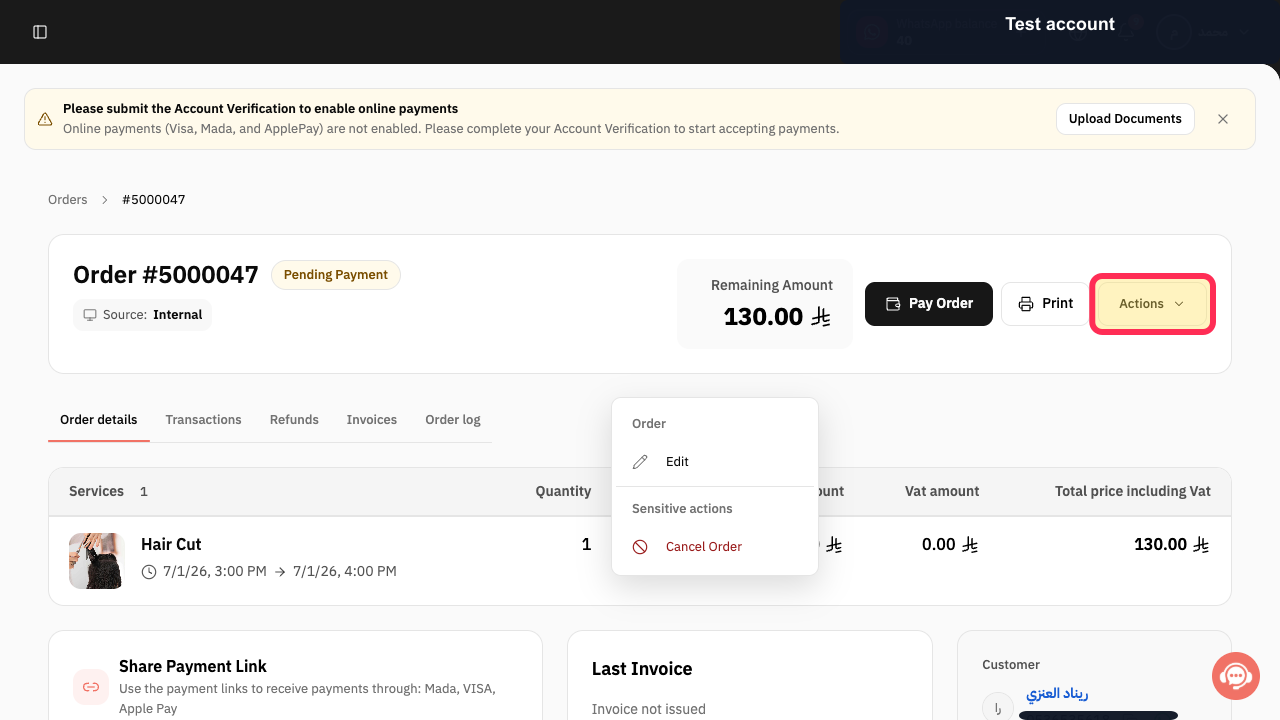
Step 4: Choose Cancel Order from the sensitive actions.
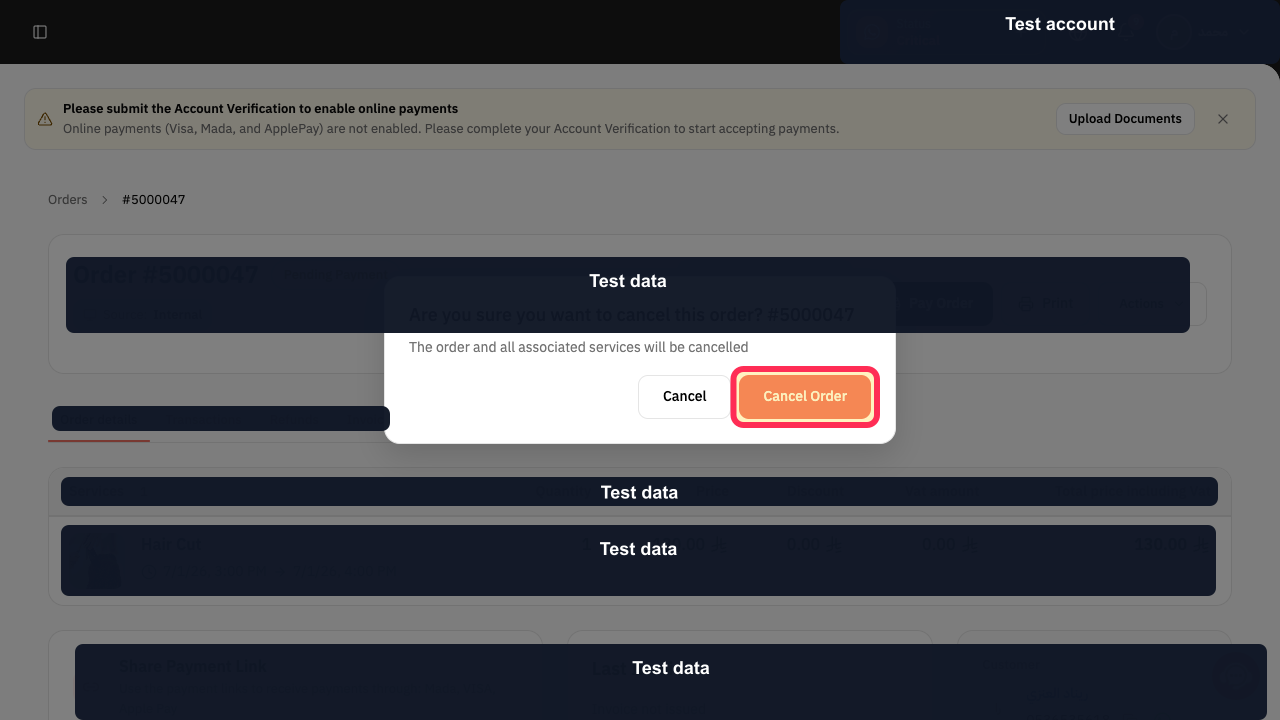
Step 5: Review the confirmation message, then confirm the cancellation.
Important notes
Cancel Order is available for an order with no recorded payment.
If a payment has already been recorded, the available action may be Refund instead of cancellation.
Review the assigned services before you confirm, because they are cancelled with the order.
Related questions
How do I cancel an order before payment in Rekaz?
Where can I find Cancel Order in Rekaz?
How do I stop a new order in Rekaz?


