How do I find subscriptions that are ending soon in Rekaz?
The Ending Soon status tab collects customer subscriptions that are approaching their end date. Use search and Filter to focus on a particular customer, service, or branch.
Always read the Start & End Date shown in the row before contacting a customer or renewing the subscription.
Steps
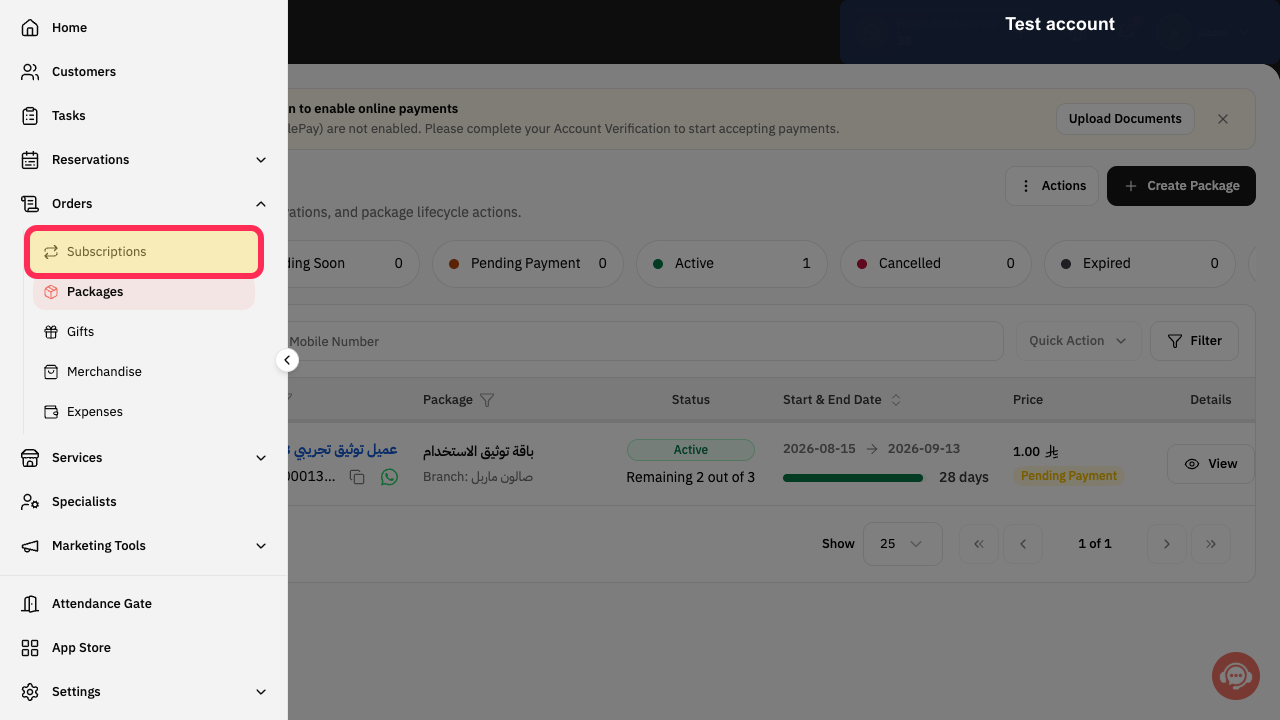
Select Subscriptions in the Rekaz sidebar.
The Subscriptions page opens.
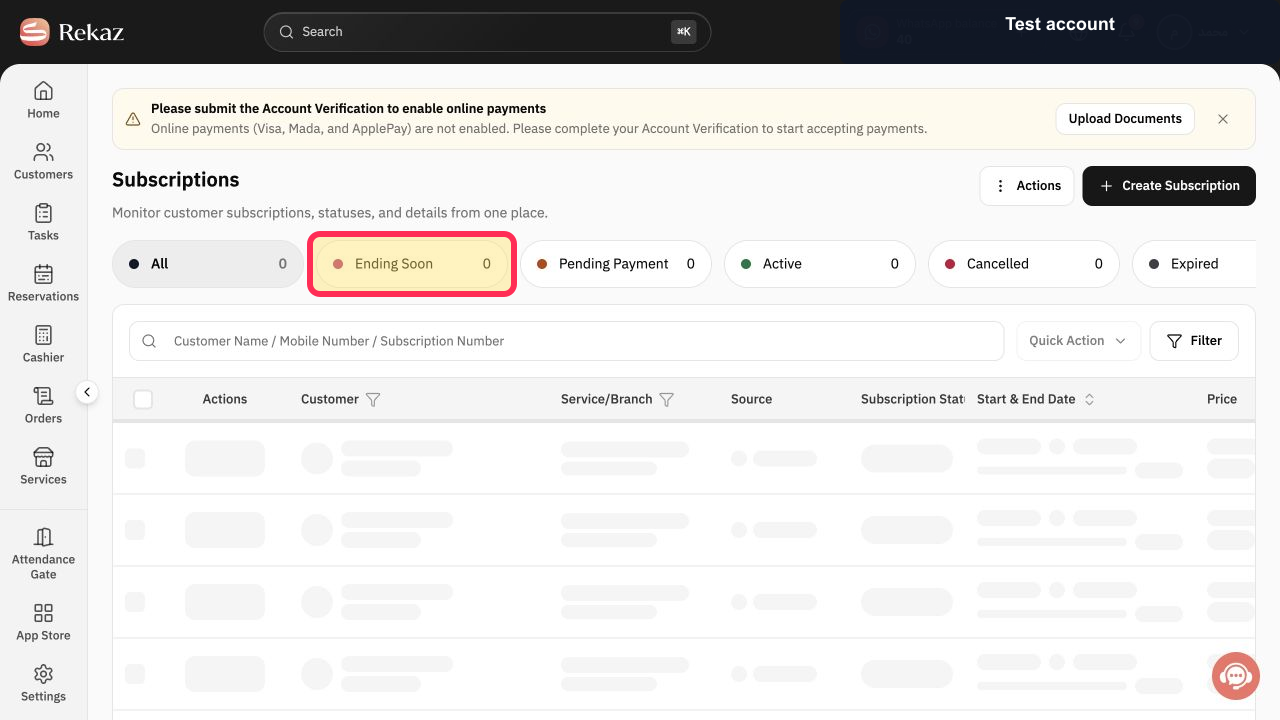
Select Ending Soon.
Only subscriptions in the Ending Soon status group are displayed.
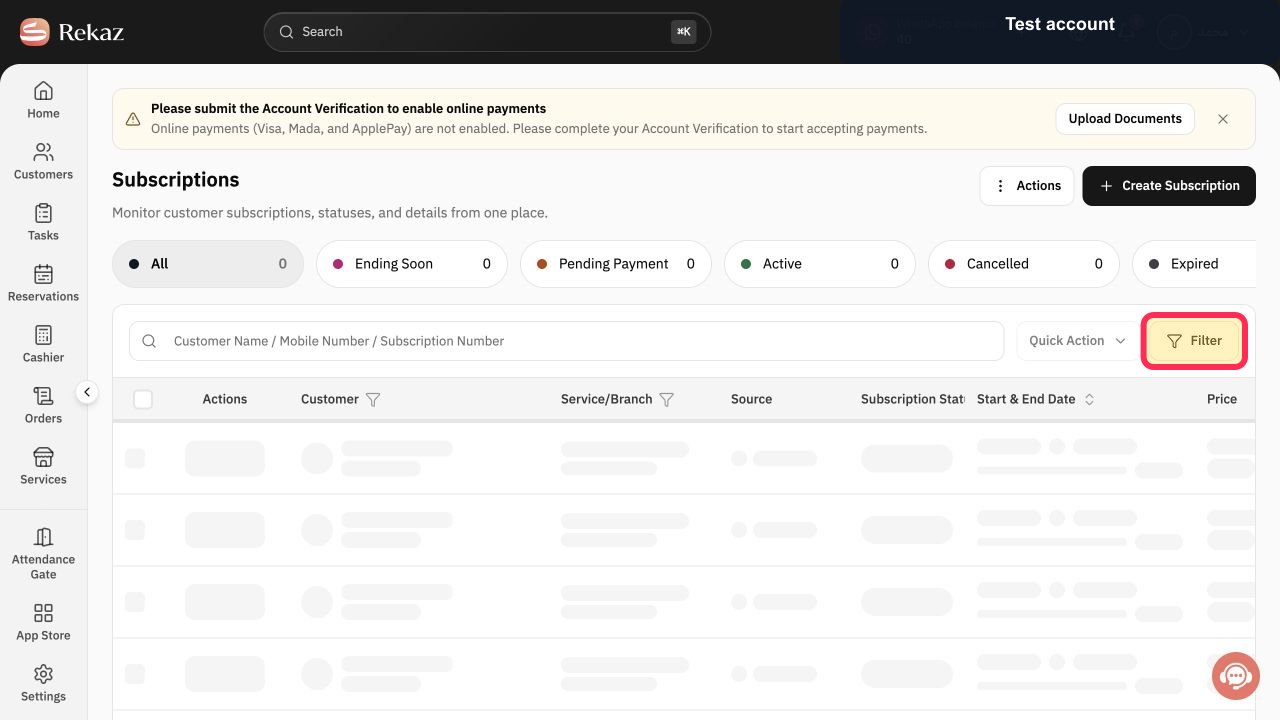
Use Customer Name / Mobile Number / Subscription Number search or Filter when you need to narrow the list.
The ending-soon results are narrowed to the intended records.
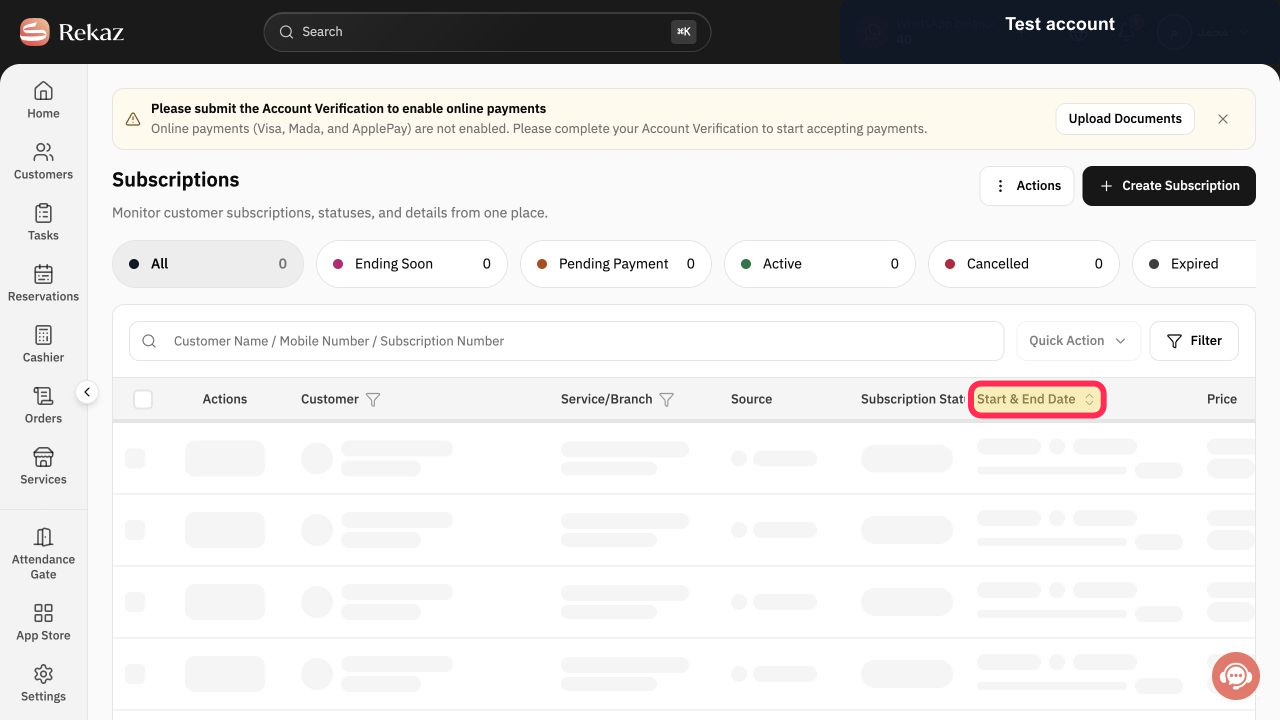
Review Customer, Service/Branch, Subscription Status, and Start & End Date in each row.
The subscriptions requiring follow-up are identified by their displayed dates.
Illustrated guide
Step 1: Open customer Subscriptions.
Step 2: Open the Ending Soon subscriptions tab.
Step 3: Search or filter the Ending Soon list.
Step 4: Review the end dates for the matching subscriptions.
Important notes
The counter reflects the number of records that match the selected status.
If you manage multiple branches, adjust search and filters before reviewing the results.
Check the displayed values and data before taking any final or financial action.
Related questions
Where can I find subscriptions that are ending soon in Rekaz?
How do I check the end date of subscriptions in Rekaz?
How can I filter subscriptions that are close to ending in Rekaz?


