How do I record a customer subscription payment in Rekaz?
This article covers customer subscription payments in Rekaz. The current authenticated subscription UI does not show the Actions > Pay & Activate flow or another post-creation action for recording a payment.
If you choose to create the subscription without payment, verify the payment-stage notice before continuing: the resulting order has no payment and the subscription remains pending payment. No further payment-recording path is available in the current interface.
Steps
At the subscription payment stage, review the notice: “Order will be created without payment and subscription stays pending payment.”
The payment-stage notice confirms that the order will be created without payment and the subscription will remain pending payment.
Verify the limitation before continuing: the current supplied subscription UI does not provide an available post-creation payment-recording control.
The visible payment-stage notice remains available as the documented outcome for creating the subscription without payment.
Illustrated guide
Step 1: Payment-stage notice for a subscription created without payment.
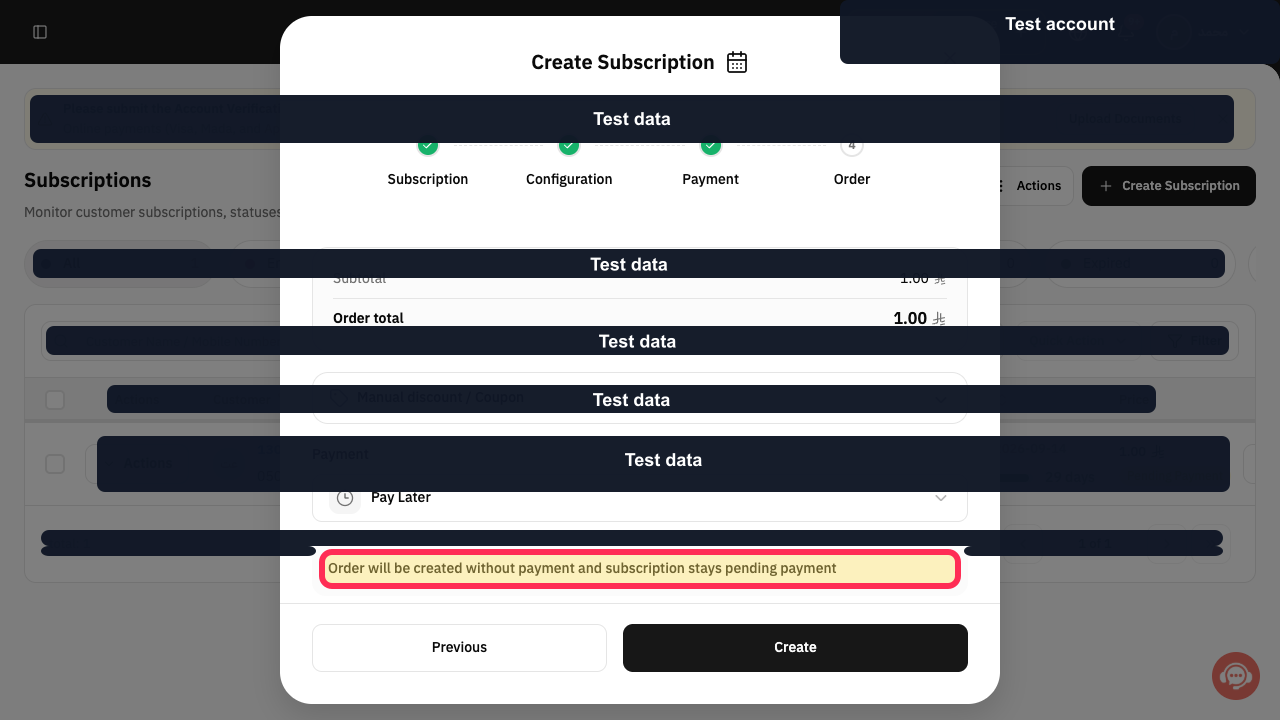
Step 2: Current subscription payment limitation: no post-creation payment-recording action is available.
Important notes
A subscription created with payment due later stays in Pending Payment until it is paid or manually activated.
Review all values and details before performing a final or financial action.
Related questions
Where can I find Pay & Activate for a customer subscription in Rekaz?
Why is my customer subscription still Pending Payment in Rekaz?
How do I send a payment link for a customer subscription in Rekaz?


