How do I check a customer's remaining package sessions or uses in Rekaz?
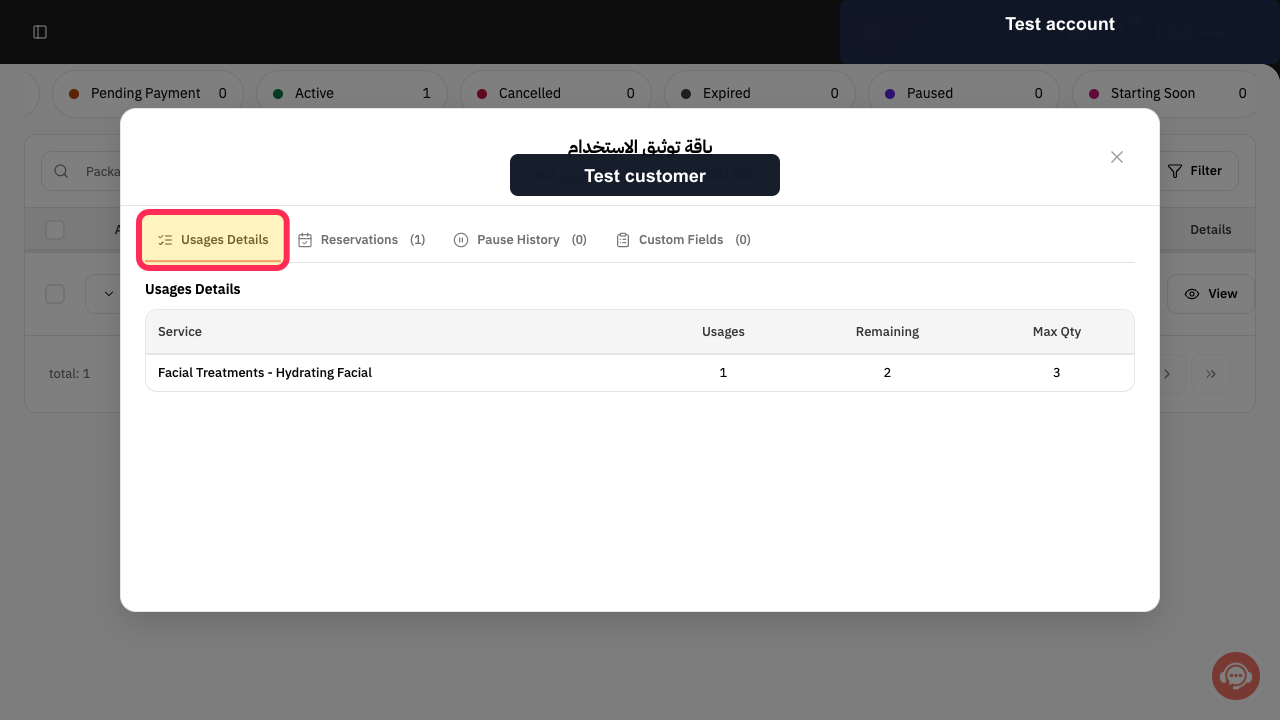
In Rekaz, the Packages page shows the remaining number of sessions or uses in the package row. If a package contains multiple services, open View and check Usages Details to see the uses, remaining amount, and maximum for the specific service.
Search using either the package name or the customer name.
Steps
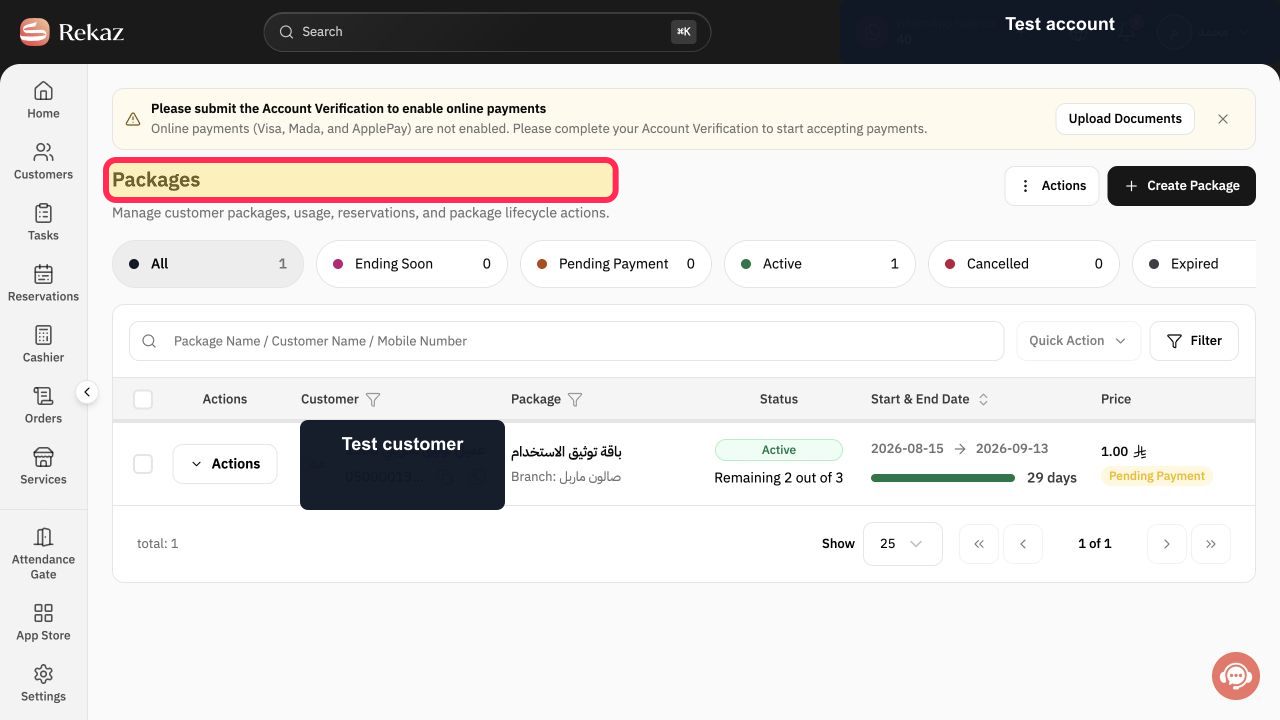
From Home, open the Packages page.
The Packages page opens.
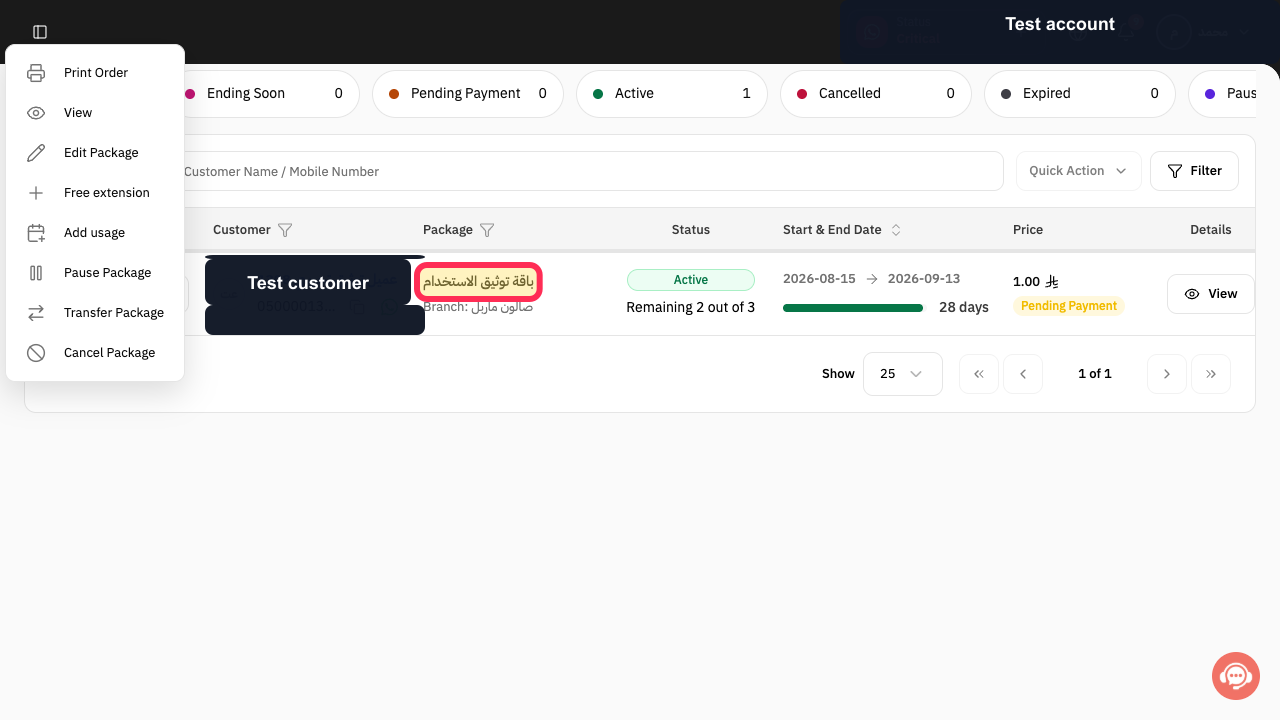
In the Active package list, verify the correct customer and package. The screenshot uses the test package باقة توثيق الاستخدام.
The intended active customer package row is identified.
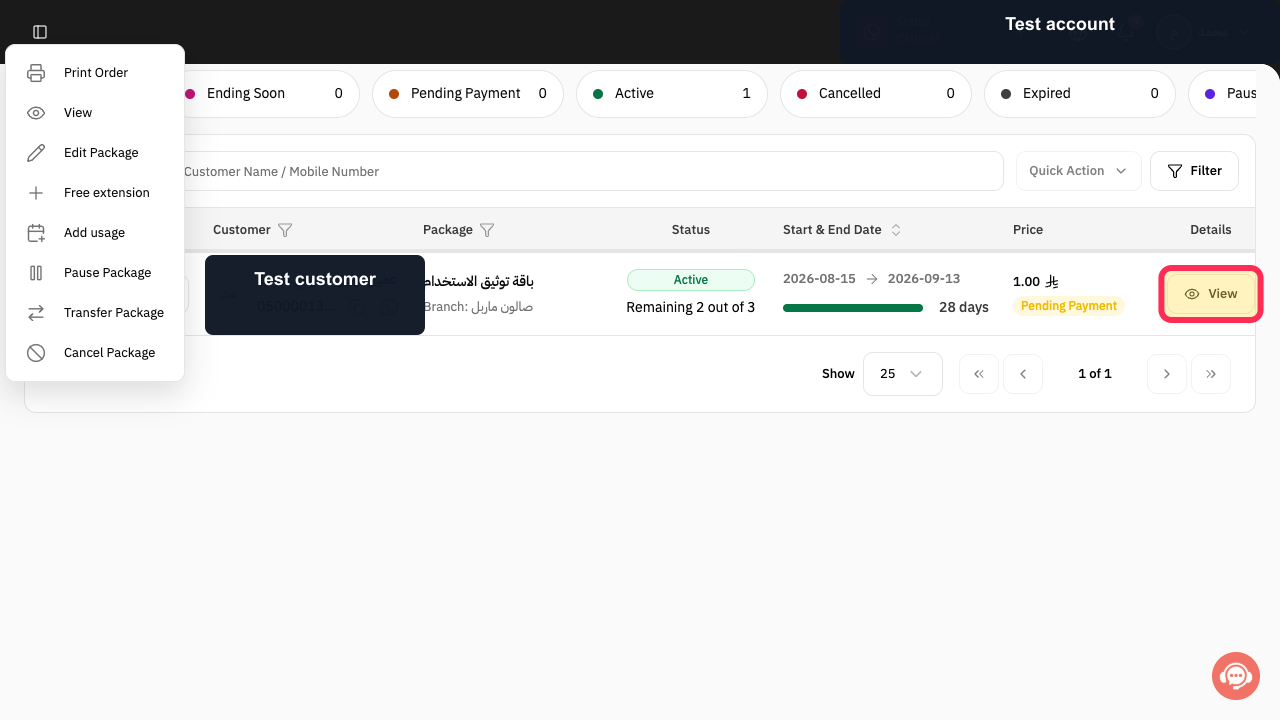
Select View on the verified package row.
The package detail dialog opens.
Under Usages Details, find the required service and review its Usages, Remaining, and Max Qty values.
The selected package's usage balance is visible for each included service.
Illustrated guide
Step 1: Open the Packages page in Rekaz.
Step 2: Verify the active customer package to review.
Step 3: Open the active customer package details.
Step 4: Review the customer's remaining package usage.
Important note
The remaining value can differ by service within the same package. Use Usages Details whenever the package includes more than one service.
Related questions
Where can I see a customer’s remaining package sessions in Rekaz?
How do I check the remaining uses for a service in a customer’s package in Rekaz?
Why should I open View when checking the remaining uses in a multi-service package in Rekaz?


