How do I temporarily pause subscriptions or packages for multiple customers in Rekaz?
Rekaz supports a bulk pause from the Subscriptions and Packages lists. Select the active records first; Quick Action remains disabled until at least one row is selected.
The current Packages menu also says Pause Subscription, while its confirmation dialog says Pause selected packages. Only active records are included in the pause.
Steps
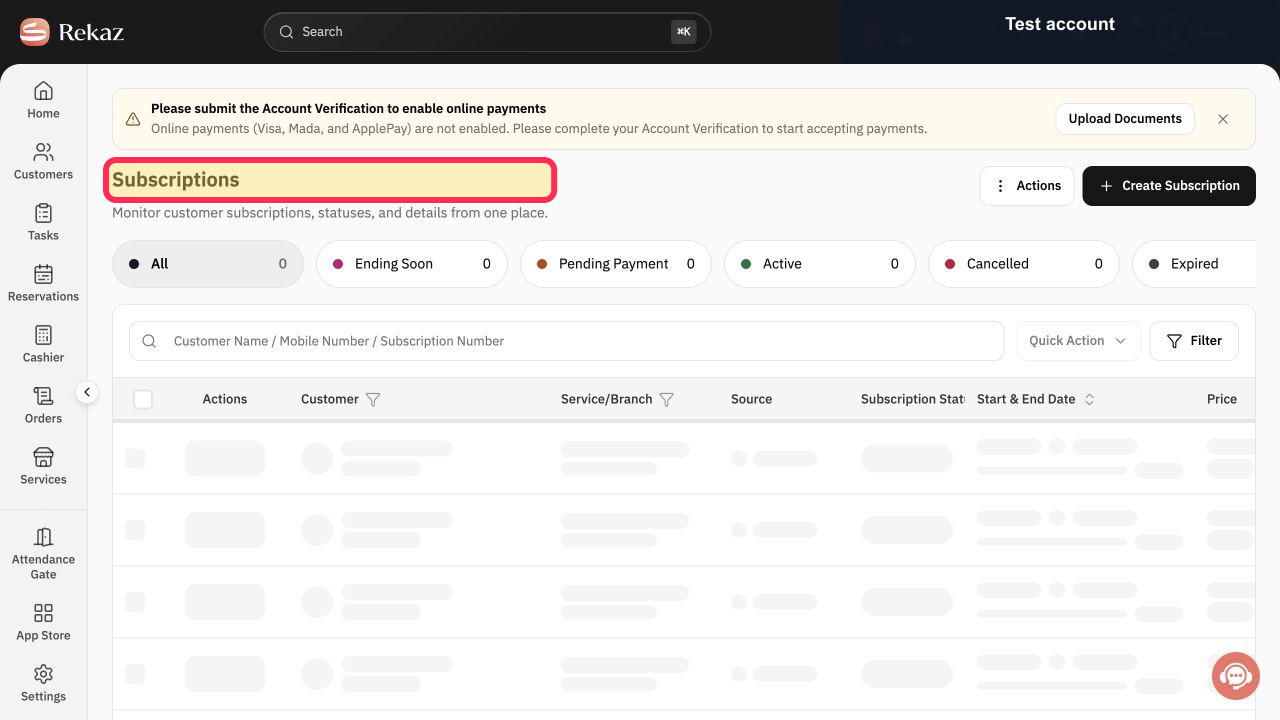
Open Subscriptions or Packages.
The selected customer-record list opens.
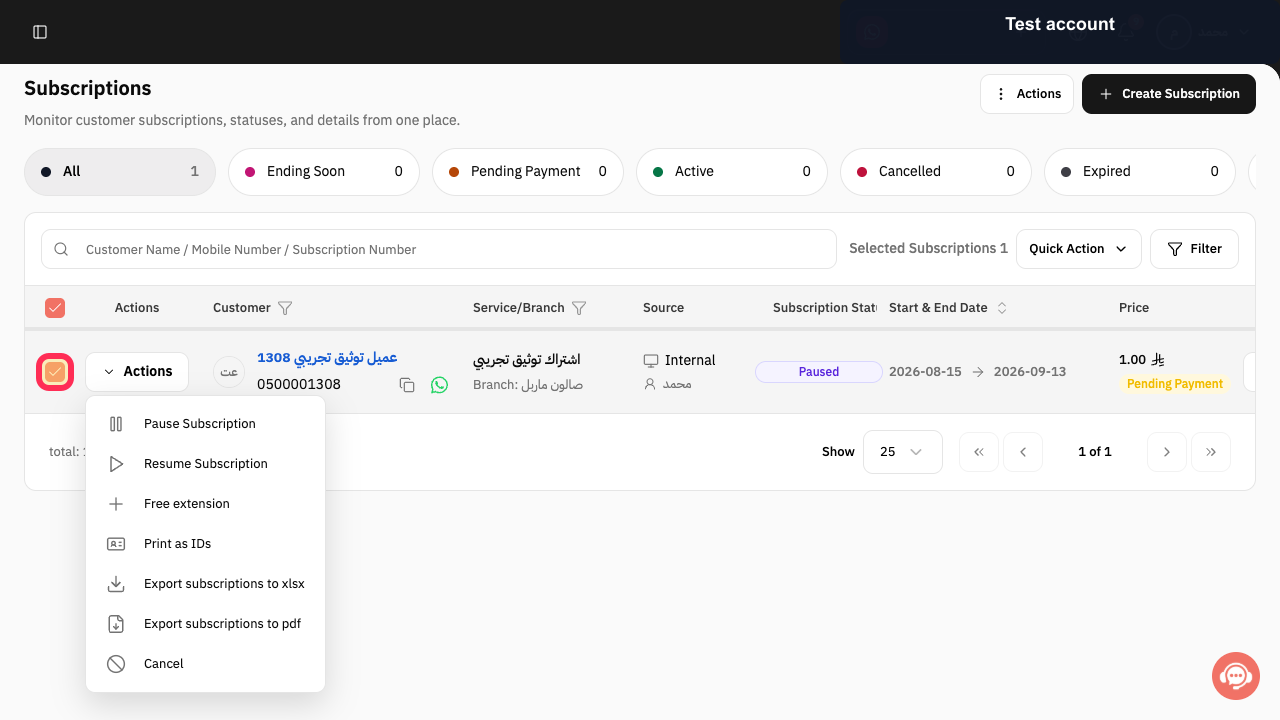
Select the checkbox for each active subscription or package that should pause.
The selected rows are checked and Quick Action is enabled.
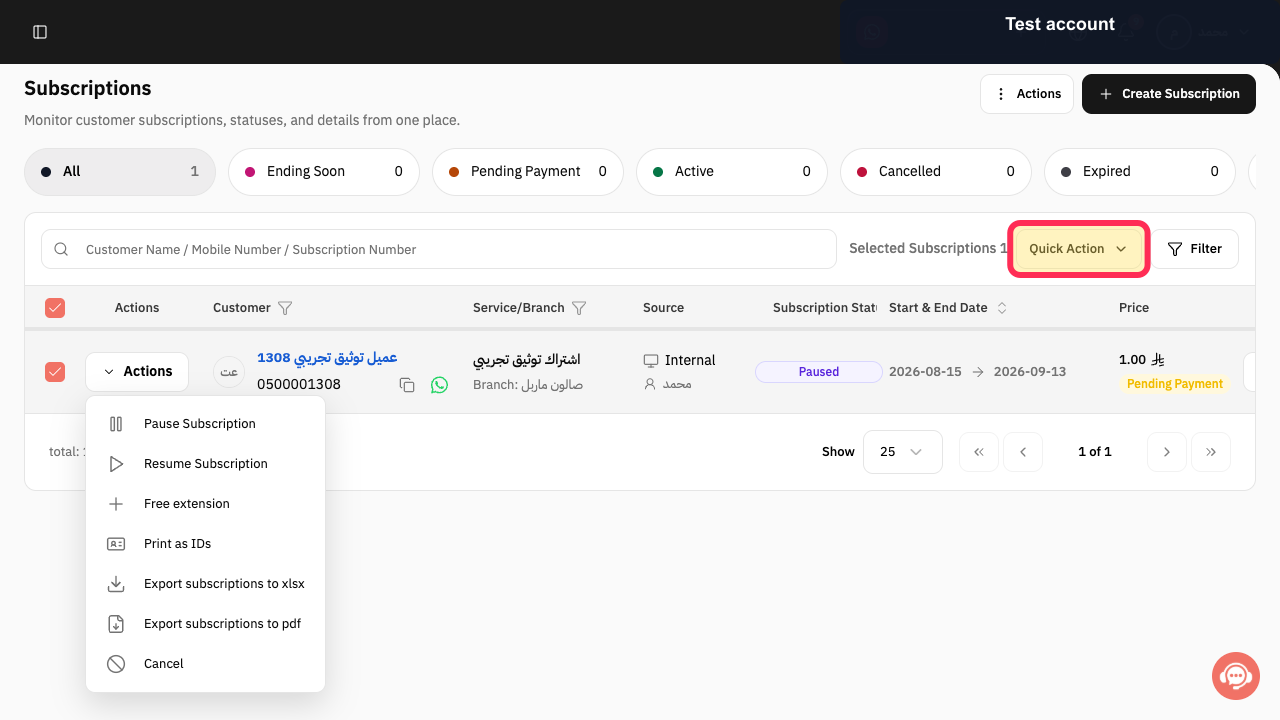
Select Quick Action.
The bulk-action menu opens.
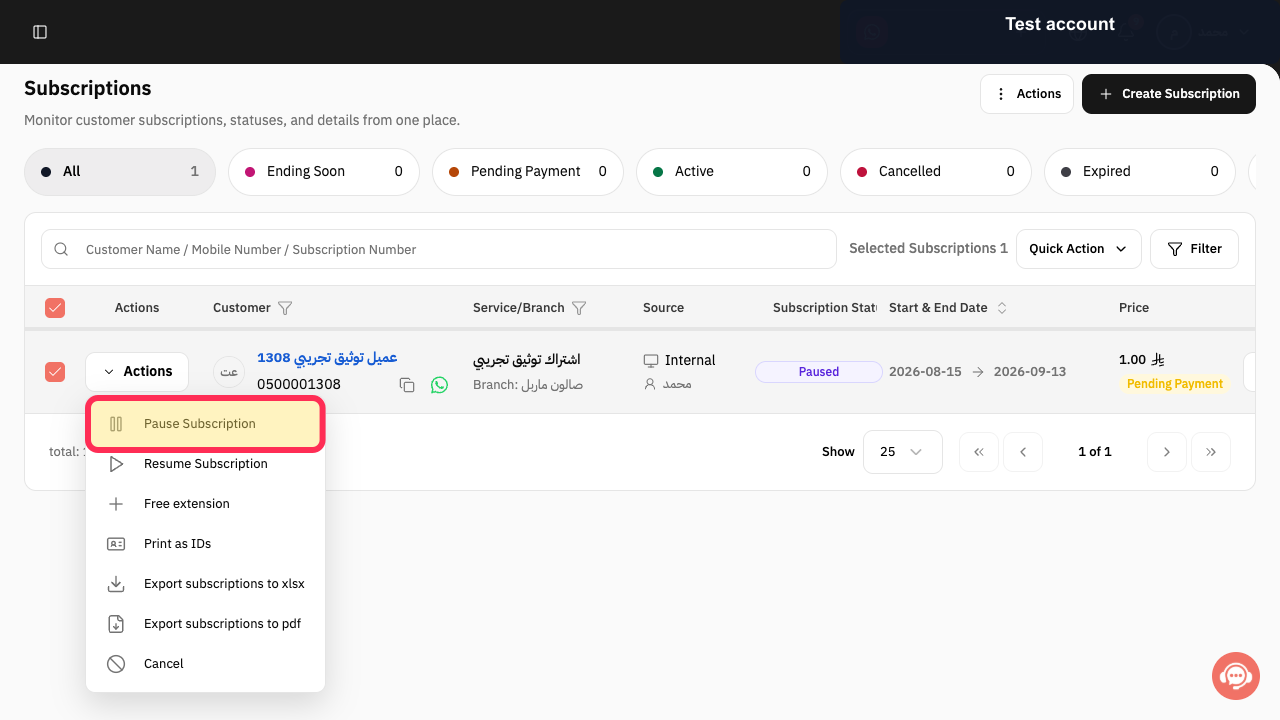
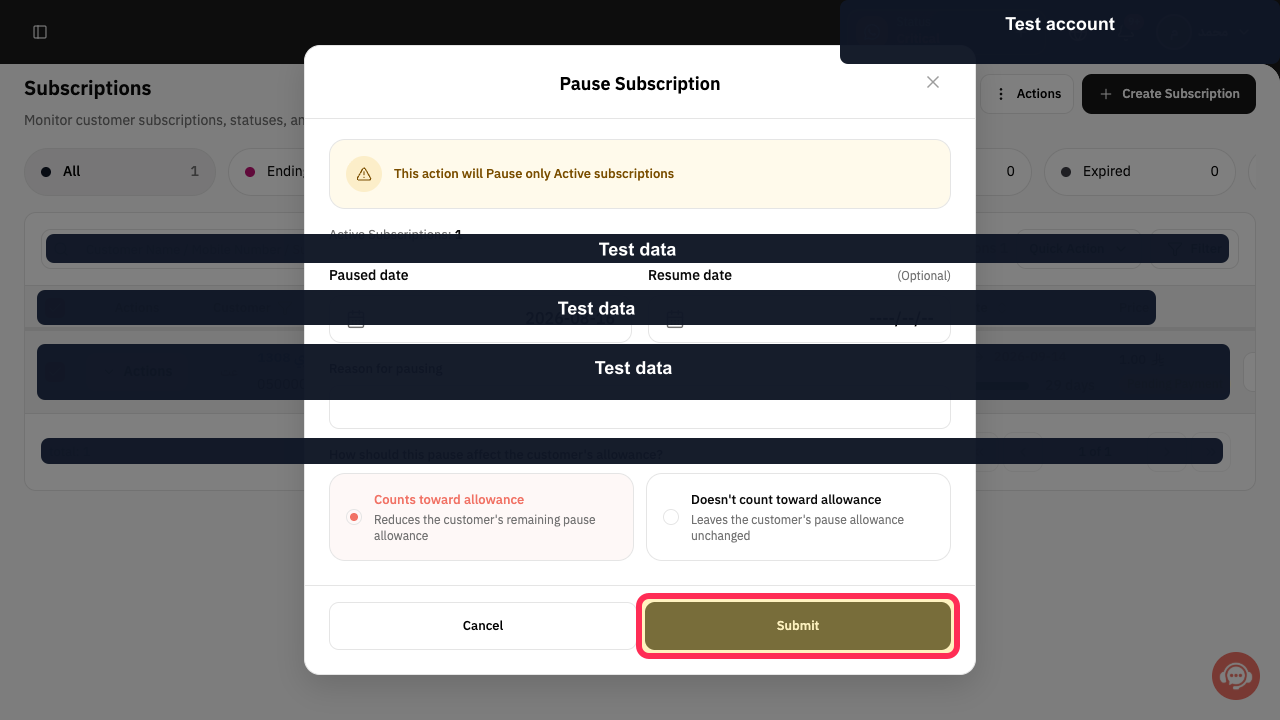
Select Pause Subscription. On Packages, the next dialog is titled Pause selected packages.
The bulk pause dialog opens.
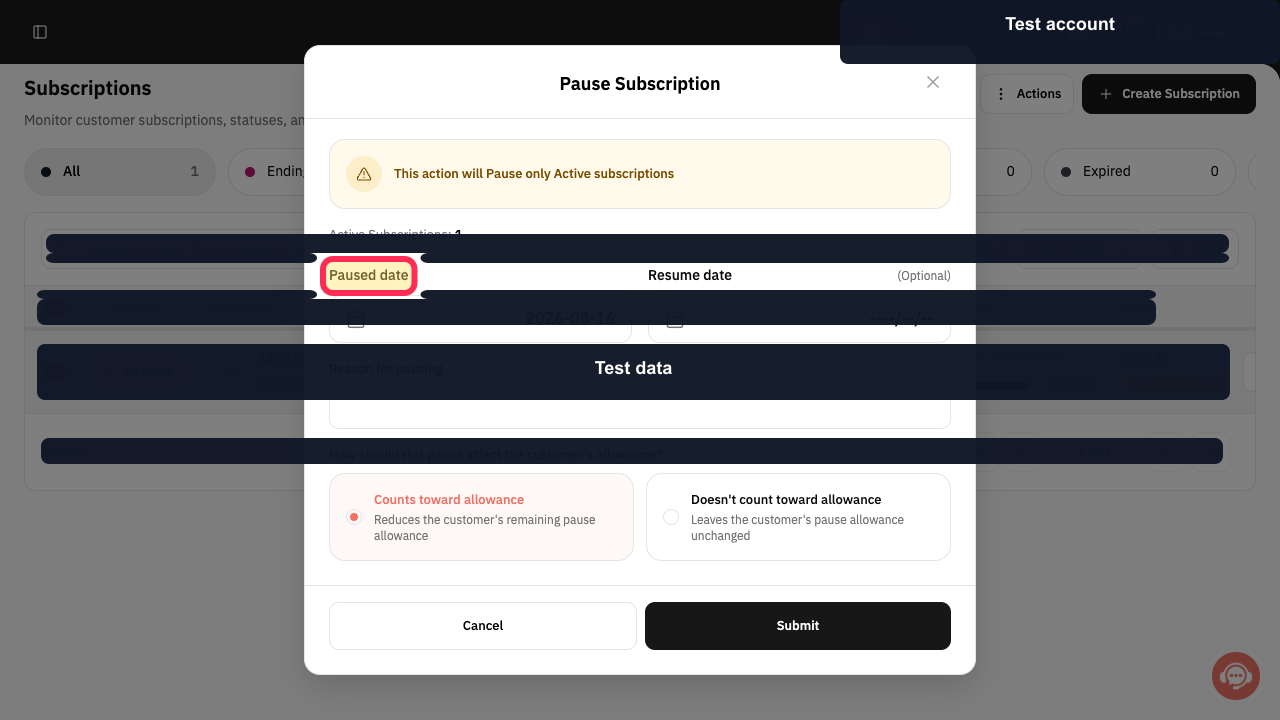
Set Paused date.
The pause start date is selected.
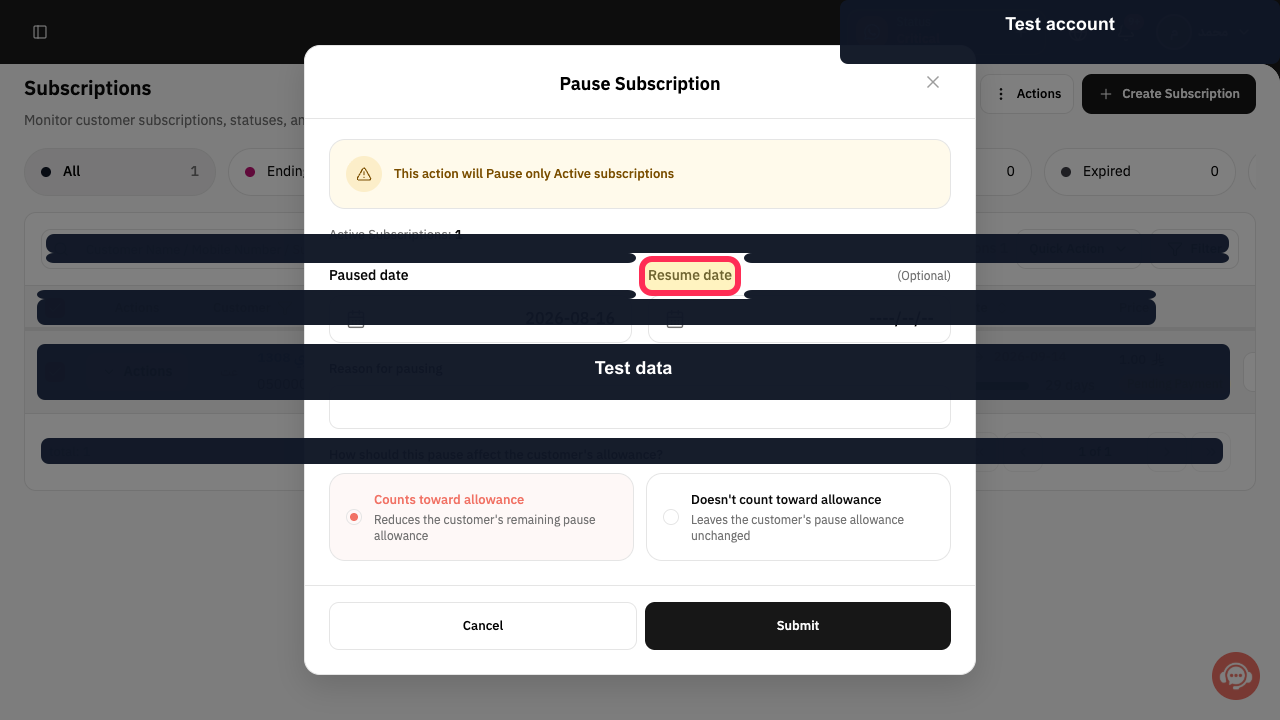
Optional: set Resume date for automatic resumption.
The resume date is selected or left empty.
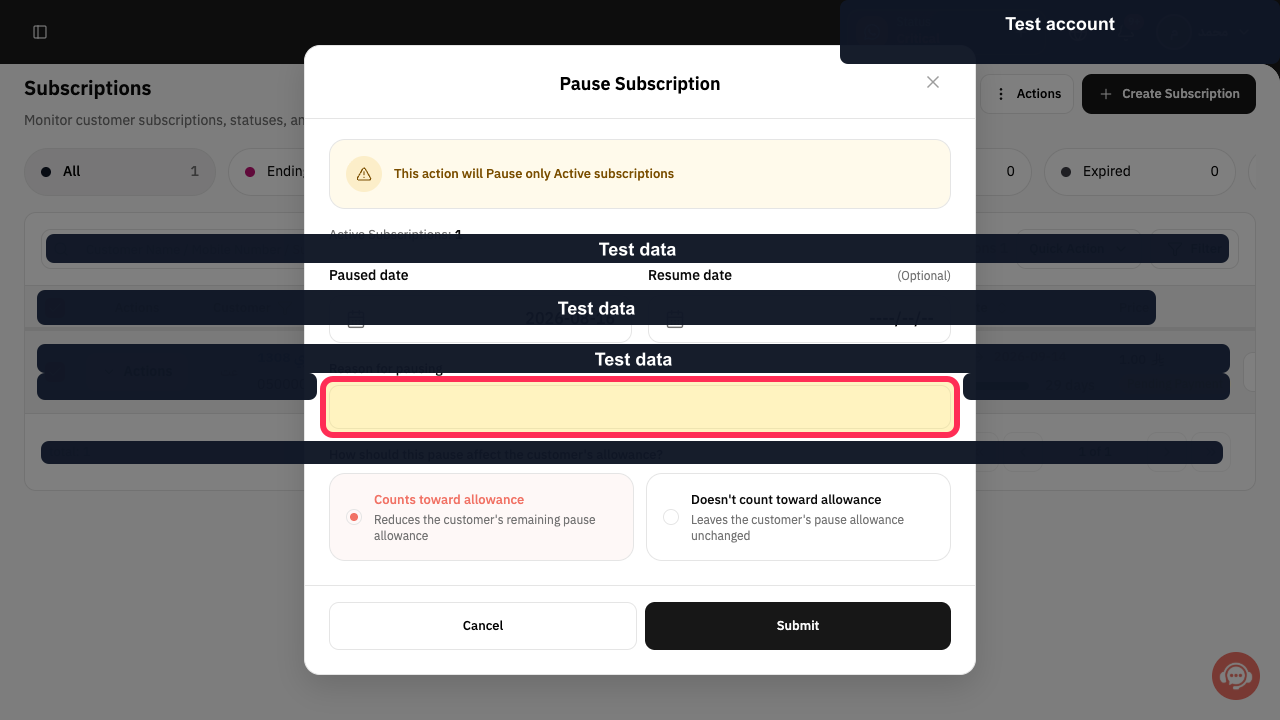
Enter Reason for pausing.
The reason is recorded with the pause.
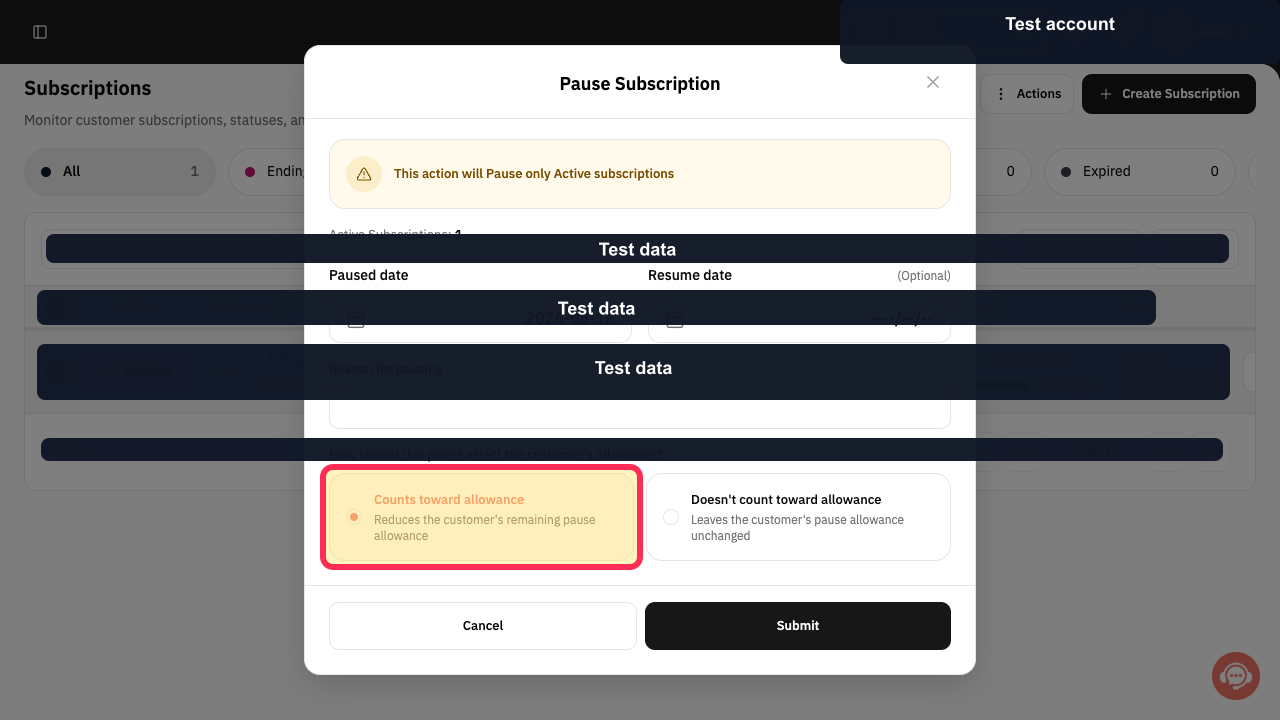
Choose Counts toward allowance or Doesn't count toward allowance.
The pause allowance follows the selected treatment.
Review the dialog and select Submit.
The selected active subscriptions or packages are submitted for pausing.
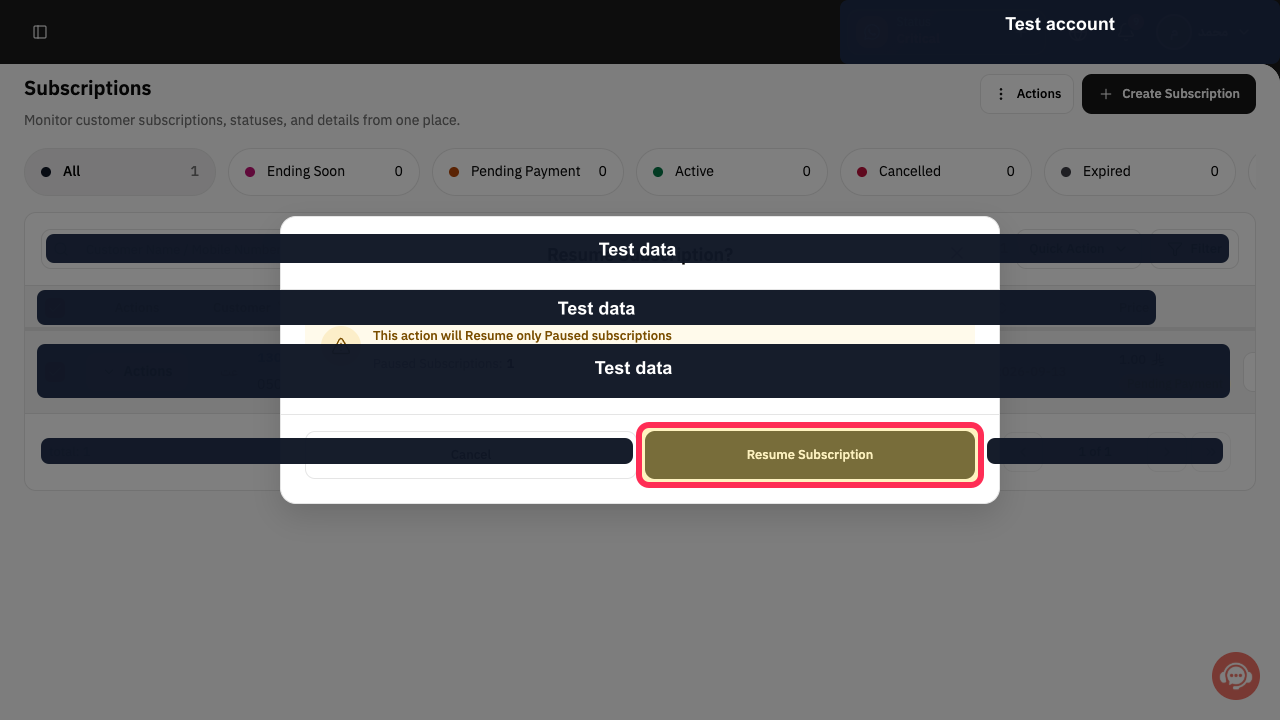
To resume records, select the paused rows, open Quick Action, choose Resume Subscription, and confirm.
The selected paused records are resumed after confirmation.
Illustrated guide
Step 1: Open the list containing the records to pause.
Step 2: Select the active records to pause.
Step 3: Open Quick Action.
Step 4: Choose the bulk pause action.
Step 5: Set the Paused date.
Step 6: Set an optional Resume date.
Step 7: Enter the pause reason.
Step 8: Choose the pause allowance treatment.
Step 9: Submit the temporary pause.
Step 10: Resume selected paused records.
Important notes
Use the subscription pause action for subscriptions and the package pause action for packages.
The documented flow does not confirm the current top-level navigation path to the Subscriptions or Packages page. Confirm the navigation and the exact label of the pause-reason field in the live interface before publishing screenshots.
Related questions
How can I pause subscriptions for several customers in Rekaz?
How do I temporarily pause packages for multiple customers in Rekaz?
Where can I find the bulk pause option for subscriptions or packages in Rekaz?


