How do I temporarily pause a subscription or package in Rekaz?
Rekaz currently shows allowance choices inside the pause dialog for both subscriptions and packages. Choose whether the pause should reduce the customer’s remaining pause allowance or leave it unchanged.
The older service-level setting for defining the number of allowed pauses is not available in the current interface. Follow only the applicable subscription or package option below after the relevant pause dialog is already open.
Steps
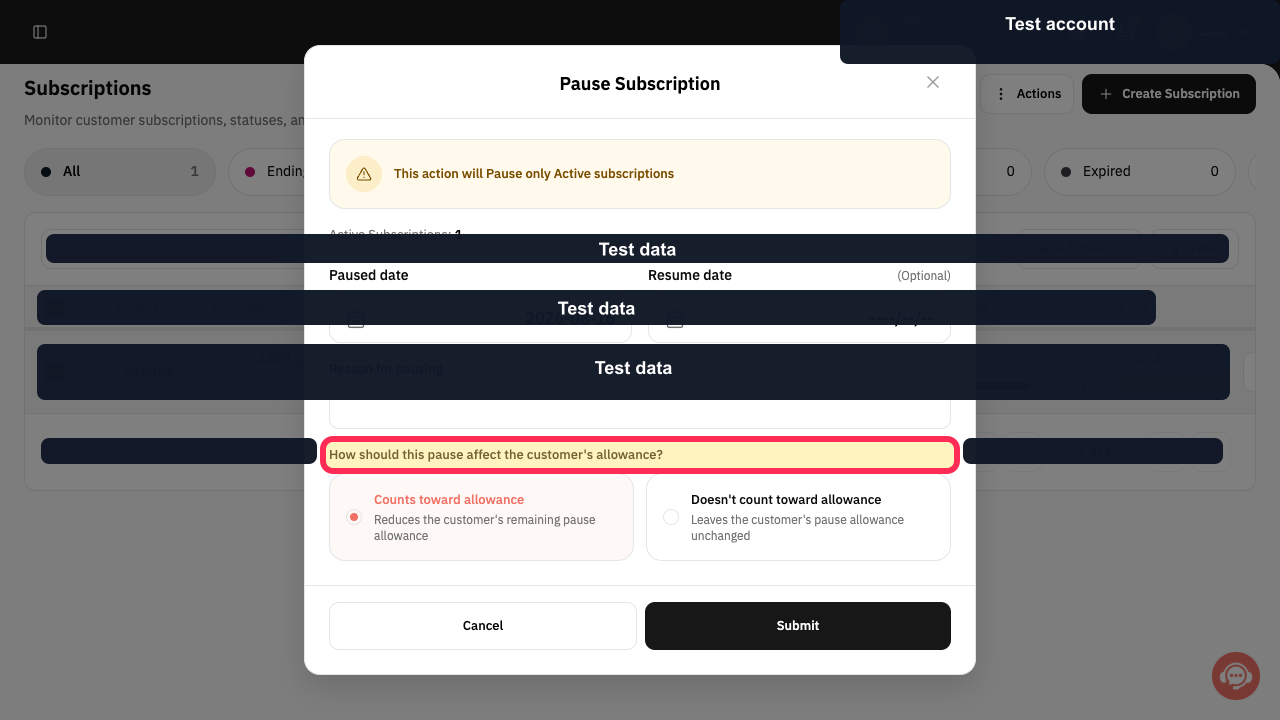
For a subscription, verify that the pause dialog asks how the pause should affect the customer’s allowance.
The question “How should this pause affect the customer's allowance?” is visible.
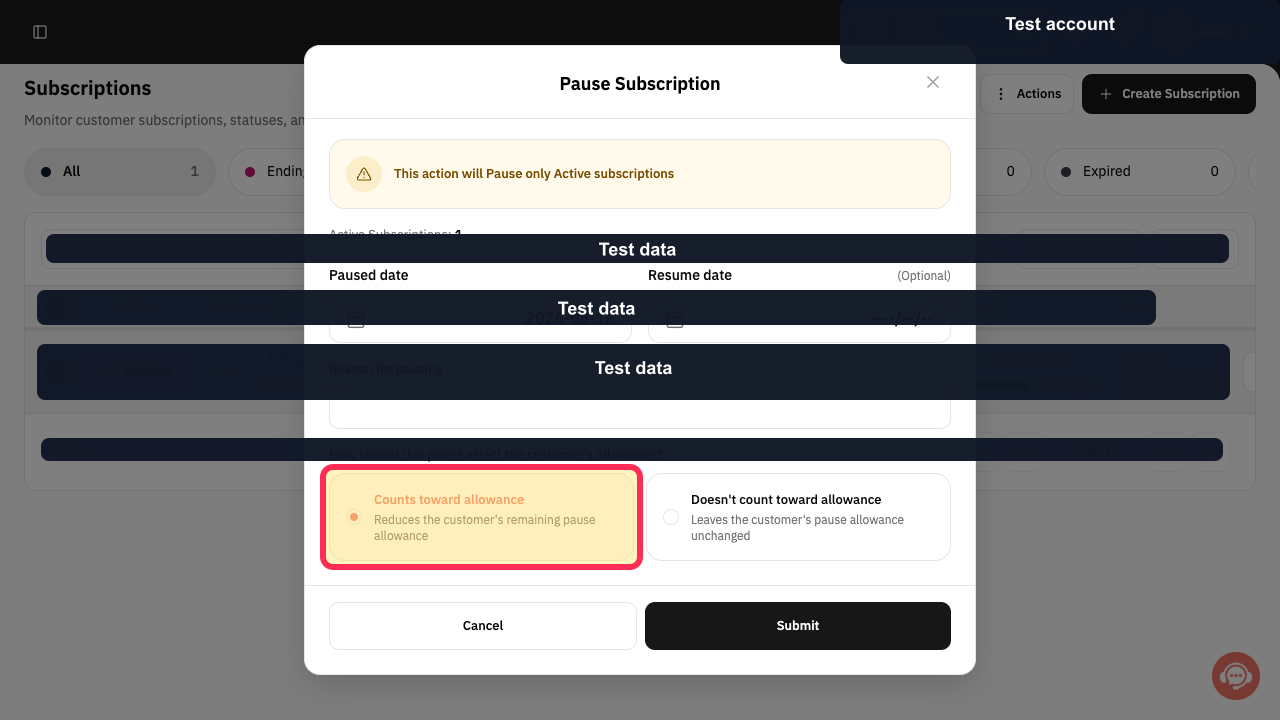
For a subscription, select this option if the pause should use one of the customer’s remaining allowed pauses. Complete this step instead of the next subscription option.
The pause is set to reduce the customer’s remaining pause allowance.
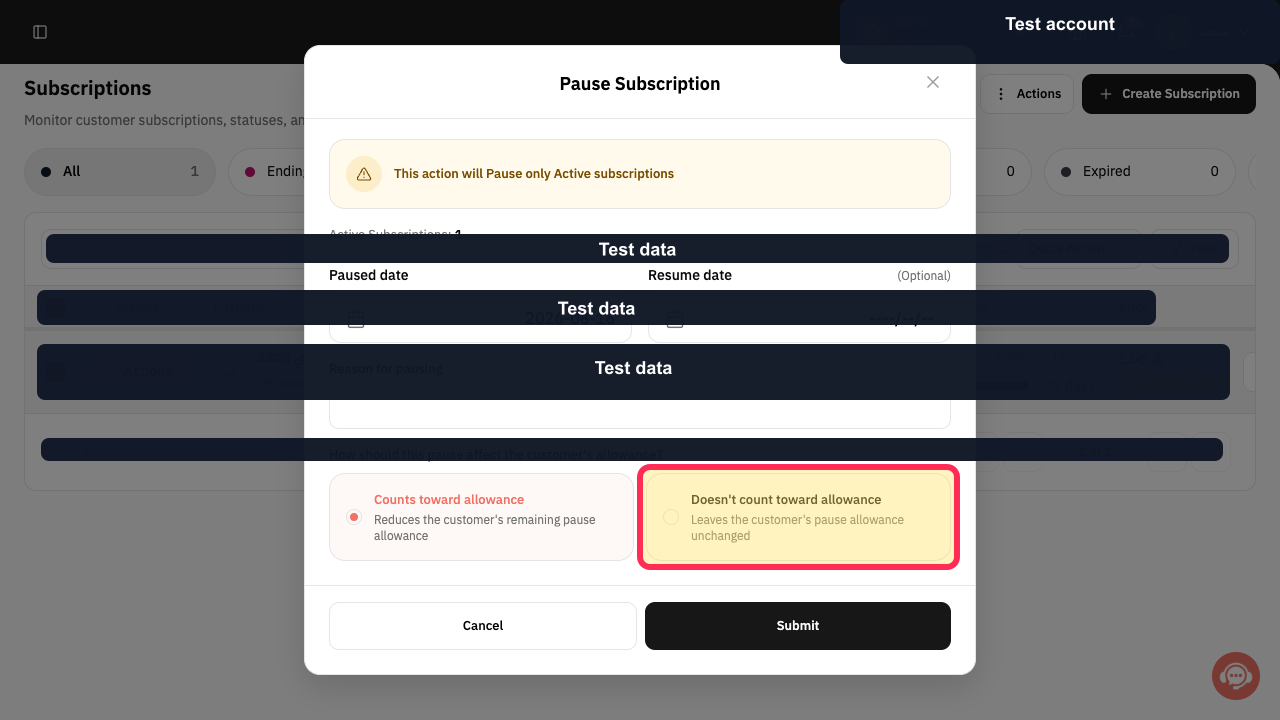
For a subscription, select this option if the pause should not use one of the customer’s remaining allowed pauses. Complete this step instead of the previous subscription option.
The pause is set to leave the customer’s remaining pause allowance unchanged.
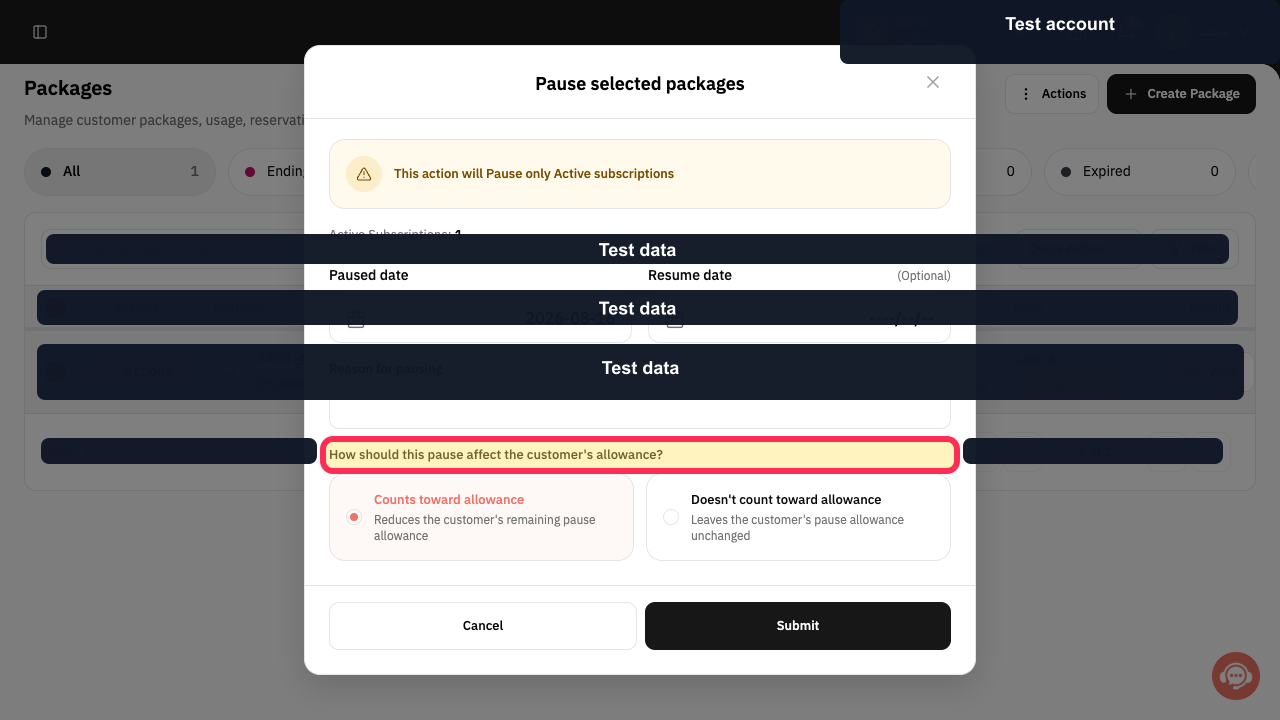
For a package, verify that the pause dialog asks how the pause should affect the customer’s allowance.
The question “How should this pause affect the customer's allowance?” is visible.
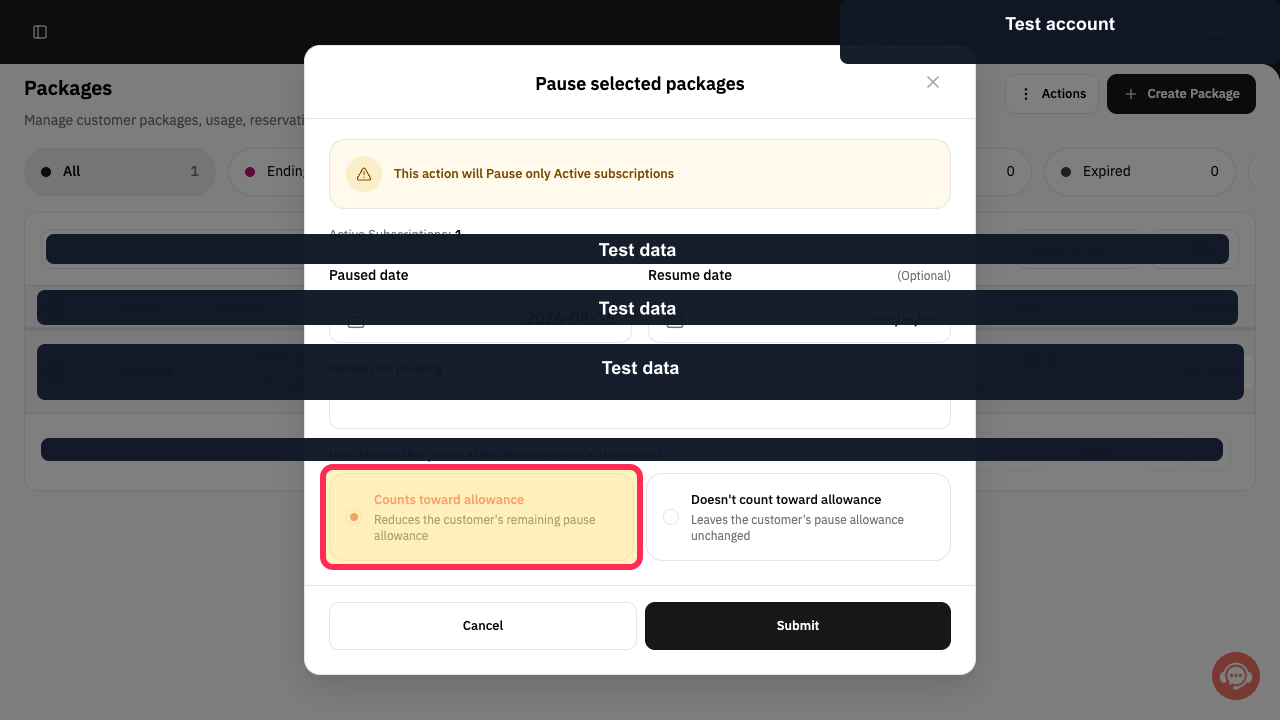
For a package, select this option if the pause should use one of the customer’s remaining allowed pauses. Complete this step instead of the next package option.
The pause is set to reduce the customer’s remaining pause allowance.
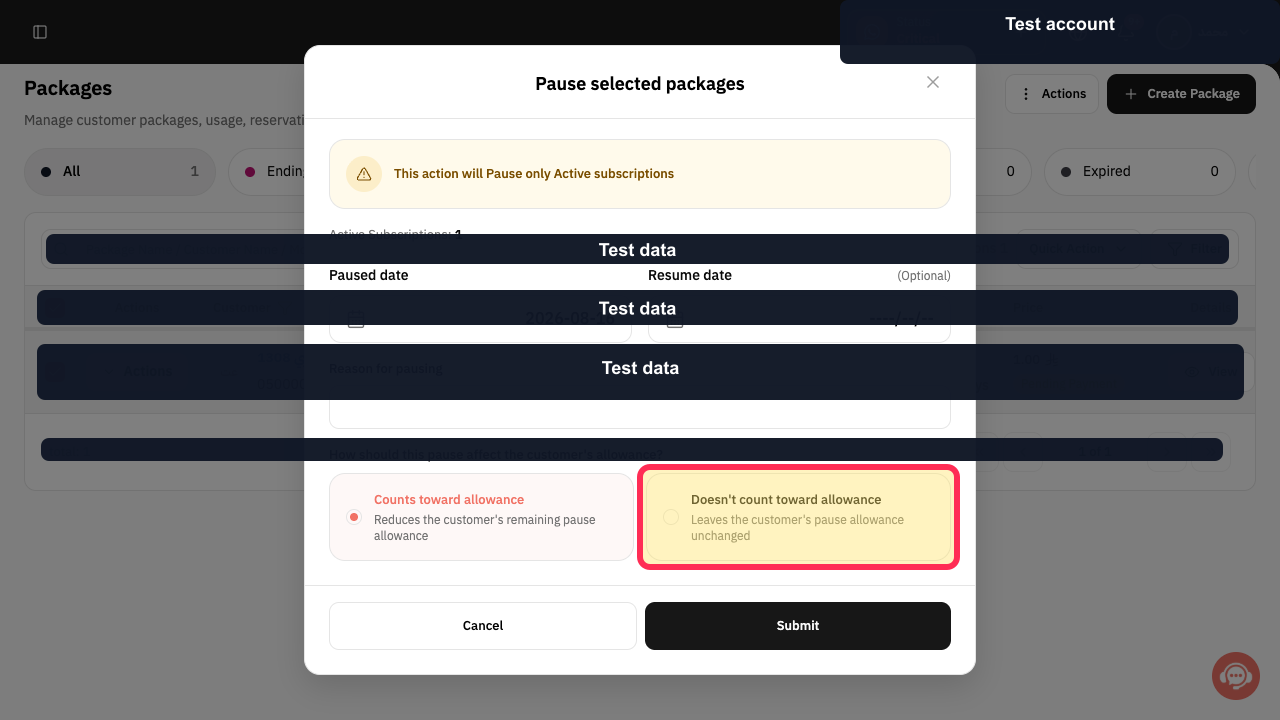
For a package, select this option if the pause should not use one of the customer’s remaining allowed pauses. Complete this step instead of the previous package option.
The pause is set to leave the customer’s remaining pause allowance unchanged.
Illustrated guide
Step 1: Subscription pause allowance question.
Step 2: Make a subscription pause count toward the allowance.
Step 3: Keep the subscription pause allowance unchanged.
Step 4: Package pause allowance question.
Step 5: Make a package pause count toward the allowance.
Step 6: Keep the package pause allowance unchanged.
Important notes
The available wording or placement of the pause setting may vary slightly if the interface has changed since the source was updated.
Related questions
How can I set the allowed number of temporary pauses for subscriptions and packages in Rekaz?
Where can I find the option to temporarily pause a subscription or package in Rekaz?
How do I manage temporary-pause settings for a subscription service in Rekaz?


