How do I extend a subscription end date in Rekaz?
Use Free extension when you need to add time to an existing subscription without creating a renewal order or payment.
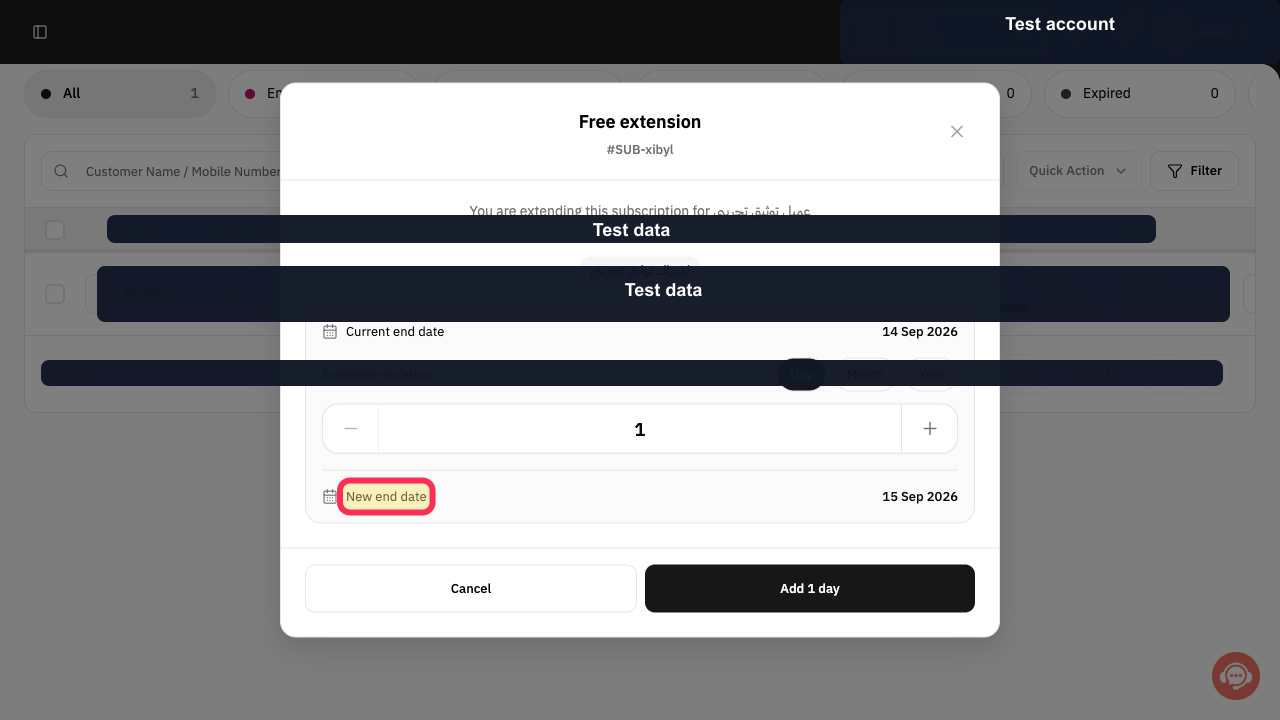
Rekaz shows the Current end date and calculates the New end date before anything is applied.
Steps
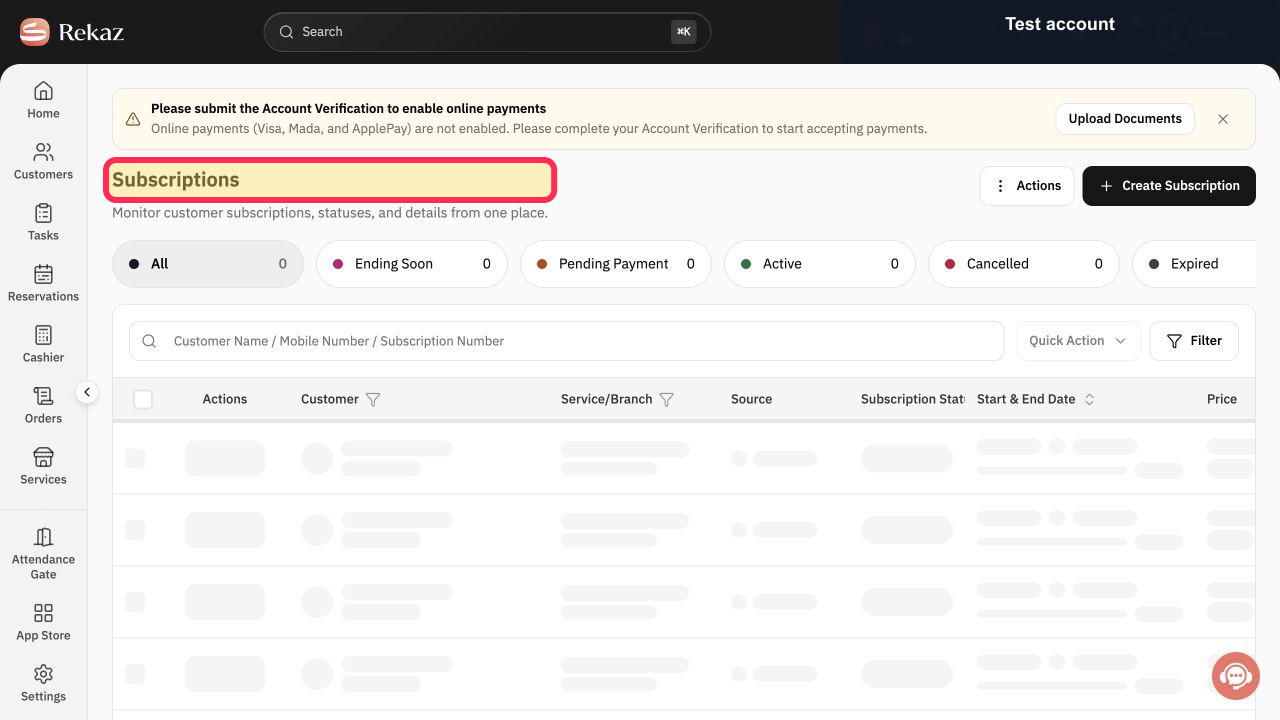
Select Subscriptions and locate the correct customer subscription.
The customer subscription row is visible.
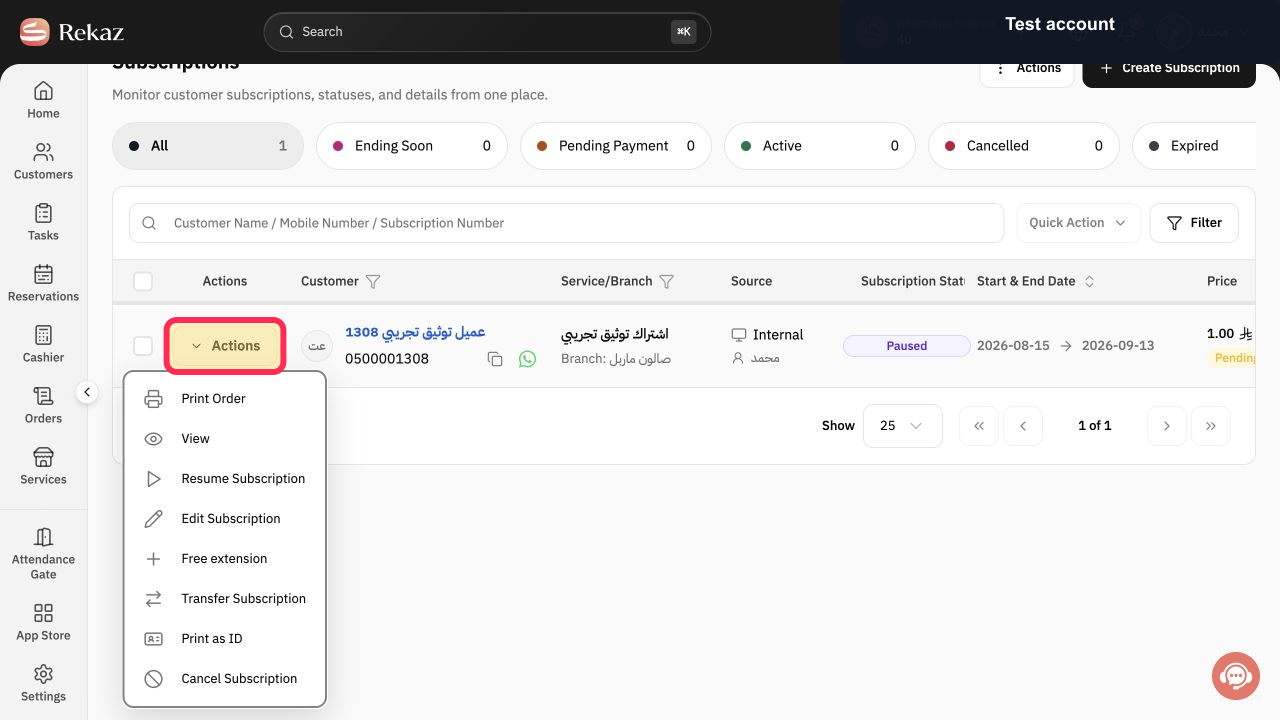
Select Actions in the subscription row.
The subscription Actions menu opens.
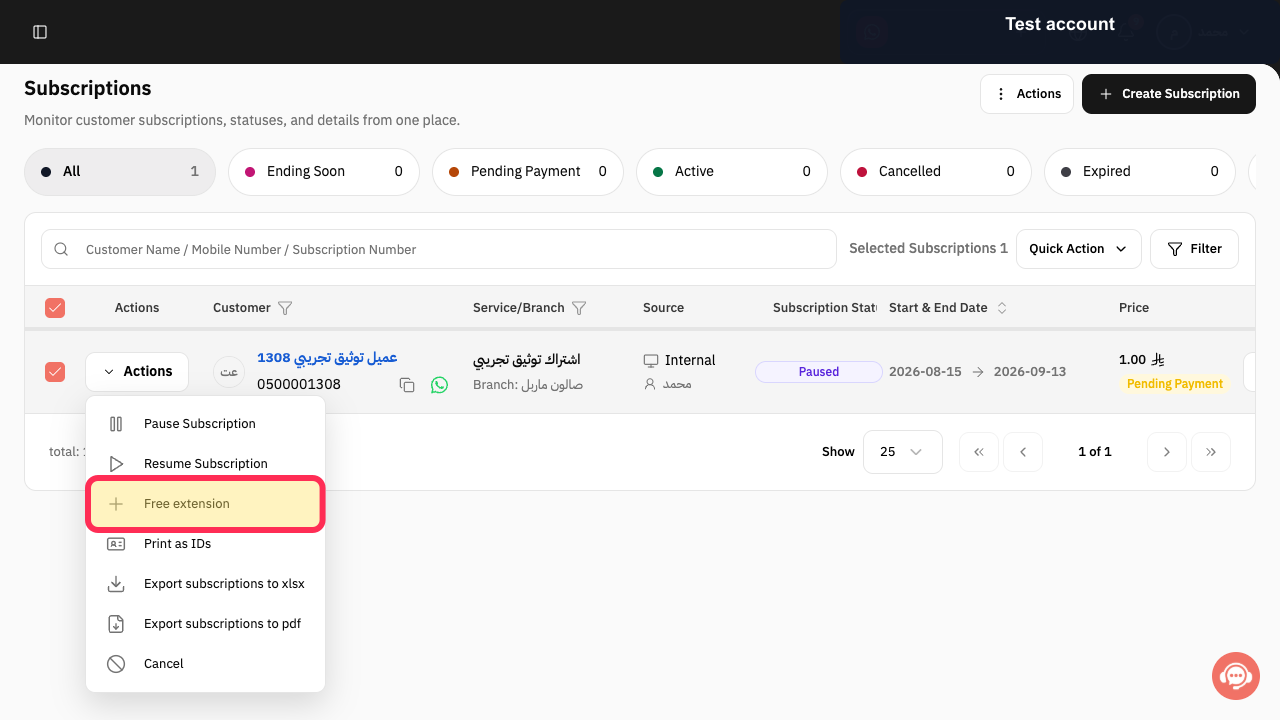
Select Free extension.
The Free extension dialog opens for the selected subscription.
Choose Day, Month, or Year as the extension duration unit.
The selected duration unit is active.
Use the duration control to set how many days, months, or years to add.
The extension quantity is reflected in the calculated date.
Review Current end date and New end date before applying the extension.
The calculated New end date reflects the selected extension duration.
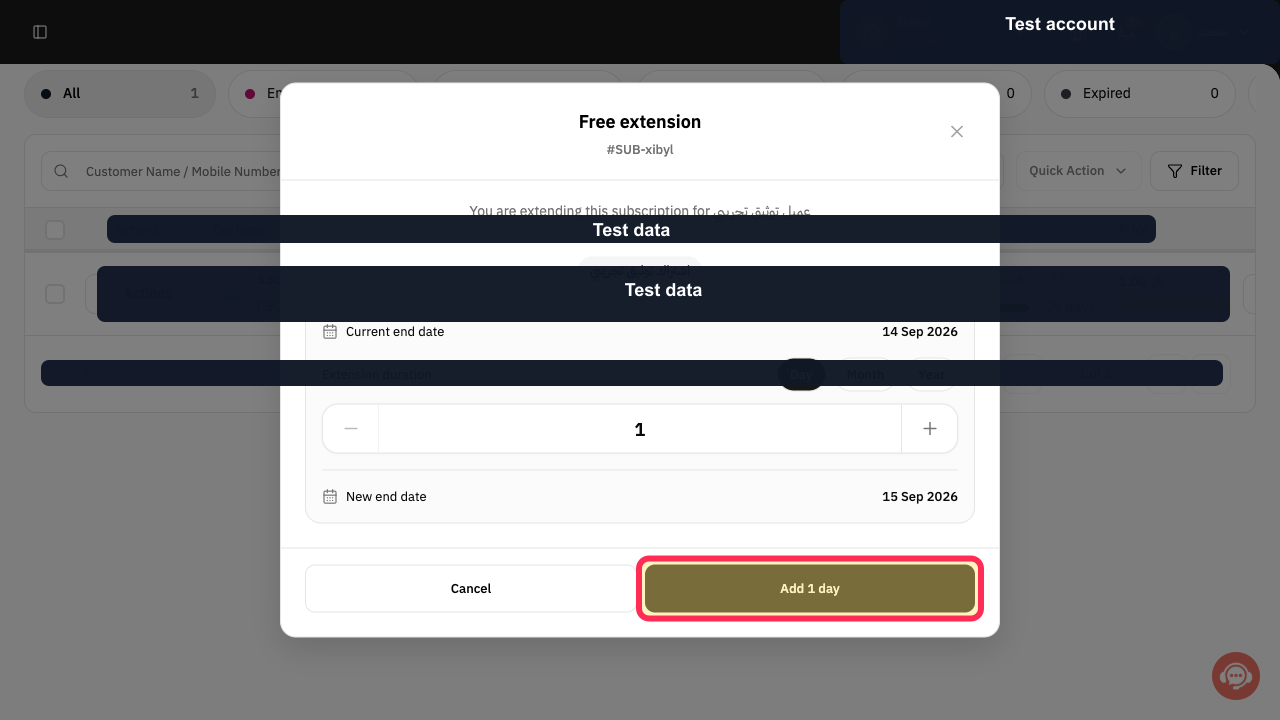
Select the displayed Add button, such as Add 1 day.
The free extension is submitted for the selected duration.
Illustrated guide
Step 1: Locate the subscription to extend.
Step 2: Open the subscription Actions menu.
Step 3: Open Free extension.
Step 4: Choose the extension duration unit.
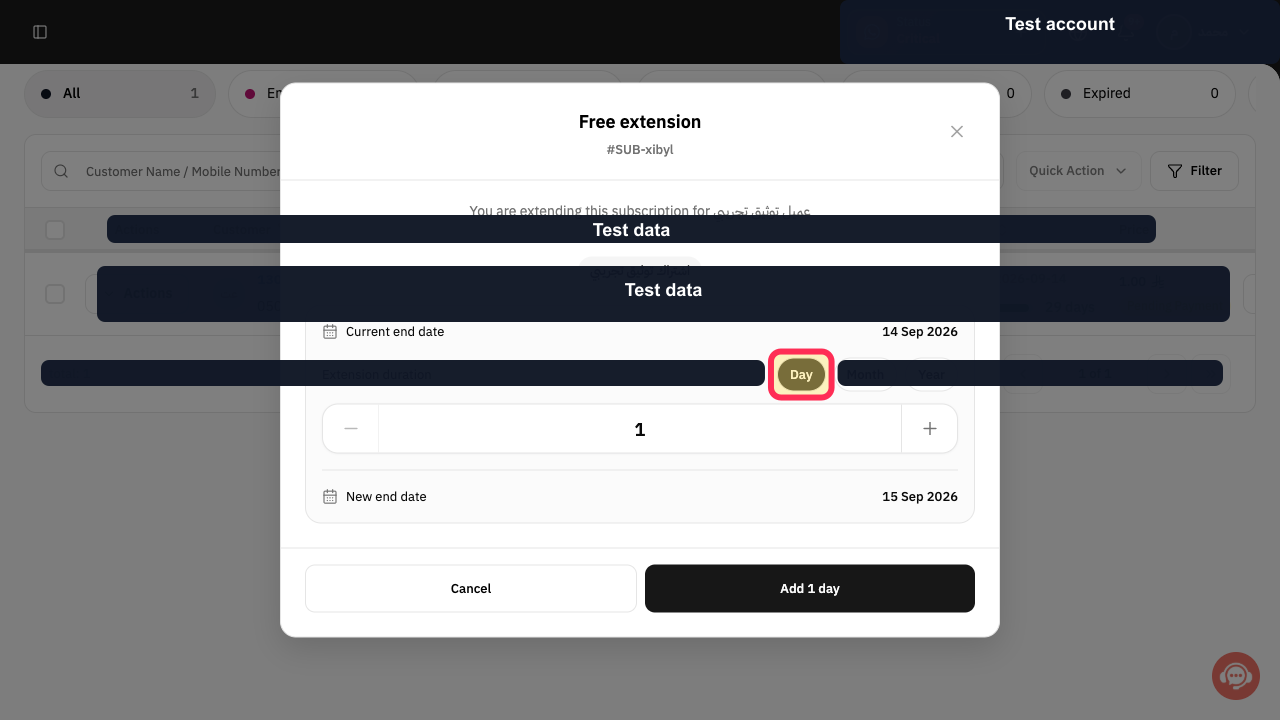
Step 5: Set the extension duration.
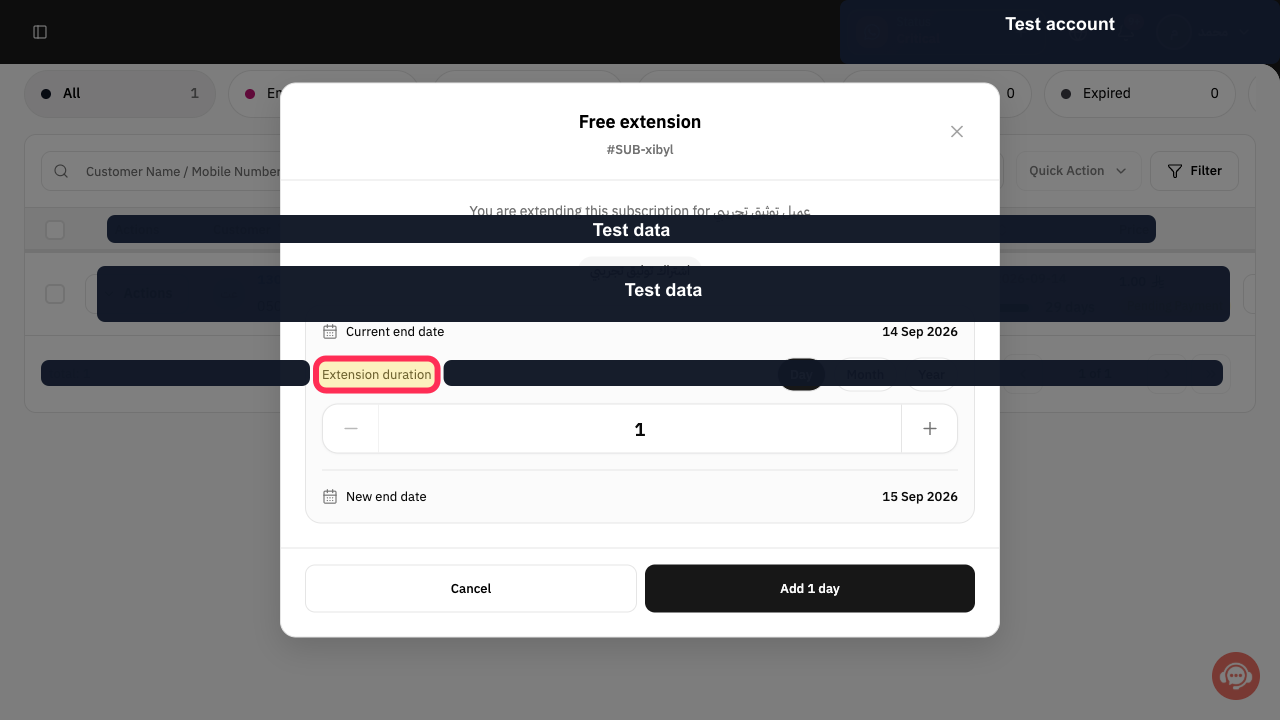
Step 6: Review the calculated subscription New end date.
Step 7: Apply the free subscription extension.
Important notes
Use this process only when you do not want to create a new payment.
The free-extension window shows both the Current end date and the New end date before you apply the change.
The final button label can vary according to the extension unit you select; for example, it may read Add Day.
Related questions
Where can I find the Free extension option for a subscription in Rekaz?
How can I add days, months, or years to a subscription in Rekaz without a new payment?
How can I check the new subscription end date before extending it in Rekaz?


