How do I view a customer's subscription details and status in Rekaz?
The Subscriptions page is the current customer-subscription register in Rekaz. Use its status tabs, customer search, and Filter to locate the correct record before opening its details.
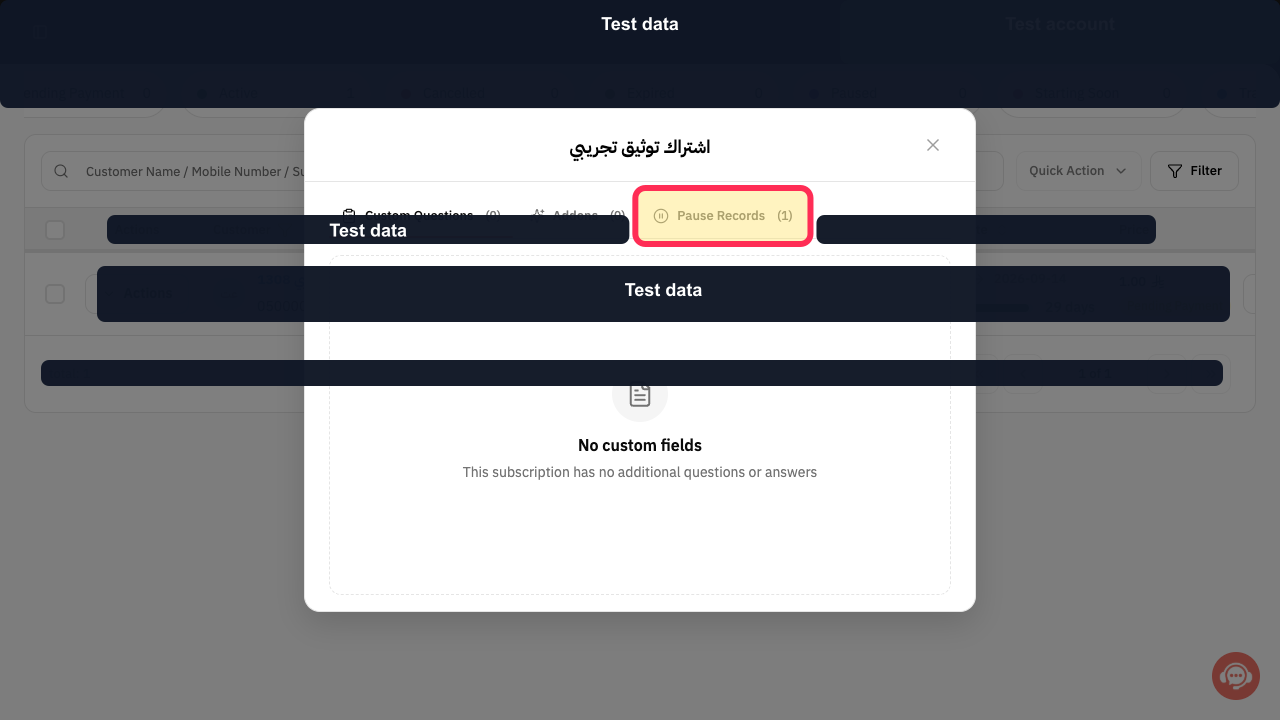
The View dialog contains Custom Questions, Addons, and Pause Records. The Actions menu is for changing the subscription, not merely viewing these details.
Steps
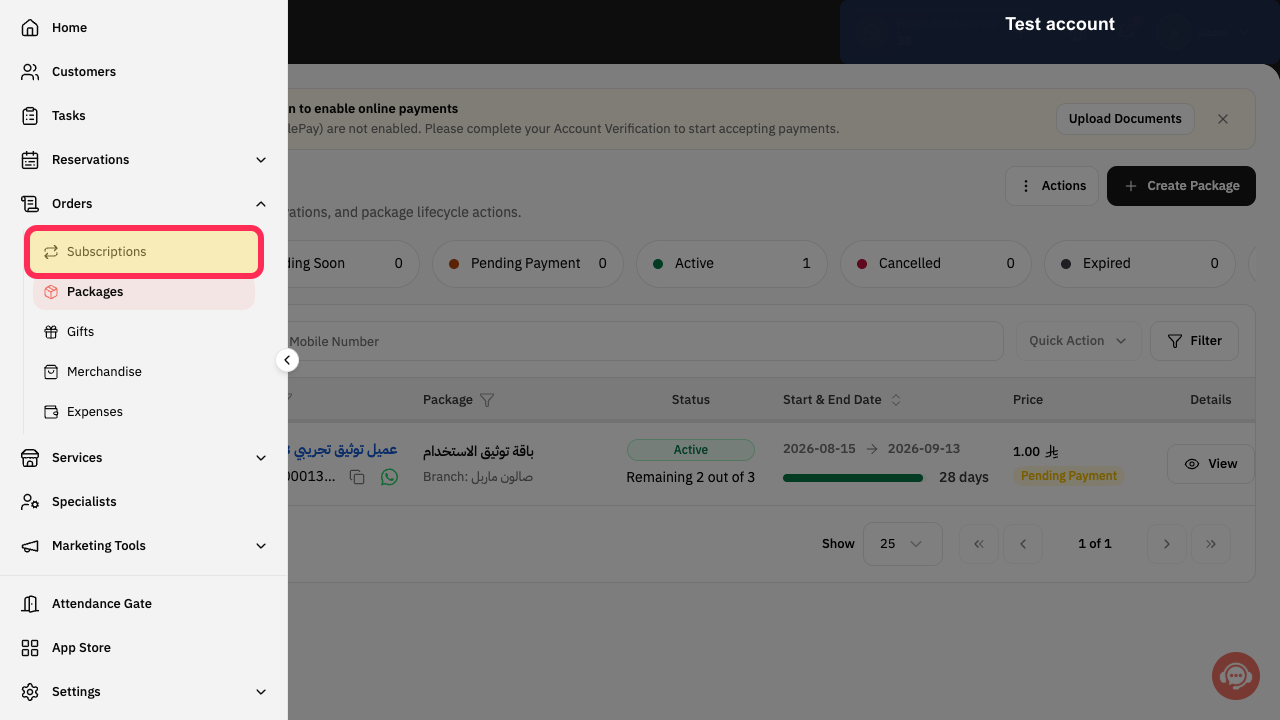
Select Subscriptions in the Rekaz sidebar.
The Subscriptions page opens.
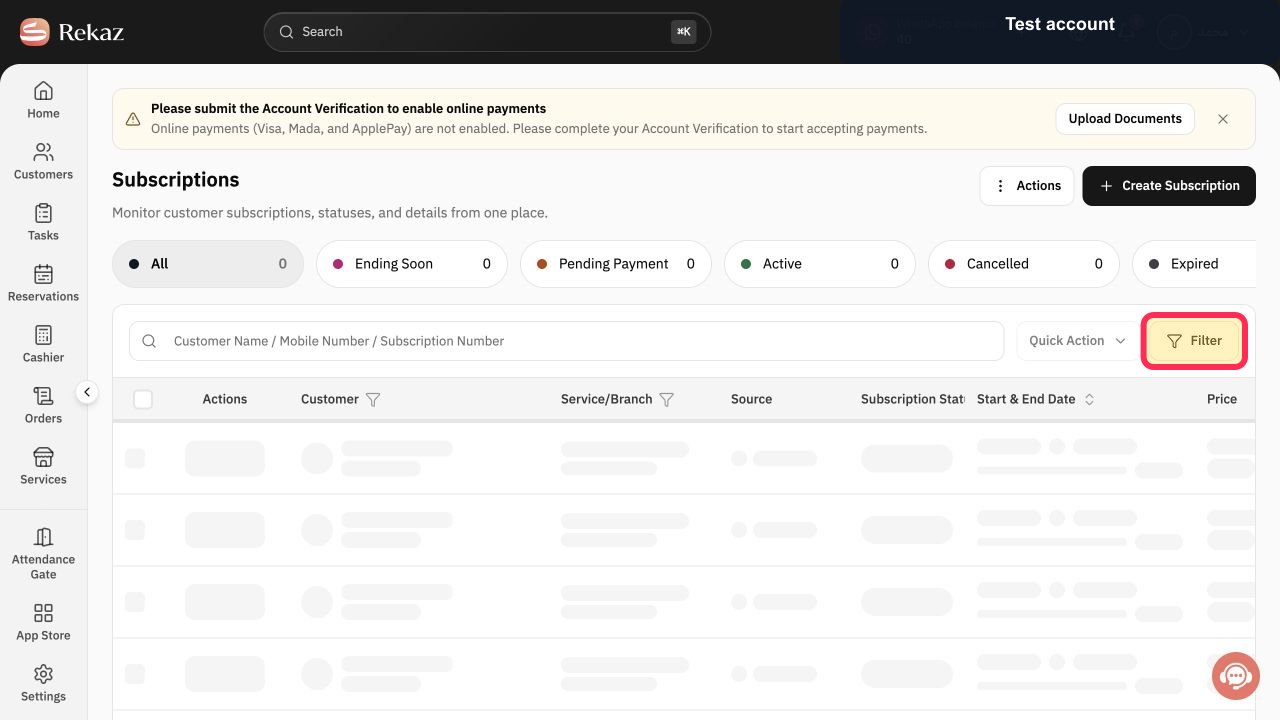
Use the status tabs, the Customer Name / Mobile Number / Subscription Number search, or Filter to find the record.
The list is narrowed to the intended customer subscription.
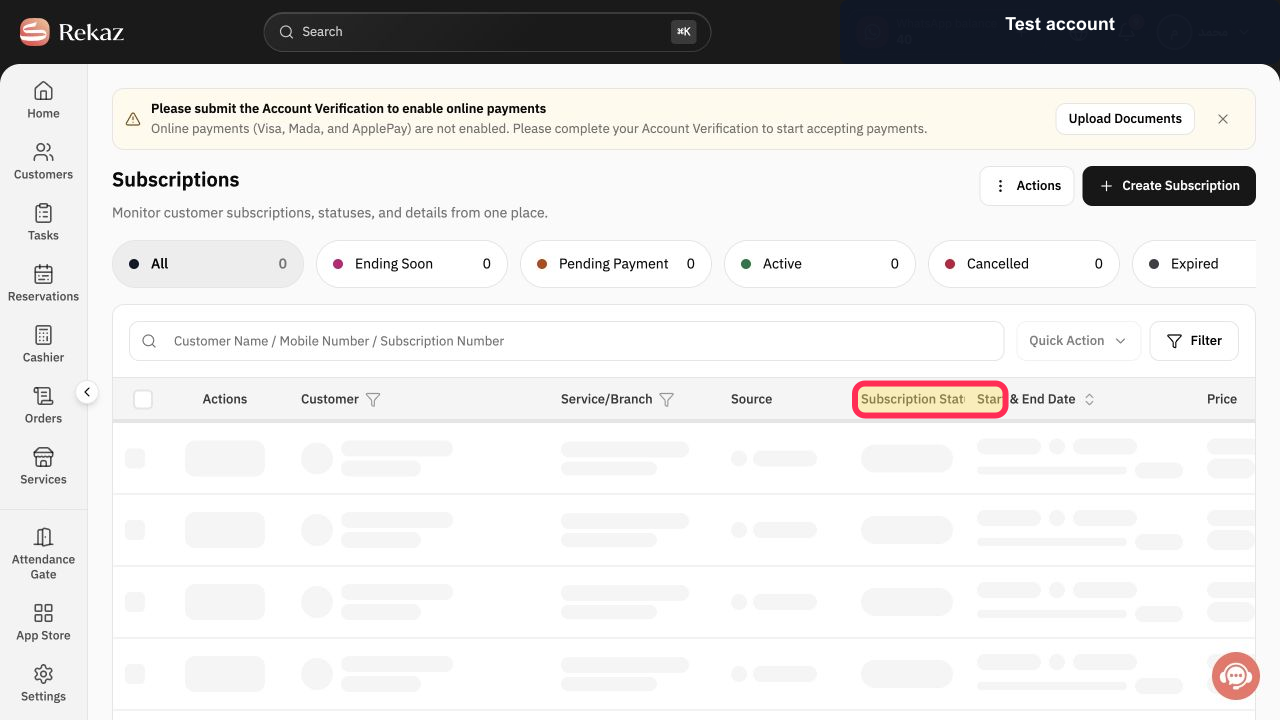
In the row, review Customer, Service/Branch, Source, Subscription Status, Start & End Date, Price, and payment status.
The subscription summary is verified before opening it.
Select View in the Details column. The dialog opens at Custom Questions.
The subscription details dialog opens at Custom Questions.
Review Custom Questions, Addons, and Pause Records from their tabs.
The selected subscription's additional information is displayed.
Illustrated guide
Step 1: Open the customer Subscriptions page.
Step 2: Find the customer subscription by status, search, or filter.
Step 3: Review the subscription row and its current status.
Step 4: Open the subscription details and confirm the Custom Questions tab.
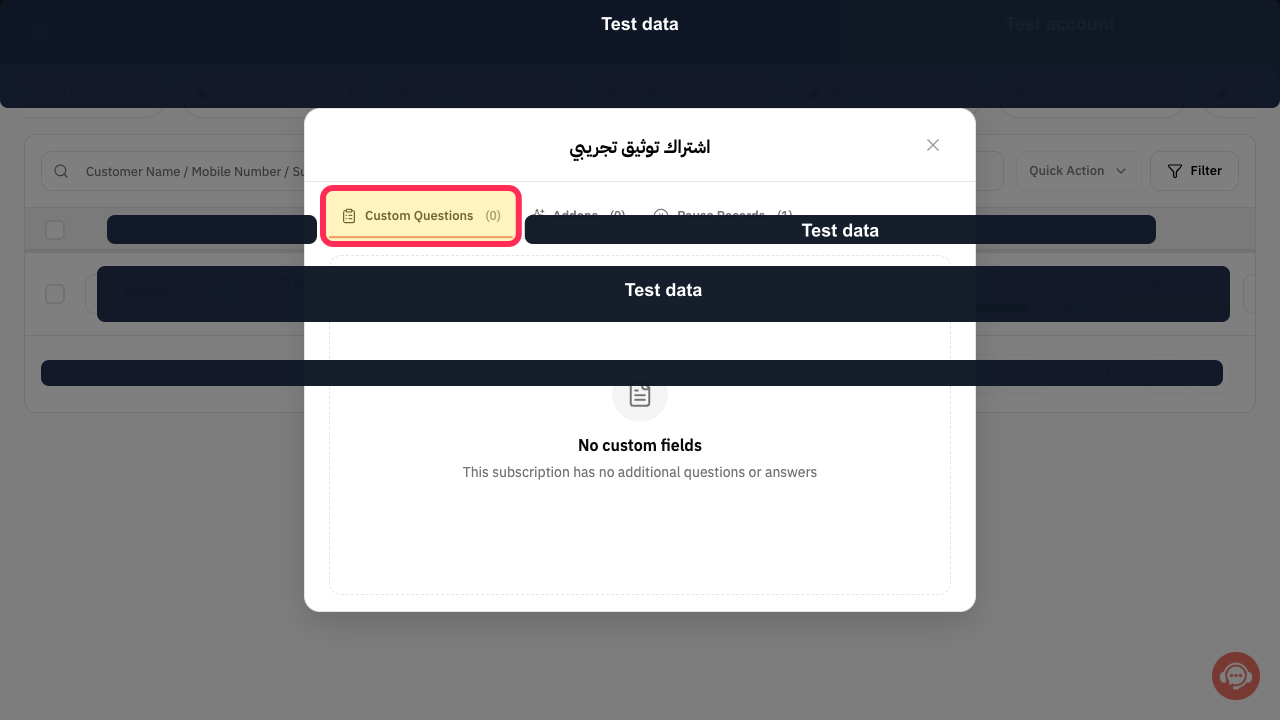
Step 5: Review Custom Questions, Addons, and Pause Records.
Important notes
Payment status may differ from Subscription Status.
Check values and information carefully before taking any final or financial action.
Related questions
Where can I find a customer's subscription in Rekaz?
Why is a customer's Payment Status different from their Subscription Status in Rekaz?
How do I view Custom Questions, Addons, and Pause Records for a subscription in Rekaz?


