How do I set package services and session usage limits in Rekaz?
Rekaz packages offer two usage models: Per Product, which sets different usage limits for each service in the package, and Shared Pool, where all services share a single pool of free usages.
Steps
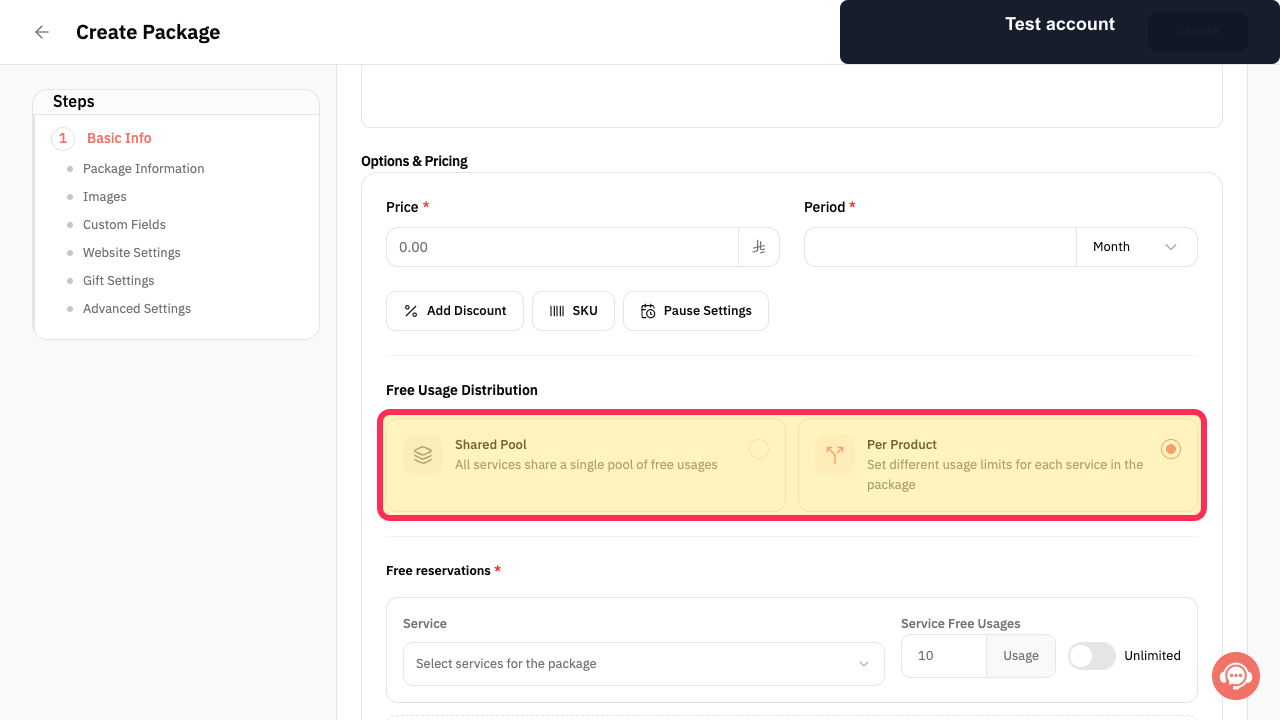
On the package creation form, review the available usage models: Shared Pool and Per Product.
The package form shows Shared Pool for a single shared pool of free usages and Per Product for different limits per service.
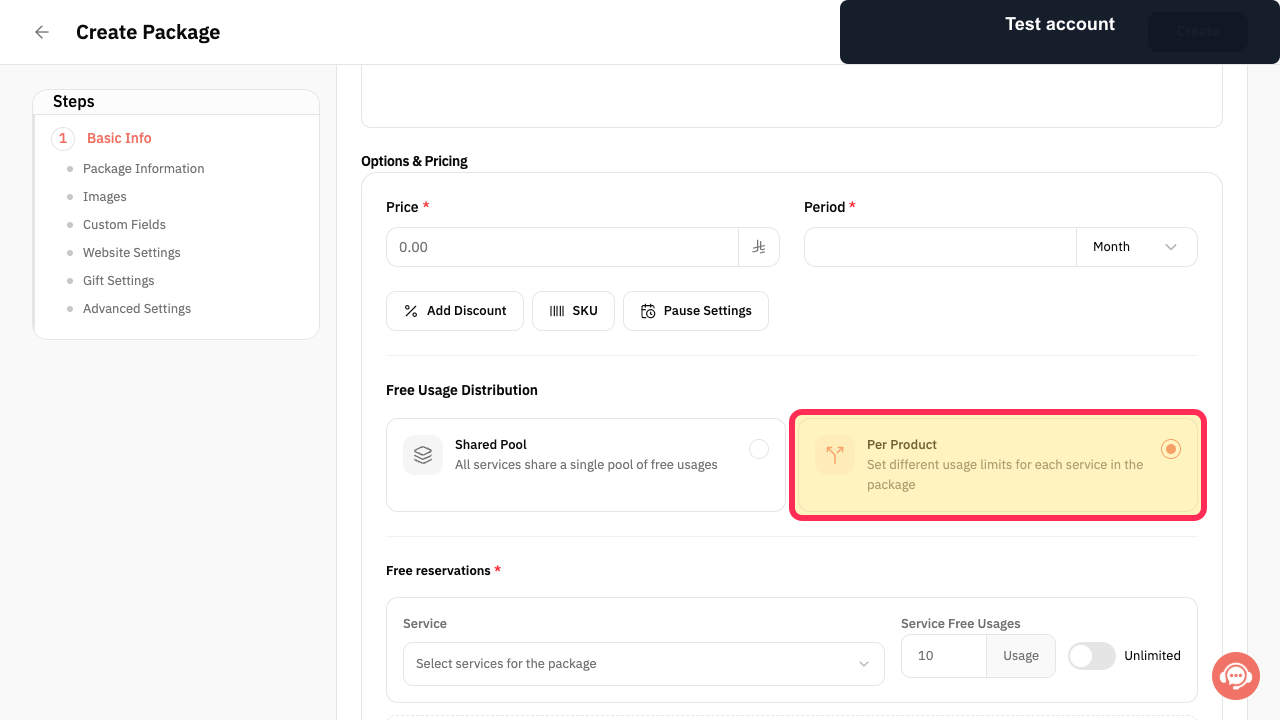
Select Per Product to use different usage limits for each service in the package.
Per Product is selected as the package usage model.
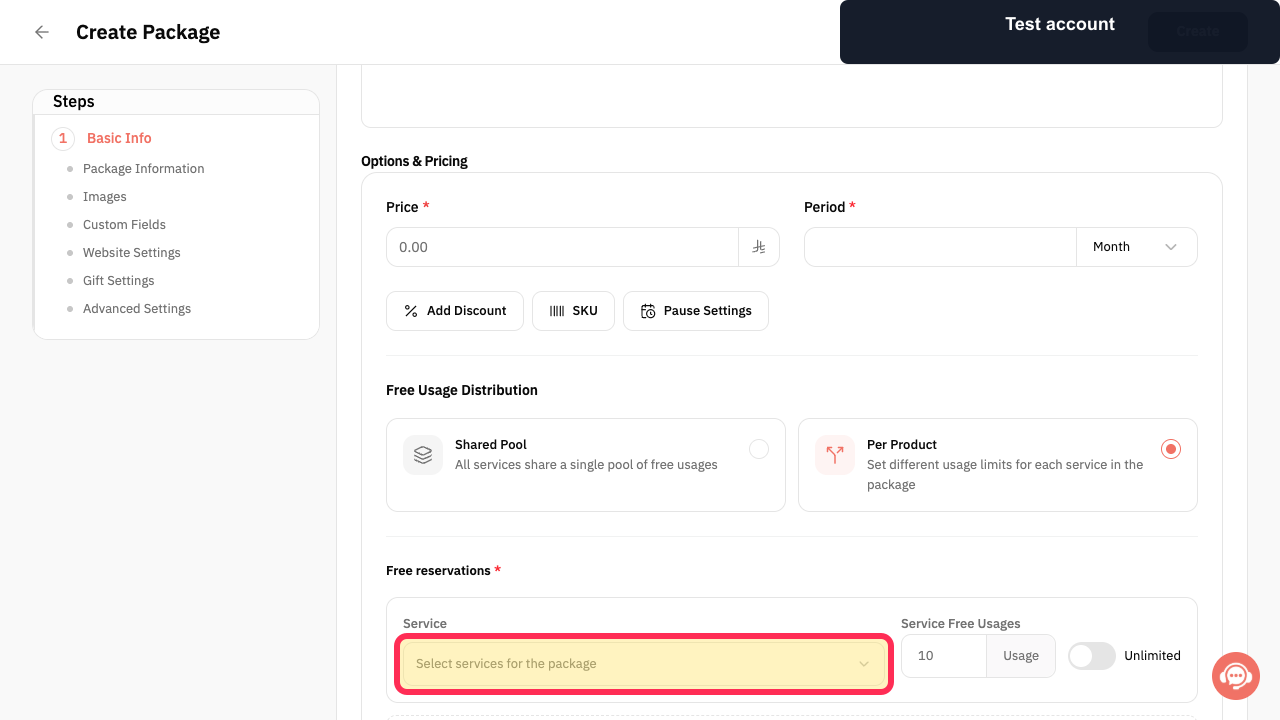
Select Select services for the package to begin choosing the services included in the package.
The service-selection flow begins for the package.
Illustrated guide
Step 1: Review the package usage-model options.
Step 2: Choose Per Product for separate service usage limits.
Step 3: Open the package service selector.
Important notes
Review the number of uses assigned to each included service before creating or updating a package.
The selected package type affects how the customer can use the package.
Related questions
How do I add sessions to a package in Rekaz?
Where do I choose the services included in a package in Rekaz?
How do I set the number of uses for a package service in Rekaz?


