How do I make a mobile number required when booking in Rekaz?
To require a mobile number in customer details when using the related booking interface, enable the mobile-number requirement in Website Options and save your changes.
Use mobile numbers only for authorised operational and communication purposes in line with your privacy policy.
Steps
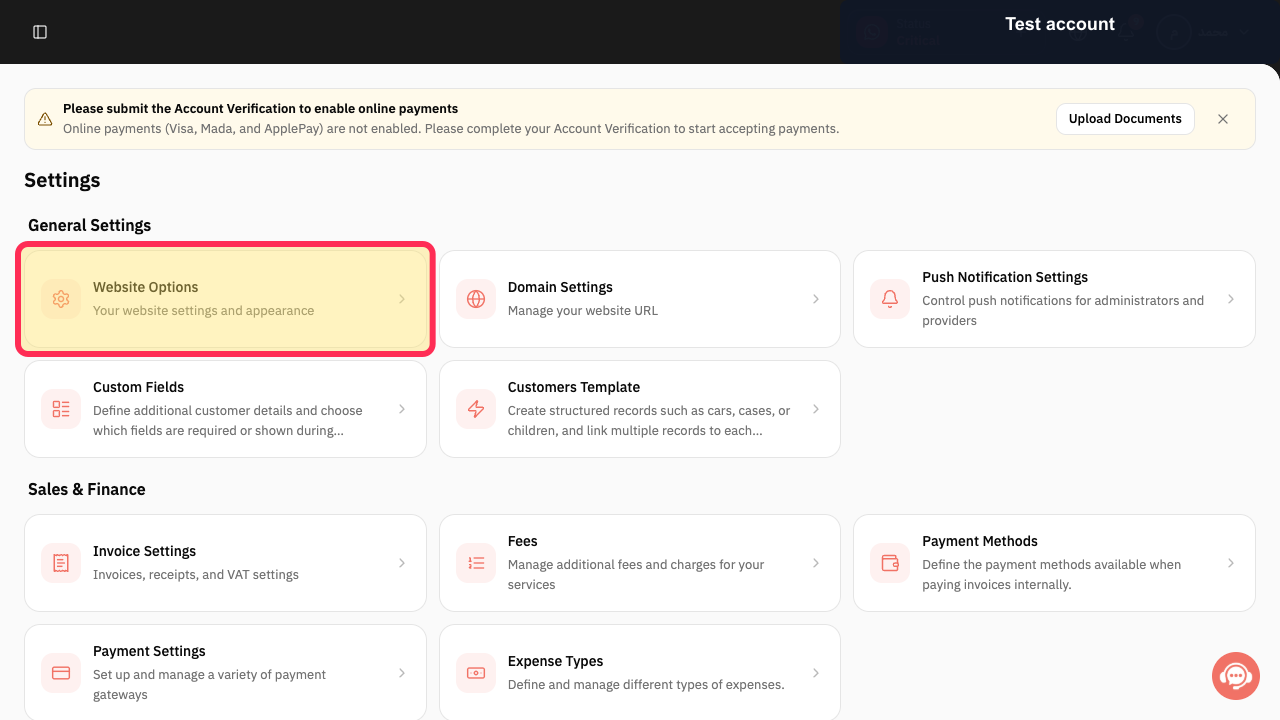
From the signed-in Rekaz dashboard, open Settings, then open Website Options.
The Website Options page opens.
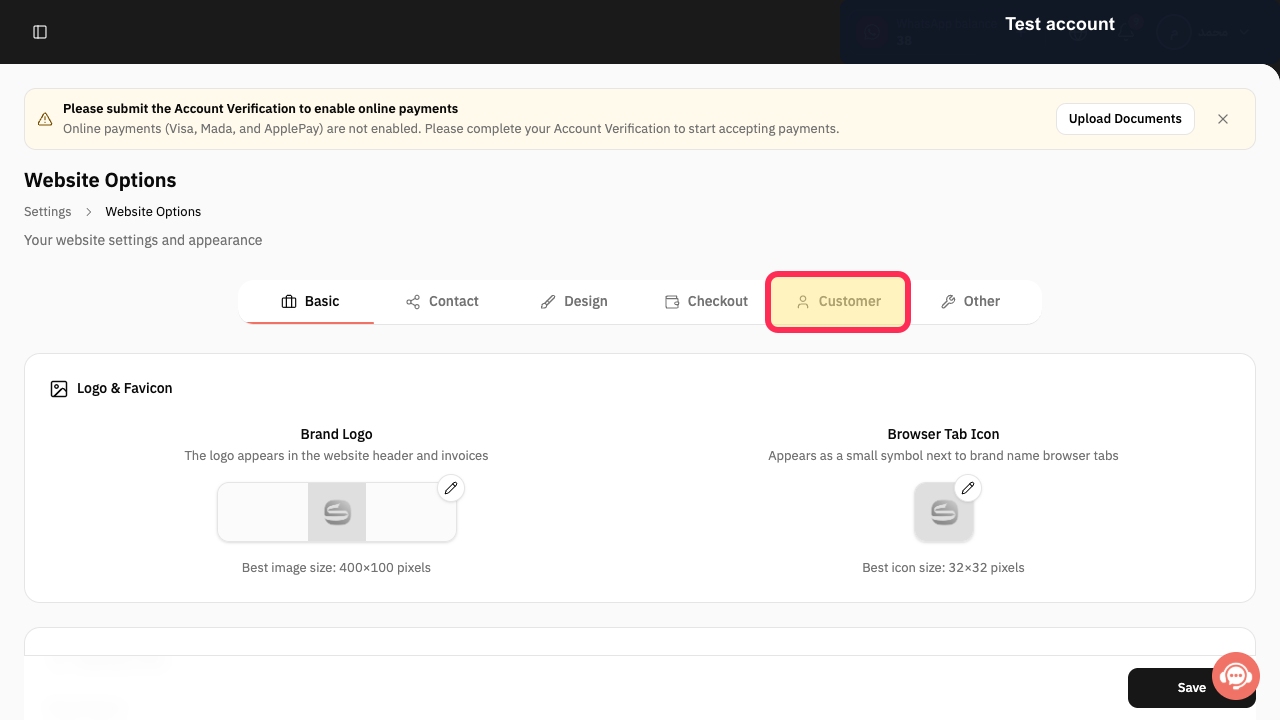
Open the Customer tab.
Customer settings are displayed.
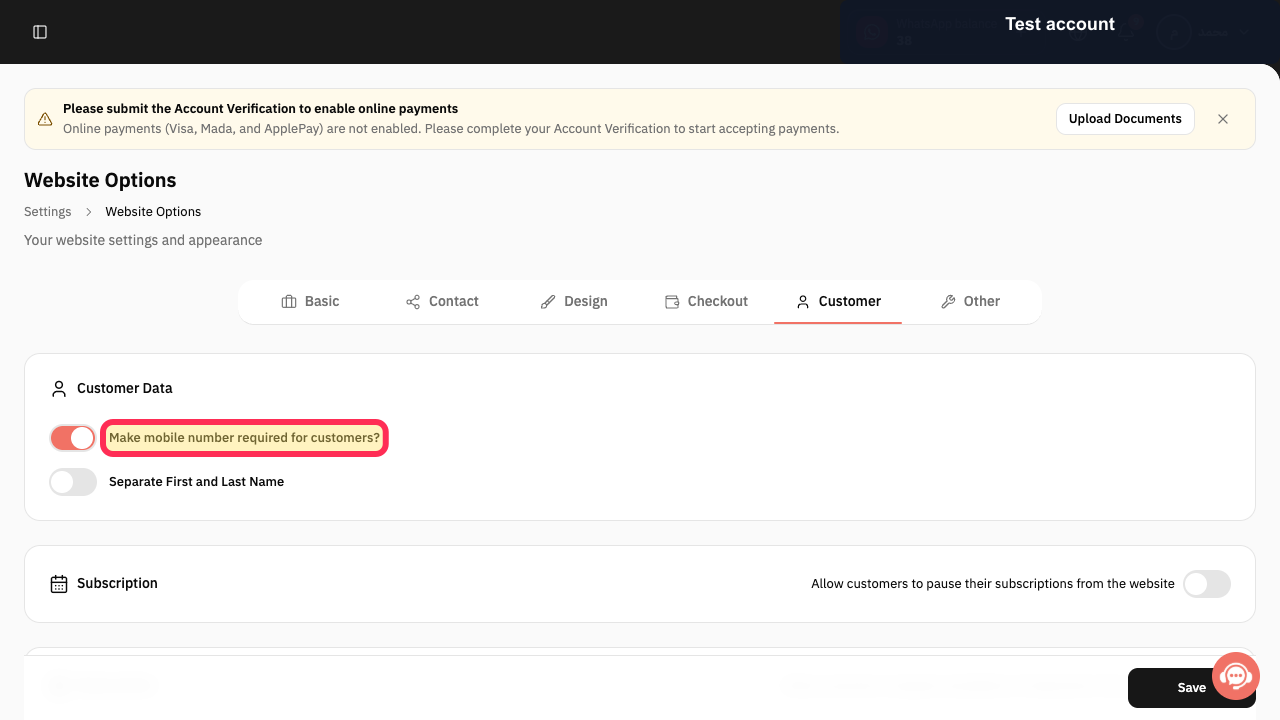
Enable “Make mobile number required for customers?”.
The mobile-number requirement is enabled.
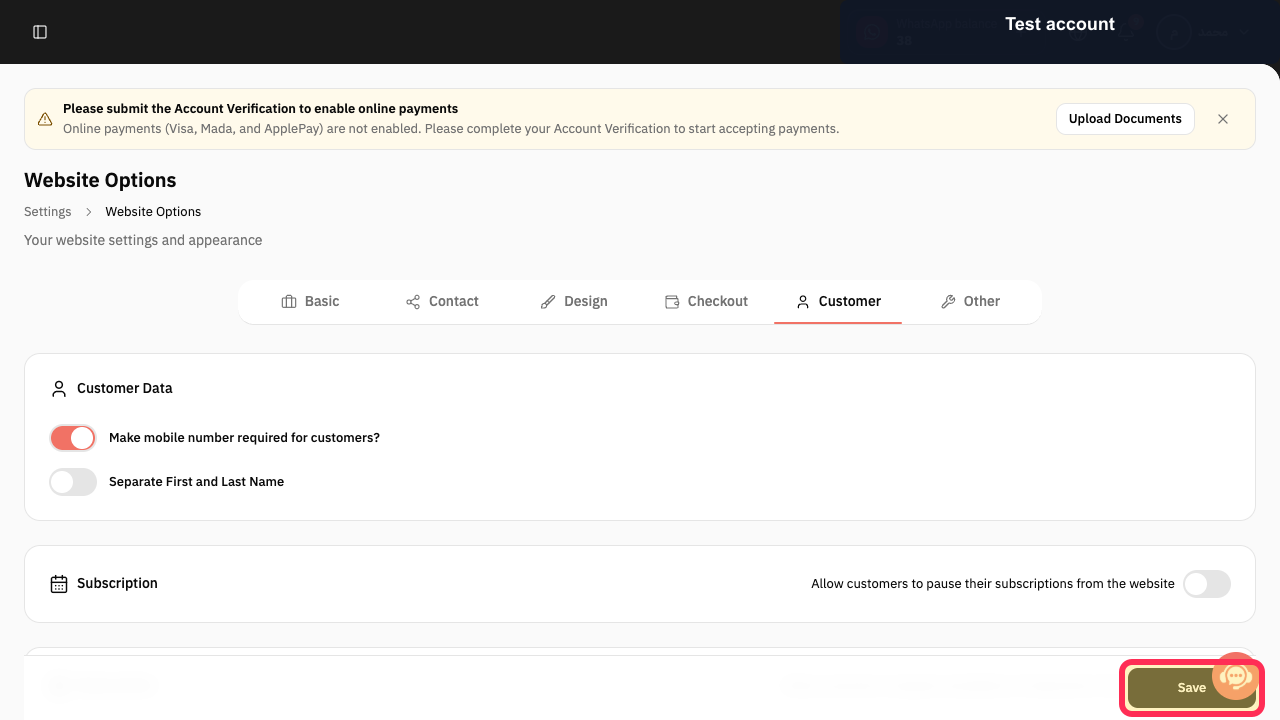
Click Save.
The mobile-number requirement setting is saved.
Illustrated guide
Step 1: The Website Options control in Rekaz Settings.
Step 2: The Customer tab in Website Options.
Step 3: The “Make mobile number required for customers?” setting in the Customer tab.
Step 4: The Save button for the customer settings.
Important notes
This setting makes a mobile number required in customer details through the related booking interface.
Review values and data before completing any final or financial action.
Related questions
How do I require a customer mobile number in Rekaz?
Where can I find the setting to make a mobile number required in Rekaz?
What are the steps to make a mobile number required when booking in Rekaz?


