How do I create a customer data template in Rekaz?
Rekaz Customers Template is the Settings feature for creating structured records, such as cars, cases, or children, and linking multiple records to each customer.
The current interface does not show the actions for choosing or customising a template, adding fields, setting field requirements or visibility, or saving the template. Use the available path below to open Customers Template.
Steps
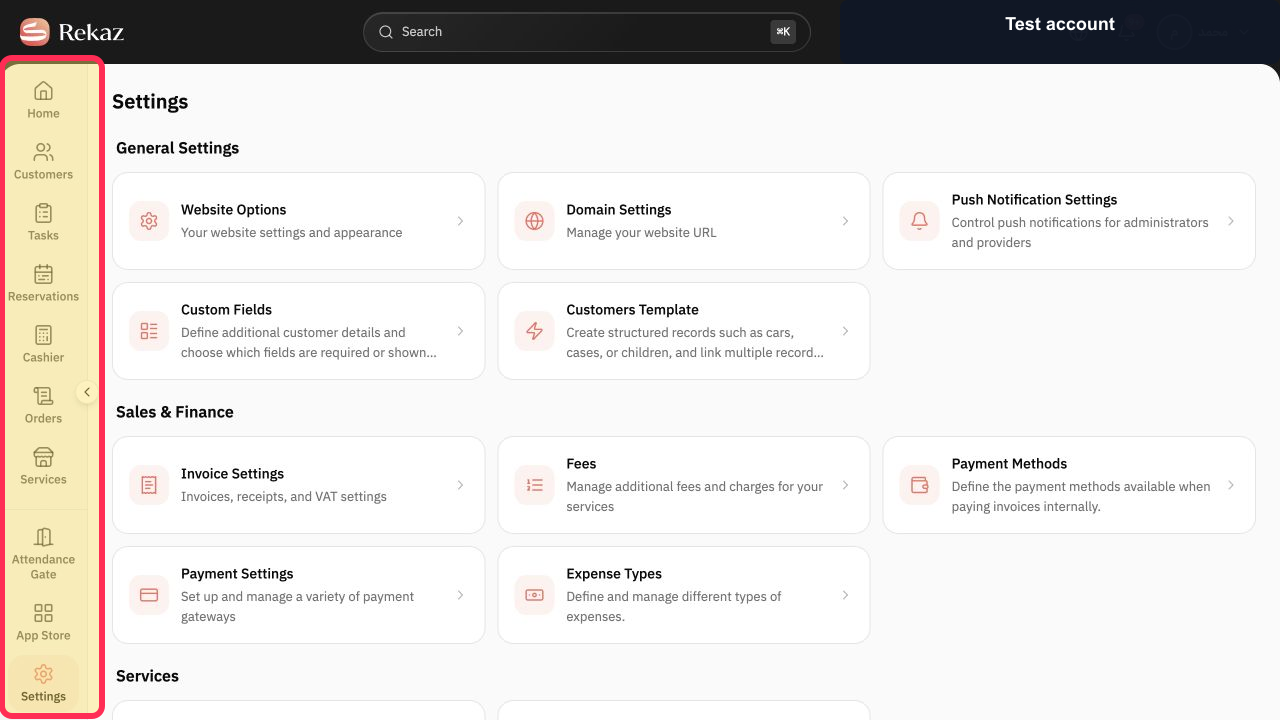
In the Rekaz sidebar, select Settings.
The Settings page opens.
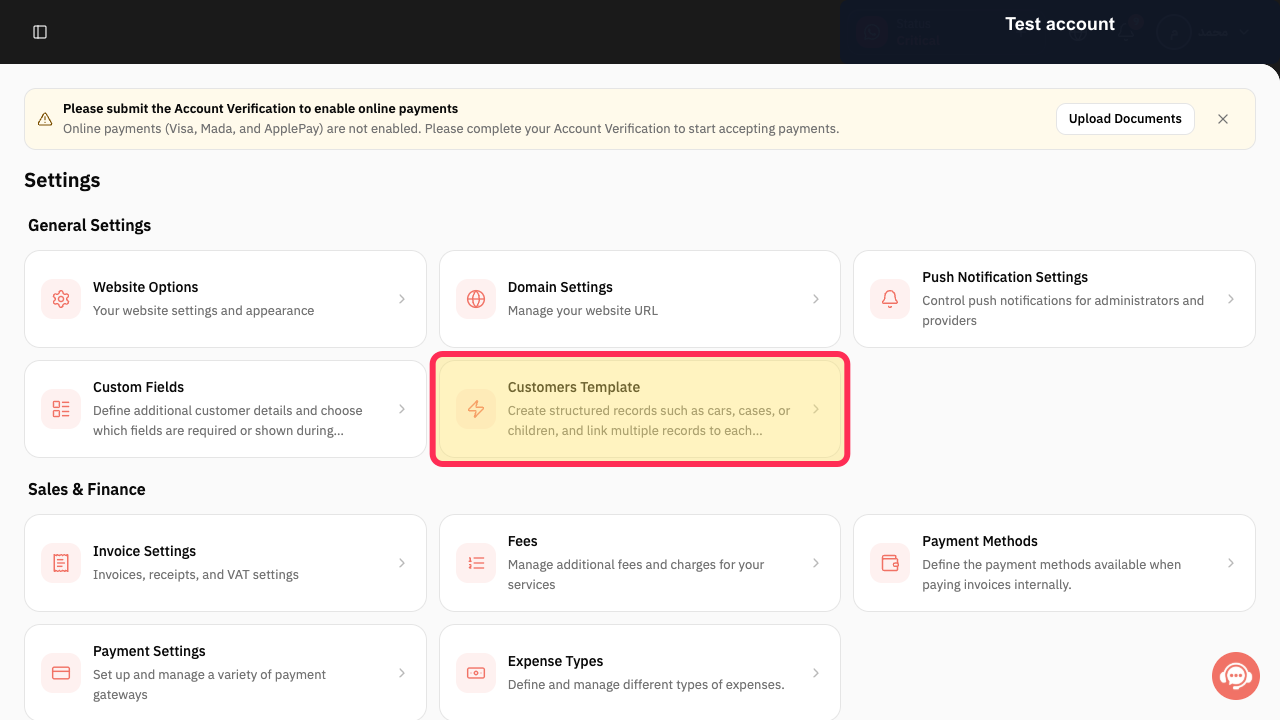
On the Settings page, select the Customers Template card.
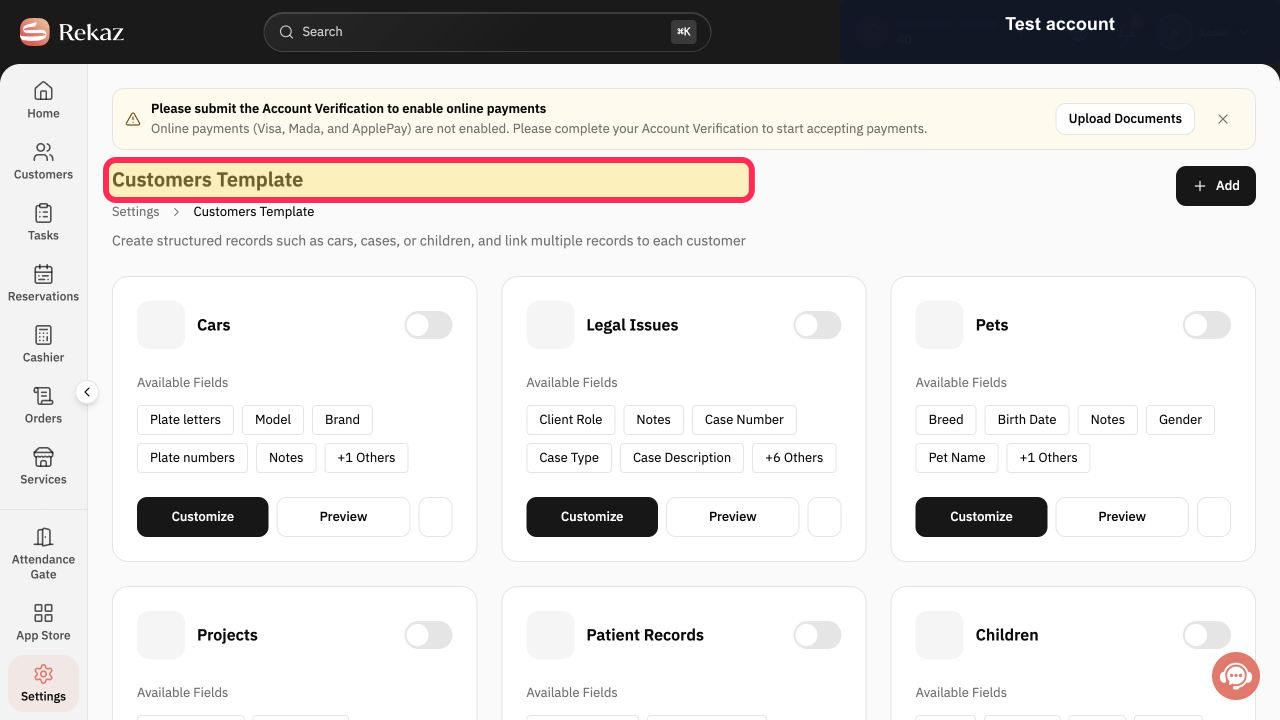
The Customers Template page opens.
Verify that the page heading is Customers Template.
You are on the Customers Template page.
Illustrated guide
Step 1: Select Settings from the Rekaz sidebar.
Step 2: Open the Customers Template feature from Settings.
Step 3: Customers Template is open.
What customer data templates are for
Customer data templates help you store structured information that is relevant to your business and its customers.
Car washes: link each customer to their car.
Medical clinics: add diagnoses for each patient.
Law offices: create cases for each client.
Nurseries: link each parent to their child.
Note
The wording or location of interface elements may change as Rekaz is updated. Confirm the exact labels for field visibility and customer-editing options in your current account before publishing screenshots.
Related questions
How do I customise customer information fields in Rekaz?
Where can I find Customers Template in Rekaz?
How do I make a customer data field required in Rekaz?
How do I check whether a customer template appears on a customer record in Rekaz?


