How do I search for a customer in Rekaz?
To find a customer quickly in Rekaz, open Customers and enter the customer’s name, Customer Number, or mobile number in the search box. This helps you access the customer record without browsing the full customer table.
Steps
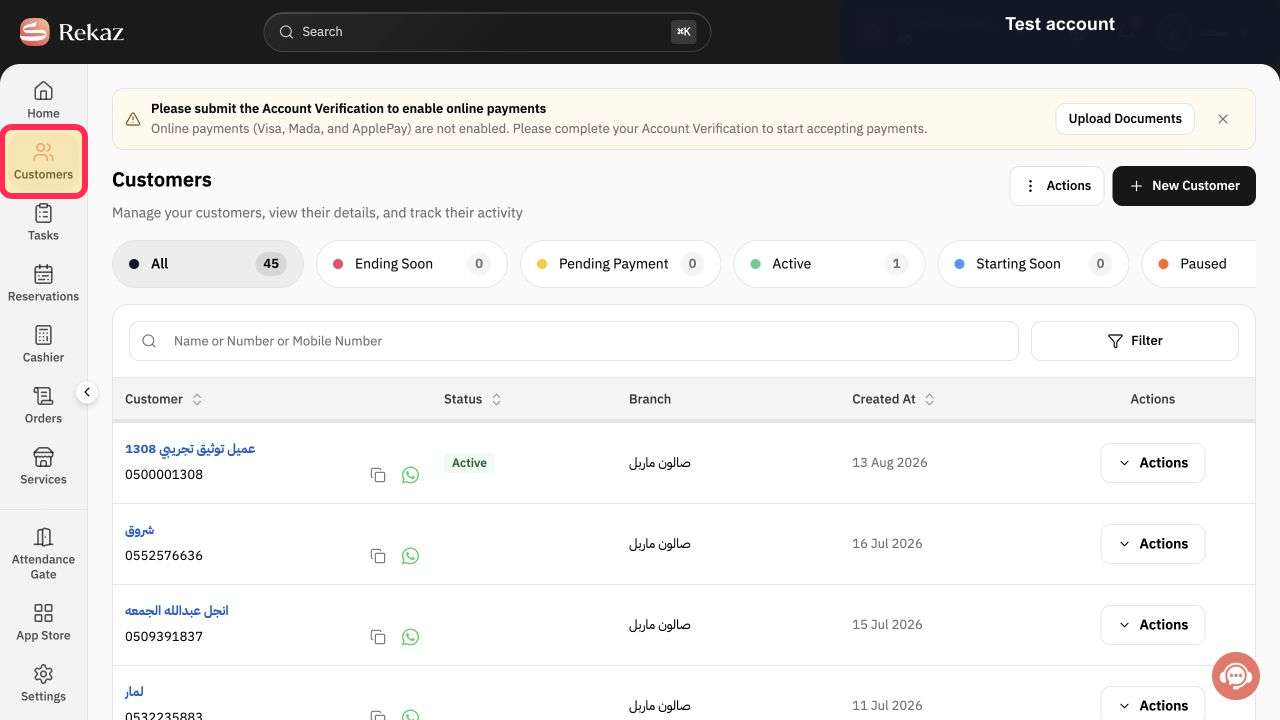
From the Home page, select Customers in the sidebar.
The Customers page opens.
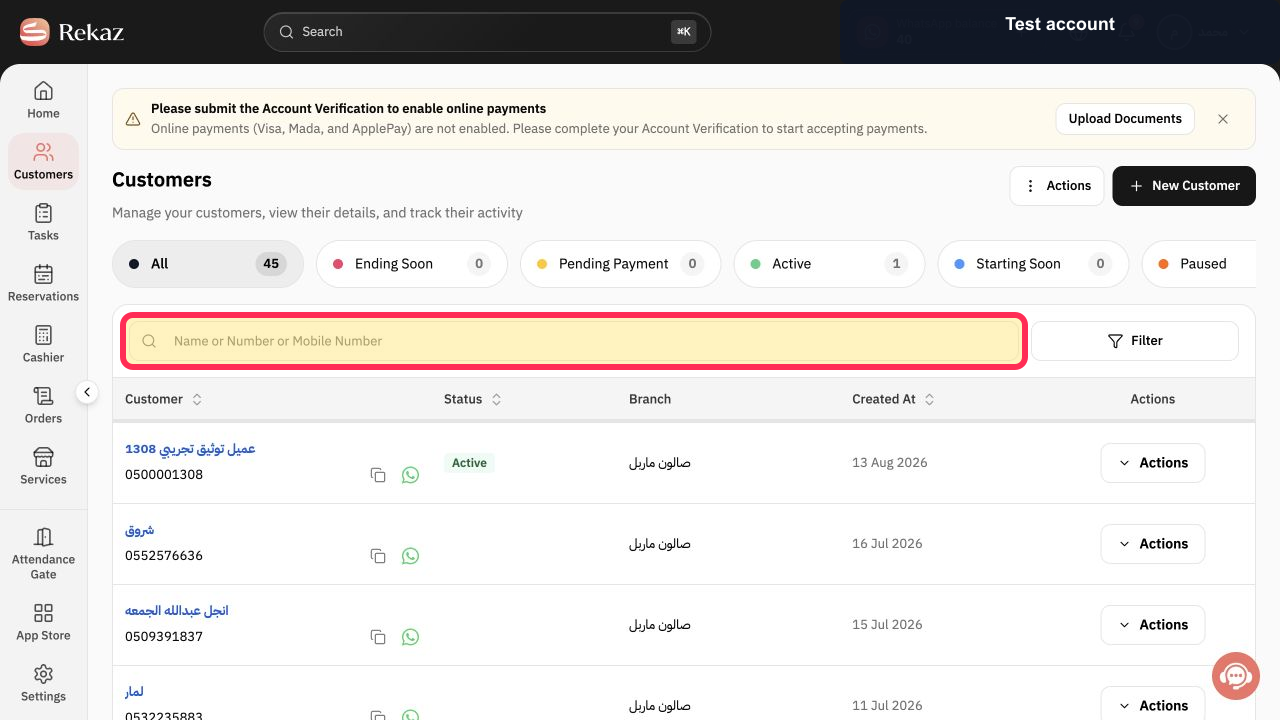
In the search box on the Customers page, enter the customer’s name, Customer Number, or mobile number.
The customer list is filtered using the details you entered.
Illustrated guide
Step 1: Select Customers from the sidebar.
Step 2: Search using a customer name, Customer Number, or mobile number.
Notes and limitations
Use only the minimum customer information needed to complete your search.
Customer rows may be hidden in examples to protect customer data.
Related questions
How do I find a customer by name in Rekaz?
How do I search for a customer by mobile number in Rekaz?
Where is customer search in Rekaz?


