How do I view staff commission reports in Rekaz?
To view staff commissions in Rekaz, open Commissions Reports from the Reports page. You can filter the report by period and Provider Name, use Custom rates to isolate bookings with adjusted commission rates, and export the filtered results to Excel.
The report reflects the period and filters selected at the top of the page.
Steps
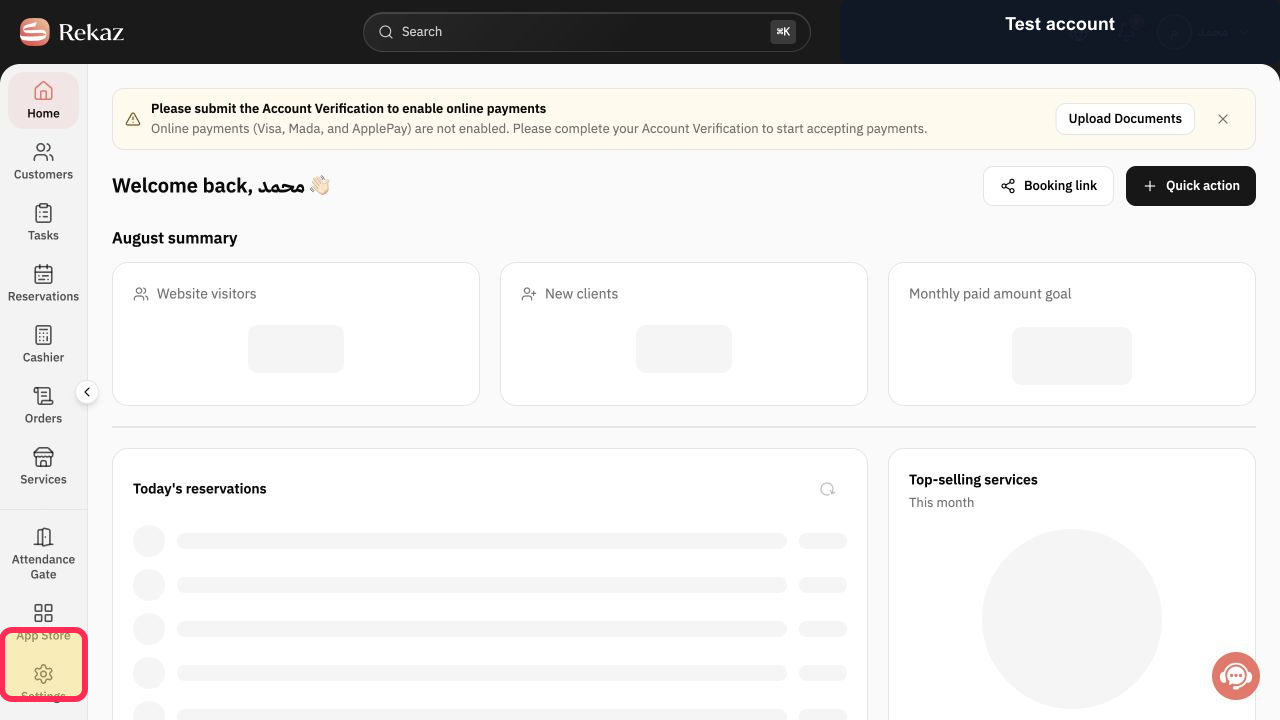
From the Home page, select Reports in the sidebar.
The Reports page opens.
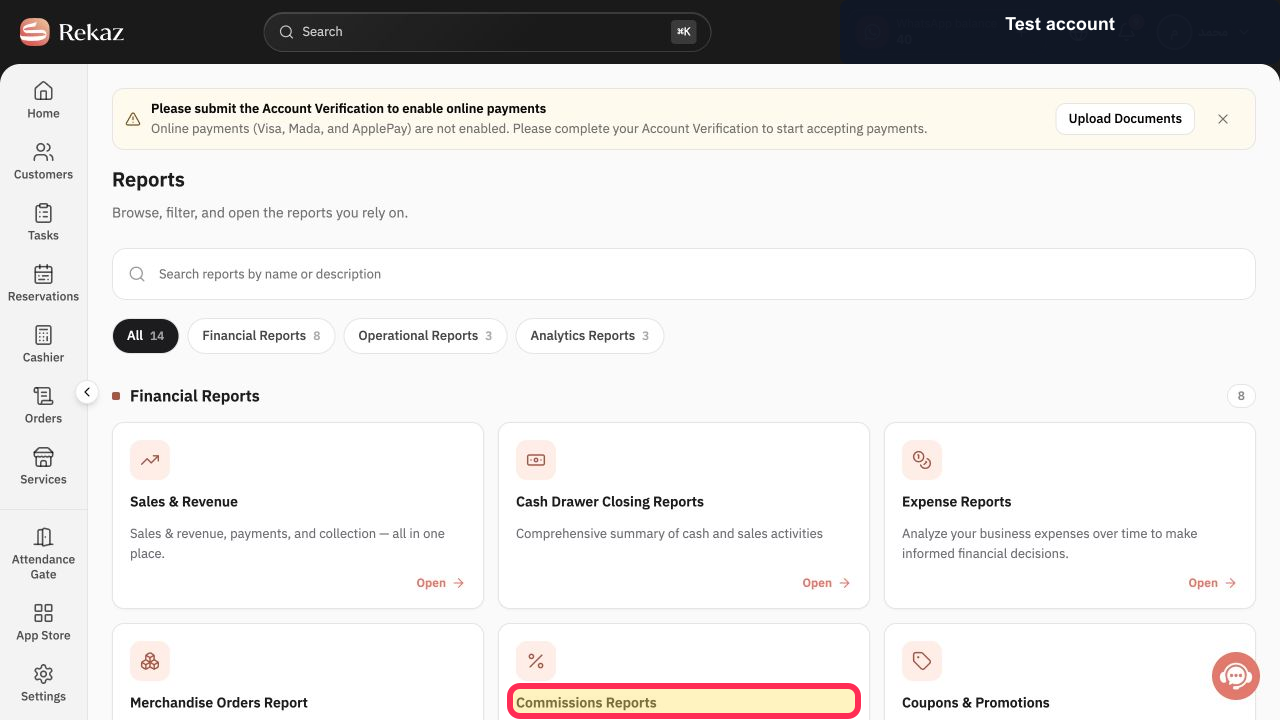
In the financial row, select the Commissions Reports card title.
The Commissions Reports page opens.
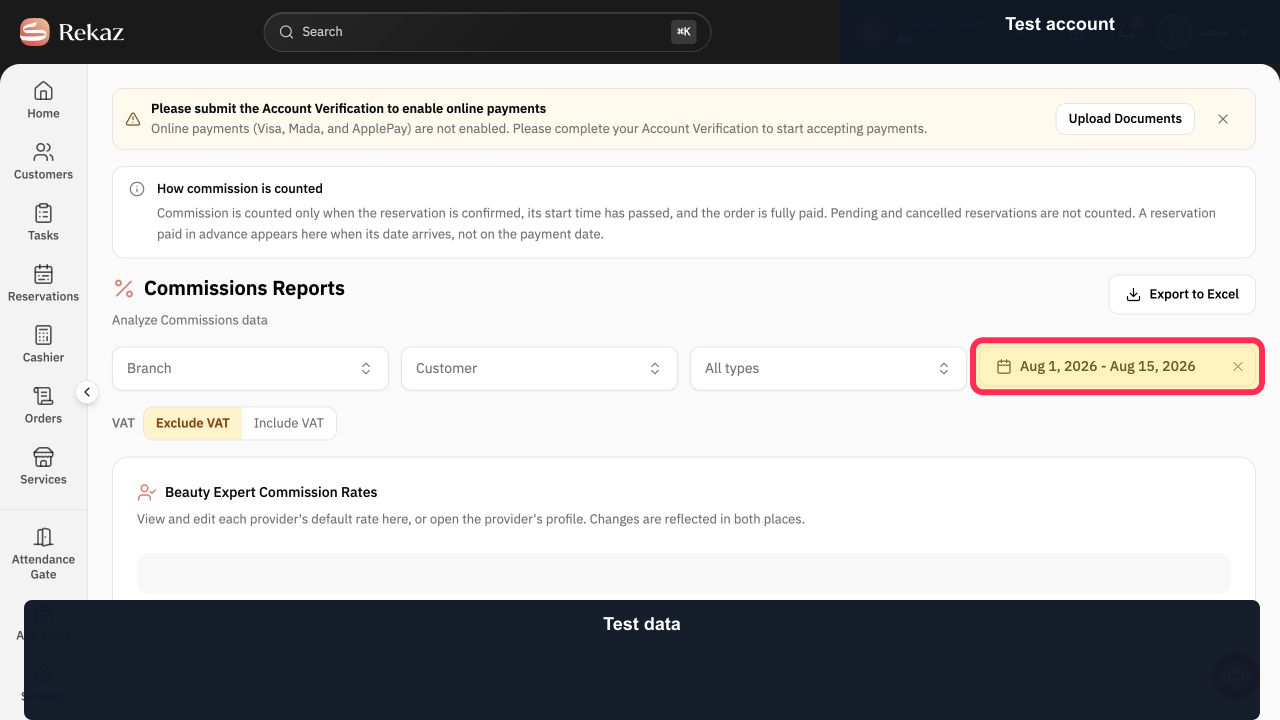
Select the report date range and set the period you want to review. The verified example shows Aug 1, 2026 - Aug 15, 2026.
The commission report uses the selected period.
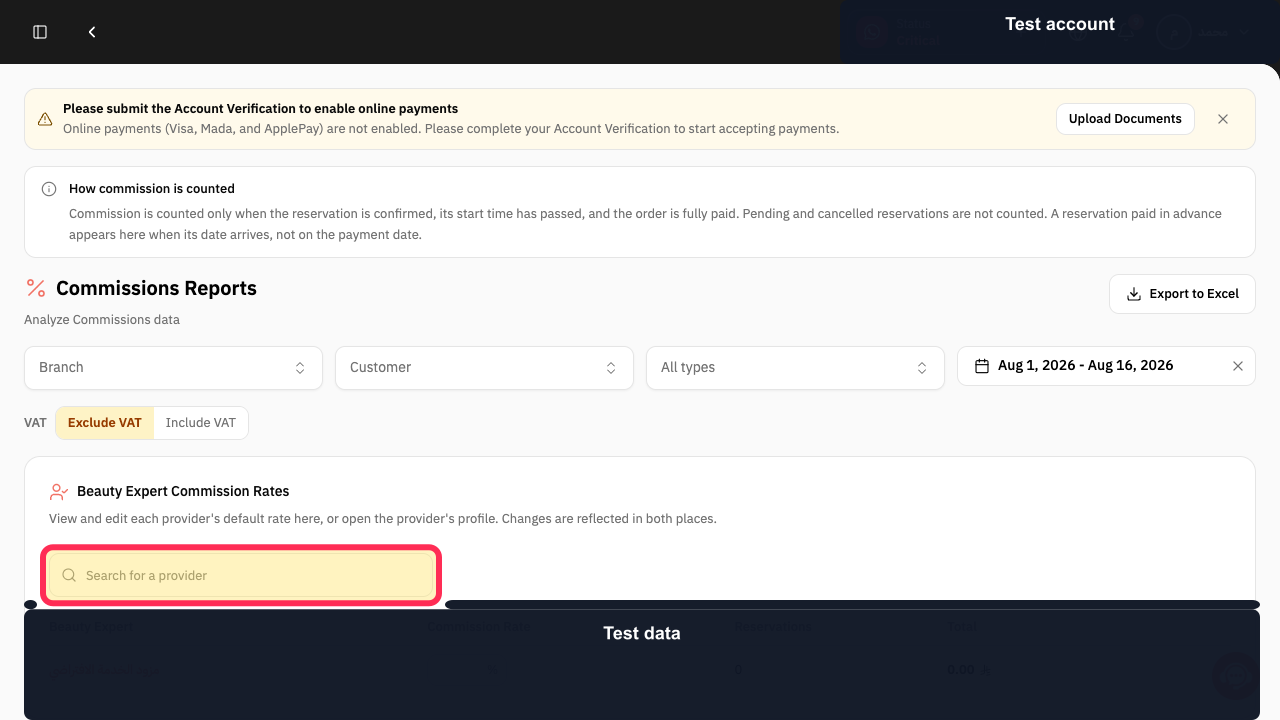
Search for the required provider by name.
The report results are filtered for the selected provider.
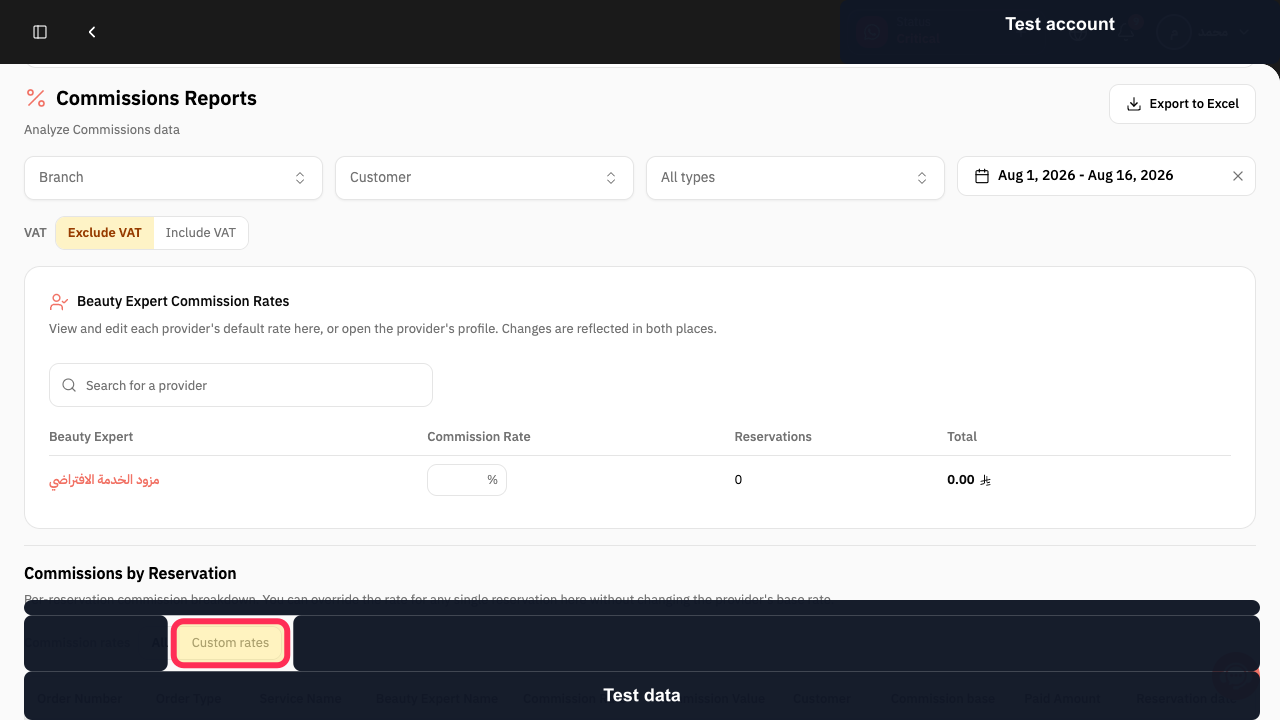
Select Custom rates to isolate bookings with adjusted commission rates.
The report shows bookings with custom commission rates.
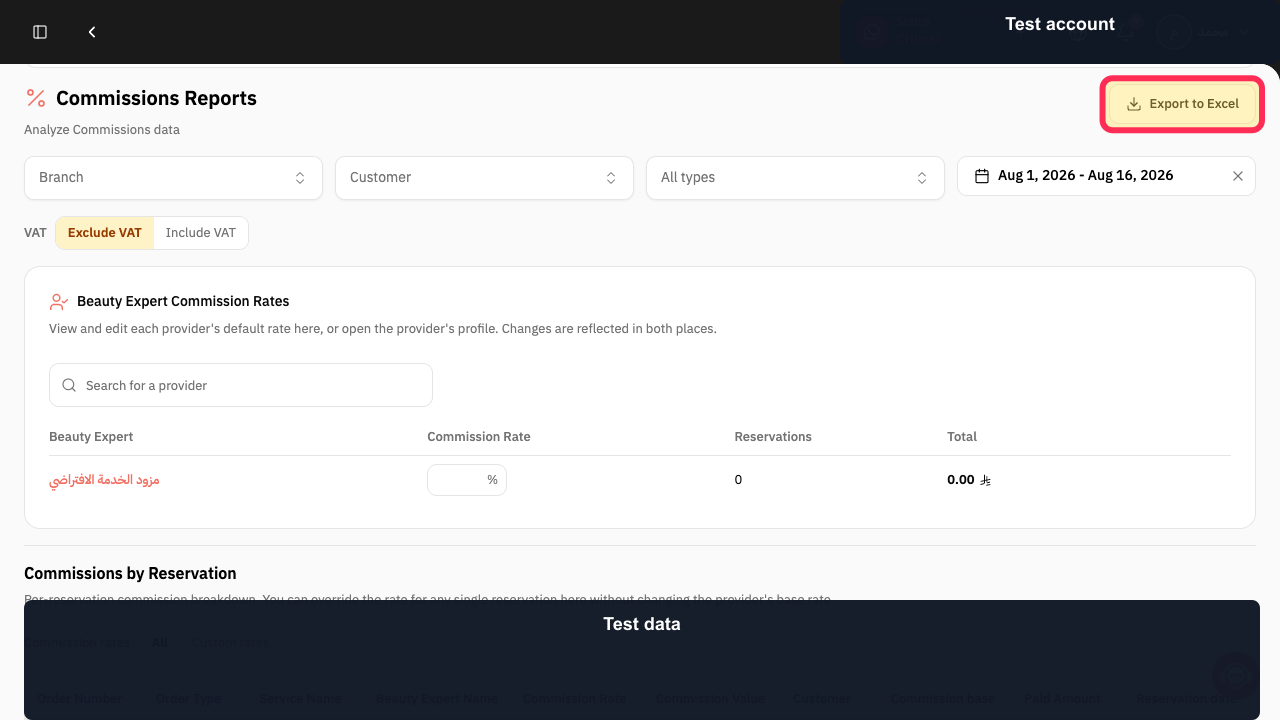
Select Export to download the filtered report as an Excel file.
The report is exported to Excel.
Illustrated guide
Step 1: Select Reports from the Rekaz sidebar.
Step 2: Open Commissions Reports from the financial reports row.
Step 3: Set the commission report period.
Step 4: Search by Provider Name to view one staff member's results.
Step 5: Use Custom rates to filter adjusted commission bookings.
Step 6: Export the filtered commission report to Excel.
Notes and limitations
Commissions Reports depends on the period and filters selected at the top of the page.
Use Provider Name search to isolate the results for one staff member.
Related questions
How do I see each employee’s commission percentage in Rekaz?
Where can I find the commission statement for service providers in Rekaz?
How do I export the commission report for a specific employee in Rekaz?


