How do I set a minimum order in Rekaz?
Use Website Options to access the minimum-order setting for your Rekaz website.
The current interface shows “Enable Minimum Order Amount,” but it does not show the amount-entry or save actions. This guide can therefore confirm how to enable the setting, not how to enter a numeric minimum.
Steps
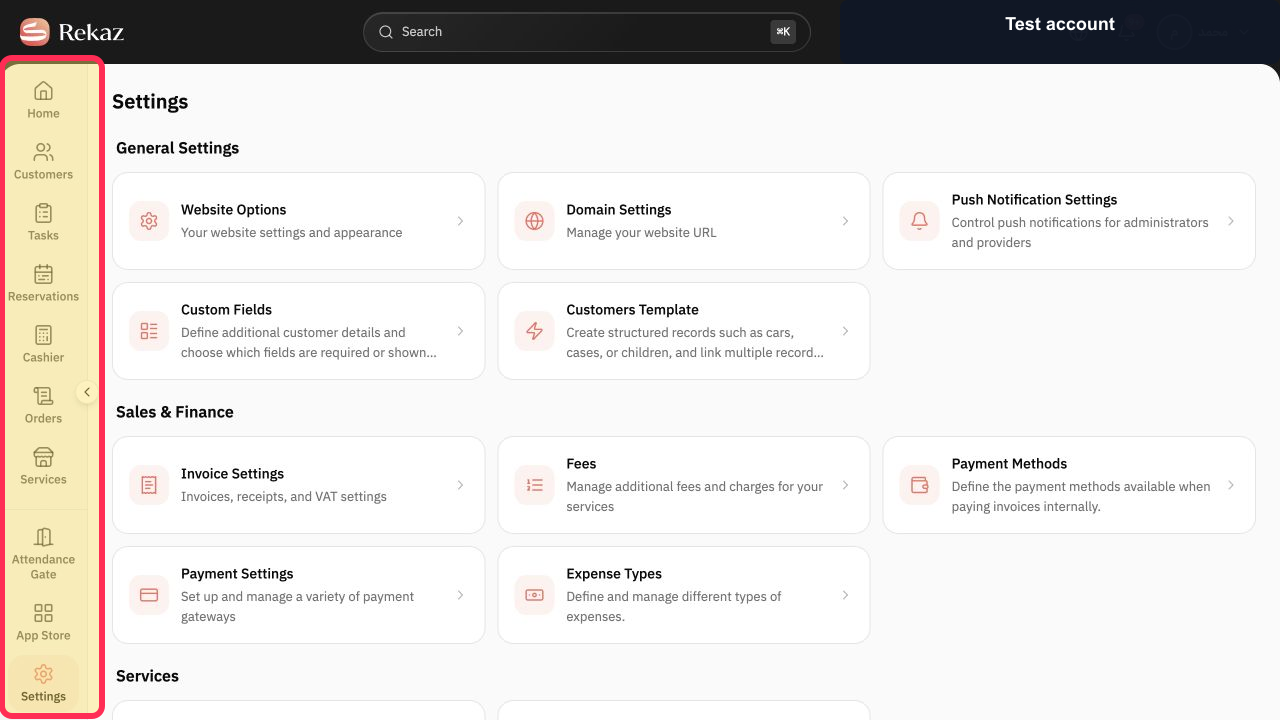
From the Rekaz sidebar, select Settings.
The Settings page is displayed.
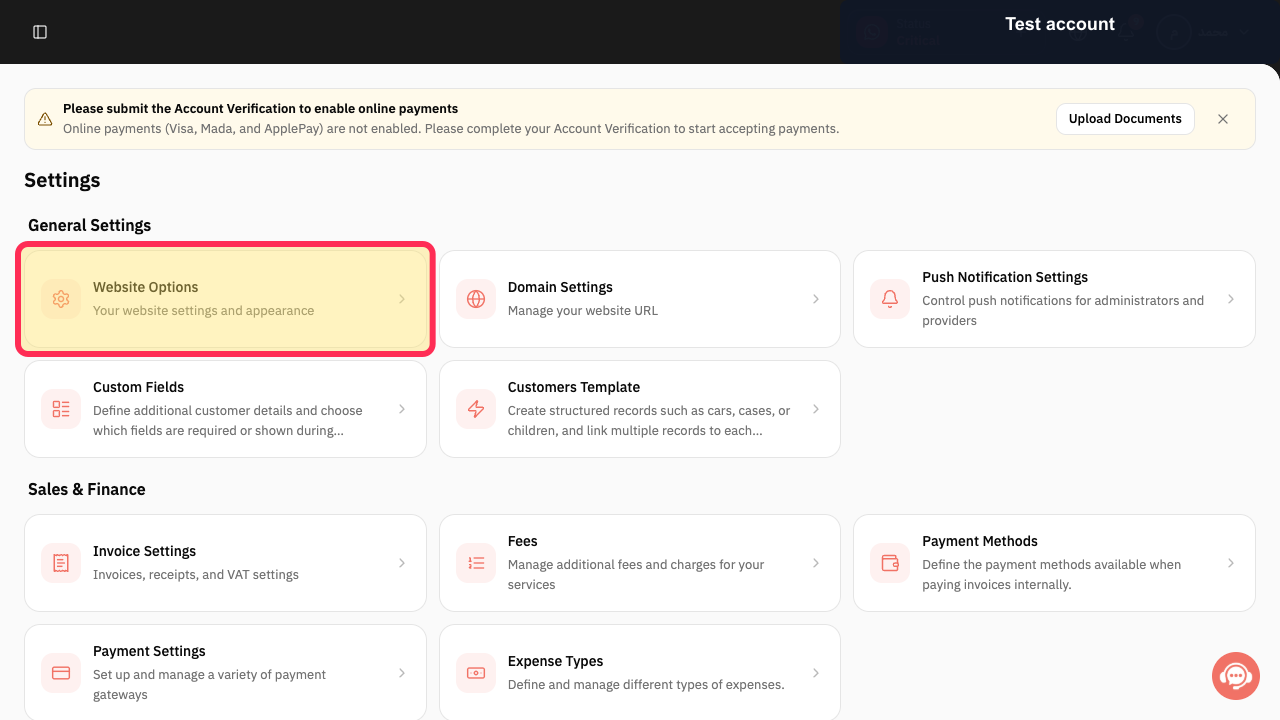
Select the Website Options card.
Website Options opens.
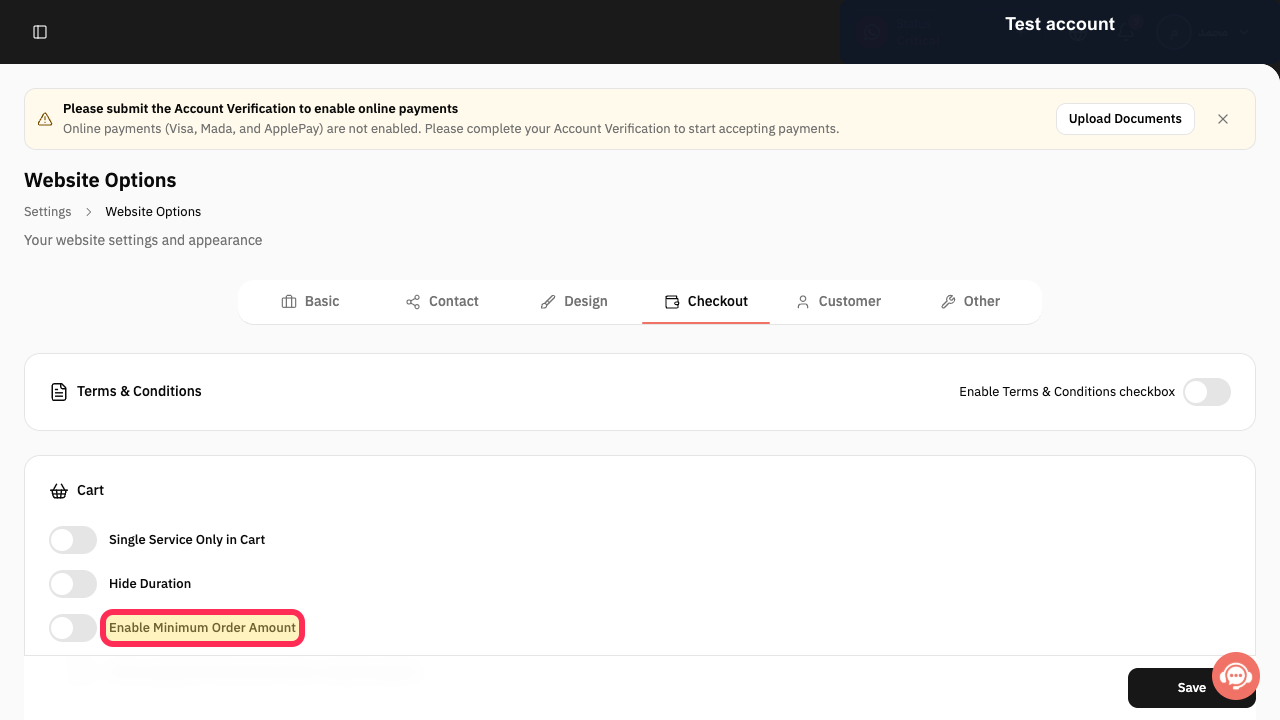
In the Website Options payment settings, select Enable Minimum Order Amount.
The minimum-order option is enabled. The current interface does not show an amount field or a Save control.
Illustrated guide
Step 1: Select Settings from the Rekaz sidebar.
Step 2: Open the Website Options card from Settings.
Step 3: Enable the minimum-order option in Website Options.
Check the setting
After saving, test the result on your booking website to confirm that the minimum applies as expected.
Important limitation
Minimum Order applies to the booking website order cart total. It does not set a minimum price for one service.
Related questions
How do I require a customer’s order total to be at least 80 in Rekaz?
Where can I find the minimum order option in Rekaz?
How do I set a minimum order amount for my Rekaz booking website?


