How do I make a service giftable in Rekaz?
To make an existing service available as a gift in Rekaz, open the service, enable the giftable option in Advanced Settings, and update the service.
The current option is called “Make this service giftable.” The source does not confirm that the setting was enabled or saved during the recorded demonstration.
Steps
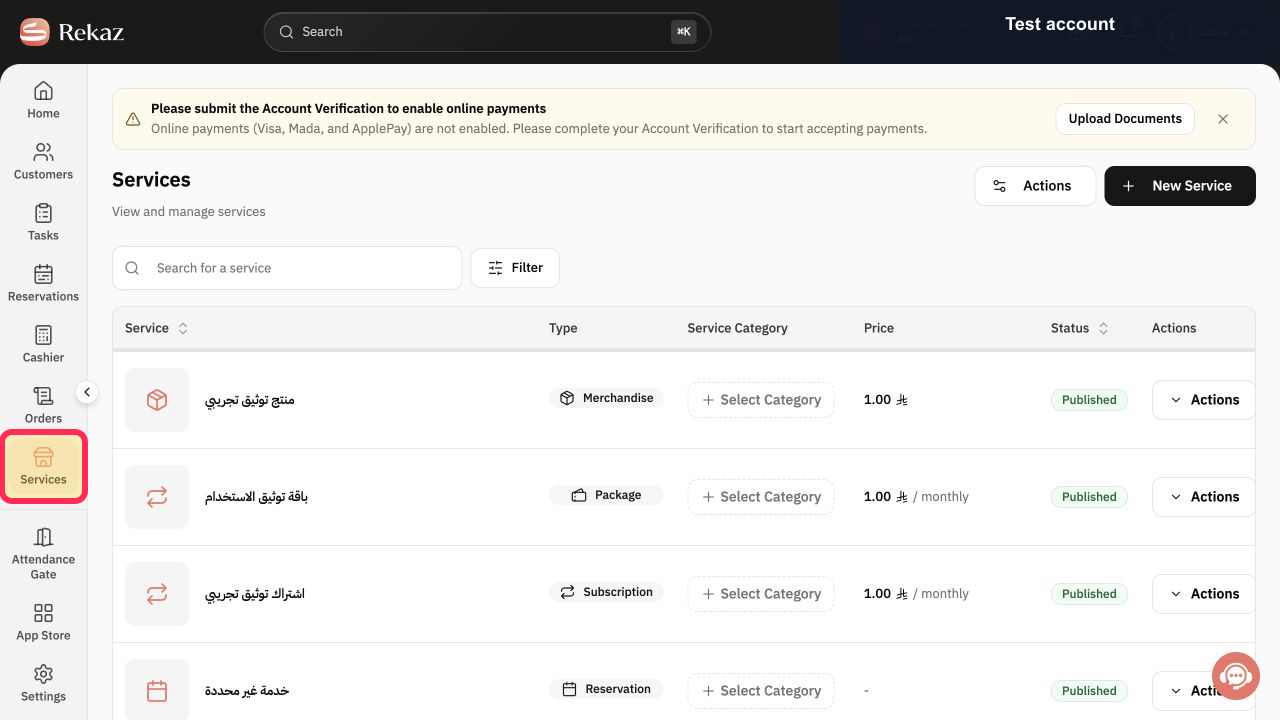
From the sidebar, select Services. Then open the service you want to make available as a gift.
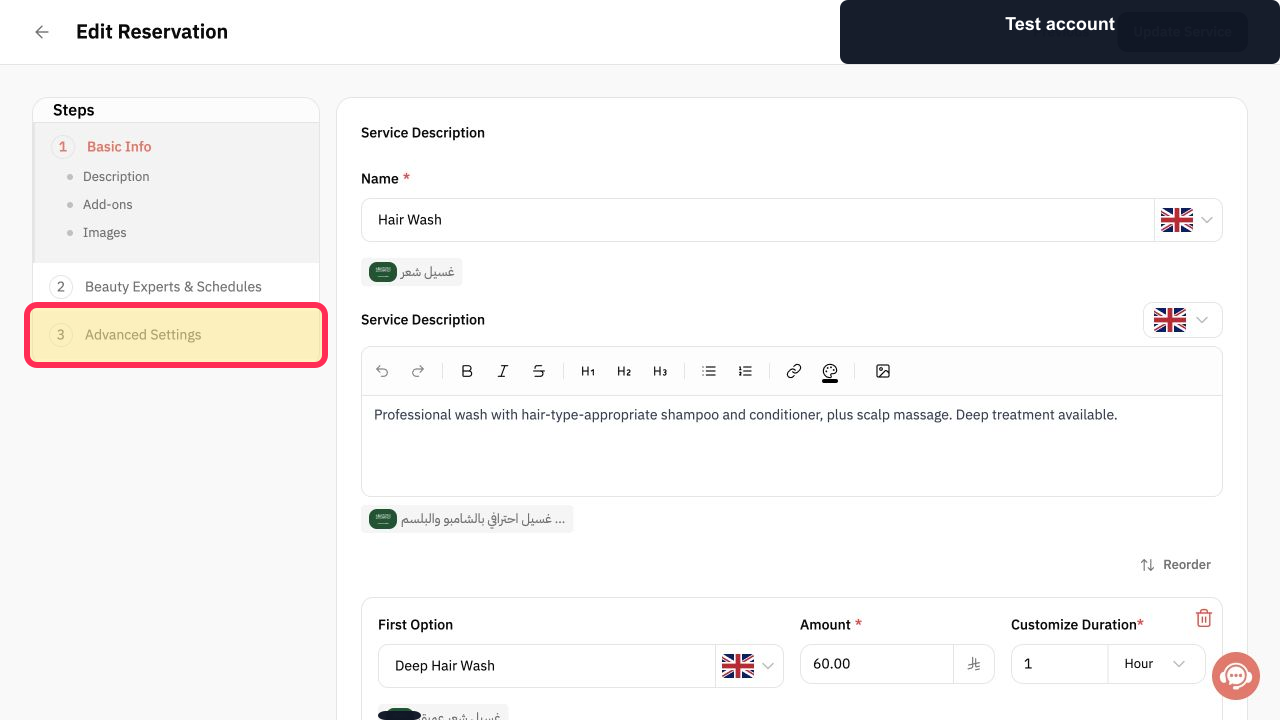
The selected service opens for editing.
Select Advanced Settings.
The service’s advanced settings are displayed.
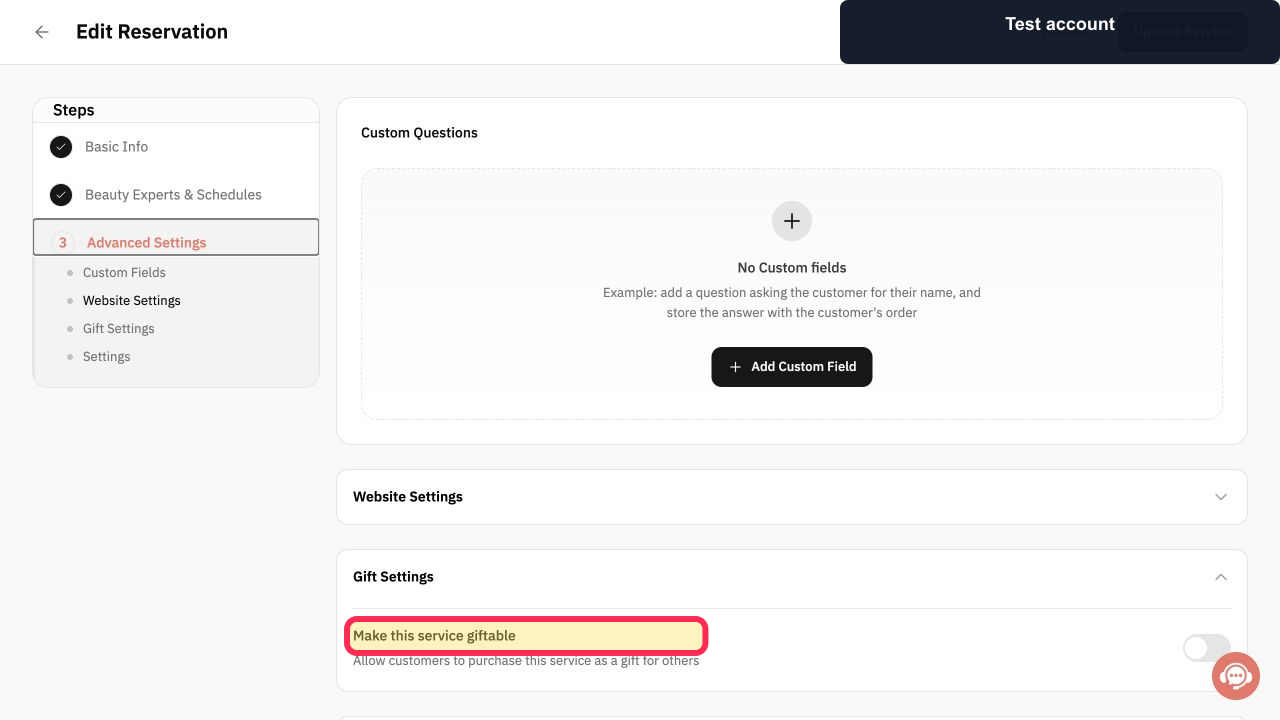
Enable Make this service giftable.
The giftable setting is enabled for the service.
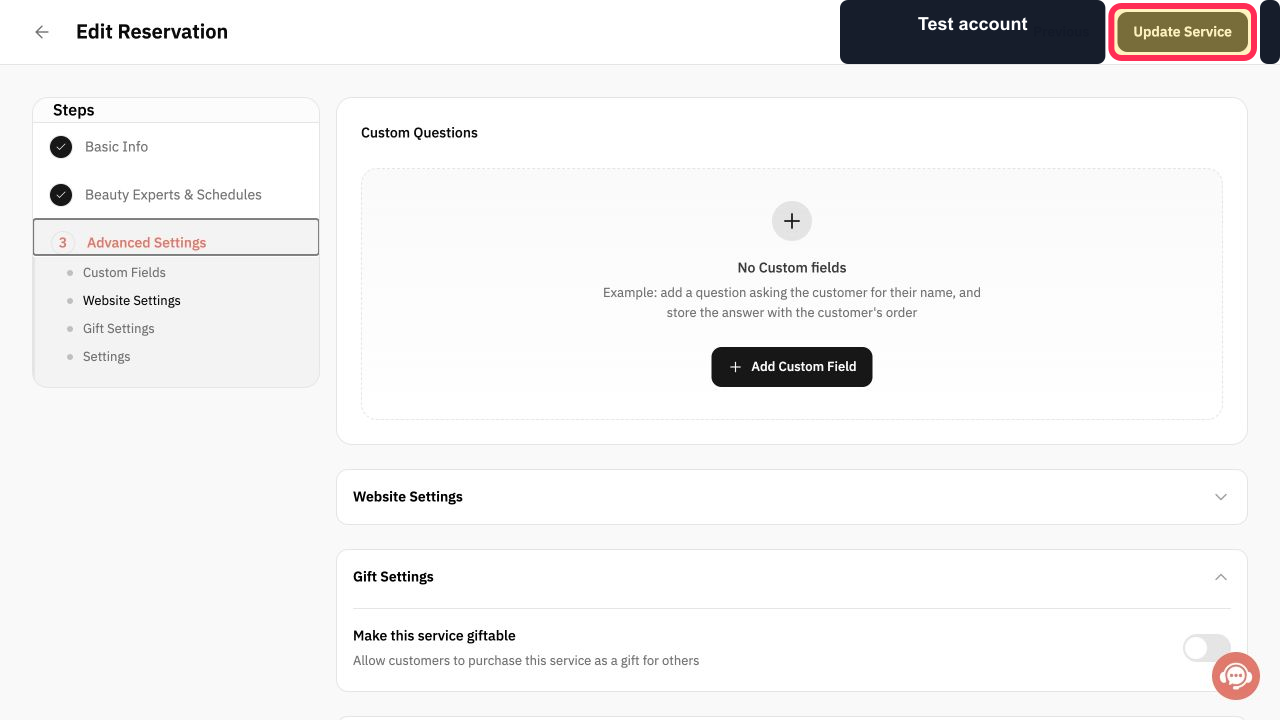
Review the setting, then select Update Service.
The service changes are submitted for update.
Illustrated guide
Step 1: Open Services and select the service you want to make giftable.
Step 2: Open Advanced Settings for the service.
Step 3: Enable the Make this service giftable option.
Step 4: Update the service to save the giftable setting.
Important notes
The current name of the setting is “Make this service giftable.”
The available source does not verify the final saved result, because the option was not enabled or saved during the demonstration.
Related questions
How can a customer buy a service as a gift in Rekaz?
Where are the gift settings for a service in Rekaz?
How do I enable a giftable service in Rekaz?


