How do I allow multiple customers to book the same time in Rekaz?
In Rekaz, you can allow more than one booking at the same time by enabling customized slots for the service and setting the capacity for each time slot.
The capacity applies to the number of bookings available per time slot. Check that your Service Providers and resources can accommodate the increased capacity before making it available.
Steps
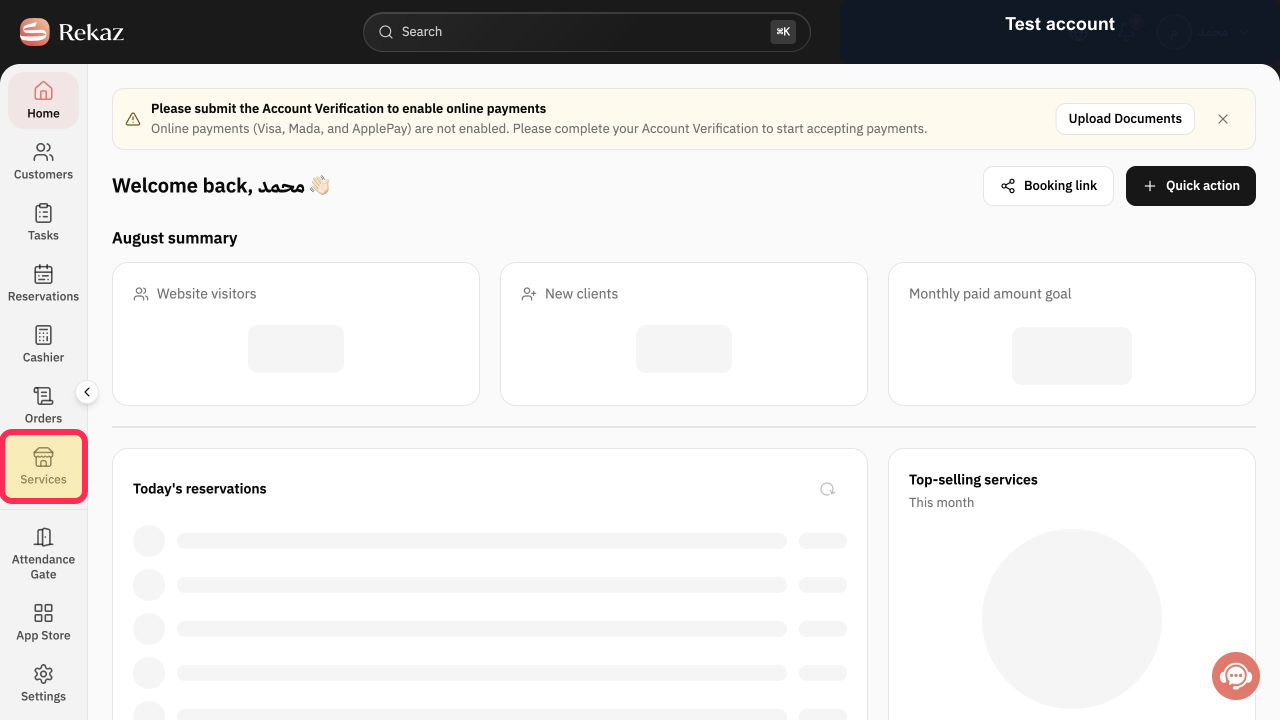
From Home, select Services in the sidebar.
The Services area opens.
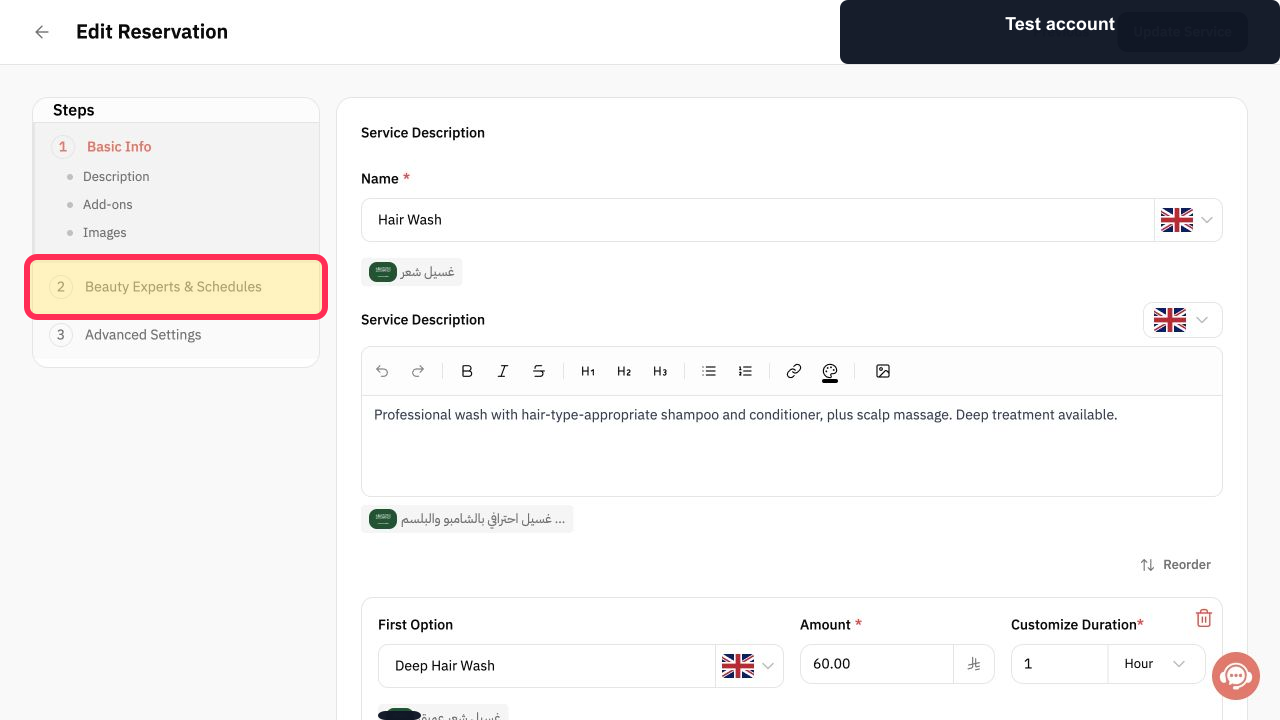
Open 2 Beauty Experts & Schedules, then select Providers.
The provider and schedule options for the service are displayed.
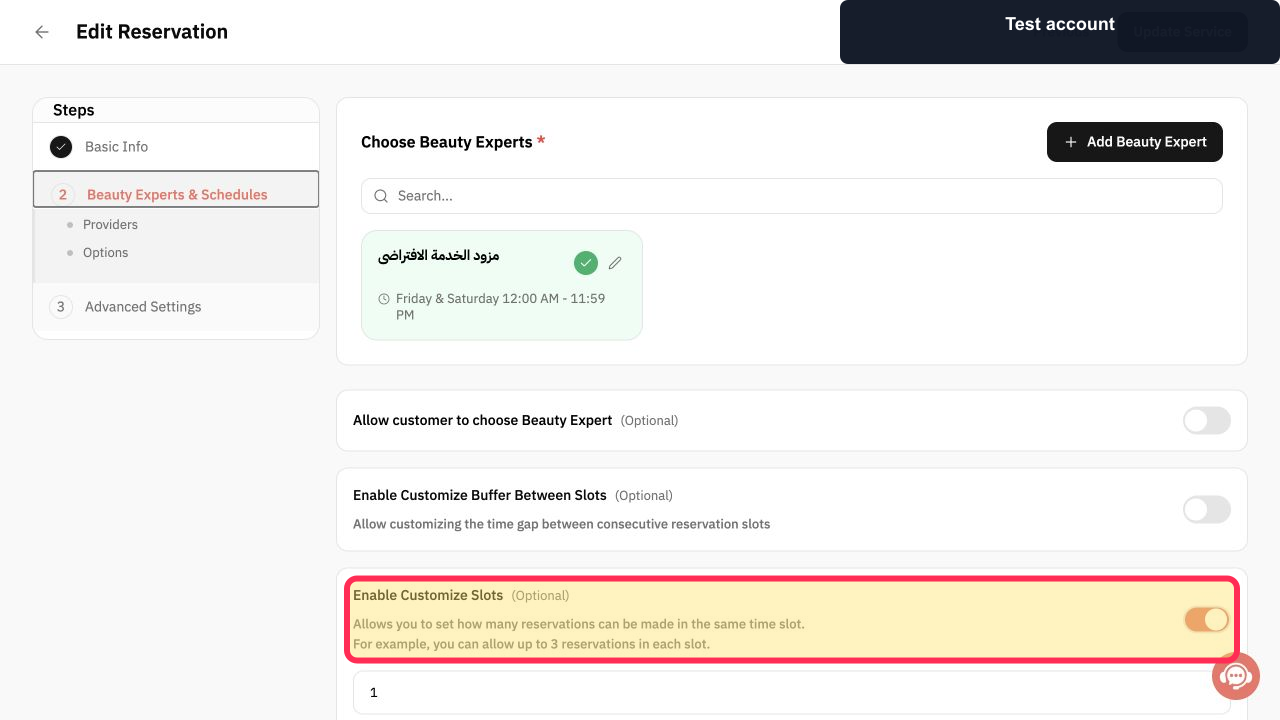
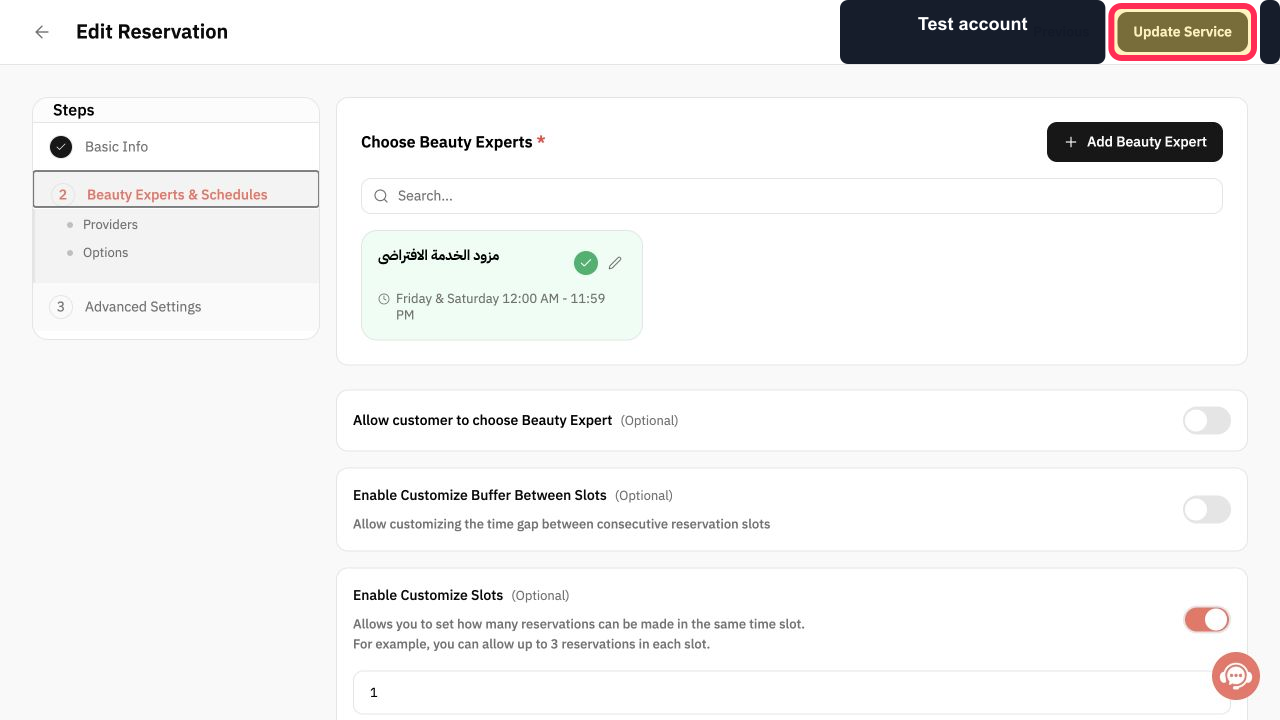
Enable Enable Customize Slots.
The setting for customized booking capacity is enabled.
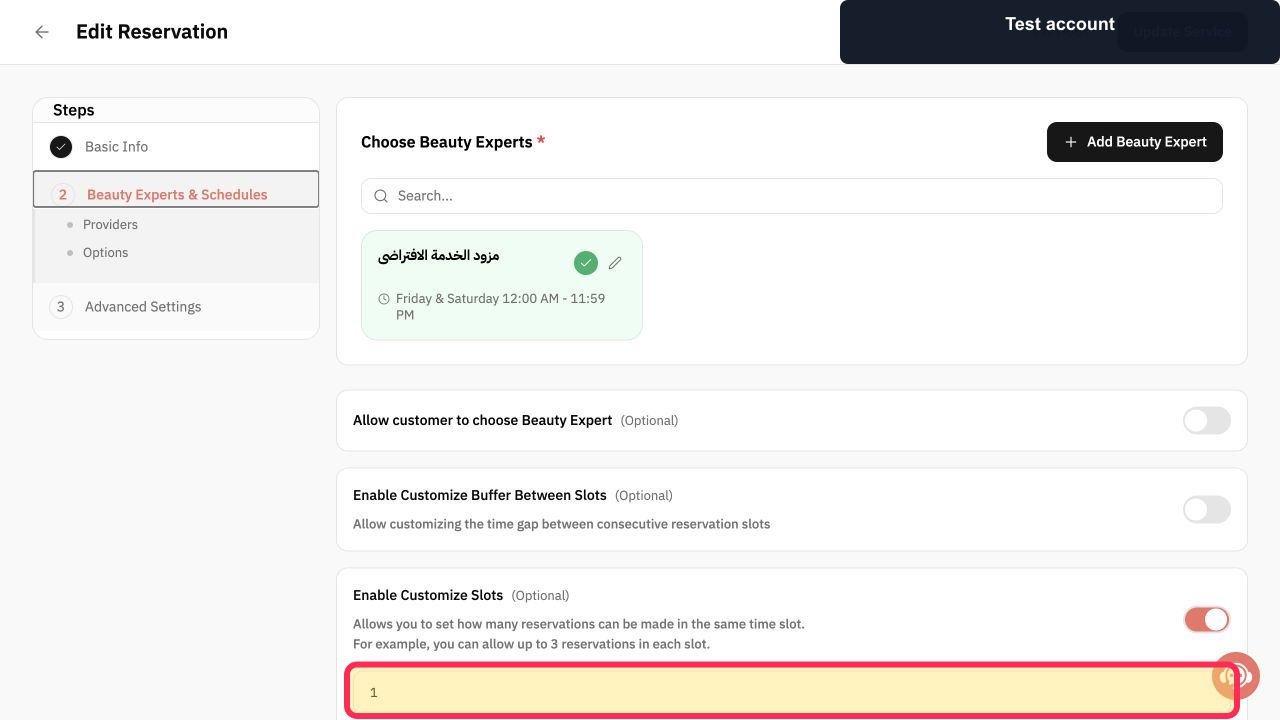
In the capacity field displayed under Enable Customize Slots, enter the number of reservations allowed for each time slot.
The per-slot reservation capacity is entered.
Review the capacity, then select Next for a new service or Update Service for an existing service.
The service capacity is saved as part of the service setup or update.
Illustrated guide
Step 1: The Services option in the Home sidebar.
Step 2: Open Beauty Experts & Schedules for the service.
Step 3: The Enable Customize Slots control in the Providers step.
Step 4: Enter the allowed number of reservations per time slot.
Step 5: The configured capacity and the Next or Update Service control, depending on the service’s status.
Important notes
The capacity shown is the number of bookings available for each time slot.
Before increasing capacity, check that your resources and Service Providers can support multiple customers at the same time.
Related questions
How can multiple customers book the same time in Rekaz?
How do I increase appointment capacity in Rekaz?
Where do I set the number of simultaneous bookings in Rekaz?


