How do I assign a service to a category in Rekaz?
To group similar services in Rekaz, open the service, go to its Advanced settings, select a Category, and update the service. This assigns the service to the selected category.
Choosing a category does not change the order in which categories appear on your website. Reorder categories separately if you need to change their display order.
Steps
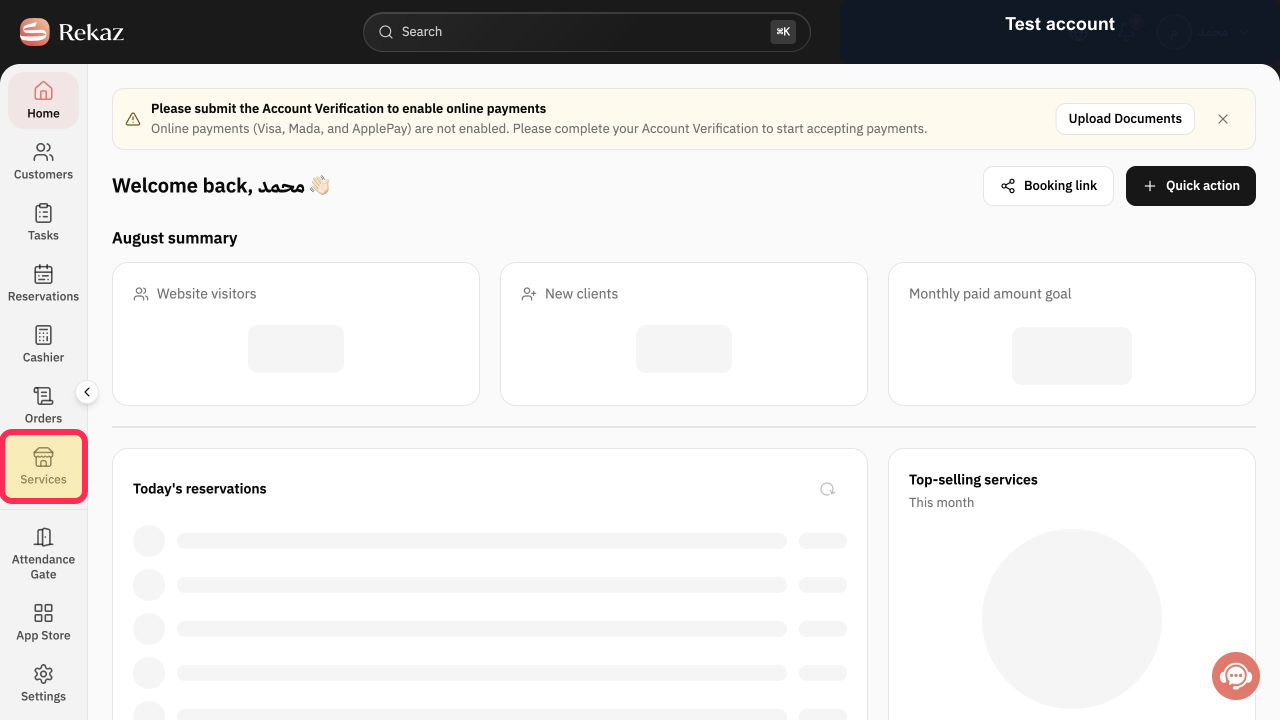
From the signed-in Rekaz sidebar, select Services.
The Services page opens and shows your services.
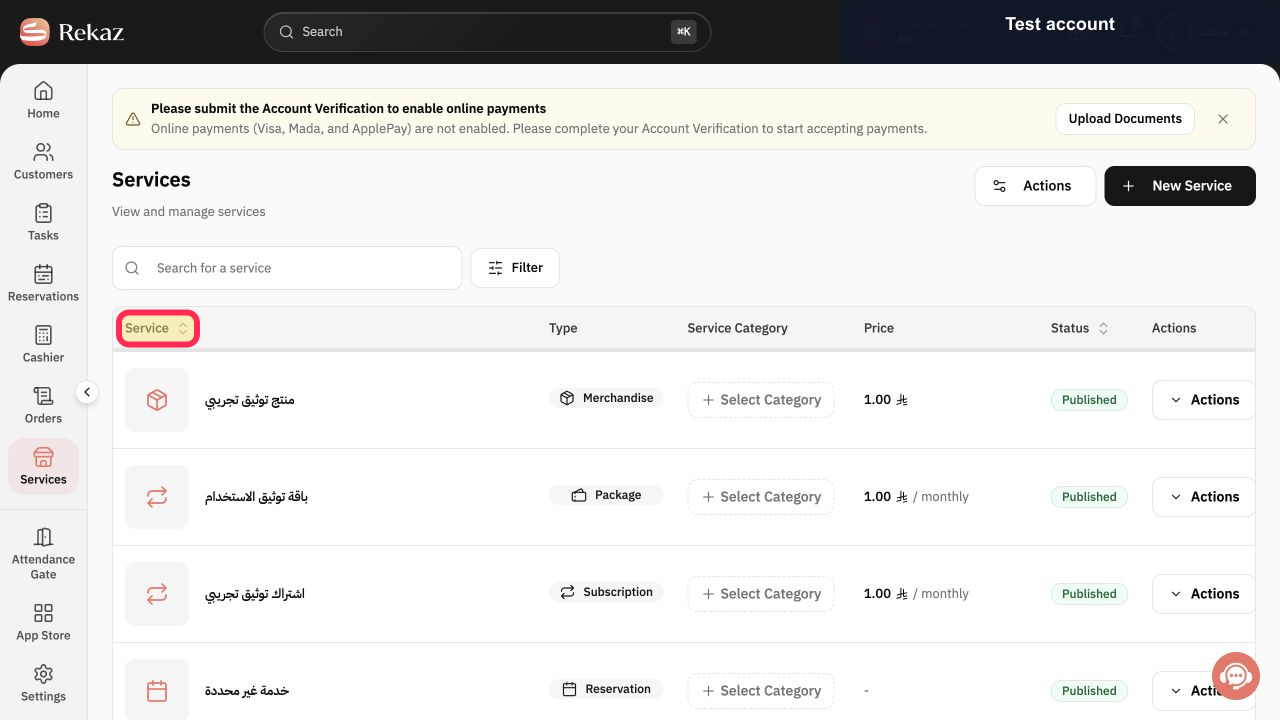
Open the service that you want to assign to a category.
The selected service opens in the service editor.
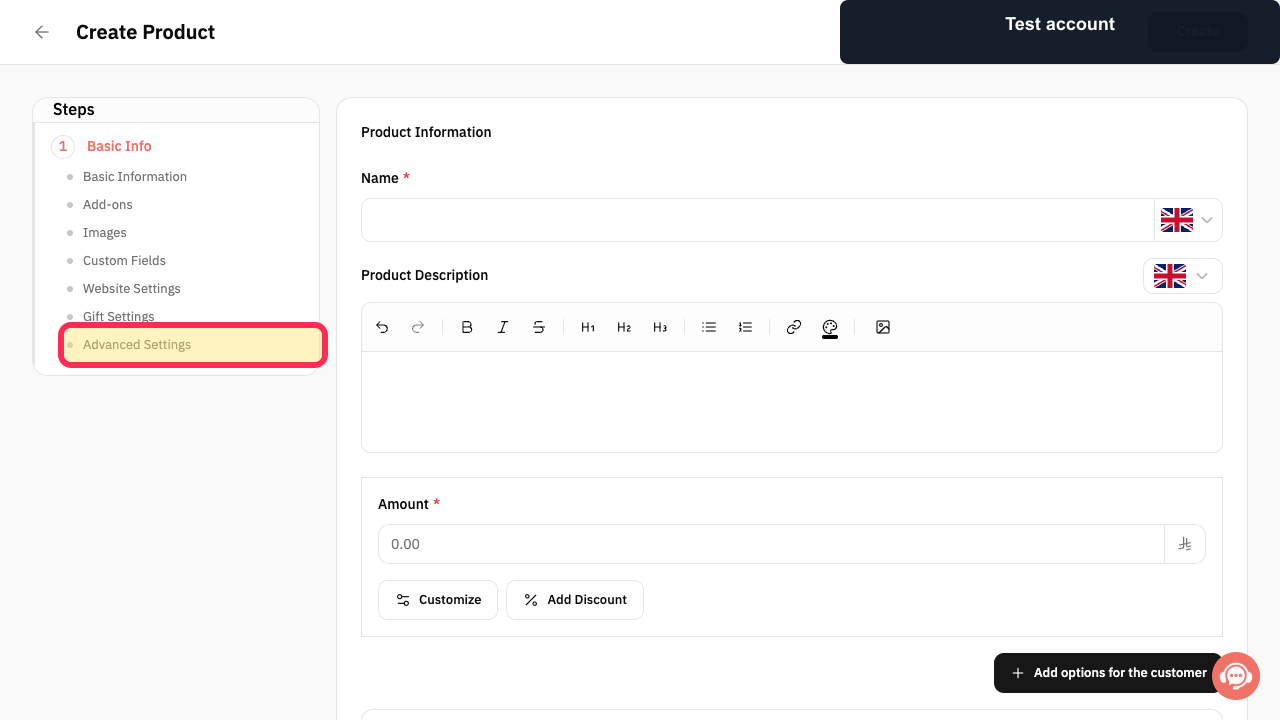
Open Advanced settings in the service editor.
The service’s Advanced settings are displayed.
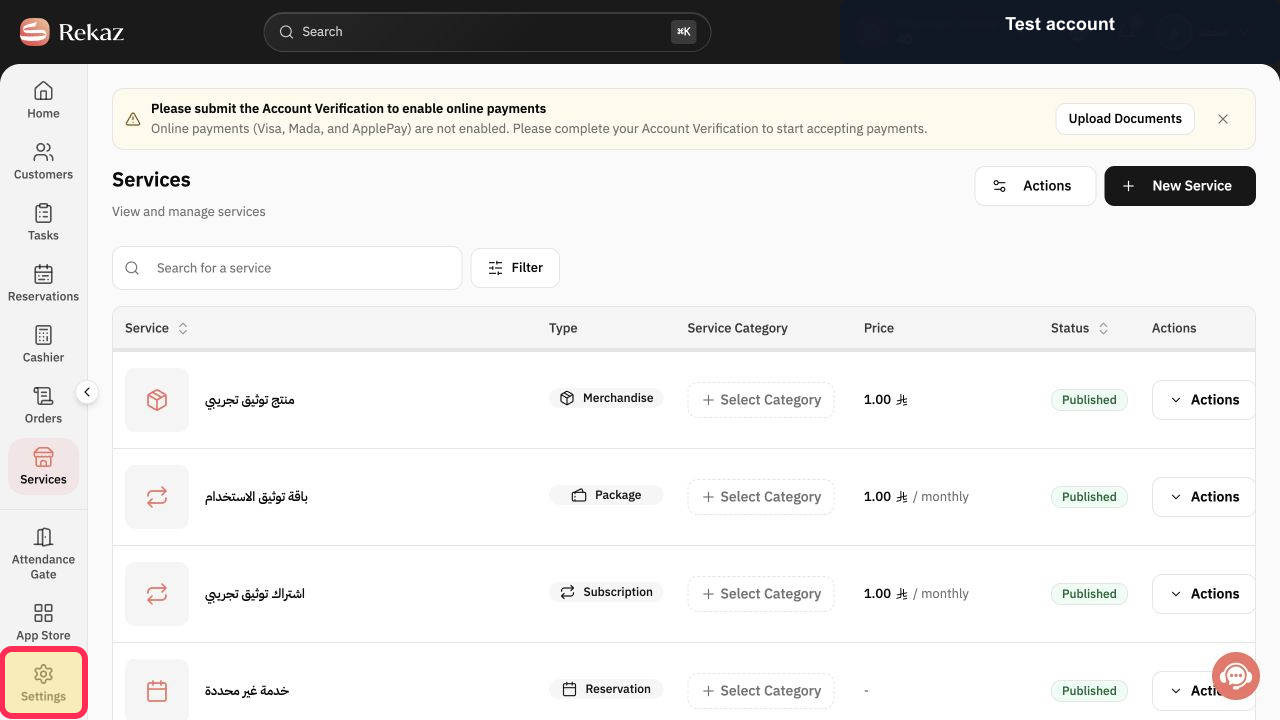
Select Settings.
The settings fields for the service are displayed.
Open the Category field.
The available categories are shown.
Select the category that best fits the service.
The selected category appears in the Category field.
Select Update Service to save the service category.
The service category is saved.
Illustrated guide
Step 1: Select Services from the Rekaz sidebar.
Step 2: Open the service you want to categorise.
Step 3: Open Advanced settings for the service.
Step 4: Open the service Settings.
Step 5: Open the Category field.
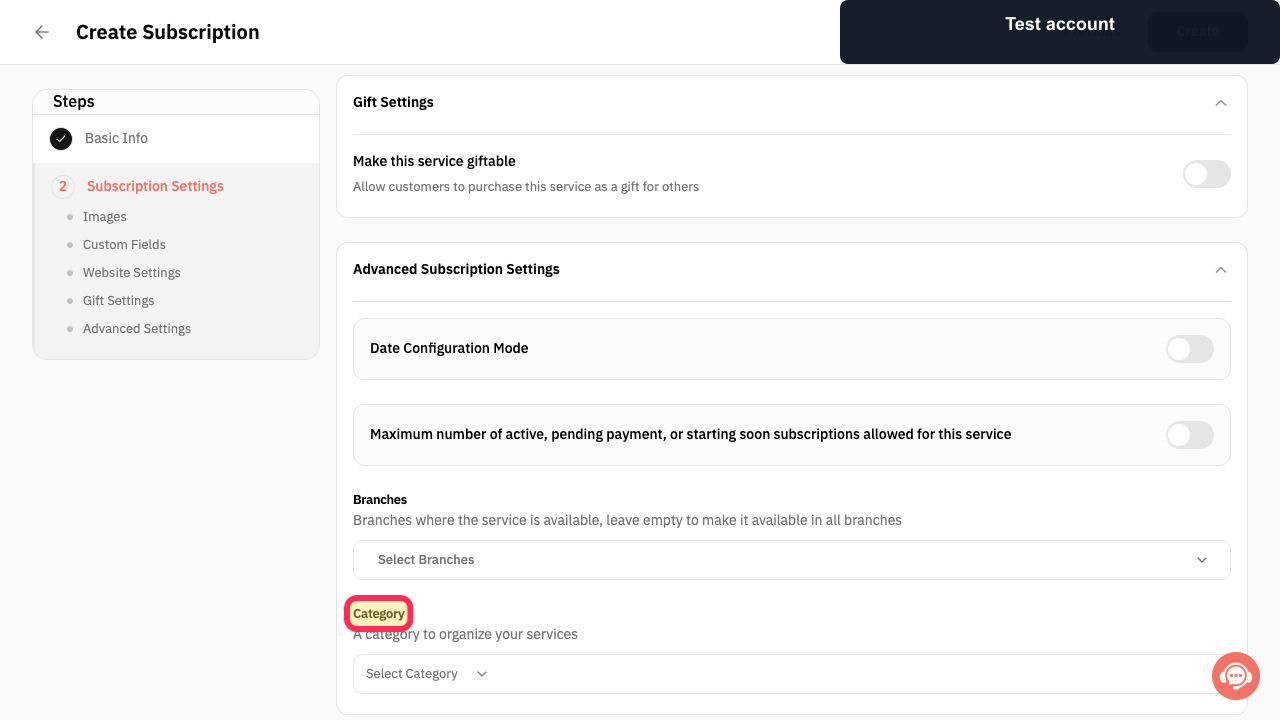
Step 6: Choose the appropriate category for the service.
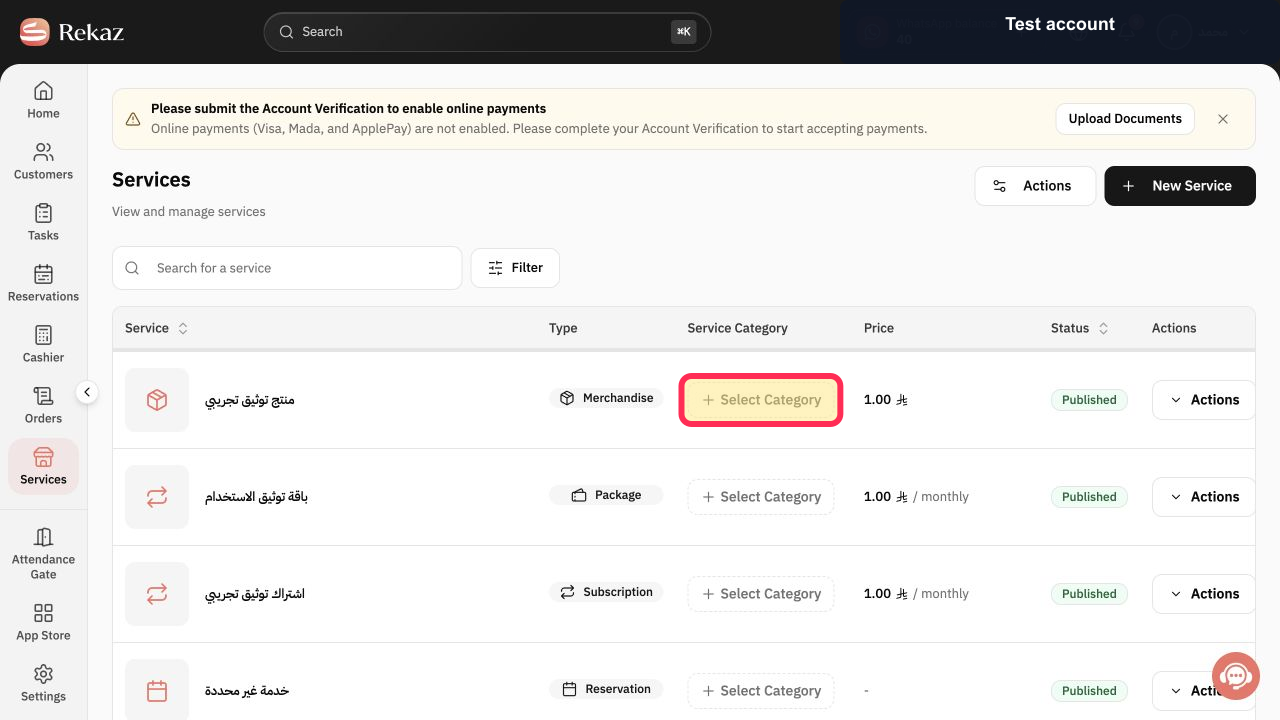
Step 7: Update the service to save the selected category.
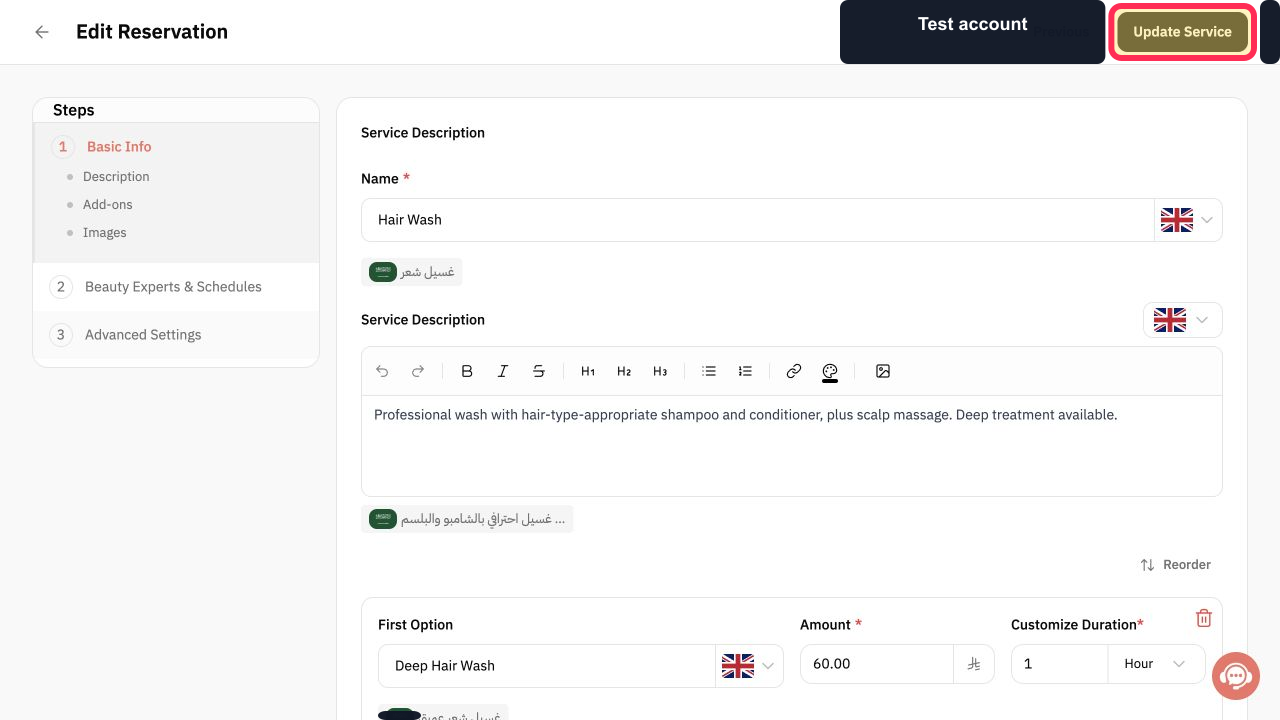
Choose clear categories
Use category names that customers can easily understand when browsing your services.
Changing category order
Assigning a service to a category does not reorder categories on your website. Reorder categories separately when you need to change how they are displayed.
Related questions
How do I categorise services in Rekaz?
Where do I choose a service category in Rekaz?
How do I group similar services under one category in Rekaz?


