How do I add a deposit to a reservation service in Rekaz?
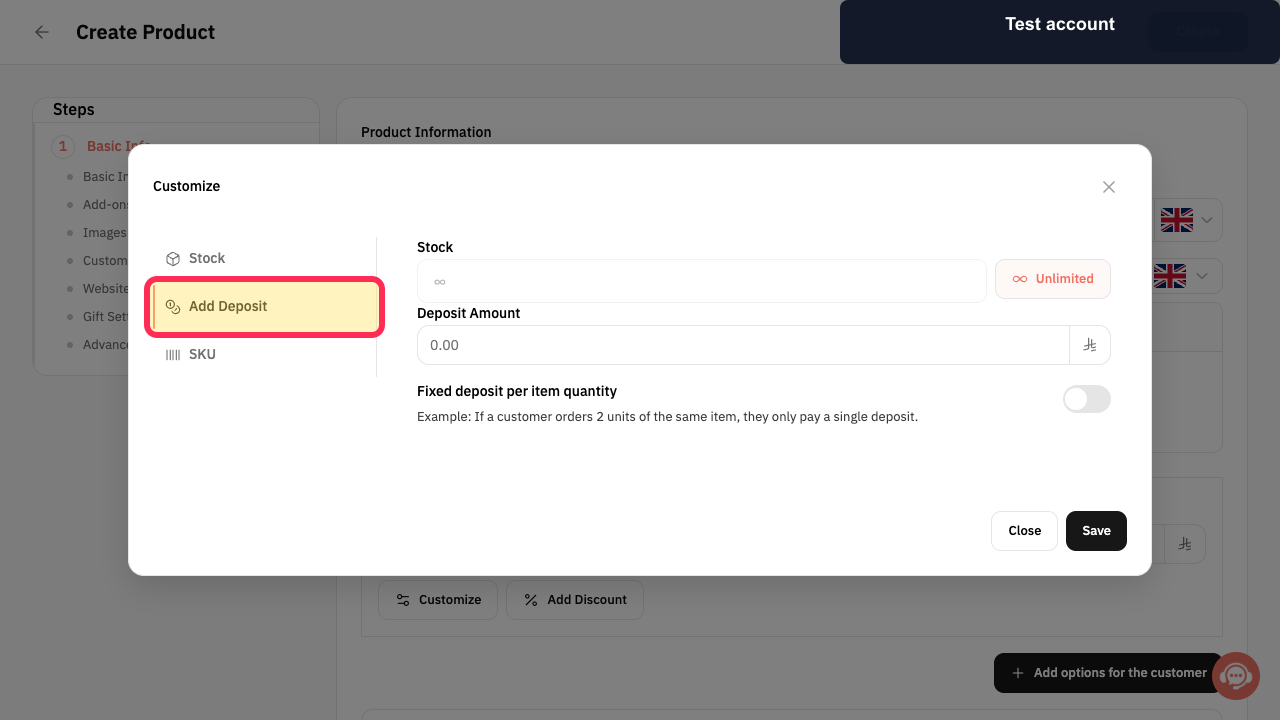
The older reservation-service deposit workflow is not available in the current Rekaz interface. “Add Deposit” and “Fixed deposit per item quantity” are for merchandise customization, not reservation services.
The website checkout option determines whether customers can pay the full amount when a deposit already applies. This setting does not add a deposit to a reservation service.
Steps
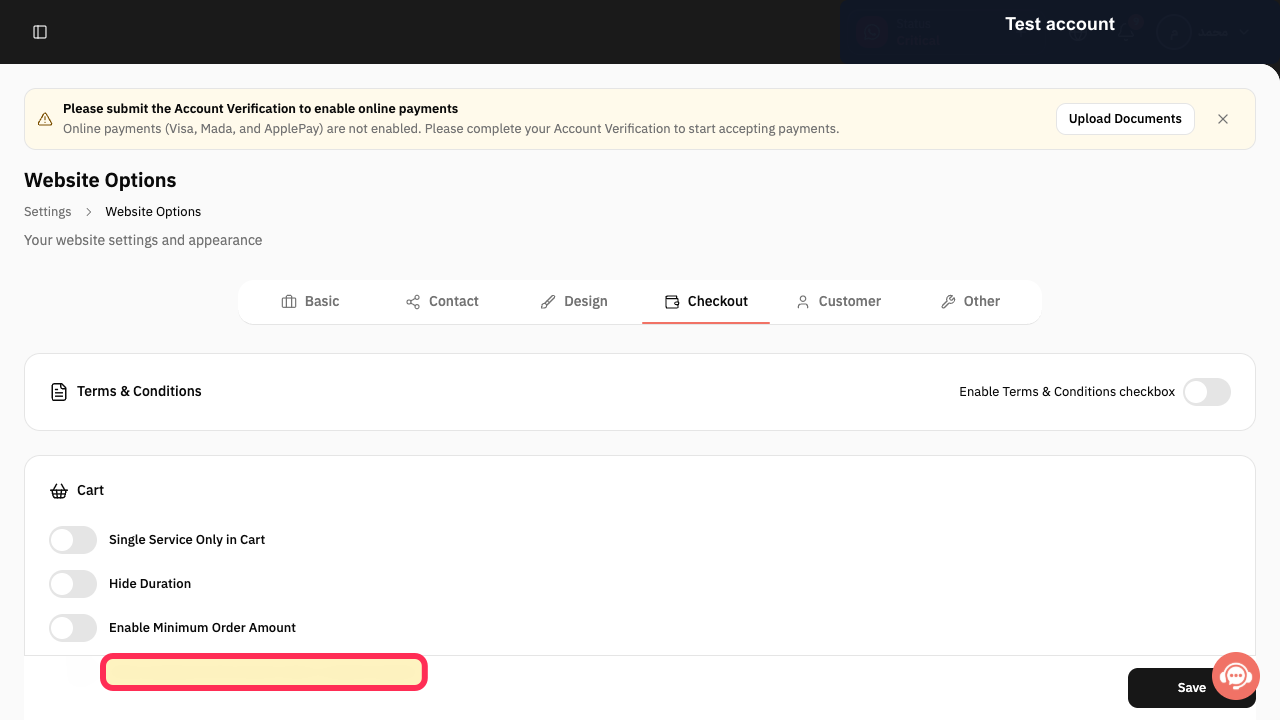
If a deposit already applies to a booking, review the checkout option that controls whether customers can pay the full amount instead.
The setting “Allow paying the full amount when a deposit applies” is visible.
Do not use the merchandise-only “Add Deposit” control to configure a reservation service.
The Add Deposit control is shown in a merchandise customization workflow, not a reservation-service workflow.
Illustrated guide
Step 1: Checkout option for bookings where a deposit already applies.
Step 2: Add Deposit is available only in merchandise customization.
Important notes
The deposit is added to a specific option within a Reservation Service, so it appears in that option’s booking flow.
Fixed deposit per booking means that one deposit amount is calculated even when the booking includes more than one person.
Saving the customization alone is not enough. Select Update Service after saving to apply the change.
Related questions
How do I set an advance payment for a service in Rekaz?
How do I set a booking deposit in Rekaz?
How can I charge one deposit for a group booking in Rekaz?


