How do I set tax (VAT) for a service in Rekaz?
To set VAT in Rekaz, go to Settings > Invoice Settings, then review your business details, VAT setting, and VAT rate before saving. In the current account view, VAT is configured in Invoice Settings rather than separately within each service.
Before saving, confirm that your VAT Number and VAT rate are correct. If you need different VAT rates for different services, contact Rekaz Support to confirm whether this is supported before making changes.
Steps
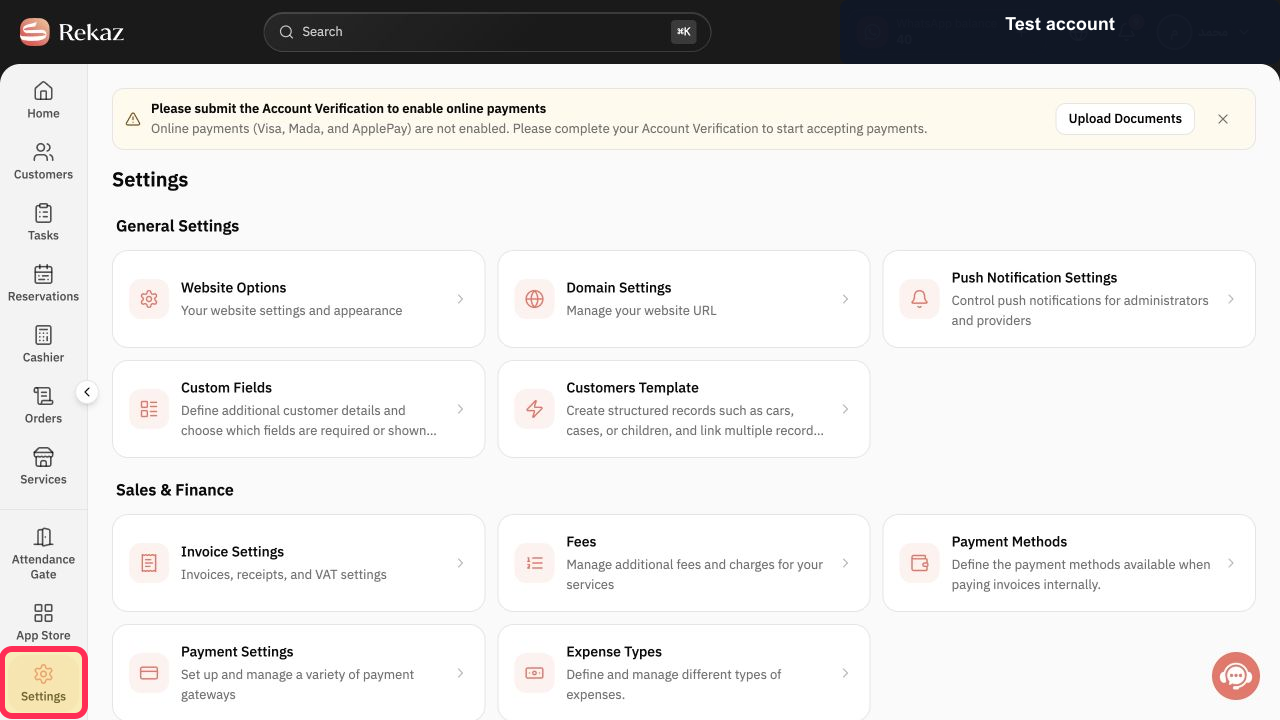
From the signed-in Rekaz dashboard, select Settings in the sidebar.
The Settings area opens.
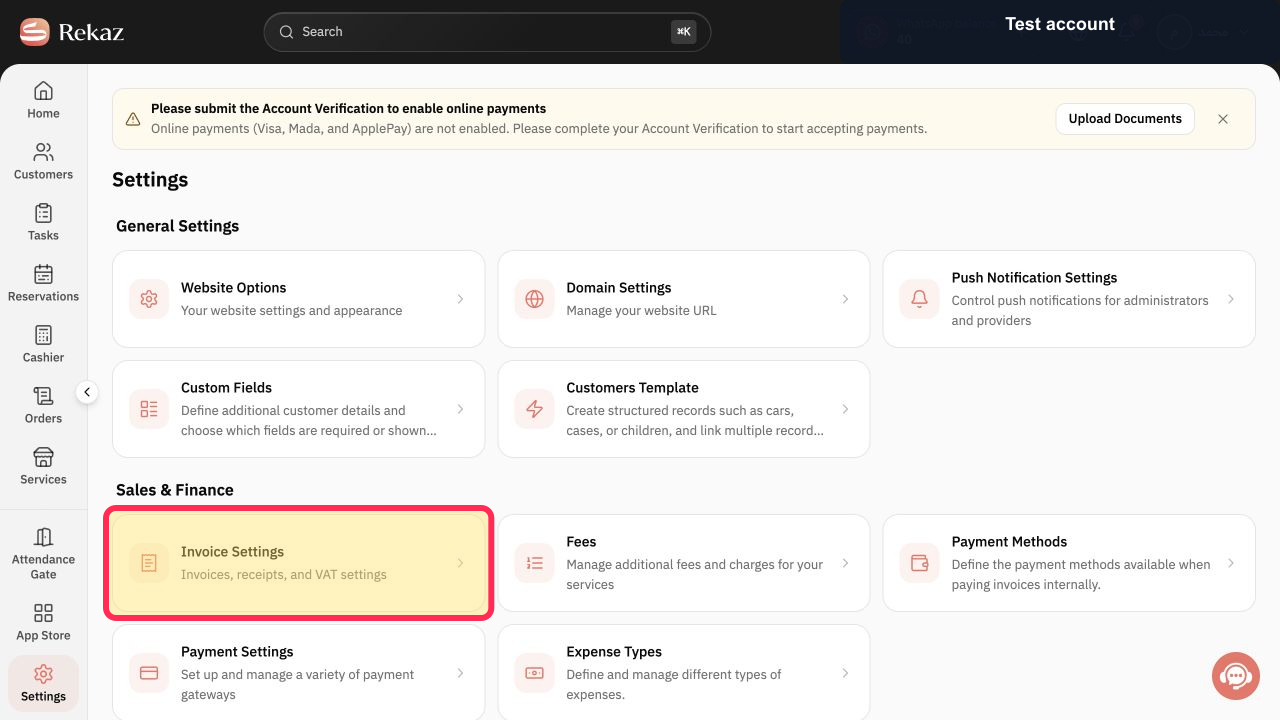
Open Invoice Settings.
The Invoice Settings page opens.
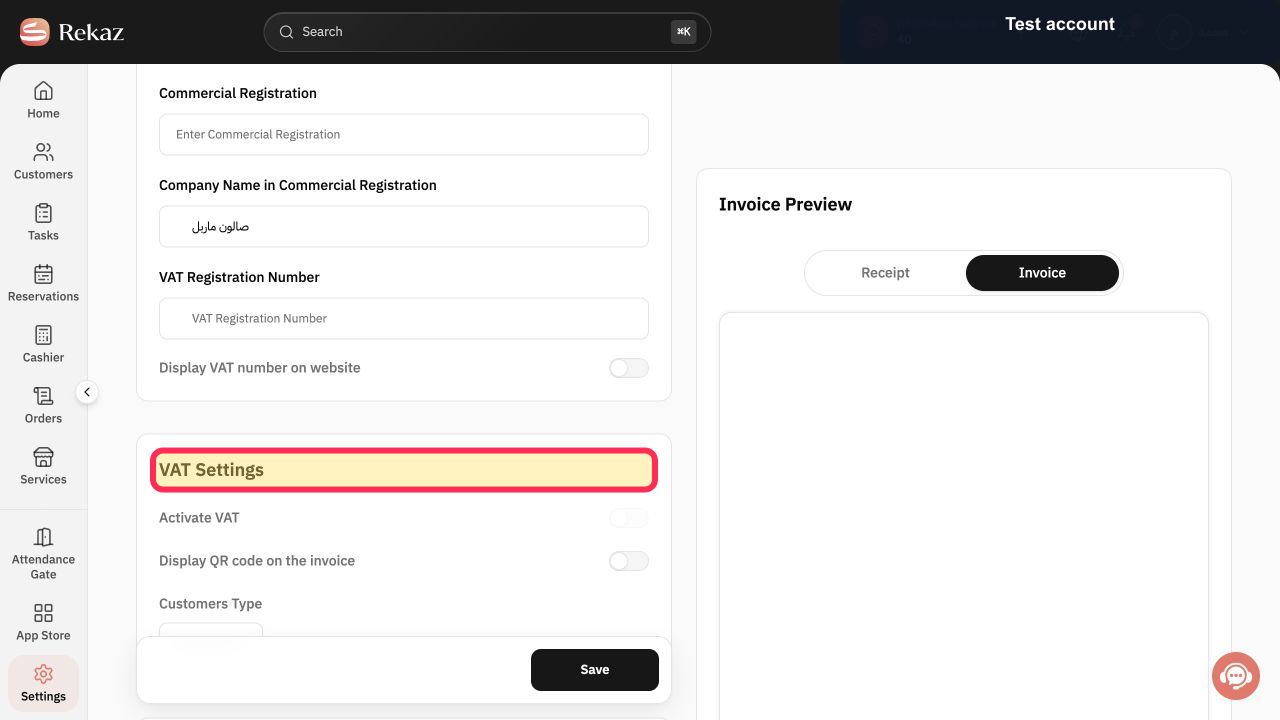
Review your business details, VAT setting, and VAT rate. This is the visible location for VAT in the current account view.
Your business and VAT details are displayed for review.
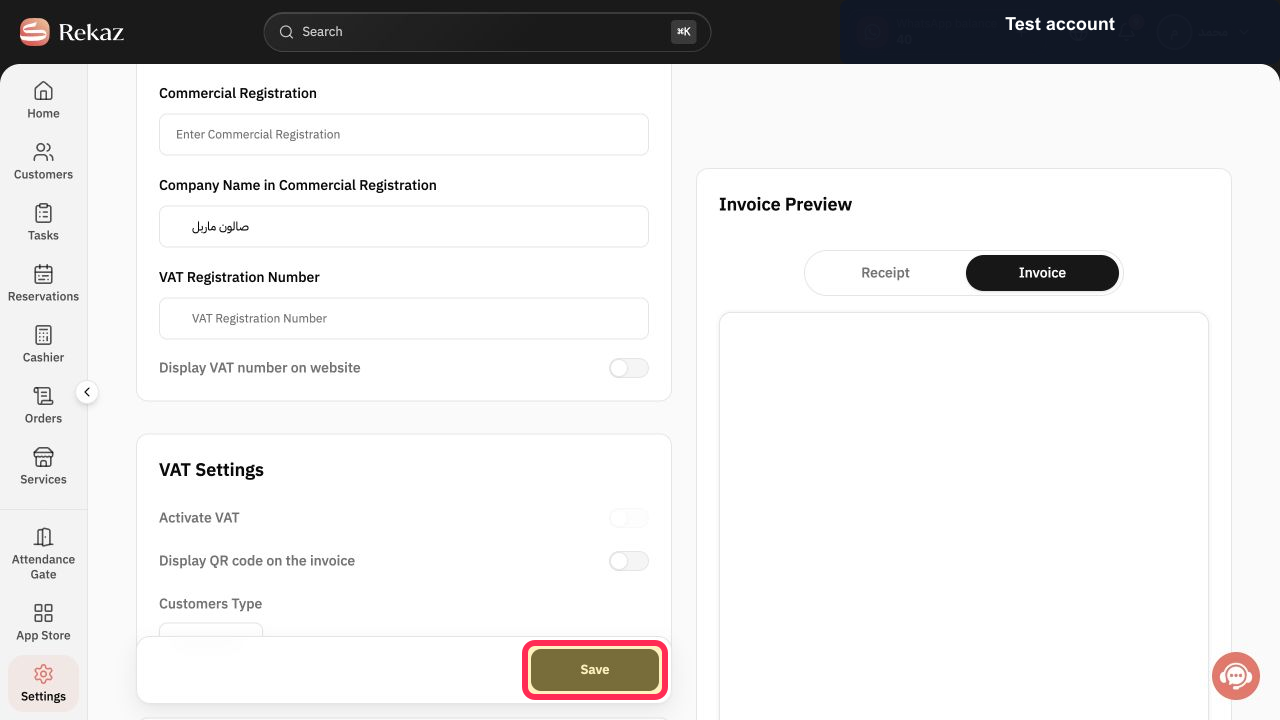
After confirming your VAT Number and VAT rate, select Save.
Your confirmed invoice and VAT settings are saved.
Illustrated guide
Step 1: The Settings option in the Rekaz dashboard sidebar.
Step 2: The Invoice Settings option in the Settings area.
Step 3: The business details, VAT setting, and VAT rate shown on the Invoice Settings page.
Step 4: The Save button below the confirmed VAT settings.
Important notes
The current account view does not show a separate tax field inside each service.
If your business needs different VAT rates by service, contact Rekaz Support to confirm whether this is supported before saving.
Each screenshot corresponds to its documented step. The relevant control or information is identified with a pink border and yellow highlighting.
The screenshots use sample data, and fields that are not needed for the instructions are hidden.
Related questions
Where can I find the option to set tax for a service in Rekaz?
What are the steps for setting VAT in Rekaz?
How do I change the VAT rate in Rekaz?
Can I set a different VAT rate for each service in Rekaz?


