How do I publish or hide a service on my website in Rekaz?
To hide a service from your website in Rekaz, open the service’s Actions menu and select Set as Internal. According to the available guidance, repeat the same action to publish the service on your website again.
This setting applies to a service’s visibility on your website.
Steps
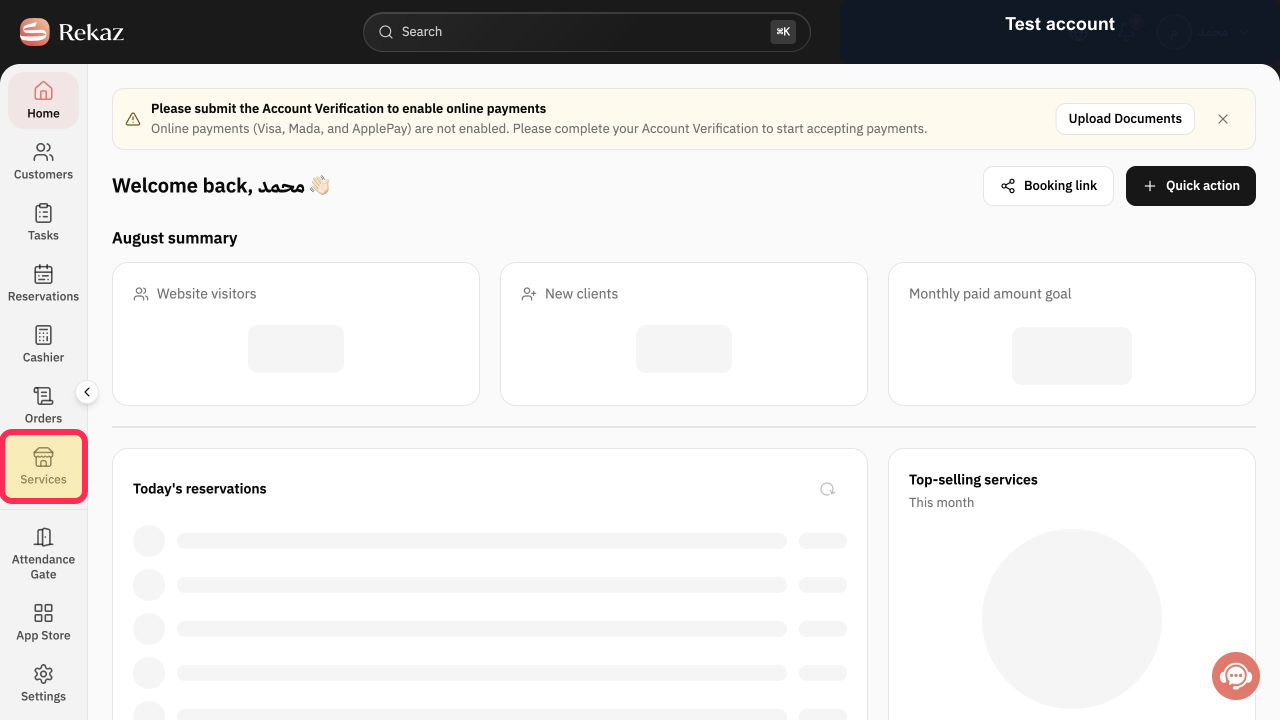
From the Home page, select Services in the sidebar.
The Services list opens.
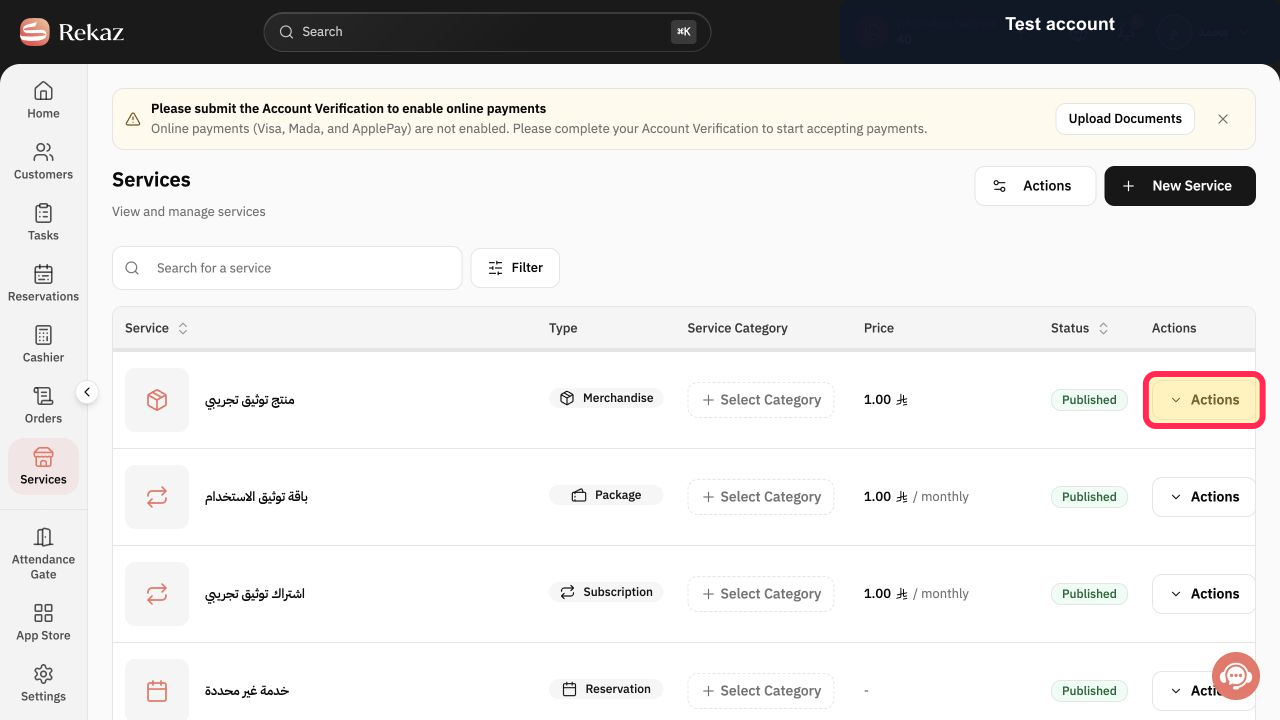
Find the service you want to hide, then select Actions next to it.
The selected service’s actions menu opens.
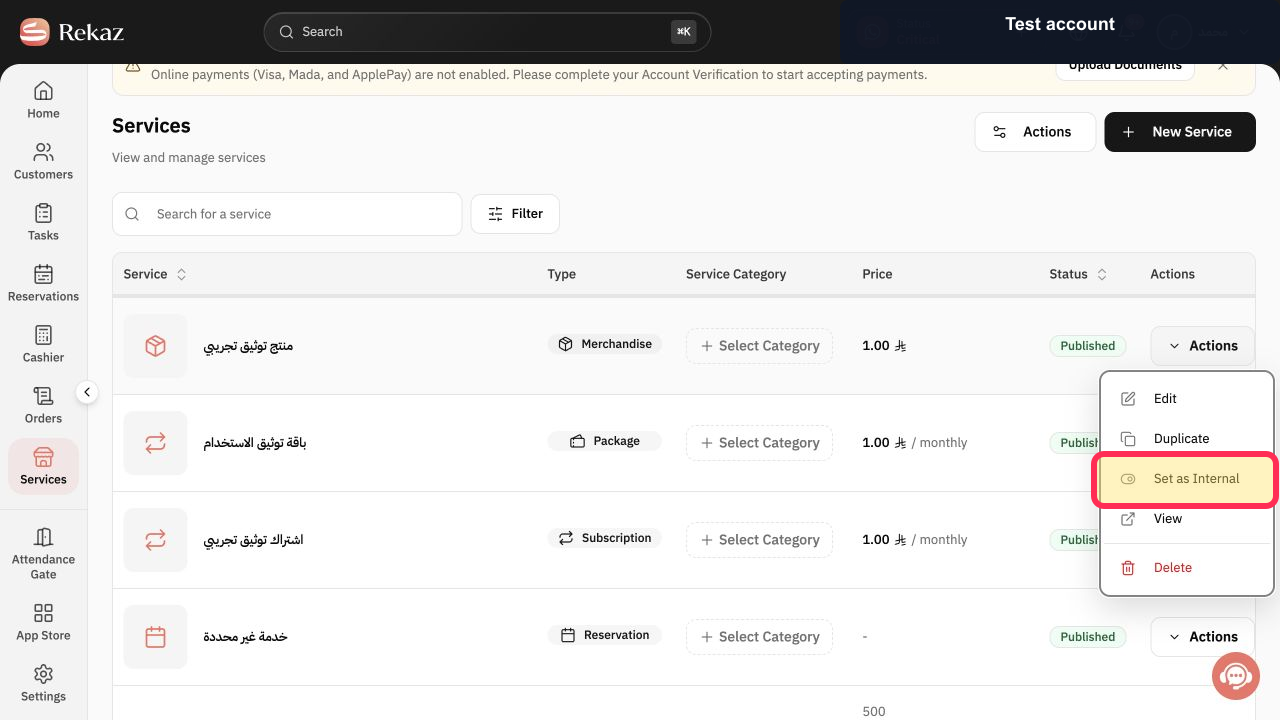
Select Set as Internal to hide the service from your website.
The service is set as internal and is hidden from the website.
Illustrated guide
Step 1: Select Services from the sidebar.
Step 2: Open Actions next to the service.
Step 3: Select Set as Internal to hide the service.
Publish the service again
To publish the service on your website again, follow the same process from the service’s Actions menu. The available guidance does not specify whether the action label changes after a service has been set as internal.
Important note
Interface labels or positions may change after the guidance was last updated.
Related questions
How do I hide a service from my Rekaz website?
How do I publish a service on my website in Rekaz?
Where can I find the service visibility option in Rekaz?


